
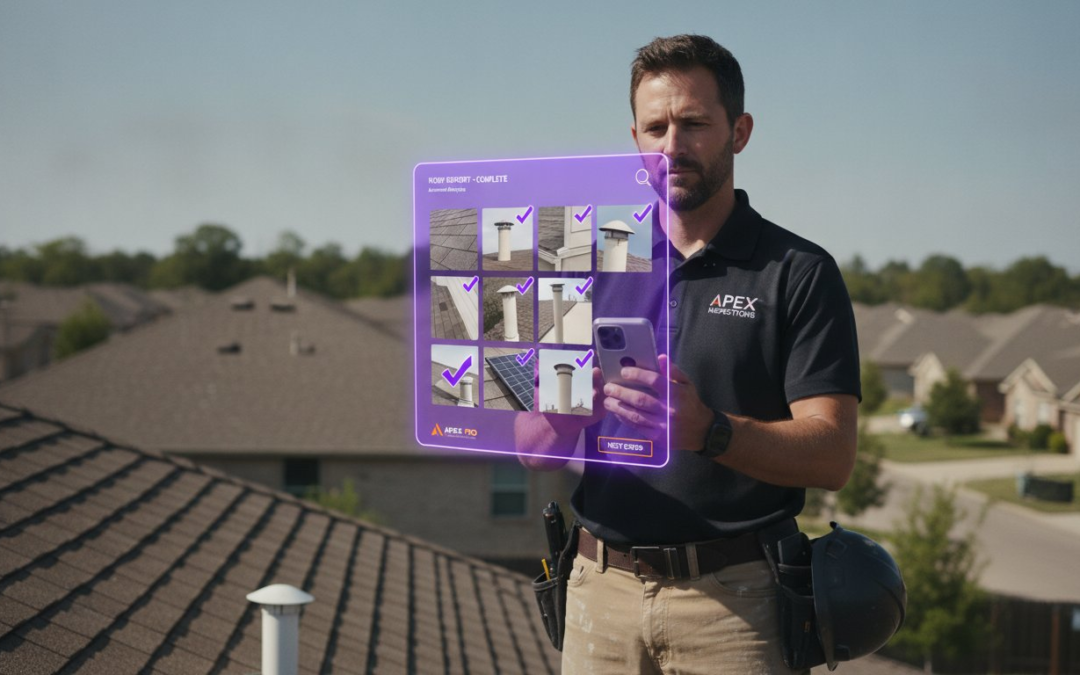
The most expensive part of your inspection isn’t the drive or the climb; it’s the three hours you waste every night labeling files at your kitchen table. You didn’t become a field professional to moonlight as a data entry clerk. If you’re still manually dragging images into folders and guessing which room is which from memory, you’re losing money. It’s time to demand more from your photo organization software. You need a tool that works as fast as you do, capturing data and organizing documentation in real-time.
We know the frustration of a disorganized camera roll and the dread of a looming report deadline. You want speed, accuracy, and professional results without the administrative headache. This article reveals the best high-velocity solutions for 2026 that automate your documentation from the very first click. We’ll explore AI-driven labeling, voice-to-text integration, and seamless report generation. Capture, categorize, and complete your projects in record time. Stop the manual madness, reclaim your evenings, and scale your business with a tech partner that understands the grind.
Key Takeaways
- Stop relying on generic gallery apps that bury critical site evidence in unorganized folders. Standard consumer tools lack the functional structure required for professional documentation.
- Identify the three essential pillars of professional photo organization software: high-velocity capture, automated labeling, and instant report generation.
- Eliminate the labeling gap by replacing manual data entry with voice-to-text technology. Document site conditions in real-time without ever putting down your tools.
- Evaluate your current workflow bottlenecks to determine if your primary struggle is photo volume, organization, or the speed of report writing.
- Leverage high-velocity solutions to transform onsite chaos into polished, client-ready reports with a single, streamlined step!
Why Personal Photo Apps Fail Field Professionals
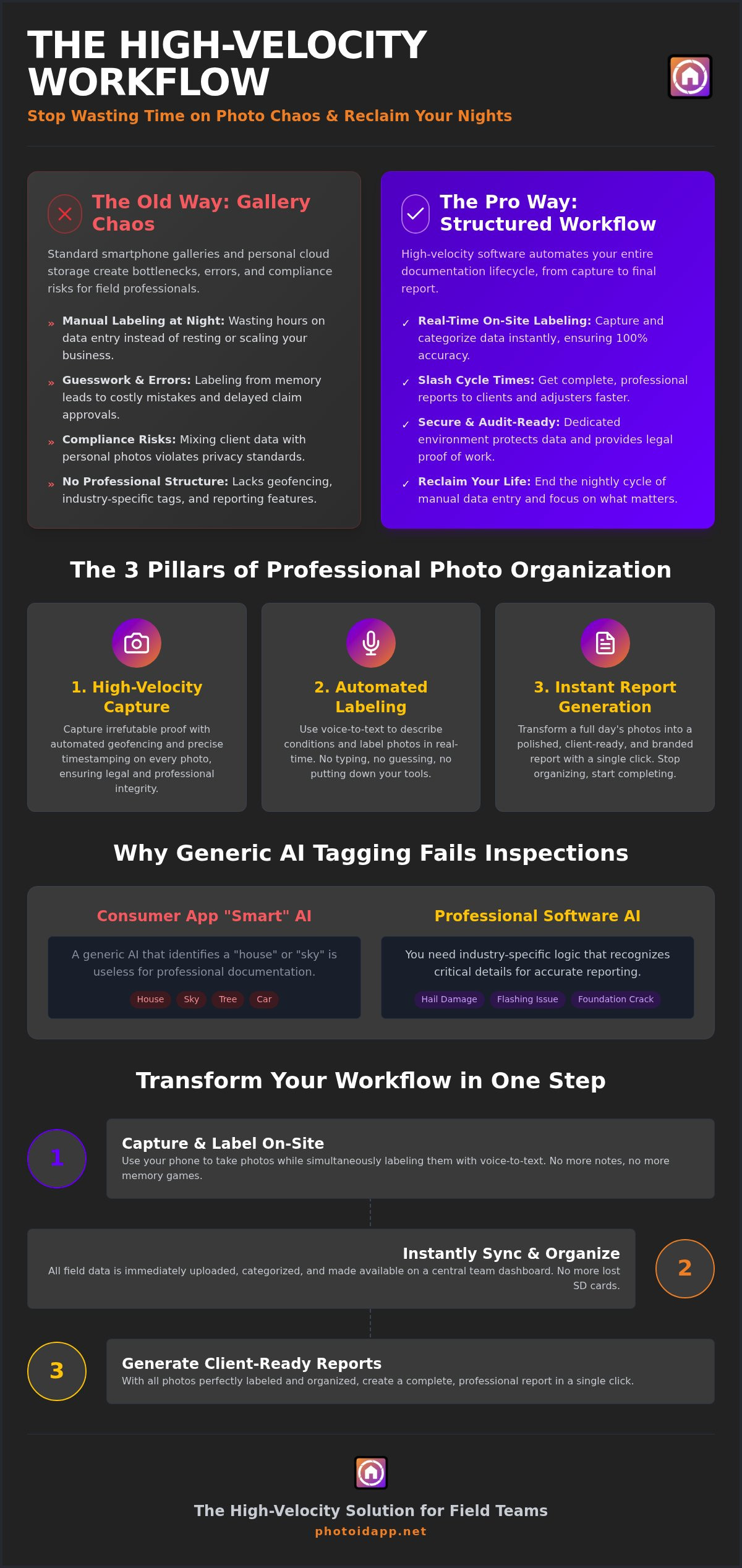
Stop treating your professional documentation like a family vacation album. Standard smartphone galleries create a “Gallery Chaos” that kills productivity. While a basic image organizer might help you scroll through last year’s holiday photos, it fails the moment you step onto a jobsite. Personal apps prioritize aesthetics over utility. You don’t need filters, cropping, or color grading to prove a roof leak. You need speed. You need structure. Every minute spent toggling between a personal cloud and an estimating tool is a minute of billable time lost to the digital void.
Personal storage also creates massive compliance risks. Mixing client data with personal photos violates privacy standards and makes professional reporting a legal minefield. Professional photo organization software secures your data in a dedicated environment, ensuring that every claim stays organized and every report remains audit-ready. Don’t let a disorganized camera roll compromise your professional reputation or your data security.
The Administrative Time-Debt Problem
Stop paying the “office night” tax. When you rely on memory to label fifty photos of similar-looking rooms at 9:00 PM, you’re begging for errors. Misidentifying property damage doesn’t just look unprofessional; it actively delays claim approvals and stalls your payments. Disorganized documentation creates a bottleneck that slows down your entire team and frustrates your clients. Reclaim your evenings by capturing and labeling data while you’re still on your feet. Accuracy happens in the field, not at a desk hours later.
- Eliminate guesswork: Labeling on-site ensures 100% accuracy.
- Slash cycle times: Get reports to adjusters and clients faster.
- Reclaim your life: End the cycle of manual data entry after hours.
Why ‘General’ AI Tagging Isn’t Enough
Don’t be fooled by “smart” folders in consumer apps. A generic AI that identifies a “house” or “sky” is useless for a field inspection. You need software that recognizes hail damage, flashing issues, or foundation cracks. Generic apps lack the geofencing and precise timestamping required for legal protection in the property industry. Professional documentation requires custom templates and industry-specific logic, not just a search bar that finds “blue cars.” Move beyond simple storage. Embrace a high-velocity workflow that understands the specific needs of your trade. Capture, categorize, and complete your projects with precision!
Defining Professional Photo Organization Software
Professional photo organization software isn’t a digital junk drawer. It’s a high-velocity engine designed to automate your entire documentation lifecycle. While personal apps just store files, professional tools integrate the capture, labeling, and reporting processes into a single, seamless workflow. It’s the bridge between a physical site visit and a finished claim. This technology relies on three core pillars: high-velocity capture, automated labeling, and instant reporting. When researching how to choose asset management software, field professionals must prioritize tools that offer mobile-first reliability and real-time syncing.
The industry is moving away from fragmented local storage toward centralized team dashboards. This shift ensures that every photo taken in the field is immediately available to the office staff. No more waiting for uploads. No more lost SD cards. Demand a mobile-first approach because your workspace is dynamic, dusty, and fast-paced. Your photo organization software should be too. Capture, categorize, and communicate with total confidence!
Essential Features for Field Documentation
Voice-to-text labeling is the heartbeat of real-time organization. Talk to your phone while you work. Describe the damage, identify the room, and keep moving. This eliminates the need to type on a small screen with gloves on. Combine this with automated geofencing to prove exactly where and when every photo was taken. It’s your legal shield against disputes. Use customizable inspection templates to ensure every team member delivers the same high-quality results, project after project. Consistency builds trust, and trust builds your business.
The Role of Instant Report Generation
Stop “organizing” and start “completing.” The final goal of any documentation process is a polished, professional report. High-velocity software allows you to move from a pile of images to a client-ready document in one click. This drastically reduces the friction between field data and office-based estimating software. By standardizing your reporting formats across a multi-person team, you ensure that every output meets industry standards. If you’re ready to transform your field workflow, consider how a PHOTO iD mobile app subscription can turn your site visits into instant results.
Creative vs. Inspection Software: A Critical Comparison
Don’t bring a paintbrush to a construction site. Creative tools like Adobe Lightroom are the gold standard for artistic editing, but they’re fundamentally ill-equipped for the rapid-fire demands of field work. The difference lies in the workflow: creative suites rely on a slow “Import/Export” model, whereas professional photo organization software uses a “Capture/Sync” architecture. You don’t have time to sit in a dark room color-grading files. You need those images synced to the office before you even step back into your truck.
The “Labeling Gap” is where creative apps truly fail the field professional. In a creative suite, you’re manually typing metadata for every shot. In a high-velocity inspection app, you’re using voice-to-text to document damage instantly. This isn’t just about convenience; it’s about integration. Creative tools live in their own ecosystem, while professional software bridges the gap to industry-standard estimating tools like Xactimate. While personal cloud storage might seem cheaper upfront, the ROI of a professional subscription is found in the hours of administrative labor you eliminate every single week. Speed, simplicity, and seamlessness are the only metrics that matter.
Workflow Efficiency Comparison
Imagine labeling 100 photos. In Lightroom, that involves a multi-step process of importing, clicking each image, and typing descriptions. With PHOTO iD, you talk, snap, and sync. The work is done before you leave the property. Modern field tools also incorporate advanced features like aerial roof and wall measurements and virtual inspection software, allowing you to document entire structures without ever leaving the ground. These aren’t just “photo apps”; they’re comprehensive documentation engines that replace traditional site visits with digital precision.
Industry Standards and Compliance
Documentation isn’t just for you; it’s for the adjusters, the carriers, and the lawyers. Meeting IICRC and Verisk standards requires more than just a clear picture. It requires a verifiable audit trail. Professional software protects you against liability by providing centralized oversight through a team management dashboard. You can track every project in real-time, ensuring that your field team follows the exact same protocols every time. Phone galleries leave you vulnerable to lost data and disputed claims. Professional systems anchor your evidence in a secure, compliant environment that stands up to scrutiny!
How to Choose the Right Software for Your Workflow
Don’t pick a tool based on a pretty interface. Pick a tool based on your volume. If you’re snapping 200 photos per project, you can’t afford a manual workflow. Identify your primary bottleneck right now. Is it the labeling? Is it the organization? Is it the actual report writing? Selecting the right photo organization software is about more than storage; it’s about workflow integration. Most field pros lose time in the “labeling gap” discussed earlier. Your software should eliminate this gap entirely by automating data entry at the source. If the tool doesn’t save you at least an hour per project, it’s not the right fit.
Test the mobile experience in real-world conditions. A software that works in a climate-controlled office might fail on a steep roof or in a cramped crawlspace. You need high-velocity capture that doesn’t lag when your signal is weak. Check for team features if you manage multiple field adjusters. A centralized dashboard is the only way to maintain oversight without micromanaging every file upload. Evaluate, execute, and excel!
Integration with Claims and Construction Suites
Efficiency requires a connected ecosystem. You can’t waste time downloading and re-uploading files between platforms. For many professionals, mastering property claims estimating requires seamless photo syncing that pushes data directly into your estimating tools. Similarly, linking your visual documentation with your construction management software ensures project timelines stay on track. Look for tools that handle HEIC file support and conversion automatically. This ensures your high-quality mobile images are ready for industry-standard reports without manual processing.
Scalability for Growing Field Teams
Transitioning from a “one-man show” to a managed field team is a major milestone. It also introduces new risks. You need to ensure every inspector speaks the same language. Use a dashboard for real-time project oversight to see exactly what’s happening on every jobsite. Standardizing your labeling templates ensures consistency across the board. This prevents the chaos of having five different inspectors using five different naming conventions. Ready to scale your operations? Start your PHOTO iD mobile app subscription today and turn your field team into a high-velocity documentation powerhouse!
PHOTO iD: The High-Velocity Solution for Field Teams
Stop settling for generic tools built for hobbyists. Your business deserves a field-first documentation engine. PHOTO iD isn’t just another photo organization software; it’s a game-changing partner that restores order to the chaos of onsite inspections. By integrating capture and categorization into one fluid motion, you eliminate the administrative friction that stalls your growth. Capture the evidence, label the damage, and sync the data without ever slowing down. This is the high-velocity alternative to manual organization that modern professionals demand.
Voice-to-text labeling allows you to document critical damage without putting down your tools. Talk to the app while you work. Identify the room, the material, and the severity of the loss in real-time. This hands-free approach ensures that your focus stays on the inspection, not on a keyboard. Once the site walk is finished, generate a polished PDF report instantly. You can literally send the final documentation to your client or adjuster before you even leave the driveway. Combine this with integrated aerial roof and wall measurements to create a comprehensive data package that flows directly into your estimating suite. Speed, simplicity, and seamlessness are built into every click!
Why Top Inspectors Choose PHOTO iD
Experience matters in the property industry. PHOTO iD carries the “Claims Coach” legacy, meaning it was designed by industry veterans who have spent years in the trenches. They understand the specific frustrations of field work because they’ve lived them. This expertise has led to a platform that can reduce claim cycle times by up to 40%. By slashing administrative overhead, you free up your team to handle more volume without increasing your headcount. Discover how PHOTO iD supports high-velocity documentation by visiting our field-first guide. Trust the tool built by professionals, for professionals.
Getting Started with Professional Organization
Reclaiming your time is easier than you think. Start by setting up your first custom inspection template to match your specific workflow. Whether you’re a home inspector, a roofing contractor, or an insurance adjuster, you can tailor the categories to fit your needs. Invite your team to the centralized management dashboard to gain real-time oversight of every active project. No more chasing down SD cards or waiting for email attachments. Everything you need is organized, labeled, and ready for review the moment it’s captured. Don’t wait for the next office night to catch up on your backlog. Start your PHOTO iD subscription today and experience the power of instant organization!
Take Control of Your Field Documentation Today
The choice is clear. You can continue struggling with disorganized folders and manual data entry, or you can embrace the future of professional documentation. High-velocity photo organization software is no longer a luxury; it’s a competitive necessity for anyone in the property assessment industry. By automating your labeling and report generation, you eliminate the administrative bottlenecks that drain your time and energy. You’ve learned how to identify the right tools and why industry-specific features like voice-to-text are non-negotiable for scaling your team. Accuracy happens in the field, and your software must be fast enough to keep up.
Reclaim your time and increase your accuracy starting now. Streamline Your Field Documentation with PHOTO iD and discover why we’re the preferred partner for field professionals. Our platform is proven to deliver 40% faster claim cycles, helping you close projects and get paid sooner. Utilizing our advanced voice-to-text labeling technology, you can capture every detail while your hands stay busy on the jobsite. We’re trusted by property adjusters and home inspectors nationwide to deliver reliable, professional results every time. Streamline Your Field Documentation with PHOTO iD and restore order to your onsite workflow today! Stop the manual struggle and start scaling your business with total confidence!
Frequently Asked Questions
What is the difference between creative and professional photo organization software?
Creative software focuses on aesthetics like color grading and RAW editing for artistic output. Professional photo organization software prioritizes documentation utility, speed, and automated categorization. You need tools that handle high volumes of site images without manual sorting. While creative suites are great for marketing shots, they lack the labeling and reporting automation required for field inspections. Choose functional documentation over artistic filters to protect your bottom line.
Can I use voice-to-text to label photos while I am offline in the field?
Yes, modern field apps allow you to capture and label data even without a cellular signal. The voice-to-text technology processes your commands locally on your mobile device. Once you return to an area with connectivity, the app syncs your organized project photos to the cloud automatically. This ensures that remote jobsites don’t slow down your documentation process. Keep talking, keep snapping, and let the software handle the synchronization later!
How does automated labeling save time during property inspections?
Automated labeling eliminates the “office night” tax by categorizing images as you capture them. Instead of typing descriptions from memory at your desk, you use voice commands or templates on-site. This high-velocity approach reduces administrative overhead and prevents costly misidentification errors. Professionals report that this streamlined workflow can slash claim cycle times by up to 40%. It’s the difference between working for your data and having your data work for you.
Does professional photo software integrate with Xactimate or Verisk?
Professional solutions are designed to bridge the gap between field data and industry-standard estimating suites. They allow for seamless photo syncing directly into platforms like Xactimate or Verisk. This integration reduces the friction of manual uploads and ensures your documentation meets carrier requirements. Check your software’s compatibility list to ensure it supports the specific construction or claims management tools your business relies on for daily operations.
Is it possible to generate a full photo report directly from a mobile app?
Absolutely, you can generate a polished PDF report before you even leave the property. High-velocity apps compile your labeled images and data into a standardized format with a single click. This allows you to deliver professional results to clients or adjusters instantly. Instant report generation removes the delay between the site visit and the final deliverable. Close your projects faster and improve your cash flow with mobile-first reporting technology!
Why is geofencing important for professional photo organization?
Geofencing provides an indisputable digital footprint that proves you were at the correct jobsite. It automatically attaches precise GPS coordinates and timestamps to every photo captured. This serves as your legal shield against liability disputes and fraudulent claims. It also helps organize project photos by location, ensuring that images from different sites never get mixed up. Security, accuracy, and accountability are the three major benefits of integrated geofencing.
How does a team management dashboard help construction and inspection firms?
A centralized dashboard provides real-time oversight of your entire field team from the office. You can track project progress, review documentation quality, and manage assignments without micromanaging every inspector. This visibility ensures that every team member follows standardized labeling protocols and meets deadlines. It’s an essential tool for scaling construction and inspection firms. Transform your individual efforts into a coordinated, high-velocity operation with a centralized management hub!
What file formats should my photo organization software support for property reports?
Your software must support industry-standard formats like JPEG and PNG while also handling HEIC files from modern smartphones. Automatic conversion is key to ensuring compatibility with older estimating systems. Beyond image files, the software should export professional reports in PDF format for universal accessibility. Ensure your photo organization software maintains high resolution while optimizing file sizes for fast digital sharing. Compatibility, clarity, and compression are the priorities.