
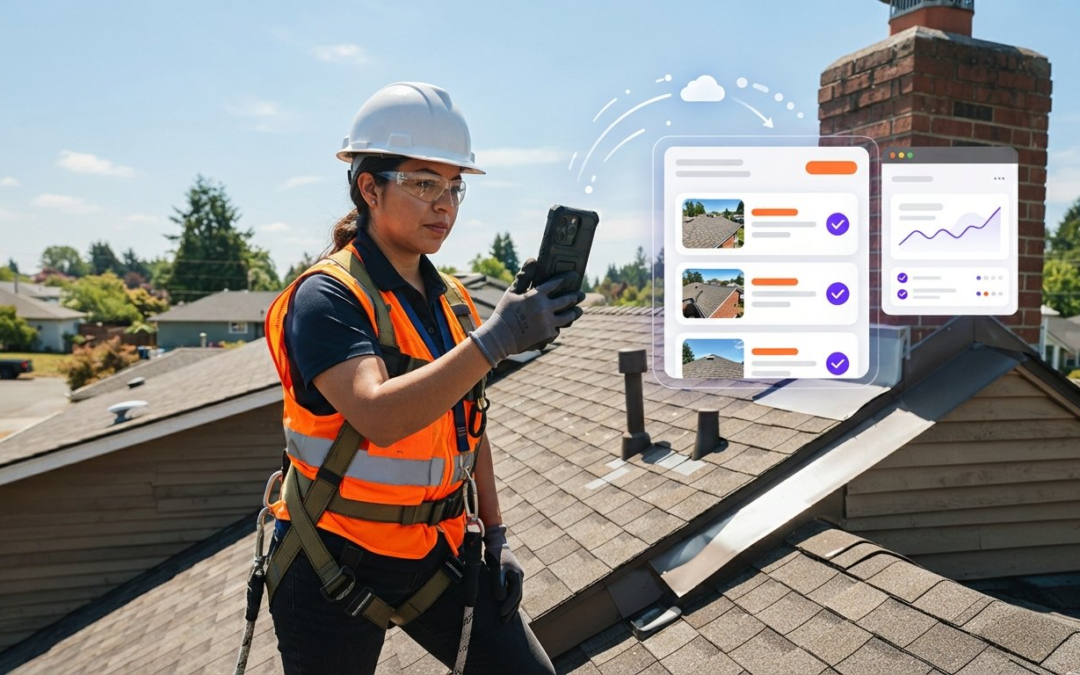
Did you know that field teams spend over nine hours every week sifting through unorganized camera rolls and fragmented chat threads? It’s a frustrating, unpaid tax on your time. You finish a long day on-site only to face hours of manual labeling and report building at your kitchen table. You’re losing track of which room belongs to which issue. Inconsistent documentation from your team creates a bottleneck that slows down every project and delays your payments.
You deserve a workflow that keeps pace with your expertise. It’s time to stop the camera roll chaos and reclaim your evenings. By adopting a dedicated job site photo management app, you can eliminate manual office work entirely. Discover how to use automated labeling and instant reporting tools designed specifically for the modern field professional. This 2026 guide shows you how to capture, categorize, and communicate with total precision. We will explore the power of voice-to-text labeling, seamless office syncing, and the “Snap, Speak, and Send” workflow that turns hours of documentation into seconds of effortless action!
Key Takeaways
- Stop paying the manual documentation tax by identifying how disorganized galleries lead to missed line items and lost revenue.
- Master the ultimate field hack using voice-to-text and automated labeling to categorize every photo the moment you capture it.
- Leverage a professional job site photo management app to generate instant reports and oversee your team in real-time via a centralized dashboard.
- Implement a “capture once, use many” strategy and follow standard sequences to ensure you never miss a critical shot again.
- Scale your business operations effortlessly by using intuitive software that makes onboarding new team members fast and simple.
Why Your Current Job Site Photo Management is Costing You Money
Every minute you spend scrolling through a cluttered phone gallery is a direct hit to your bottom line. This is the manual documentation tax. It’s the hidden cost of traditional workflows that force you to trade your evenings for office work. When photos aren’t labeled instantly, they become liabilities rather than assets. Disorganized documentation leads to missed line items, disputed claims, and lost revenue that you can never recover. Stop the leak and start capturing profit!
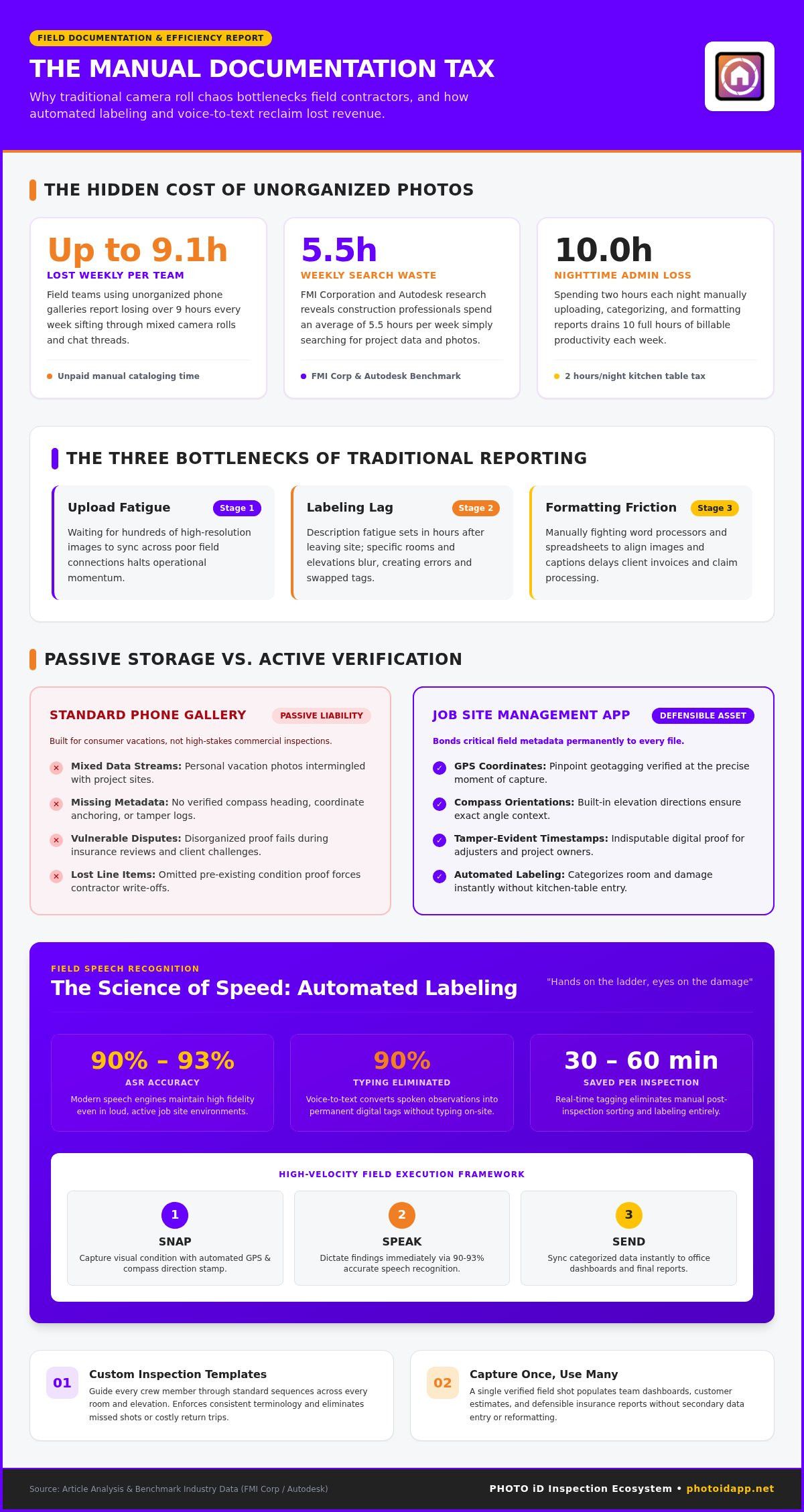
Passive storage is your enemy. Simply saving images to a cloud folder is not enough. You need active documentation. Without a structured job site photo management app, you risk losing the context of a repair or the proof of a pre-existing condition. Poor records drive disputes. In fact, research from FMI Corporation and Autodesk shows that construction professionals spend an average of 5.5 hours per week just searching for project data and photos. Field teams using unorganized galleries report losing up to 9.1 hours weekly. That is time you aren’t billing.
The Reality of Post-Inspection Office Work
Calculate the true cost of your current process. If you spend two hours every night uploading, labeling, and formatting reports, you’re losing ten hours of productivity every week. This manual entry creates description fatigue. By the time you sit down at your computer, the specific details of the third room on the second floor have started to blur. Errors creep in. Labels get swapped. These small mistakes lead to major payment delays or rejected insurance claims. You need to Snap, Speak, and Send to keep your momentum!
- Upload fatigue: Waiting for hundreds of photos to sync across slow connections.
- Labeling lag: Trying to remember specific issues hours after leaving the site.
- Formatting friction: Fighting with word processors to align images and text.
Moving Beyond the Standard Phone Gallery
Generic photo apps are built for vacations, not for high-velocity inspections. Mixing personal photos with professional job site data is a recipe for disaster. You need a dedicated job site photo management app that bonds critical metadata to every file. Professional documentation requires more than just a clear image. It demands verifiable proof: GPS coordinates, compass orientations, and tamper-evident timestamps. Standard phone galleries fail to provide this level of defensibility. When a dispute arises, passive photos won’t protect your business. Active, labeled documentation will. It’s about speed, accuracy, and total accountability!
The Science of Speed: Automated Labeling and Voice-to-Text
Speed isn’t just about moving fast. It’s about moving smart. Traditional documentation fails because it relies on memory and manual input. By using a modern job site photo management app, you can capture data at the speed of thought. Automated labeling ensures that every image is categorized the moment you press the shutter. No more guessing. No more delays. Just pure, organized data ready for your next report. This proactive approach turns every site visit into a high-velocity data collection event!
How Voice-to-Text Labeling Works in the Field
Keep your hands on the ladder and your eyes on the damage. Voice-to-text is the ultimate field documentation hack. Modern automatic speech recognition (ASR) engines now achieve between 90% and 93% accuracy even in noisy job site environments. Speak your findings clearly. The software handles the rest. Voice-to-text eliminates 90% of field typing by converting your spoken observations into permanent digital labels instantly. This technology allows you to document complex issues without ever putting down your tools. It’s fast. It’s accurate. It’s essential! Research shows that standardizing on real-time photo tagging saves field personnel 30 to 60 minutes per site inspection compared to post-inspection office uploads.
Custom Templates for Standardized Success
Consistency is the backbone of any scalable business. If three different team members inspect three different sites, the results should look identical. Custom templates guide your crew through every room and every elevation. This ensures that every essential data point is captured every single time. You can integrate industry-specific terminology into your automated labeling library to maintain a professional edge. This standardized approach prevents missed shots and reduces the need for return trips. It creates a repeatable rhythm for your team that eliminates guesswork.
By preparing your data through AI-driven labeling, you set the stage for instant report generation. The app understands the context of each photo before you even leave the site. This intelligence turns a pile of images into a structured narrative. If you want to see this efficiency in action, explore how automated photo labeling can transform your daily operations. Reclaim your time. Scale your volume. Lead your industry with high-velocity documentation!
Essential Features of a Professional Job Site Photo App
A professional job site photo management app must do more than just store images. It needs to drive your business forward through high-velocity output. Modern roofers and restorers now demand high-accuracy aerial roof and wall measurements that provide precise data without the need for dangerous ladder work. Senior adjusters and project managers rely on virtual inspection tools to provide remote oversight, slashing travel time and fuel costs across the board. These features aren’t just perks; they’re the standard for 2026!
Integration is the key to true efficiency. The best platforms bridge the gap between field documentation and industry-standard estimating tools. Look for systems that offer automated zip-file batch exports specifically formatted for platforms like Verisk’s Xactimate and Simsol. This eliminates the tedious double-entry that plagues traditional workflows. Capture the data once. Export it instantly. Get paid faster. It’s a seamless pipeline from the job site to the final estimate!
Instant Photo Report Generation vs. Manual Drafting
Manual drafting is a relic of the past. Why wait until you get home to start your paperwork? Instant report generation takes the data you captured in the field and populates a professional PDF the moment the inspection ends. You can customize layouts to meet the specific requirements of different insurance carriers or private clients. If you want to see the leading edge of this technology, check out The Best Home Inspection App of 2026. This level of velocity ensures your documentation is ready before you even leave the driveway!
Team Dashboards and Real-Time Oversight
Stop making check-in phone calls that interrupt your crew. A centralized team management dashboard gives you a bird’s-eye view of every project from your office. You can manage multiple crews, review field progress in real-time, and catch errors before they become expensive rework. This instant photo review capability acts as a digital quality control layer for your entire company. It provides the visibility you need to scale without adding administrative overhead. It’s about total visibility, total control, and total confidence!
- Real-time reviews: Catch missing shots while the tech is still on-site.
- Project tracking: Monitor the status of dozens of claims from one screen.
- Seamless syncing: Move data from the field to the office dashboard instantly.
Best Practices for High-Velocity Site Documentation
Efficiency starts before you even step onto the job site. High-velocity documentation requires a “capture once, use many” mindset. Every photo you take should serve multiple purposes: providing proof for insurance, data for estimation, and protection against future liability. To achieve this, you must implement a standard capture sequence for every inspection. Start at the front elevation and move clockwise. Never deviate. This rhythm ensures you never miss a critical shot and allows your job site photo management app to organize your data with total precision!
Consistency is your greatest asset. When every team member follows the same sequence, the office staff can review files in seconds rather than minutes. This structured approach eliminates the need for follow-up calls and second site visits. It turns a chaotic collection of images into a professional, searchable database. By documenting systematically, you create a defensible record that stands up to scrutiny from carriers and clients alike. Plan your path, follow the flow, and prove your work!
Setting Up Your Inspection Workflow
Save time at the curb by pre-loading your project data. Enter the claim number, client name, and property address before you arrive to ensure every photo is instantly tagged to the correct file. Use “category pins” within your job site photo management app to highlight specific issues like water damage, structural cracks, or hail impact. This level of detail makes your reports undeniable. For those looking to master the financial side of the business, check out this guide on What is Xactimate? to learn how to integrate your field data for faster payouts.
Maximizing Accuracy with Aerial Tools
Safety and accuracy go hand in hand. Use aerial roof and wall measurements to supplement your ground-level photos. These tools allow you to document hard-to-reach areas safely without ever pulling a ladder off your truck. Virtual inspection tools enable senior staff to verify these findings remotely, ensuring that every measurement is formatted correctly for your final estimation reports. This dual-layer approach provides a comprehensive view of the property that ground photos alone cannot match. It’s about being thorough, being safe, and being fast!
Stop wasting time with disorganized workflows and fragmented communication. If you are ready to eliminate manual office work and scale your business with automated tools, start your PHOTO iD subscription today. Reclaim your time and dominate your market with high-velocity documentation!
Scale Your Business with PHOTO iD’s Inspection Ecosystem
Scaling your business in 2026 requires more than just hard work. It requires the right partner. If you are drowning in paperwork, you are hitting a growth ceiling that no amount of overtime can break. PHOTO iD is designed to be that partner. It empowers you to take on more volume without adding administrative weight. By transforming your documentation from a chore into a high-velocity asset, you free up the resources needed to lead your market. Stop managing chaos and start managing growth!
Onboarding new team members shouldn’t be a week-long ordeal. With intuitive software, your new hires can be productive on their very first day. The learning curve is virtually non-existent because the app guides them through every step of the process. This ease of use ensures that every technician, regardless of experience, delivers professional-grade documentation that meets your high standards. Grow your team. Grow your revenue. Grow your reputation!
The PHOTO iD Advantage for Field Teams
The secret to high-velocity documentation lies in our unique combination of voice-to-text and automated labeling. This isn’t just a job site photo management app; it’s a comprehensive ecosystem built on the expertise of industry veterans like Ken Perry. The platform was forged in the heat of real-world claims and inspections. Our team dashboard improves communication by providing a single source of truth for every project. It reduces errors by catching missing data before the tech leaves the site. It’s about precision. It’s about speed. It’s about results!
- Voice-to-Text: Capture findings while your hands stay on the job.
- Automated Labeling: Organize hundreds of photos instantly without typing.
- Team Dashboard: Oversee multiple crews and projects from one central hub.
Ready to Automate Your Documentation?
The journey toward high-velocity documentation is simpler than you think. Start by downloading the app and setting up your first project in minutes. Our custom report builders cater to your specific industry needs, whether you are in roofing, restoration, or home inspections. You have already seen how manual office work drains your profit. Now, see how automation restores it. The time for “camera roll chaos” is over. The era of high-velocity documentation is here. Take the first step and start your PHOTO iD subscription today. Reclaim your time and dominate your industry!
Take Command of Your Field Documentation
Stop letting “camera roll chaos” dictate your schedule. You have seen how manual documentation drains your energy and your profits. By switching to a dedicated job site photo management app, you can reduce documentation time by up to 75%. This isn’t just a software upgrade; it’s a complete business transformation. You can finally eliminate the manual documentation tax and focus on what you do best: closing files and scaling your volume. Reclaim your evenings and lead your market with confidence!
Founded by Ken Perry, also known as “The Claims Coach”, PHOTO iD was built by experts who understand the daily grind of the field. It is trusted by property inspectors and adjusters nationwide for its speed and precision. Every photo you take becomes a labeled, searchable, and defensible asset the moment you capture it. Don’t spend another night at your kitchen table formatting reports. It’s time to Snap, Speak, and Send your way to a more profitable future!
Stop Wasting Time and Start Labeling with PHOTO iD. You have the tools. You have the knowledge. Now, take the action that will revolutionize your workflow forever!
Frequently Asked Questions
How does automated photo labeling actually work?
Automated labeling bonds your spoken descriptions directly to the image file metadata in real time. As you capture a photo with the job site photo management app, you simply speak your findings. The voice-to-text engine converts your words into a visible caption and searchable data instantly. This eliminates the need for manual typing or trying to remember specific details hours after you have left the site. It’s fast, accurate, and completely hands-free!
Can I use voice-to-text labeling in areas with no cell service?
Yes, you can continue capturing and labeling photos even when you lose your data connection. This job site photo management app is designed for the rugged reality of the field and stores your voice-to-text data locally on your device. Once you return to an area with service or Wi-Fi, the system automatically syncs your progress to the cloud dashboard. This ensures your high-velocity documentation remains uninterrupted regardless of the site’s location or connectivity challenges.
Does the app integrate with estimating software like Xactimate?
Yes, PHOTO iD provides native integration and automated zip-file batch exports specifically formatted for property restoration and claims estimating platforms. You can easily move your organized photos into Verisk’s Xactimate or Simsol without manual re-labeling. This seamless pipeline ensures that your field data flows directly into your financial estimates. It eliminates double-entry, reduces clerical errors, and accelerates your path to a final payout. Stop typing and start syncing!
How much time can I really save with instant report generation?
Field professionals report reducing their total documentation time by up to 75% when using these automated tools. Instead of spending two unpaid hours every night at your computer, you generate a professional PDF the moment you finish the inspection. This “Snap, Speak, and Send” workflow turns a grueling office task into a brief on-site interaction. You reclaim your evenings, eliminate description fatigue, and increase your daily project capacity significantly.
Is the team management dashboard included in the standard subscription?
The team management dashboard is a core component of the subscription ecosystem designed for real-time project oversight. It allows managers to review field progress, manage multiple crews, and ensure quality control from a single centralized interface. You don’t have to wait for your team to return to the office to see their work. Every photo and label appears on your screen instantly, providing the visibility you need to scale your business without adding overhead.
Can I customize the inspection templates for my specific trade?
You can fully customize your inspection templates to match the specific requirements of your trade or client. Whether you are performing a roof inspection, water mitigation assessment, or a standard home audit, you can build a workflow that guides your team through every essential step. This standardization ensures that every technician captures the same high-quality data. It creates a repeatable, professional rhythm that eliminates missed shots and costly return trips.
How do aerial roof measurements compare to manual measurements?
Aerial measurements provide high-accuracy data with a much lower risk profile than traditional manual methods. You get precise roof and wall dimensions without ever pulling a ladder off your truck or stepping onto a steep pitch. This technology delivers the data you need for estimation reports in a fraction of the time. It’s safer for your crew, more impressive for your clients, and essential for maintaining a high-velocity documentation workflow in 2026.
What file formats are supported for the final inspection reports?
The system generates professional PDF reports that are ready for immediate delivery to clients or insurance carriers. Additionally, it supports specialized zip-file exports that maintain your labeling and organization for direct use in estimating software. These formats ensure that your data is always accessible, professional, and compatible with industry standards. You have the flexibility to share your findings in whatever way your specific project or client demands. It’s about versatility, clarity, and speed!