
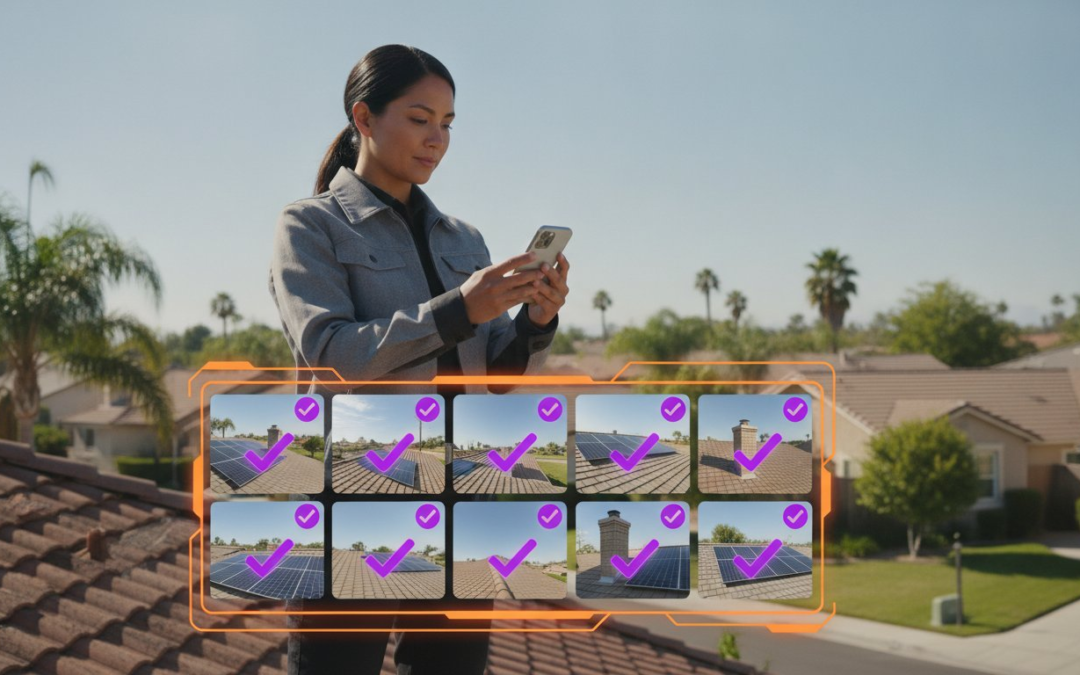
You didn’t get into field work to spend four hours every night labeling blurry photos and re-typing notes from a damp legal pad. Yet, for many professionals, the “office work” takes longer than the actual inspection. It’s time to stop the cycle of photo chaos and delayed submissions. Finding the right inspection documentation app for field teams is no longer just a convenience; it’s a competitive necessity in 2026. You need a tool that works as hard as you do, turning a mountain of unorganized images into a polished, professional report before you even leave the job site.
We know the grind of manual data entry and the frustration of field crews who resist complicated software. This guide reveals how to slash your reporting times by 50% and restore order to your onsite documentation. Discover the next generation of visual automation that labels, organizes, and generates reports instantly. We’ll explore the top technology making waves this year, focusing on how you can achieve faster claim cycles and seamless team oversight. Capture. Label. Deliver. It’s time to reclaim your evenings and lead your team with total confidence.
Key Takeaways
- Capture visual evidence that serves as the definitive source of truth for every site condition and project milestone.
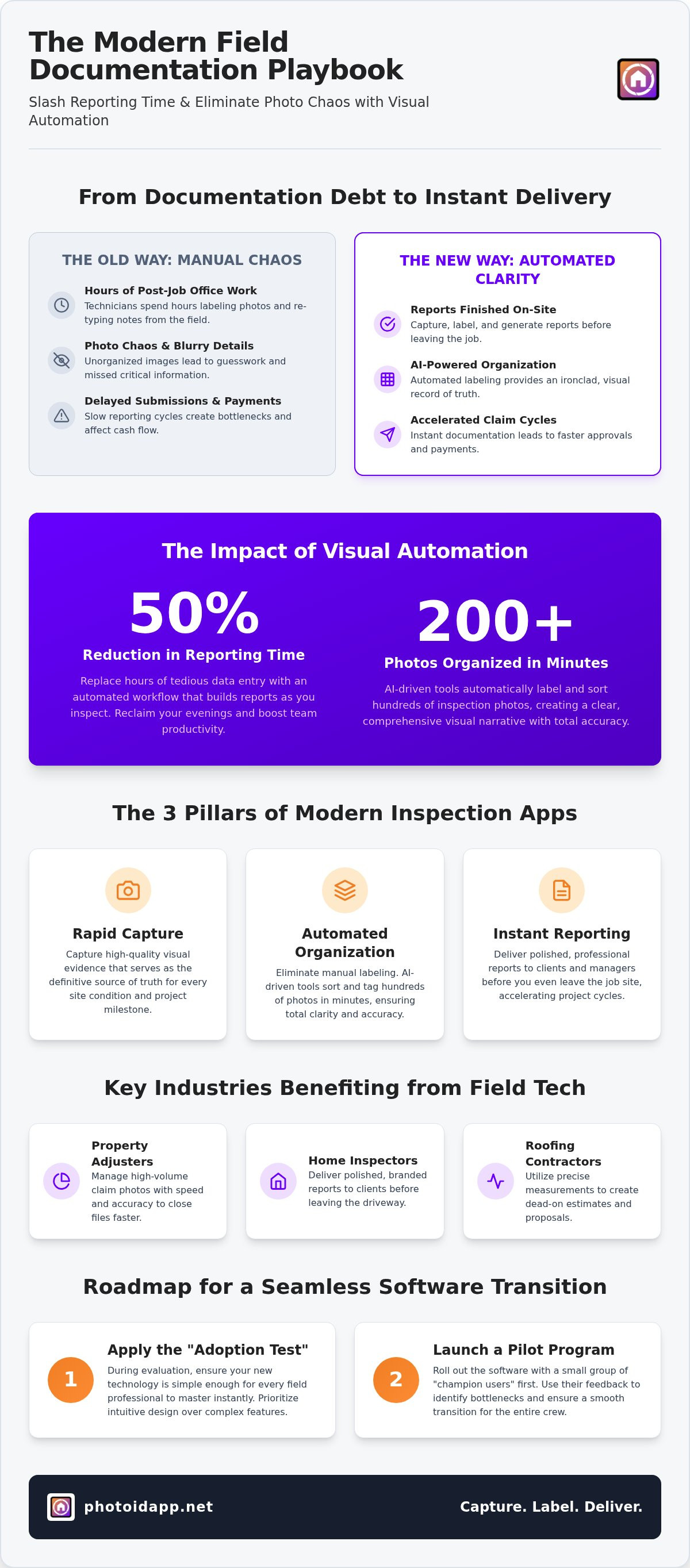
- Slash reporting times by 50% by selecting an inspection documentation app for field teams that automates photo labeling and organization.
- Apply the “Adoption Test” during your evaluation process to ensure your new technology is simple enough for every field professional to master instantly.
- Launch a strategic pilot program with champion users to identify bottlenecks and ensure a seamless software transition for your entire crew.
- Replace hours of manual data entry with AI-driven tools that organize hundreds of inspection photos in just minutes!
What is an Inspection Documentation App for Field Teams?
An inspection documentation app for field teams is much more than a digital version of a paper checklist. It is a high-velocity visual automation engine. In 2026, field professionals don’t just “check boxes” on a screen. They build a comprehensive, visual narrative of site conditions that serves as the ultimate source of truth. These platforms move beyond simple data entry to capture, organize, and analyze visual evidence in real-time. This technology is the backbone of modern Field service management, ensuring that every detail from the job site is documented with absolute precision.
The core functionality of a professional app focuses on three pillars: rapid capture, automated organization, and instant reporting. Stop thinking of documentation as a post-job chore. With the right technology, documentation happens as you walk. You capture the photo; the app labels the detail; the system generates the report. This workflow eliminates the “double-work” that typically kills field productivity and delays project cycles. It turns your mobile device into a powerful inspection camera that works as fast as you do!
The Evolution from Clipboards to Cloud-Based Tools
Paper checklists and manual photo folders are the primary causes of “documentation debt.” This is the exhausting backlog of unlabeled images and unwritten notes that haunt field workers at the end of every day. Moving to a cloud-based inspection documentation app for field teams solves this immediately. Real-time synchronization ensures that the office sees exactly what the field crew sees. This transparency prevents costly disputes and improves team accountability. For independent workshops and mobile mechanics, implementing garage management software UK provides similar cloud-based transparency for vehicle health checks and repair tracking. When data is centralized and time-stamped, you don’t just have a report; you have an ironclad record of truth that protects your business and your clients.
Key Industries Benefiting from Field Documentation Tech
Specific industries have seen a massive shift in efficiency by adopting these specialized tools. Property adjusters use this technology to manage high-volume claim photos without losing track of critical details. They need speed and accuracy to close files faster. Home inspectors utilize a professional home inspection app to deliver branded, polished reports to clients before they even leave the driveway. This level of service sets them apart from the competition. Roofing contractors also rely on these apps for precision, utilizing aerial roof and wall measurements to create dead-on estimates. Whether you are assessing storm damage or performing a routine safety check, the right app restores order to the chaos of onsite documentation.
Eliminating Photo Chaos with Automated Labeling
Manual photo labeling is the single biggest bottleneck in field reporting. It’s slow, tedious, and prone to error. In 2026, expecting a technician to manually rename hundreds of files is a recipe for project delays. An advanced inspection documentation app for field teams changes the game by using AI-driven automation to organize 200+ photos in minutes. This isn’t just about speed; it’s about accuracy. By removing the burden of manual entry, you eliminate “report dread” among your field crews. They can focus on the inspection while the technology handles the heavy lifting. This structured organization directly improves back-office review speed, allowing managers to approve files and send invoices faster than ever before!
Federal agencies have long recognized this need for digital integrity. For example, official reports highlight the implementation of an information management system to capture and transmit data to ensure field inspections are recorded with high precision in real time. When your team captures data instantly, you gain three major advantages:
- Total Clarity: No more guessing what a blurry photo represents.
- Rapid Turnaround: Reports are finished before the truck leaves the driveway.
- Seamless Oversight: Managers see results as they happen.
The Power of Voice-to-Text Labeling
Typing on a mobile device is a major barrier to software adoption. Thick gloves, bright sunlight, and moving around a job site make small keyboards nearly impossible to use. Voice-to-text labeling allows your team to label photos instantly while walking the site. They speak; the app listens; the photo is tagged. This increases accuracy by capturing observations in the moment rather than relying on memory hours later. If you want to see how this works in action, try a professional photo app that prioritizes speed over spreadsheets.
Automated Photo Organization and Templating
Standardize your output across the entire company. Use custom inspection templates to ensure every team member follows the same protocol. Automated labeling ensures every photo is “Xactimate-ready,” which is critical for insurance adjusters and restoration pros. This level of precision reduces human error in file naming and folder structures. No more “Image_001.jpg” files that mean nothing to the reviewer. Instead, you get clearly labeled, organized data sets that move through your workflow without a hitch. It’s time to stop the chaos and start the automation! Organize. Optimize. Outperform!
Evaluating the Best Inspection Apps: 2026 Comparison
Choosing the right inspection documentation app for field teams isn’t just about comparing price tags. It’s about calculating real-world ROI. In 2026, the market is flooded with options, but only a few prioritize the actual experience of the person standing on a ladder or inside a crawlspace. You need a tool that balances power with extreme simplicity. Focus your evaluation on three non-negotiable pillars: ease of use, robust offline capability, and instant reporting speed. If an app fails in any of these areas, it will become a bottleneck rather than a solution.
Pass the “Adoption Test” before you commit. Ask yourself: will your least tech-savvy team member actually use this? Software that sits idle on a phone is a waste of capital. High adoption rates are the only way to ensure data consistency across your entire operation. While custom-built software might sound appealing, “off-the-shelf” solutions usually win. They offer immediate reliability, lower upfront costs, and frequent updates based on industry-wide feedback. Focus on the total cost of ownership. If a subscription saves a technician five hours of office work every week, the tool pays for itself in a single day. Stop paying for potential and start paying for reclaimed time!
Must-Have Features for Field Teams
Fieldwork doesn’t always happen where there’s perfect 5G. A professional app must include a robust offline mode for capturing data in basements, parking garages, or remote rural sites. Data should sync automatically the moment a connection returns. You also need instant PDF report generation for on-site client delivery. This level of responsiveness builds trust and closes projects faster. For those in specialized trades, ensure the app supports aerial measurements for roofing and exterior wall assessments. Precision is everything. Capture the data. Generate the report. Move to the next job! Additionally, for field teams operating in these isolated or potentially hazardous environments, you can learn more about The Wellbeing App to provide an extra layer of personal safety and round-the-clock monitoring.
Efficiency requires total visibility. Use a centralized dashboard to track project progress in real-time without making a single “status check” phone call. This allows managers to review field photos and data while the team is still on-site. If a detail is missing, you can catch it before the truck leaves the driveway. Implement clear permission levels to protect sensitive data and maintain an ironclad audit trail for every inspection. Secure your data. Empower your team. Scale your business with confidence.
Best Practices for Implementing Field Documentation Software
Implementing an inspection documentation app for field teams requires a strategic approach. Don’t just dump new software on your crew and expect magic. Start with a pilot program. Pick a small group of your most reliable pros to test the workflow for two weeks. This phase allows you to identify bottlenecks in a controlled environment before a full-scale rollout. It is the smartest way to ensure your templates and processes actually work in the real world.
Select “champion” users to lead the charge for the rest of the team. These are your early adopters who understand that technology is a partner, not a burden. When their peers see them finishing reports in half the time, the resistance melts away instantly. Standardize your custom templates before full deployment. Every user must follow the same protocol to ensure data consistency across every project. Incentivize quality over quantity! Reward the teams that provide the clearest photos and most accurate labels. Better data leads to fewer revisions and faster approvals.
Overcoming Resistance to New Technology
Address the “it takes too long” objection head-on with a live speed demo. Show your team exactly how voice-to-text labeling eliminates the need for manual typing. Focus on the personal benefit: less time in the office means more time at home with the family. This is the ultimate “What’s in it for me?” factor that drives adoption. Provide short, high-impact training sessions instead of handing out long manuals. Your team needs action-oriented guidance they can digest on the move. Keep it simple. Keep it fast. Keep it moving!
Integrating with Existing Enterprise Workflows
Efficiency dies in isolation. Connect your field photos directly to your CRM and project management platforms for a seamless data flow. Your documentation must move from the job site to the back office without manual file transfers. Ensure your software is compatible with industry standards like Verisk and Xactimate to streamline the estimating process. This integration automates the handoff from field documentation to invoicing, ensuring you get paid faster. When your systems talk to each other, your business grows. Ready to transform your workflow? Get started with a PHOTO iD subscription today and stop the documentation drain!
Why PHOTO iD is the Ultimate Partner for Field Teams
PHOTO iD wasn’t built in a vacuum by software developers who never stepped foot on a job site. It was forged by industry veterans who understand the daily grind of specialized labor and assessment industries. We know the exhaustion of “photo chaos” because we’ve lived it. This is why PHOTO iD stands alone as the only inspection documentation app for field teams that prioritizes high-velocity automated photo labeling. It is a game-changing partner that restores order to your job site documentation instantly. Our platform is modern, reliable, and deeply practical. We don’t just provide a tool; we provide a path to total efficiency!
Our “Claims Coach” heritage ensures that every feature is designed with the professional inspector in mind. We understand the high stakes of insurance claims and project milestones. You need accuracy. You need speed. You need a single source of truth. By combining aerial measurements, voice-to-text, and instant reporting in one seamless interface, we eliminate the need for multiple subscriptions and fragmented workflows. Capture. Catalog. Conquer! This is the new standard for field professionals who refuse to settle for slow, manual processes.
The PHOTO iD Advantage: Built for Speed
Speed is our core signature. Our Voice-to-Text and AI Labeling features save hours on every single inspection. Instead of fumbling with a mobile keyboard in the wind or rain, you speak your observations and let the technology handle the organization. This isn’t just about saving time; it’s about increasing client satisfaction with instant report generation. You can deliver a polished, professional-grade document before you even leave the driveway! Roofing professionals gain a massive competitive edge with built-in aerial roof and wall measurements. No extra costs. No separate apps. Just pure precision.
Scale Your Business with Professional Oversight
Scaling your operation requires more than just more hands on deck. It requires total, unshakeable visibility. Leverage the Team Management Dashboard to gain 100% project oversight in real-time. Whether you are a solo inspector or managing a national field team with dozens of subcontractors, you can ensure absolute consistency across every report. This centralized hub allows you to review data, assign tasks, and monitor progress without making a single status call. Don’t let documentation debt or unorganized files hold your business back. Reclaim your time. Empower your crew. Scale your results. Ready to transform your documentation? Start your PHOTO iD subscription today and see the difference that speed and simplicity make!
Take Control of Your Onsite Documentation Today
The days of manual photo sorting and late-night report writing are over. By embracing the next generation of visual automation, you can finally eliminate the photo chaos that drains your team’s energy. Finding the right inspection documentation app for field teams is no longer just a luxury; it is the engine that drives your business forward in 2026. You’ve seen how automated labeling and voice-to-text technology can restore order to the most complex job sites while keeping your crews happy and productive.
Founded by industry expert Ken Perry, “The Claims Coach,” PHOTO iD is designed to solve the exact frustrations you face every day. Our automated labeling saves up to 50% on report time, allowing you to move from capture to delivery in record time. With our real-time team management dashboard, you gain absolute visibility over every project without the constant status calls. Stop wasting hours on administrative debt and start focusing on growth. Streamline your field documentation with PHOTO iD and experience the power of high-velocity reporting. You have the tools. You have the expertise. Now, take the lead!
Frequently Asked Questions
What is the best app for field inspection documentation?
PHOTO iD stands out as the premier inspection documentation app for field teams in 2026 because it prioritizes speed over manual entry. It is a visual automation engine that combines voice-to-text labeling with instant report generation. This app is designed by industry veterans who understand the daily grind of onsite work. By replacing digital checklists with high-velocity photo organization, it allows professionals to finish their reports before they even leave the job site. Capture. Catalog. Conquer!
How do I organize hundreds of inspection photos quickly?
You can organize hundreds of inspection photos quickly by using automated labeling and custom templates. Instead of sorting through a messy camera roll at the end of the day, PHOTO iD organizes images into specific folders as you capture them. This real-time organization eliminates the bottleneck of manual data entry. By following a structured template, you ensure that every photo is correctly tagged and filed instantly. Stop the chaos and let automation handle the heavy lifting!
Does PHOTO iD work without an internet connection?
Yes, PHOTO iD is built with a robust offline mode to handle work in basements, rural areas, or remote industrial facilities. You can continue capturing photos and using voice labeling features without an active internet connection. The app securely stores your data locally on your device. As soon as you return to a service area or connect to Wi-Fi, the app automatically syncs everything to the cloud. Stay productive regardless of your location’s signal strength!
Can I create custom inspection templates for my team?
Yes, you can create custom inspection templates to standardize your team’s output. These templates act as a digital guide, ensuring that every technician captures the exact photos and data points required for the project. This level of consistency is vital for maintaining professional standards and reducing errors. Whether you are performing a safety audit or a roof inspection, custom templates ensure your documentation is thorough, organized, and ready for immediate client delivery. Build. Deploy. Succeed!
How does voice-to-text labeling improve inspection speed?
Voice-to-text labeling improves speed by allowing you to document site conditions hands-free. Instead of fumbling with a mobile keyboard while wearing gloves or climbing ladders, you simply speak the description. The app transcribes your notes and attaches them to the photo in real-time. This high-velocity approach can slash your reporting time by 50% or more. It ensures that critical details are recorded accurately while you are still standing in front of the damage or asset.
Is PHOTO iD compatible with Xactimate and other estimating software?
PHOTO iD is fully compatible with industry-standard estimating software like Xactimate and Verisk. Our automated photo labeling ensures that every image is correctly tagged and formatted for a seamless import into your estimating workflow. This integration is a game-changer for insurance adjusters and restoration pros who need to move from field documentation to invoicing quickly. By eliminating manual file renaming, you significantly reduce the time spent on administrative tasks and speed up your claim cycles.
What is automated photo labeling and how does it work?
Automated photo labeling is a key feature of a modern inspection documentation app for field teams. It tags your images with descriptive text as you take them. Using custom templates, the app assigns the correct name to each file based on your progress through the inspection. This replaces the tedious process of manually renaming files in the office. It ensures that every photo is clearly identified, making it easier for reviewers to understand the site conditions instantly.
How can I manage a large team of field inspectors in real-time?
You can manage large teams in real-time using the centralized Team Management Dashboard. This powerful tool gives you 100% visibility into every project as it happens. You can track technician progress, review field photos instantly, and assign new tasks without making a single phone call. This level of oversight ensures that every team member follows your company’s standards. It allows you to catch missing information while the crew is still on-site, preventing costly return visits.