
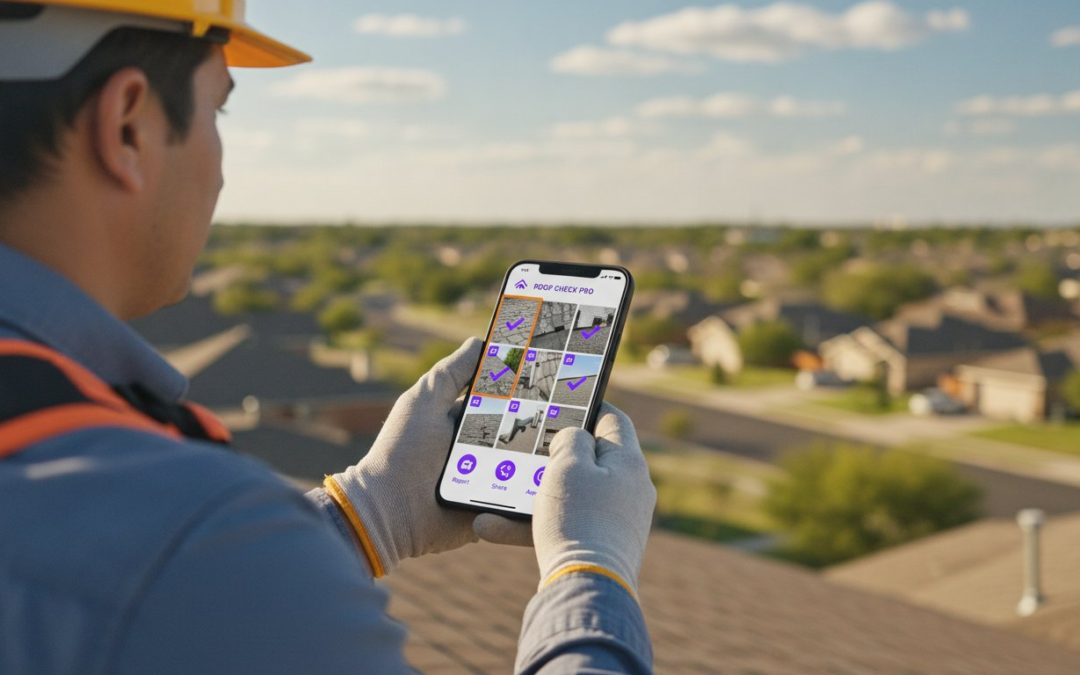
Stop sacrificing your nights to the “second shift” of manual photo labeling. You’ve already spent eight hours on-site, and now you face another three hours at a desk just to make your files presentable. It’s a cycle of disorganized folders, carrier rejections, and delayed payments that burns out even the best field professionals. You didn’t get into this business to become a data entry clerk, yet the paperwork keeps piling up.
Implementing the right virtual inspection software for contractors changes the game by moving the office directly to the job site. You already know that high-quality documentation is your best defense against audits, but it shouldn’t cost you your personal life. This guide will help you master high-velocity documentation and eliminate manual labeling forever. You can finally stop the chaos and start working with a system that respects your time.
We’ll show you how to finish professional, audit-proof reports on-site while achieving a 40% reduction in your claim cycle times. We are diving into the most efficient Xactimate-compatible workflows that prioritize speed, accuracy, and seamlessness. Get ready to reclaim your evenings, impress your carriers, and restore order to your onsite documentation once and for all!
Key Takeaways
- Eliminate the “second shift” of midnight documentation and stop the exhausting cycle of manual photo labeling.
- Learn to align your digital files with Xactimate logic using structured folder hierarchies and precise metadata.
- Master high-velocity reporting with virtual inspection software for contractors that automates your entire field workflow.
- Slash claim cycle times by 40% using a professional, room-by-room capture method that carriers trust and approve.
- Transform your inspection process from a chaotic chore into a streamlined, audit-proof operation that gets you paid faster!
The Crisis of Manual Photo Documentation in Property Claims
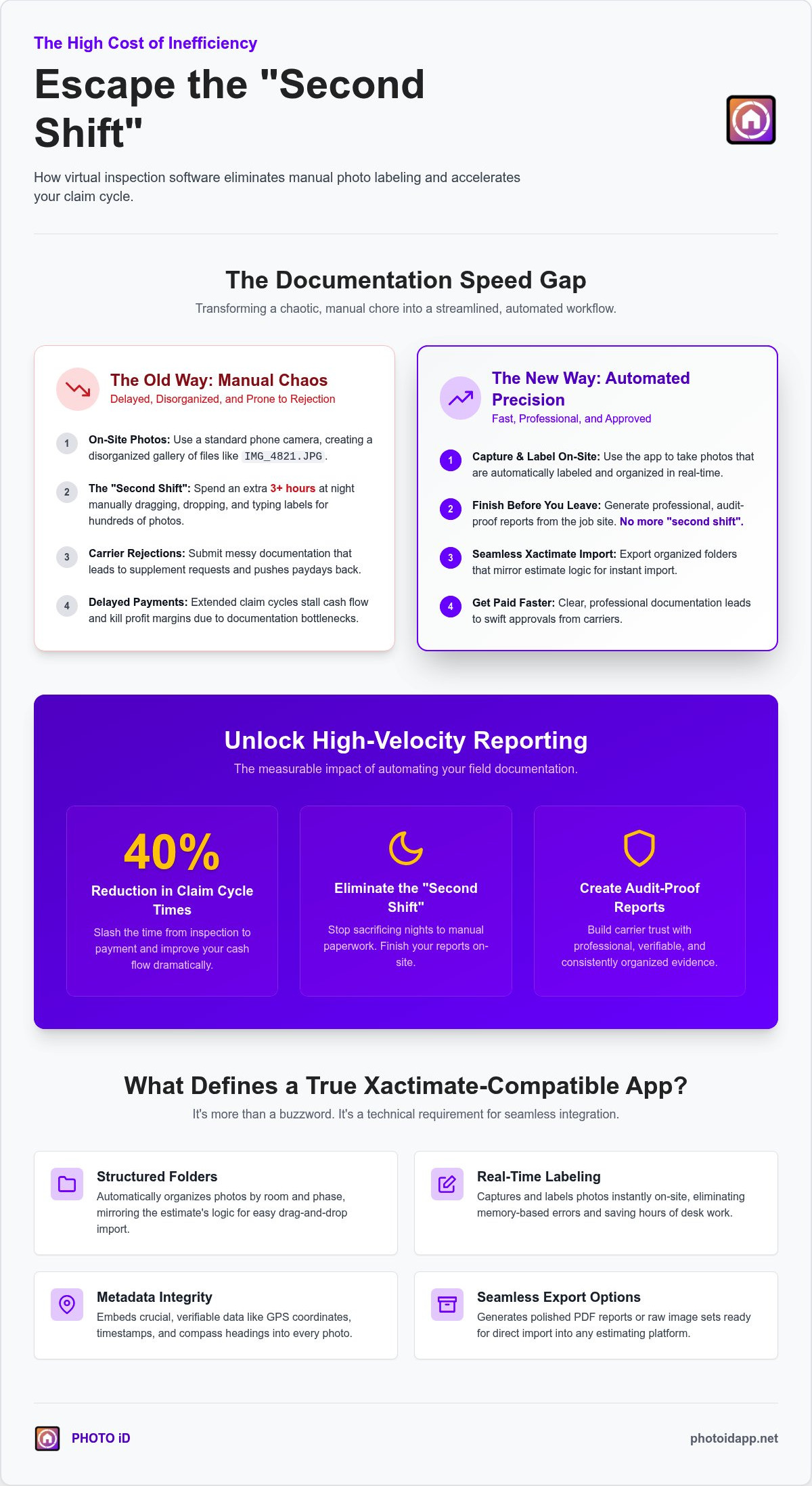
You finish the physical inspection at 5:00 PM, but your workday is far from over. This is the “Second Shift.” It is a grueling midnight marathon of dragging, dropping, and typing that haunts every field professional. Contractors spend hours manually labeling hundreds of photos because their basic smartphone gallery is a disorganized mess of generic filenames. This manual grind doesn’t just steal your sleep; it actively kills your profit margins. Disorganized documentation is the primary reason for carrier rejections and endless supplement requests that stall your cash flow!
Industry experts utilize Remote Visual Inspection (RVI) to bridge the gap between the job site and the desk review. However, relying on standard photo apps makes this bridge unstable. Without structured metadata, your photos are just pixels without a purpose. High-quality documentation must align with ANSI/IICRC S500 standards to prove that your restoration work was necessary and performed correctly. When your evidence is messy, carriers find reasons to trim your estimates.
Stop fighting against your own devices. Using virtual inspection software for contractors replaces the chaos with a streamlined, professional workflow. You need a system that captures, labels, and organizes in one fluid motion. Capture the damage. Label the proof. Send the report. It’s that simple!
The True Cost of Documentation Delays
Every hour spent on manual data entry is an hour you aren’t winning new bids. Documentation delays extend your claim cycle times, which directly impacts your bottom line. If your reporting takes three days to reach the adjuster, you are effectively pushing your payday back by the same margin. Furthermore, delayed reports lead to frustrated homeowners and lower satisfaction scores. Hidden costs like data entry errors can result in thousands of dollars in missed line items. Accuracy isn’t an option; it’s a requirement for survival!
Why Estimating Platforms Struggle with Standard Photos
Leading estimating platforms, while essential for property claims, often struggle to seamlessly integrate with generic smartphone files. Generic names like “IMG_4821.JPG” provide zero context for a desk adjuster. This creates a massive bottleneck during the review process as adjusters struggle to match photos to specific line items. Missing metadata means you can’t prove exactly when or where a photo was taken. Additionally, many modern phones use HEIC formats that construction software often fails to process. You need virtual inspection software for contractors that converts files, embeds data, and integrates seamlessly with industry-standard estimating platforms!
What Defines a True Xactimate Compatible Virtual Inspection App?
Compatibility is more than just a buzzword. It’s a technical requirement. A true Xactimate-compatible app doesn’t just store images; it captures them with structured metadata that aligns perfectly with estimating logic. When you use virtual inspection software for contractors, you’re building a digital bridge between the field and the estimate. This means your data must be organized, verified, and ready for import without a single manual adjustment.
The industry is rapidly recognizing the benefits of remote technology to ensure accuracy and transparency in property assessments. To meet this standard, your app must provide real-time labeling. Waiting until you get to the truck to label photos leads to memory-based errors. You need metadata integrity that includes GPS coordinates, precise timestamps, and compass headings. Finally, your software must offer seamless export options. Whether you need a polished PDF report or a raw set of images for Xactimate’s photo gallery, the transition should be instantaneous!
Structured Folders: Mirroring the Estimate Logic
Stop uploading a flat pile of photos. Organizing your documentation by Room and Phase simplifies the import process and eliminates confusion. When your folder hierarchy mirrors Xactimate’s structure, you can drag and drop entire rooms at once. Use pre-defined templates for common loss types like water or fire to save even more time. This folder-level organization is the real secret to fast scope creation. It allows you to build your estimate while you walk the property. It ensures that nothing is missed and every line item is backed by proof. Using professional virtual inspection software for contractors makes this organization automatic!
The Power of Metadata and Professional Annotations
Proof is the currency of the claims industry. Using GPS and timestamps allows you to prove the Date of Loss and the exact location of the damage beyond a shadow of a doubt. For roof and exterior inspections, compass headings are vital. They document exactly which slope you are looking at, which prevents disputes over wind direction or hail impact. In-photo annotations are equally critical. They allow you to highlight subtle property damage that might be missed on a small screen. You can circle hail hits, point out moisture readings, or label specific materials directly on the image. To see how these features come together in the field, explore the capabilities of the PHOTO iD mobile app.
Manual Entry vs. Automated Labeling: The Speed Gap
Manual entry is a relic of the past. Typing labels on a cracked screen with work gloves is a recipe for frustration and failure. Compare the math. A manual workflow takes roughly 45 seconds per photo to capture, label, and organize. In a 100-photo loss, that’s over an hour of active labor just for data entry. Professional virtual inspection software for contractors slashes that time to under five seconds per image. You capture. The software organizes. You move on!
This speed gap is where profit is either made or lost. When you automate the labeling process, you eliminate the heavy cognitive load that leads to field burnout. You no longer have to struggle to remember if a specific water stain was in the master bedroom or the guest suite three hours after you left the site. The documentation happens in real-time. You finish the report before you even put the truck in gear. Stop the backlog, start the automation, and reclaim your time!
Voice-to-Text: The Game Changer for Contractors
Imagine walking through a loss and simply describing what you see. Take the photo and speak the label: “Water damage to ceiling, southwest corner.” The app converts your voice into structured metadata instantly. This workflow is significantly more accurate than small-screen typing, especially in challenging field conditions like high-glare sunlight or cramped crawlspaces. Voice-to-text is the primary driver of 2026 inspection speed. It allows you to maintain constant momentum without stopping to fumble with a digital keyboard!
Reducing Claim Cycle Times by 40%
Velocity is everything in the restoration industry. Faster documentation leads directly to faster carrier approvals, fewer supplements, and quicker payments. By using a high-velocity workflow, contractors are seeing a 40% reduction in claim cycle times. This isn’t just about saving an hour; it’s about gaining a massive competitive advantage. Providing instant, professional reports to stakeholders builds immediate trust and positions you as the preferred partner for adjusters. For a deeper look at these strategies, check out The Best Home Inspection App of 2026. Stop waiting for your money and start automating your success today!
Workflow Guide: From Field Capture to Xactimate Import
Mastering the workflow is about discipline and the right tools. Start by selecting a custom inspection template that matches your loss type. This pre-loads your folder structure before you even step inside. Next, move through the property using a disciplined room-by-room method. Capture every angle. Document every detail. Label every photo as you go. Once the walkthrough is complete, generate your Xactimate-ready image set or a polished PDF report instantly. Finally, move to the Xactimate Images tab for the final import. This streamlined path turns a three-hour headache into a ten-minute victory!
A structured room-by-room method prevents missing critical items like baseboards, ceiling textures, or insulation types. Move clockwise. Start high. Finish low. This systematic approach ensures that every square inch is accounted for. Using high-velocity virtual inspection software for contractors makes this transition seamless. You are no longer just taking pictures; you are building a digital evidence file that stands up to the toughest desk reviews.
Optimizing the Xactimate Image Import Tab
Efficiency doesn’t stop in the field. When you are ready to import, use the drag-and-drop feature to move your pre-labeled files directly into the estimate. Because you used professional virtual inspection software for contractors, your photos already have the correct room names and descriptions attached. This ensures that every label transfers perfectly into the final estimate without manual typing. If you are working in Xactimate Online, manage your high-resolution images by utilizing the software’s built-in optimization settings. This prevents lag while maintaining the “audit-proof” clarity required for a successful claim. Drag, drop, and done!
Best Practices for Professional Carrier Submission
Your documentation should tell a clear, chronological story of the loss. Start with the exterior, move through the entry, and then document each affected room in a logical sequence. Carriers look for a narrative, not a random pile of evidence. Include moisture mapping and specialty documentation like infrared scans or atmospheric readings to support your scope. This level of detail proves your expertise and justifies your line items. Professionalism is about visibility. When a desk adjuster opens your file, they should understand the scope of damage within sixty seconds. For a deeper dive into these techniques, reference our Xactimate master guide to achieve total workflow mastery. Get started with PHOTO iD today and see how easy documentation can be!
PHOTO iD: The Industry Leading Virtual Inspection Partner
PHOTO iD stands alone as the definitive tech-savvy ally for the modern field professional. It is not just another tool; it is a game-changing partner that restores order to the chaos of onsite documentation. Every feature is designed with one goal in mind: speed. From voice-to-text labeling to custom inspection templates and aerial roof measurements, this platform delivers unmatched efficiency. The Red Dot Design Award-winning interface ensures that the software is as intuitive as it is powerful. It is built for the high-velocity environment of a jobsite, allowing you to capture, label, and report without missing a beat!
Using the right virtual inspection software for contractors means choosing a solution that understands the daily grind. PHOTO iD eliminates the friction of manual data entry and provides instant photo report generation. It’s about more than just pictures. It’s about professional, audit-proof results that protect your business and your bottom line. This is the only virtual inspection software for contractors that prioritizes the field professional’s time over everything else!
Built by Adjusters for Professional Field Teams
The strength of PHOTO iD comes from its origin story. Founded by Ken Perry, known as “The Claims Coach,” the app is infused with decades of real-world industry expertise. This isn’t software built in a vacuum by developers who have never seen a loss. It solves the exact frustrations you face every day because it was built by people who have walked in your boots. The “Claims Coach” perspective ensures that every button and every menu serves a practical purpose. Stop the manual documentation struggle today. Stop the midnight labeling sessions. Stop the carrier rejections. This software was designed to give you your life back while making your reports look better than ever!
Scale Your Business with Team Management Tools
Growth requires consistency, clarity, and oversight. The PHOTO iD team management dashboard allows you to monitor multiple field projects in real-time from one centralized location. You no longer have to wonder if your field teams are capturing the right evidence. You can ensure that every member of your contracting team follows the same high standard of documentation, regardless of their experience level. This centralized control reduces errors, improves quality, and speeds up the entire claim cycle. When everyone uses the same structured workflow, your business scales effortlessly and your reputation remains solid. Ready to transform your workflow? Get started with PHOTO iD now.
Reclaim Your Evenings and Scale Your Success
The days of the “second shift” are officially over. By integrating virtual inspection software for contractors into your daily routine, you move from the chaos of disorganized photo galleries to the precision of automated, Xactimate-ready documentation. You now have the roadmap to finish your reports on-site, eliminate manual labeling, and slash your cycle times by 40%. It’s time to stop the desk-side grind and start focusing on what you do best: restoring properties and serving clients.
PHOTO iD is a Red Dot Design Award Winner created by industry veteran Ken Perry, “The Claims Coach.” It is currently used by thousands of adjusters and contractors nationwide to restore order to onsite documentation and ensure metadata integrity. Don’t let disorganized files delay your payments or drain your energy any longer. Take control of your workflow and join the ranks of high-velocity professionals who prioritize efficiency and accuracy.
Start Your Free Trial of PHOTO iD Today!
You have the tools. You have the strategy. Now, go out there and dominate the jobsite!
Frequently Asked Questions
Is PHOTO iD directly integrated with Xactimate?
Yes, the app is designed to work seamlessly with Xactimate by generating structured image sets and PDF reports. You can drag and drop pre-labeled folders directly into the Xactimate Images tab. This eliminates the need for manual sorting or individual photo uploads. The folder hierarchy mirrors Xactimate room structures, ensuring your documentation aligns perfectly with your estimate line items for a professional, audit-proof submission.
Does the virtual inspection software work offline in remote areas?
Certainly, the software allows you to capture and label photos even without a cellular connection. The app stores all your data locally on your device during the site visit. Once you return to an area with Wi-Fi or LTE, the software automatically syncs your files to the cloud. This ensures that field professionals can maintain high-velocity documentation in basements, rural areas, or catastrophe zones where service is often unreliable.
Can I use voice-to-text labeling for every inspection photo?
Absolutely, voice-to-text is available for every image you capture in the field. Simply tap the microphone icon and describe the damage as you see it. The app instantly converts your speech into a written label attached to that specific photo. This feature is a primary driver of 2026 inspection speed. It allows you to keep your hands free and your eyes on the damage while maintaining a professional documentation pace.
How do I import photos from the app into my Xactimate estimate?
You import photos by downloading the organized image set from your dashboard and dragging the folders into the Xactimate Images tab. Because the virtual inspection software for contractors pre-labels every file, Xactimate automatically recognizes the descriptions. This process removes the “second shift” of typing labels at night. Your images arrive in the estimate already sorted by room and phase, making the final scope creation fast and efficient.
Is the photo metadata preserved during the export process?
Metadata integrity is a top priority, so GPS coordinates, timestamps, and compass headings are fully preserved. This data is embedded into the image files and displayed on the generated PDF reports. Preserving this information is vital for proving the Date of Loss and the exact location of damage. Carriers rely on this verified data to approve estimates quickly. It provides the transparency needed to defend your scope during a desk review.
Can I create custom templates for specific types of property losses?
Customization is a core feature, allowing you to build and save inspection templates tailored to your specific workflow needs. Whether you are handling a standard water mitigation job or a complex fire restoration, you can pre-define the required rooms and photo angles. These templates ensure consistency across your entire team. They guide field adjusters through the property systematically, ensuring that no critical evidence is missed during the high-pressure environment of a site visit.
How does this software help reduce carrier rejections?
The software reduces rejections by providing clear, chronological, and highly detailed documentation that adjusters can easily verify. Disorganized files are the leading cause of claim delays. By using virtual inspection software for contractors, you provide audit-proof reports that tell a complete story of the loss. When every photo is labeled accurately and organized by room, desk adjusters can approve your estimate without asking for additional proof or supplements.
Does PHOTO iD support aerial roof and wall measurements?
Integration includes powerful tools for aerial roof and wall measurements. You can generate precise dimensions without ever stepping onto a ladder. This improves safety for your field teams while ensuring that your estimates are based on accurate, verifiable data. Combining aerial measurements with structured ground-level photos creates a comprehensive documentation package. It is the ultimate solution for contractors who need to scale their operations and improve accuracy simultaneously.