
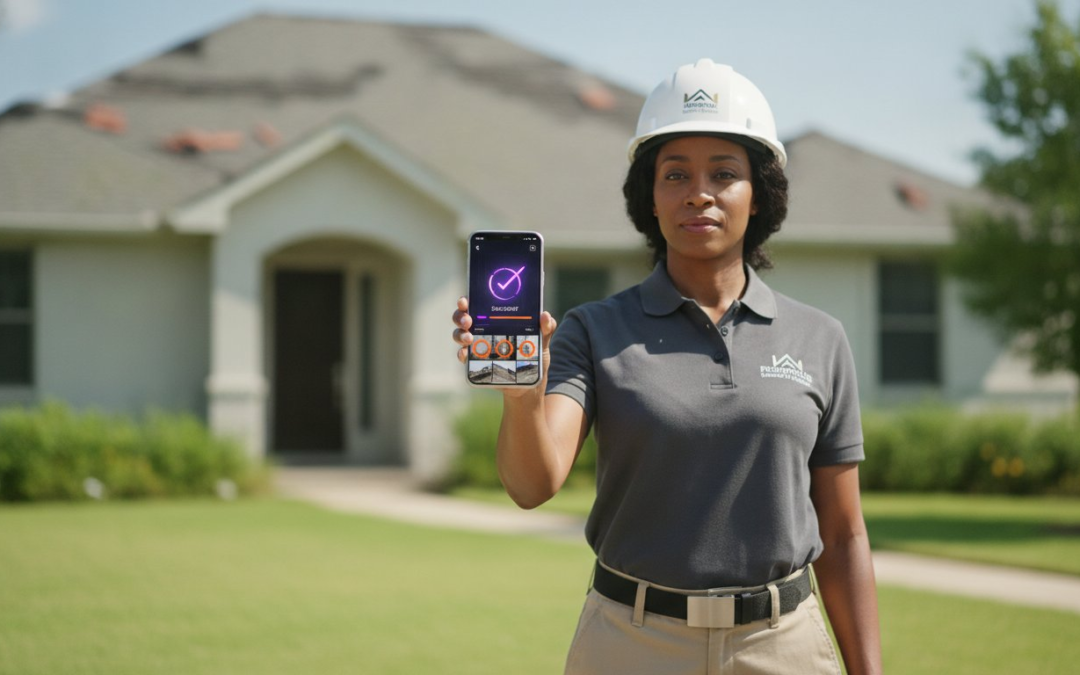
Xactimate speed is not about the estimate; it is about the evidence. If you are still spending two or three hours every night manually labeling images, you are losing money on every claim. You need high-velocity photo report software for Xactimate that works as hard as you do in the field. Every minute spent typing labels on a laptop after dark is a minute you aren’t growing your business or resting for the next inspection.
We understand the headache of having a carrier reject a report because the documentation is a disorganized mess. It is frustrating to lose track of which photo belongs to which room. This 2026 guide shows you how to eliminate manual labeling and sync field photos to Xactimate line items in seconds. We will explore how to automate your onsite documentation, generate professional PDF reports instantly, and finally slash your claim cycle times. It’s time to capture, categorize, and complete! Get ready to transform your workflow from a nightly chore into a seamless, onsite victory.
Key Takeaways
- Stop the “night shift” by using photo report software for Xactimate to automate labeling while you’re still on-site.
- Organize field photos by room to perfectly mirror the Xactimate Sketch tree for a seamless, error-free import process.
- Master voice-to-text technology and custom templates to generate professional, carrier-ready PDF reports in seconds.
- Scale your business by leveraging team management dashboards to oversee multiple projects and field adjusters in real-time.
What Is Xactimate-Compatible Photo Report Software?
Xactimate-compatible photo report software is a professional digital tool designed to capture, label, and organize jobsite images specifically for the insurance estimating workflow. It isn’t just a camera app; it’s a bridge between physical damage and your final estimate. While standard smartphone gallery apps are fine for personal memories, they fail the Xactimate test because they lack structure. They leave you with a chaotic pile of unsorted files that force you into the “night shift” of manual sorting. High-quality photo report software for Xactimate eliminates this friction by organizing your data at the point of capture.
In 2026, the property claims industry relies heavily on the Verisk ecosystem. Xactimate stands as the gold standard for accuracy and speed. To get paid fast, your documentation must speak the same language as the software. Reports that aren’t formatted correctly trigger red flags in Xactanalysis, leading to frustrating delays and endless back-and-forth emails. Professional software ensures your evidence is undeniable and ready for immediate review.
The Anatomy of an Xactimate-Ready Report
A professional report should mirror the estimate itself. It follows a logical flow that an adjuster can understand at a glance. When you use dedicated photo report software for Xactimate, your output includes:
- Logical Folder Structures: Photos are grouped by phases like Mitigation, Repair, and Contents to match the Xactimate “Sketch” tree.
- High-Resolution Clarity: Images stay sharp during the import process, ensuring every detail of the loss is visible to the carrier.
- Consistent Naming: Standardized labels stop adjuster confusion before it starts, preventing unnecessary supplements.
Metadata and GPS Tagging: The Proof of Presence
Trust is the currency of the insurance world. Metadata and GPS tagging provide the “Proof of Presence” that carriers demand to prevent fraud and verify site visits. By establishing the “when” and “where” automatically, you remove any doubt regarding the inspection’s validity. This transparency significantly speeds up the Xactanalysis review process because it provides the reviewer with all the necessary verification data upfront.
Metadata is the digital DNA of an image that automatically records the precise date, time, and geographic coordinates of an inspection to ensure absolute document integrity. Capture damage. Label rooms. Sync estimates. This rhythmic workflow ensures your documentation is always professional and carrier-ready. Don’t let poor organization slow down your payments. Switch to a system that builds your reports while you work.
The High Cost of Manual Documentation in Property Claims
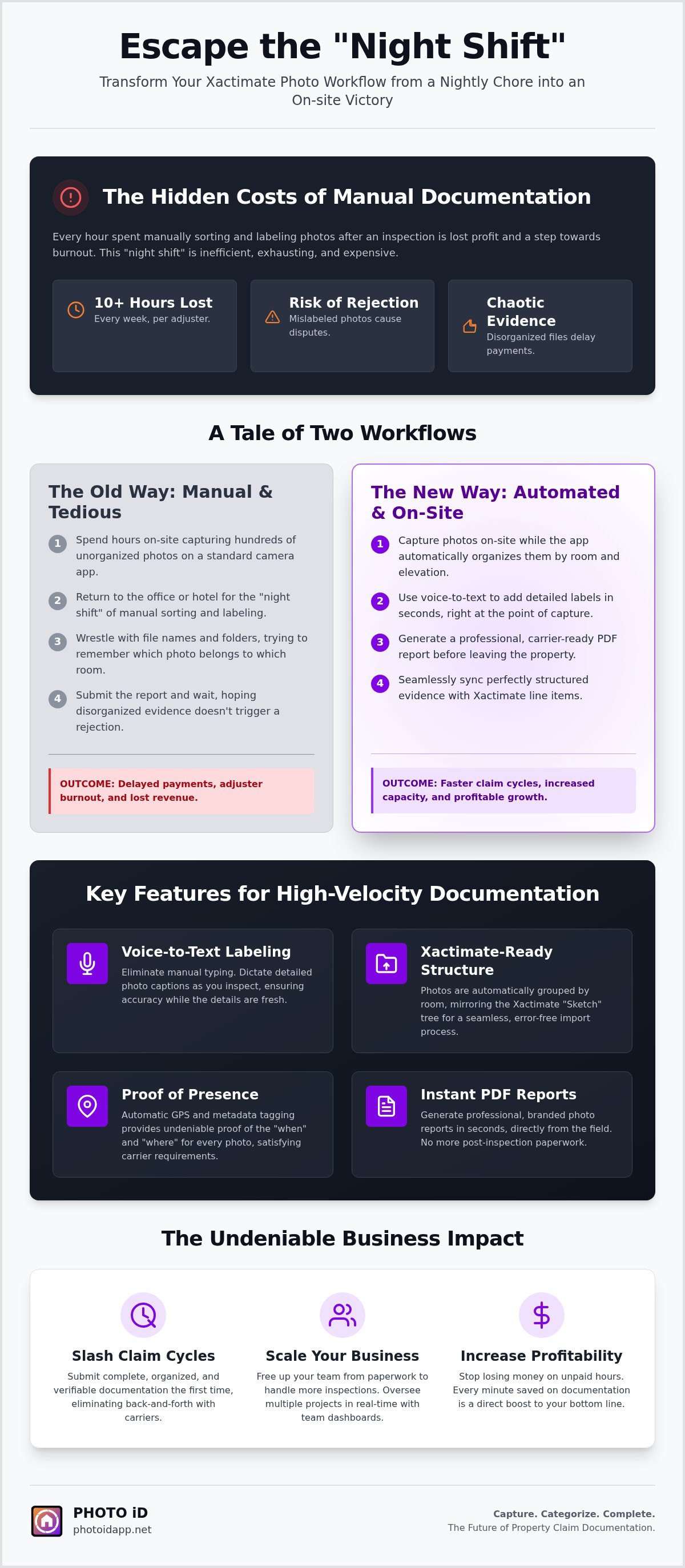
Manual documentation is a silent profit killer. Many adjusters lose 10 or more hours every week to the “Night Shift.” This is the grueling process of sitting in a hotel room or home office, squinting at thumbnails, and trying to remember which bedroom had the ceiling leak. It’s inefficient. It’s exhausting. It’s expensive. Every hour you spend labeling photos is an hour you aren’t inspecting new losses or closing open files. Stop trading your sleep for paperwork.
When you rely on memory, errors are inevitable. A mislabeled photo leads to a rejected supplement. A missing timestamp causes a carrier dispute. These mistakes don’t just hurt your reputation; they delay your payments. In 2026, the ROI of automation is undeniable. While manual entry takes minutes per photo, professional photo report software for Xactimate reduces that time to mere seconds. Investing in photo report software for Xactimate is the fastest way to turn your field team into a high-efficiency machine.
Why Manual Labeling Is Obsolete in 2026
Stop typing. Start talking. Modern field professionals use voice-to-text to label damage as they see it. This shift eliminates memory-based documentation entirely. You capture the detail while it’s right in front of you. Check out our guide on Automated Photo Labeling: Why Manual Entry is Obsolete to see how this technology transforms your speed. Documentation fatigue is real, and it affects your accuracy. Voice-to-text keeps your focus on the damage, not the keyboard. Capture, categorize, and complete your reports before you even leave the driveway.
Overcoming the “Standard Camera” Objection
Your phone’s native camera roll is a liability. It is a disorganized dump of personal photos mixed with professional evidence. Losing a critical image in a sea of unorganized cloud folders can tank a claim. Professional software creates a secure “chain of custody” for every piece of evidence. It ensures every image is GPS-tagged and timestamped immediately. This protects you. This protects the claim. This protects your bottom line.
The psychological toll of documentation fatigue can lead to burnout for entire field teams. Don’t let your staff drown in paperwork. You can streamline your entire reporting process today and reclaim your evenings. Speed, accuracy, and sanity are finally within reach. Organize, optimize, and overcome the chaos of manual entry once and for all.
Core Features of Pro-Grade Documentation Platforms
Pro-grade documentation isn’t just about taking pictures; it’s about building a digital fortress of evidence. High-performance photo report software for Xactimate provides the tools you need to stay organized under pressure. You don’t just need a camera app. You need a mobile workstation that captures data, verifies location, and formats reports in real-time. This technology turns a chaotic jobsite into a structured data set. Capture. Categorize. Complete!
The best platforms in 2026 go beyond simple storage. They integrate the physical tools of the trade directly into the digital interface. Imagine having pitch gauges, compasses, and aerial measurements accessible within the same screen as your camera. This eliminates the need to switch between five different apps while balancing on a ladder. It’s about maintaining a constant forward motion. When your software works as hard as you do, your documentation becomes undeniable.
Voice-to-Text: The Ultimate Speed Multiplier
Stop typing and start talking. Voice-to-text labeling is the single greatest time-saver for the modern field professional. You can describe the damage while you are looking at it, ensuring you never miss a critical detail. This technology allows you to maintain eye contact with the loss rather than a keyboard. It significantly reduces the physical strain of roof and crawlspace inspections where manual typing is nearly impossible. Better detail leads to fewer supplements. Clearer descriptions lead to faster approvals. It’s that simple.
Custom Templates for Every Claim Type
Consistency is the backbone of professional documentation. Pro-grade software allows you to build custom inspection templates for water mitigation, fire restoration, or wind and hail claims. These templates act as a digital checklist, ensuring your field crews never miss a required “macro” photo or a specific room angle. Check out our guide on Building Custom Inspection Templates for Faster Reporting to see how to standardize your workflow. When every report follows the same high-velocity structure, your internal review process becomes lightning-fast.
Once the inspection is done, you shouldn’t have to wait hours for a report. Pro-grade platforms offer instant photo report generation in both PDF and web-link formats. You can send a professional, carrier-ready document to your client before you even put your truck in gear. This immediate delivery builds trust and keeps the claim moving. Use photo report software for Xactimate to prove your value, protect your profits, and reclaim your time. Don’t just work harder. Work smarter.
How to Sync Field Photos with Xactimate Line Items
Connecting field photos to line items is the most critical step in getting an estimate approved. If your photos don’t match your scope, you’re asking for a rejection. High-quality photo report software for Xactimate allows you to organize your images by room to perfectly mirror the Xactimate “Sketch” tree. This alignment makes it easy for a desk adjuster to follow your logic. They see the room, they see the line item, and they see the photo evidence. Simple. Seamless. Successful! You don’t have time to hunt through a generic camera roll. Build your estimate evidence as you walk the loss.
The “Drag and Drop” workflow is your fastest path to a completed estimate. Instead of uploading single files and typing labels manually, you can move entire batches of pre-labeled photos directly into the Image tab. This process ensures that your labels and descriptions stay attached to the correct images. Use these five steps to master the sync:
- Organize by Room: Group photos to match your Sketch tree rooms (Kitchen, Living Room, Master Bedroom).
- Label with Voice: Describe the damage instantly to create automatic descriptions for your estimate.
- Use Annotations: Highlight specific damages or moisture readings directly on the photo to eliminate guesswork.
- Export for Xactimate: Generate a report optimized for the Image tab, ensuring compatibility with version 2026.6.1000.
- Drag and Drop: Move your pre-labeled images into the estimate in one smooth motion for immediate syncing.
Aligning Photos with Estimate Scope
Your photo labels should do more than just name the room. Use them as detailed descriptions for specific line items. If you are charging for drywall replacement, your photo label should clearly state the extent of the damage. Documenting the process from pre-mitigation to post-demolition provides a clear timeline of the work performed. Understanding what is Xactimate and how it handles imagery is key to mastering this workflow. High-velocity documentation ensures your scope is supported by undeniable visual proof. Better documentation equals faster approvals every single time.
Handling Supplements with Visual Evidence
Supplements are often the most contested part of a claim. Clear, labeled photos act as your best defense when justifying change orders. When you provide organized reports, you drastically reduce the frustrating “back-and-forth” with desk adjusters. High-quality visual evidence reduces claim cycle times by 40% by providing immediate clarity. Don’t leave your profits to chance. Start syncing your field photos to Xactimate today and watch your closing rate soar.
Scale Your Inspection Business with PHOTO iD
Scaling a property claims business requires more than just hard work; it demands a system built for speed. PHOTO iD stands apart because it was designed by industry veteran Ken Perry, also known as The Claims Coach, alongside U.S. Pro-Adjusters. This isn’t generic software built by developers who have never stepped on a roof. It is the definitive photo report software for Xactimate built by adjusters, for adjusters. We understand the physical grind of the field and the digital bottleneck of the office. Our mission is to restore order to your documentation chaos. Sync. Sort. Succeed!
The industry is rapidly shifting toward high-velocity documentation. Carriers no longer accept “good enough” evidence. They want precision, verification, and speed. PHOTO iD provides virtual inspection tools that allow for remote claim handling, keeping your team productive regardless of their physical location. These tools enable you to gather critical data without the overhead of a site visit for every minor supplement. Capture data. Verify facts. Close claims! This is how you stay competitive in the 2026 property market.
Team Management and Real-Time Oversight
Managing a growing team shouldn’t mean spending all day on the phone. Our Team Management Dashboard allows you to monitor field progress from your office in real-time. You can oversee multiple projects simultaneously and ensure every inspector follows your exact standards. Quality control is built into the workflow. Assign specific templates to new adjusters to guarantee they never miss a required photo or a critical measurement. During large-scale CAT deployments, this oversight is the difference between a profitable season and a logistical nightmare. Monitor. Mentor. Master!
Getting Started: From Field to Finish
Ready to reclaim your time? Download the app today and set up your first Xactimate-ready project in minutes. This all-in-one platform handles everything from roofing inspections to complex interior restoration. You get the power of aerial measurements, automated labeling, and instant report generation in a single interface. Stop juggling multiple subscriptions and start winning more claims with the most robust photo report software for Xactimate available. Stop the “night shift” and start focusing on what matters most: growing your business. Start your high-velocity documentation journey with PHOTO iD today! It’s time to work smarter, scale faster, and lead the industry with undeniable evidence.
Master Your Workflow and Reclaim Your Evenings
You have seen how manual labeling kills profits and drains your energy. The future of property claims isn’t found in a hotel room at midnight; it’s found in high-velocity onsite capture. By choosing the right photo report software for Xactimate, you eliminate the “night shift” and ensure every supplement is backed by undeniable, GPS-tagged evidence. You now have the roadmap to align your photos with the Sketch tree and sync line items in seconds. Don’t let disorganized files stand between you and your next payment.
Take the next step toward a more profitable, streamlined business today. PHOTO iD was built by Ken Perry, “The Claims Coach,” specifically to solve the daily frustrations of field professionals. It is the trusted partner for thousands of property adjusters nationwide, proven to reduce documentation time by up to 75%. Automate your Xactimate photo reports with PHOTO iD! Capture damage. Organize evidence. Close claims! Stop the documentation chaos and start your journey toward total efficiency. You deserve a partner that restores order to the jobsite and puts time back in your pocket!
Frequently Asked Questions
Is PHOTO iD directly integrated with Xactimate?
Yes, it’s designed for seamless use with the platform. It allows for the export of pre-labeled, organized photo reports that are optimized for the Xactimate Image tab. This eliminates the need for manual data entry within the estimating software. By aligning your field data with the Sketch tree, you ensure a smooth import process every time. It’s the ultimate bridge between physical damage and your final estimate. Sync. Sort. Succeed!
Can I use voice-to-text labeling without an internet connection?
Yes, our mobile application is built for the rugged reality of the field. You can capture and label images using voice-to-text technology even when you’re in areas with poor or no cellular service. The app stores your data locally and syncs everything once you’re back online. This ensures your workflow never stops, regardless of the jobsite’s location. Capture damage now and sync later when it’s convenient for you. Stay productive everywhere!
How does automated labeling help with insurance claim supplements?
Automated labeling provides the undeniable visual evidence required to justify change orders. When every photo is clearly marked and categorized by room, desk adjusters can quickly verify the necessity of additional line items. This clarity reduces the back-and-forth disputes that often delay payments. Using photo report software for Xactimate is the most effective way to prove the scope of work performed. Stop guessing and start documenting with precision today!
Does the software support aerial roof and wall measurements?
Yes, the platform includes integrated tools for capturing aerial roof and wall measurements. This feature allows you to gather precise structural data without needing separate, expensive measurement services for every claim. It streamlines the estimating process by providing all your physical data and visual evidence in one centralized location. Save time, reduce costs, and maintain a constant forward motion on every inspection. It’s the all-in-one documentation solution for 2026.
Can I create custom inspection templates for my specific team?
Absolutely. You can build custom inspection templates tailored to your team’s specific needs, whether you handle water mitigation, fire restoration, or wind and hail claims. These templates serve as a digital checklist for your field adjusters, ensuring consistent data capture across every project. This standardization improves quality control and makes your internal review process faster and more reliable for every member of your crew. Build your team’s success on consistency!
How do I import the photo report into Xactimate Online?
Importing is a simple drag-and-drop process. Once you generate your Xactimate-ready report, you can move the organized, pre-labeled images directly into the Image tab of your estimate. The software ensures that all your room categories and descriptions remain intact during the transfer. This eliminates the “night shift” of manual sorting and allows you to complete your documentation while still on the jobsite. It’s the fastest way to get your evidence into the system.
What file formats are supported for report exports?
The software supports multiple industry-standard formats, including professional PDF reports and web-link formats for instant sharing. For estimating purposes, photo report software for Xactimate exports data in a sequence optimized for the Image tab. These formats ensure that your evidence remains high-resolution and carrier-ready throughout the entire submission process. You can deliver clear, organized documentation to any stakeholder with a single click. Choose the format that fits your carrier requirements!
Is there a dashboard for managing multiple field adjusters?
Yes, the Team Management Dashboard provides real-time oversight of your entire field staff. You can monitor project progress, assign specific templates, and review documentation as it happens. This is an essential tool for scaling your business and managing large-scale CAT deployments efficiently. It gives you the power to maintain high standards across multiple jobsites without ever leaving your office. Lead your team with confidence and precision from a single digital hub!