
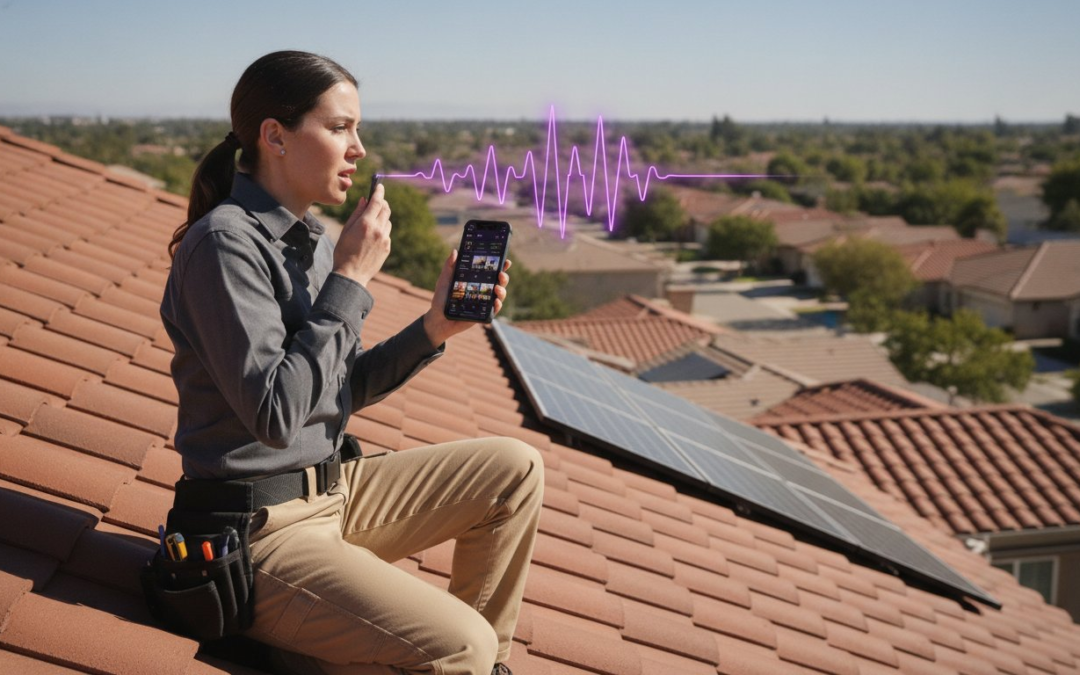
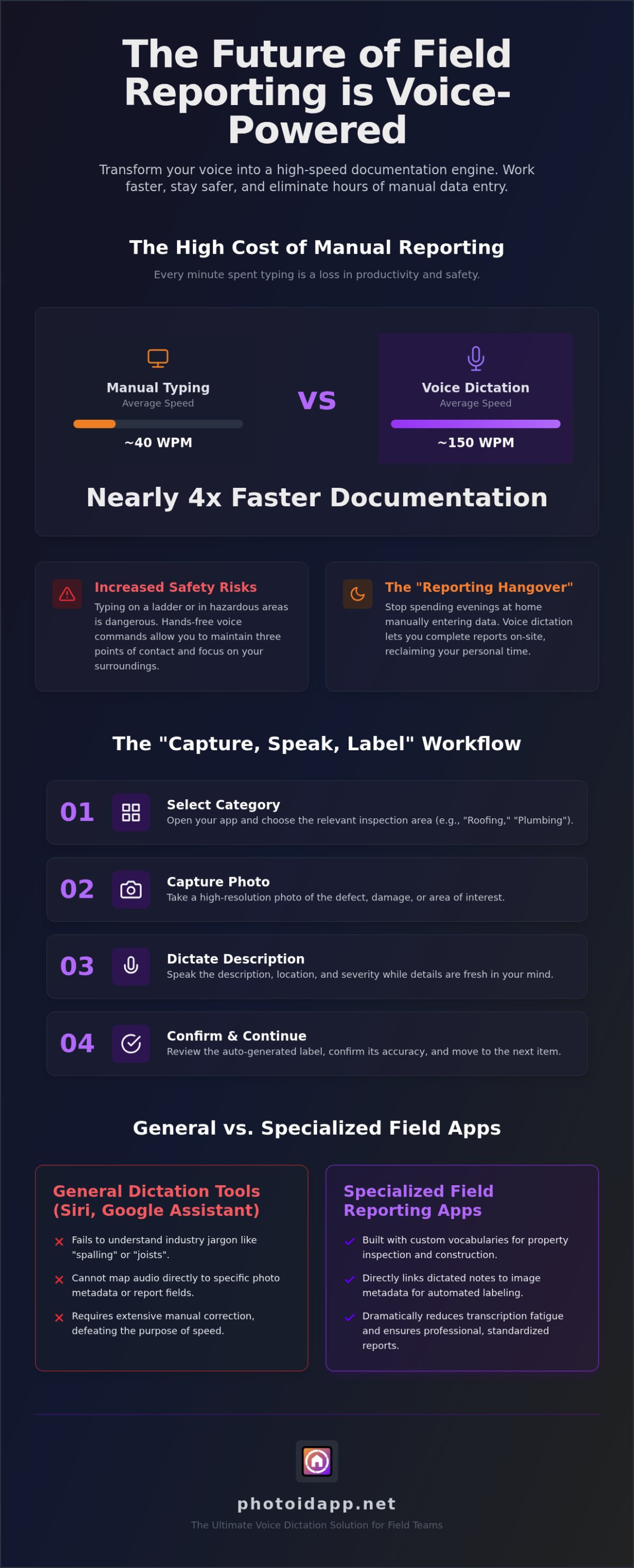
Why are you still risking a fall from a ladder or fumbling with a tablet in a cramped crawlspace just to type a photo description? You know the drill; manual photo labeling often takes longer than the actual inspection. It’s a dangerous, slow, and outdated way to work. In 2026, the right voice dictation app for field reports isn’t just a convenience, it’s a safety requirement. Speaking at 150 words per minute is nearly four times faster than the average typing speed, meaning you can document your findings as fast as you can see them.
We understand the frustration of finishing a long day in the field only to face hours of manual data entry at home. You deserve to reclaim your evenings. This guide will show you how to leverage voice-to-text technology to eliminate manual entry and generate professional reports in half the time. We’ll explore the top tools for 2026, compare specialized apps against general software, and show you how to sync your onsite dictation directly with team dashboards or Xactimate. Get ready to work faster, stay safer, and finish your reports before you even leave the job site.
Key Takeaways
- Transform your voice into a high-speed documentation engine that eliminates manual data entry and labels photos instantly.
- Discover why a specialized voice dictation app for field reports is the only way to map audio input directly to image metadata for professional results.
- Compare generic speech-to-text tools against field-specific solutions to find the right partner for your inspection workflow.
- Master the “Capture, Speak, Label” workflow to generate complete, professional reports before you even step off the job site.
- Integrate your field findings seamlessly with team management dashboards and industry platforms like Xactimate to slash claim cycles.
Why Every Field Professional Needs a Voice Dictation App in 2026
In 2026, field work moves at a breakneck pace. You can’t afford to be tethered to a keyboard while you’re standing on a steep roof or navigating a flooded basement. A voice dictation app for field reports is no longer just a “nice to have” feature; it’s the core engine of your documentation workflow. This technology transforms your spoken observations into structured data instantly. It bridges the gap between what you see and what the client reads. If you’re still typing out descriptions on a tiny screen, you’re falling behind. Real-time reporting is the new industry standard. Adjusters who deliver reports instantly win more contracts, close more claims, and eliminate the backlog that kills growth. Capture, speak, and submit. It’s that simple.
The High Cost of Manual Data Entry
Every minute you spend typing on-site is a minute you aren’t inspecting. This leads to the “Reporting Hangover,” those grueling hours spent at your kitchen table labeling photos and fixing typos long after the sun goes down. Manual entry is a massive productivity killer that drains your energy and your bank account. It introduces human errors that lead to rejected claims, project delays, and repeated site visits. For independent adjusters, the ROI of a dedicated voice dictation app for field reports is undeniable; by cutting documentation time in half, you effectively double your earning potential per hour. Stop the unpaid labor. Start finishing your work while you’re still on the clock.
Safety and Accuracy in Hazardous Environments
Safety is paramount. Typing while on a ladder isn’t just slow; it’s dangerous. Utilizing Speech recognition technology allows for true hands-free operation. This ensures you maintain three points of contact at all times, keeping your eyes on the structure and your hands on the rungs. Modern AI-driven dictation is built to handle the chaos of the jobsite. It ignores background wind noise, filters out machinery hums, and recognizes technical terminology that standard phone apps usually scramble. Whether you’re wearing heavy work gloves or dealing with blinding screen glare, your voice remains the most reliable input tool you have. Record, label, and finish. It’s time to work smarter, stay safer, and lead the industry with high-velocity reporting.
How Voice-to-Text Labeling Automates Photo Documentation
Stop wasting hours playing detective at your desk. The “Which photo is this?” puzzle is a relic of the past. When you use a specialized voice dictation app for field reports, your voice becomes the glue that binds data to the image. This process isn’t just about transcription; it’s about mapping audio input directly to image metadata and report captions in real time. This fluid workflow ensures that every team member uses the same terminology, creating a standardized, professional output that clients trust. By capturing and labeling in one motion, you eliminate the cognitive load of remembering details hours after leaving the job site.
The 4-Step Voice-to-Label Workflow
Efficiency in the field requires a repeatable, high-velocity process. Follow these four steps to automate your documentation before you even pack up your gear:
- Step 1: Open your home inspection app and select the relevant inspection category for the area you are assessing.
- Step 2: Capture a high-resolution photo of the defect, damage, or specific area of interest.
- Step 3: Dictate the description, location, and severity immediately while the details are fresh in your mind.
- Step 4: Confirm the automated label generated by the app and move directly to the next item on your checklist.
Technical Terminology and Custom Vocabularies
Generic assistants like Siri or Google Assistant are great for setting timers, but they often fail in the field. They don’t understand industry jargon like “flashing,” “joists,” or “spalling.” You need context-aware AI that recognizes the specific language of property inspections and specialized labor. This university guide to speech-to-text highlights how different software options cater to specific needs, but for field professionals, accuracy is non-negotiable. Specialized apps reduce transcription fatigue by utilizing pre-defined industry phrases. This level of precision eliminates the need for manual corrections later, ensuring your voice dictation app for field reports delivers a polished product every time.
Experience the relief of automated photo labeling and finish your reports on-site. Don’t guess; dictate. When your documentation is handled in the moment, you protect your time and your reputation. This is the bridge between field action and professional results that sets elite adjusters apart.
General Dictation Software vs. Specialized Field Reporting Apps
Stop settling for “good enough” tools that leave you with more work. While Gboard, Dragon, or Apple Dictation are capable transcription tools, they are not documentation engines. They record words but ignore the visual context of your inspection. A professional voice dictation app for field reports must do more than just listen; it must organize, label, and integrate. Using a generic tool means you’re still left with a pile of unorganized photos and a separate document of notes. You’re effectively doubling your documentation time by trying to save a few dollars on a free app. Reclaim your time and invest in a tool built for the job.
Why Generic Apps Create More Work
Generic apps force you into the “Copy-Paste Nightmare.” You dictate your notes into a separate memo app, then manually match them to photos back at the office. This disconnected workflow is a recipe for error, confusion, and delay. Most free “talk-to-text” tools also fail when you lose cell service in remote areas, leaving you stranded without a way to document. Professional silos matter. Keeping sensitive property data in a dedicated app ensures security and compliance that generic, consumer-grade keyboards simply cannot guarantee. Don’t risk your data or your reputation on tools designed for casual texting.
The Power of Integrated Field Reporting
Specialized solutions move you from field action to finished product in seconds. Imagine finishing your dictation and hitting “send” to generate a complete, formatted PDF report. This is the power of a dedicated voice dictation app for field reports. These platforms integrate directly with industry standards like Xactimate, ensuring your field data flows seamlessly into your estimates without manual entry. Beyond simple notes, these apps handle complex data like aerial roof and wall measurements alongside your voice-labeled photos. It is a single, unified engine for your entire business.
The value of a subscription-based field app is found in the hours it saves you every week. While free tools offer basic transcription, a professional app provides:
- Custom Inspection Templates: Guide your dictation to ensure no detail is missed.
- Cloud Syncing: Upload photos and notes in real-time to a central team dashboard.
- Image Markup: Use voice commands to highlight specific defects directly on the photo.
Stop the manual grind. Switch to a system that works as hard as you do.
Best Practices for High-Velocity Voice Reporting
Speed is the goal. Accuracy is the requirement. To get the most out of your voice dictation app for field reports, you need a disciplined approach to onsite documentation. It is not enough to simply talk into your phone; you must dictate with purpose and structure. By standardizing your input methods and optimizing your physical environment, you turn a simple tool into a high-speed reporting engine. This approach ensures that your data is clean, your labels are consistent, and your reports are client-ready the moment you step off the ladder.
Leveraging Custom Inspection Templates
Custom inspection templates function as a digital co-pilot during your walkthrough. Instead of wondering what to say next, these templates prompt you for specific voice inputs such as “Damage Severity,” “Location,” or “Action Required.” This structured path eliminates decision fatigue and ensures you never miss a critical detail. You should also build a library of voice macros for recurring issues like “granule loss,” “mechanical damage,” or “creased shingles.” Speak a short phrase, and the app populates a full, professional description. This triad of prompt, speak, and confirm is the fastest way to build a comprehensive report without touching a keyboard.
Optimizing for the Jobsite Environment
The jobsite is rarely quiet. Wind, traffic, and heavy machinery can interfere with even the best transcription engines. To maintain high accuracy, follow these hardware and workflow tips:
- Use Noise-Canceling Gear: Invest in a high-quality, noise-canceling headset. This ensures the voice dictation app for field reports captures your voice clearly while filtering out background chaos.
- Manage Battery Life: High-intensity voice and camera features drain power quickly. Keep a portable power bank on hand and close unnecessary background apps to stay operational all day.
- Sync Smartly: In low-signal areas, use “Store and Forward” mode. This saves your dictation and photos locally and uploads them automatically once you reach a stable connection, preventing data loss.
Standardization is the final piece of the puzzle. Use your Team Management Dashboard to push uniform labeling protocols to your entire field team. When every adjuster uses the same technical terminology, your reports maintain a level of professional consistency that builds trust with clients and carriers. No more guessing what a “minor leak” means versus a “secondary moisture entry.” Define the standard, dictate the findings, and deliver the result. Ready to transform your workflow? Optimize your field reporting with PHOTO iD and start finishing your documentation on-site.
PHOTO iD: The Ultimate Voice Dictation Solution for Field Teams
Stop fighting with your phone and start leading your team. PHOTO iD is the industry-leading voice dictation app for field reports designed to restore order to your documentation chaos. It functions as a complete ecosystem that connects the physical jobsite directly to the digital office. While others are still typing, you are already moving to the next job. This isn’t just about speed; it’s about building a scalable, professional business that runs on accuracy and efficiency. Capture. Label. Report. It is that simple! Experience the relief of a workflow that actually keeps up with you.
Capture. Label. Report. Instantly!
Experience the raw power of PHOTO iD’s proprietary Voice-to-Text Labeling engine. This feature allows you to speak your findings as you see them, mapping descriptions directly to high-resolution images in real time. By eliminating the manual data entry bottleneck, the app reduces office time by up to 75% for property inspectors. You don’t just save time; you eliminate the mental drain of the “reporting hangover” that usually follows a long day in the field. Once the inspection is finished, you can generate a professional PDF report with a single click. These reports are formatted to build immediate trust with clients and carriers, showcasing your expertise with clear, voice-labeled evidence that leaves no room for dispute.
Scale Your Team with Better Data
Managing a field team requires more than just trust; it requires total visibility. PHOTO iD bridges the gap between field dictation and office oversight through its centralized Team Management Dashboard. You can monitor project progress in real time, ensuring that every inspector follows your company’s specific documentation standards. This level of control ensures that every report leaving your office is consistent, professional, and accurate. The platform also integrates seamlessly with the tools you already rely on, including Xactimate, Salesforce, and Zapier. This connectivity ensures that your voice-labeled data flows exactly where it needs to go without a single line of redundant entry. Stop the manual grind and start scaling your operations with confidence. Start your free trial of PHOTO iD today! and reclaim your time.
Take Control of Your Documentation Today
The era of the “reporting hangover” is officially over. By switching to a professional voice dictation app for field reports, you move from manual entry to high-speed automation. You’ve seen how integrated labeling eliminates guesswork, how custom templates drive consistency, and how real-time syncing empowers your entire team. This technology is not just a tool; it is your game-changing partner in the field. It keeps you safe, keeps you accurate, and keeps you moving to the next job without delay. Capture your findings, speak your notes, and finish the job!
PHOTO iD is the only app with integrated voice-to-text photo labeling built specifically for the modern field professional. Trusted by thousands of adjusters and inspectors, it is proven to reduce report cycle times by 50% or more. Stop wasting your evenings on tedious data entry and start delivering professional results in record time. Automate Your Field Reports with PHOTO iD Now! Reclaim your time, protect your safety, and dominate your market with the speed of sound!
Frequently Asked Questions
Is voice dictation accurate enough for technical field reports?
Yes, modern AI-driven engines are incredibly precise. Specialized apps understand industry jargon like “spalling” or “flashing” far better than generic phone assistants. This level of accuracy ensures that your voice dictation app for field reports produces professional documentation without constant manual corrections. You can trust the technology to capture every technical detail correctly the first time.
Can I use a voice dictation app for field reports without an internet connection?
Yes, professional apps offer robust offline functionality through “Store and Forward” capabilities. You can record your notes and capture photos in remote locations or deep basements with zero signal. The app saves everything locally on your device and syncs to the cloud automatically once you return to a service area. Your workflow never stops for a poor connection.
How does voice-to-text labeling help with insurance claims?
It creates an indisputable, real-time record of property damage. By labeling photos with your voice as you take them, you ensure that every piece of evidence is clearly described and timestamped. This transparency reduces disputes with carriers and speeds up the claim approval cycle. Clearer documentation leads to faster payments and happier clients every time.
What is the best voice dictation app for home inspectors?
PHOTO iD is the premier choice for inspectors who demand speed and organization. It combines automated photo labeling with custom inspection templates to guide your walkthrough perfectly. Unlike generic note apps, it generates a formatted PDF report instantly. This allows you to hand over a professional product before you even leave the client’s driveway.
Can I integrate my voice reports with Xactimate or Symbility?
Yes, top-tier reporting apps integrate directly with industry-standard estimating software. Your voice-labeled photos and descriptions flow seamlessly into platforms like Xactimate. This connectivity eliminates the need to re-type data back at the office. You save hours of administrative work and reduce the risk of transcription errors during the estimating phase.
Does using voice dictation drain my phone battery during long inspections?
While active voice and camera use do consume power, modern apps are highly optimized for field efficiency. To maximize your battery life, close unnecessary background apps and carry a portable power bank. Most adjusters find that the massive time saved by finishing reports on-site far outweighs the moderate power requirements of the app.
How do I handle background noise while dictating reports on a construction site?
Use a high-quality noise-canceling headset to isolate your voice from heavy machinery or wind. Modern AI engines are specifically built to filter out consistent ambient noise. If the environment is extremely loud, speak closer to the microphone and use short, clear phrases. This maintains maximum transcription accuracy even in the most chaotic field conditions.
Is my data secure when using a cloud-based voice reporting app?
Yes, professional field apps use enterprise-grade encryption to protect your sensitive property data at all times. Your photos and notes are stored in secure, private silos rather than public cloud folders. This ensures full compliance with industry standards and protects your business from data breaches. You can work with total peace of mind.