
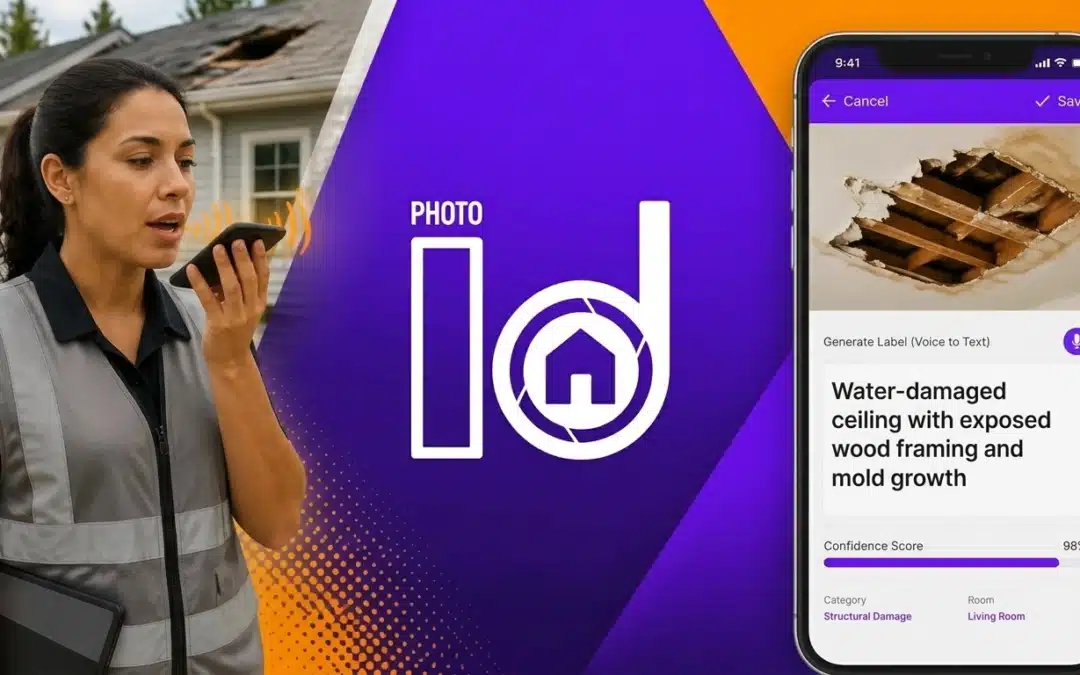

How many hours did you spend last week sitting in your truck or at your kitchen table, squinting at photos and trying to remember if "IMG_4021.jpg" was the water damage in the hallway or the guest bathroom?
If you’re a contractor, adjuster, or field professional, you know the drill. You spend all day on-site, capturing hundreds of photos. Then, the "real" work starts: downloading, organizing, labeling, and building a report. It’s a tedious, manual process that eats up 2-3 hours of your evening every single night.
What if you could stop taking notes entirely? What if your photos labeled themselves while you were still on the ladder?
In the fast-paced world of property technology, manual note-taking is no longer just a nuisance: it’s a massive drain on your ROI. Every minute you spend typing is a minute you aren't winning new business or closing a claim. It’s time to ditch the old-school pen-and-paper (or the clunky "type-as-you-go" method) and embrace the future of documentation.
Here are 5 hands-free labeling hacks using PHOTO iD by U Scope that will save you an hour on every single job.
1. The "Snap and Speak" Workflow
The biggest bottleneck in field documentation is the gap between taking the photo and adding the context. When you wait until the end of the day to label your images, you lose the "boots-on-the-ground" details that make a report truly professional.
The Hack: Use Voice-to-Text Labeling at the point of capture.
With PHOTO iD’s Property Inspection Camera, you don't have to touch your keyboard. After you snap a photo of a cracked rafter or a hail-damaged shingle, simply speak. The app uses advanced speech recognition to transcribe your voice directly into the photo’s metadata.
Why it matters:
- Instant Context: You’ll never have to guess what you were looking at.
- Speed: On a standard 40-photo roof inspection, voice labeling takes only 12-15 seconds per photo.
- Accuracy: Capture the exact dimensions or material types while they are right in front of you.

Professional documentation starts with capturing the right details on-site, not later at the office.
2. Leverage Preset Workflow Templates
Are you still typing "Living Room – Ceiling – Water Damage" over and over again? That’s wasted motion. If your inspections follow a standard pattern, your app should, too.
The Hack: Set up Custom Workflow Templates before you even arrive at the jobsite.
By using pre-defined categories and structures, you can organize your photos as you take them. If the template says "Exterior," every photo you take under that heading is automatically tagged. Combined with voice labeling, you only have to speak the specific damage details, while the location and category are handled automatically.
The Benefit-First Approach:
Instead of a folder full of random images, you have a structured, audit-proof record the moment you finish the walk-through. This level of professionalism doesn't just save time; it builds trust with insurance carriers and clients who are looking for clear, organized evidence.
3. Go Fully Hands-Free with Voice Commands
Sometimes, you literally don't have a hand free. Maybe you’re holding a moisture meter, a tape measure, or stabilizing yourself on a ladder. In these high-stakes moments, fumbling with a phone screen isn't just slow: it’s a safety hazard.
The Hack: Use Hands-Free Voice Commands to navigate the app.
Modern field service tools shouldn't require constant tapping. By using voice-activated features, you can tell the app to "Take Photo," "Save," or "Next Room" without ever taking your eyes off the task at hand. This turns your smartphone into a virtual assistant that follows you through the property.
The Math of Efficiency:
If you save 30 seconds of "fumble time" per photo across 100 photos, you’ve just reclaimed 50 minutes of your day. Multiply that by five days a week, and you’ve just gained back an entire afternoon.

Identify and label damage in real-time, ensuring nothing gets missed in the final report.
4. Eliminate the "Office Phase" with Real-Time Sync
One of the "hidden costs" of manual documentation is the transfer process. You take photos on your phone, then you have to email them to yourself, download them to a desktop, and upload them into a CRM or project management tool like JobNimbus or Salesforce.
The Hack: Use a Cloud-Based Hub that syncs while you work.
The second you label a photo via voice and save it, it should be in the cloud. PHOTO iD’s management dashboard allows your office team to see exactly what you’re seeing in real-time.
Stop the Rework:
- No more USB cables.
- No more "Did you send those photos yet?" phone calls.
- No more lost SD cards.
When you finish the inspection and walk back to your truck, the "office work" is already 90% done. Your team can start the estimate or the claim process while you’re still driving to the next job.
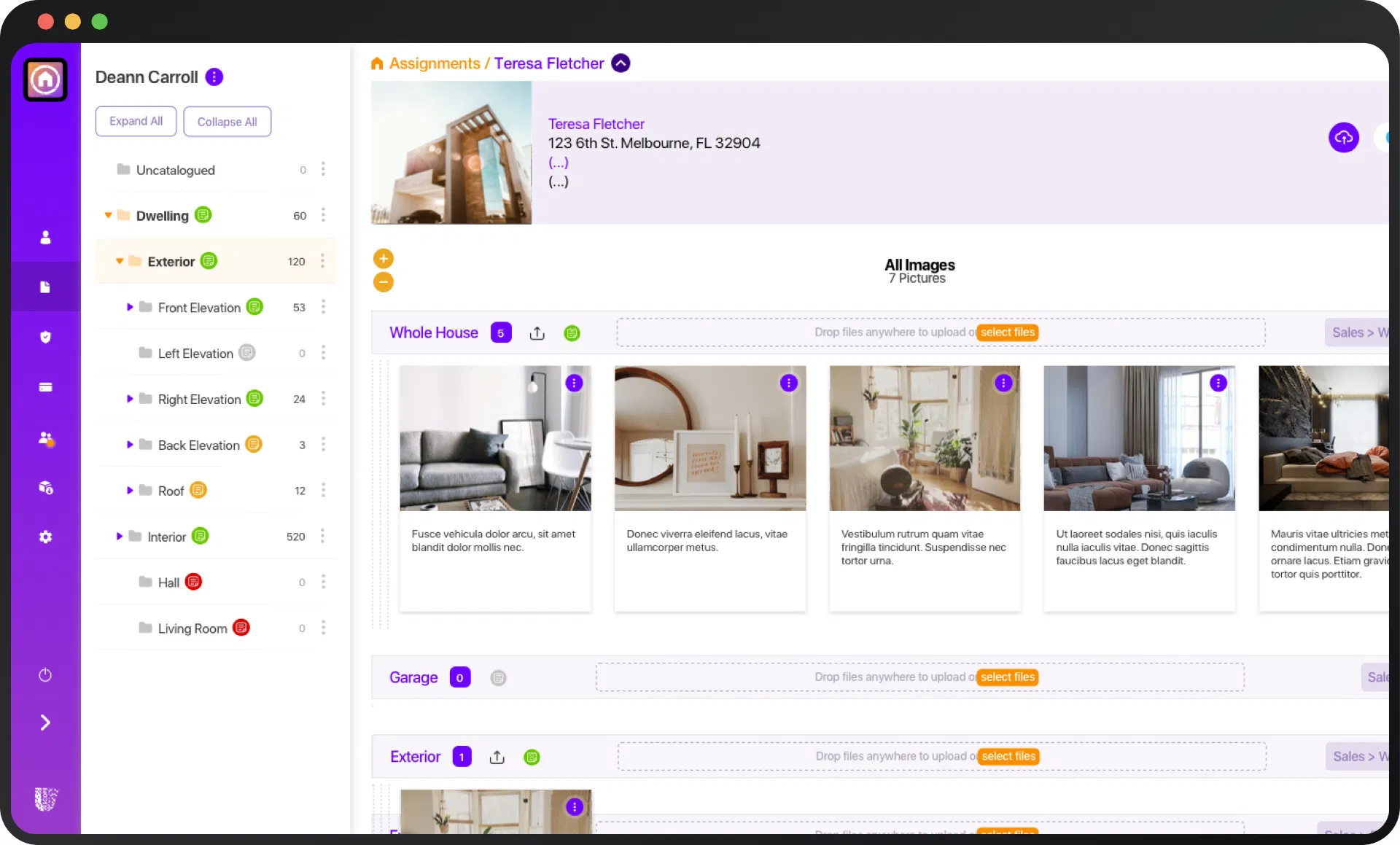
A centralized dashboard ensures your voice-labeled photos are organized and accessible the moment they are captured.
5. Instant "One-Tap" PDF Report Generation
The final hurdle of any job is the report. Many pros spend hours formatting Word documents or dragging images into PDF editors. If your photos are already labeled and organized (thanks to Hacks 1 and 2), why are you still building the report manually?
The Hack: Use Automated PDF Generation to close the loop on-site.
Before you leave the driveway, you should be able to generate a professional, branded PDF report. Because your voice labels are already embedded as captions, the report builds itself. You can review the document on your screen, hit "Send," and move on.
Getting Paid Faster:
In the insurance and restoration world, the person who submits the most professional documentation first usually gets paid first. By delivering an audit-ready report before the customer even sees you leave their property, you position yourself as the most efficient pro in the market.
The ROI of Professionalism: Doing the Math
Let’s look at the numbers. If you’re a field inspector or contractor, your time is worth at least $100 – $250 per hour.
- Manual Method: 1 hour on-site + 2 hours of labeling/reporting = 3 hours per job.
- PHOTO iD Method: 1 hour on-site (labeling as you go) + 0 hours of reporting = 1 hour per job.
By implementing these hands-free hacks, you can literally triple your capacity. You could do three inspections in the same time it used to take to do one and finish the paperwork.
Is your current "manual" method costing you thousands of dollars in lost opportunities?

Modern tools give you the competitive edge to win more work and scale your business faster.
Stop Wasting Time. Start Winning More Work.
The days of "figuring it out later" are over. In 2026, the standard for jobsite documentation is instant, voice-labeled, and cloud-synced. If you aren't using these hacks, your competitors are.
Don't let manual notes slow down your growth. PHOTO iD by U Scope was built by field pros, for field pros, to solve the exact frustrations you face every day.
Ready to reclaim your evenings and professionalize your workflow?
👉 Get Started with PHOTO iD for Free Today
👉 Explore our Solutions for Contractors and Adjusters