

How much time did you waste yesterday sitting in your truck, scrolling through your phone’s camera roll, trying to remember if "Photo_124.jpg" was the living room ceiling or the master bedroom leak?
If you’re like most contractors, adjusters, or property managers, the answer is "too much." You’re not just losing minutes; you’re losing revenue. Every hour spent manually labeling photos and building PDF reports is an hour you aren’t on a new jobsite or closing a claim.
What if you could walk onto a site, document everything with total precision, and have a professional, client-ready report finished before you even put your tools back in the truck?
It’s not a dream. It’s the new standard. Here is how you can create a complete jobsite photo report in under 5 minutes without ever touching your keyboard.
The Hidden Cost of "Doing it the Old Way"
Let’s be honest: manual documentation is a professional nightmare. You take 50 photos, go home, upload them to a laptop, and then spend two hours renaming files and dragging them into a Word document.
Does this sound familiar?
- Disorganized Folders: Thousands of unlabelled images sitting in your "Recents" folder.
- Memory Gaps: Trying to recall specific damage details 48 hours after the inspection.
- Wasted Evenings: Spending your nights "catching up" on paperwork instead of being with your family.
- Delayed Payments: Taking 3-5 days to send a report, which slows down your entire billing cycle.
According to industry data, field professionals lose 30-60 minutes per job just on photo management. If you’re doing five jobs a week, that’s an entire afternoon gone. Over a year? That’s weeks of billable time flushed down the drain.
Step 1: Automate the Inspection Workflow
The secret to a 5-minute report isn't typing faster: it’s not typing at all.
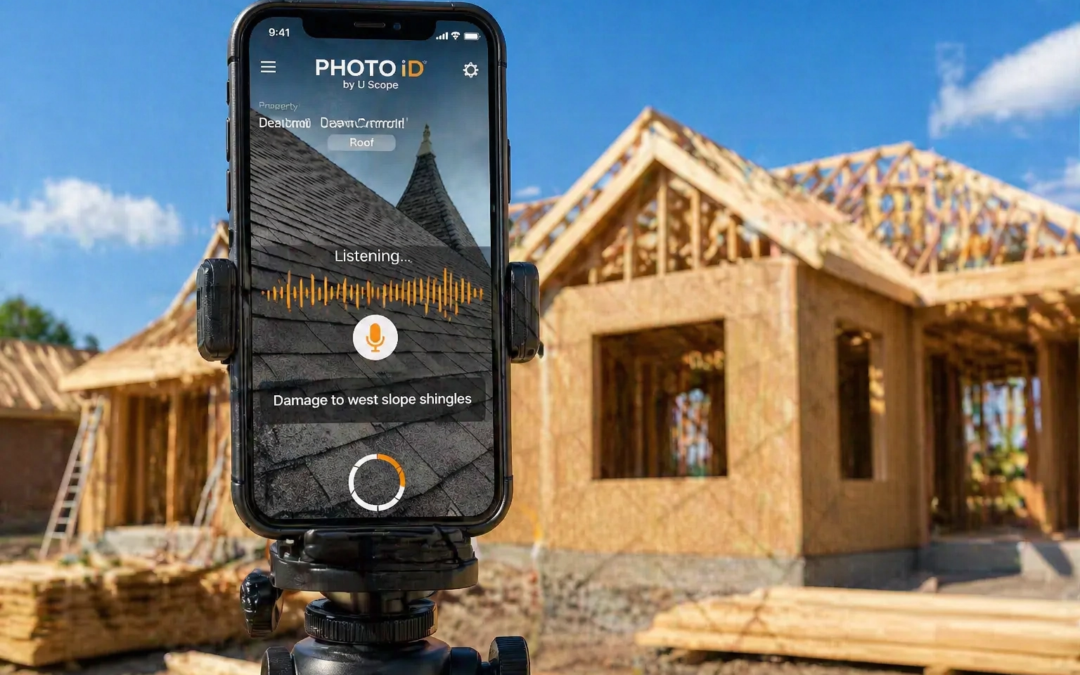
When you use the PHOTO iD by U Scope camera, you aren't just taking pictures; you are building a structured database in real-time. Before you even snap your first photo, you select a pre-designed workflow template tailored to your specific industry: whether it’s roofing, disaster restoration, or property management.
This ensures that every photo you take is already categorized. No more guessing. No more "where does this go?" The app guides you through the process, ensuring you never miss a critical shot.

Step 2: Use Your Voice, Not Your Thumbs
This is where the magic happens. While you’re physically inspecting a property, your hands are usually full. You’re holding a ladder, a tape measure, or a flashlight. Stopping to type labels on a tiny screen is inefficient and, frankly, dangerous.
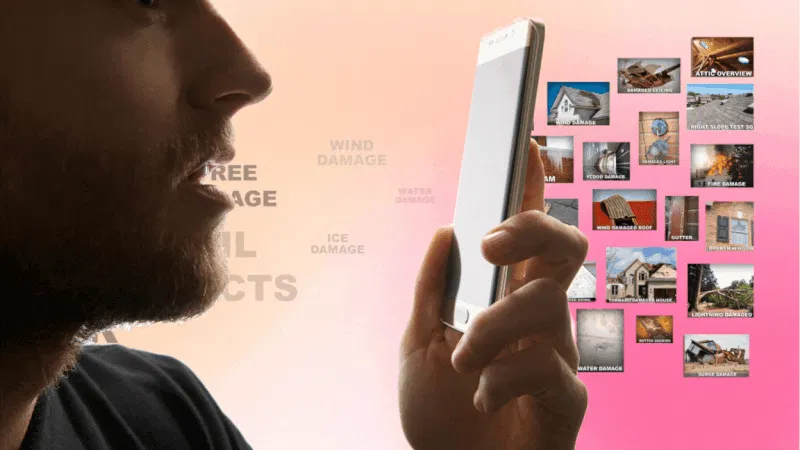
With Hands-Free Voice Labeling, you simply speak.
- "Damage to north-facing shingles."
- "Water staining on the kitchen ceiling, 3×5 area."
- "Corrosion on the main HVAC unit."
The app’s AI-driven speech-to-text engine transcribes your words instantly and attaches them directly to the photo. The label is baked into the image metadata along with a GPS coordinate and a tamper-proof timestamp. This isn’t just a convenience: it’s Evidence. When an insurance adjuster or a client sees a report with voice-verified, time-stamped labels, they stop asking questions and start approving work.
Step 3: Instant Organization (Zero Manual Labor)
While you’re walking the site and talking to the app, PHOTO iD is working in the background. It automatically categorizes your images into the correct folders based on your selected workflow.
Think about the traditional method:
- Take photo.
- Remember photo.
- Transfer photo.
- Rename photo.
- Categorize photo.
With PHOTO iD, steps 2 through 5 happen the millisecond you press the shutter button.

Step 4: One-Tap Report Generation
You’ve finished the walk-through. You’ve labeled the damage. You’ve captured the measurements. Now comes the part everyone hates: building the report.
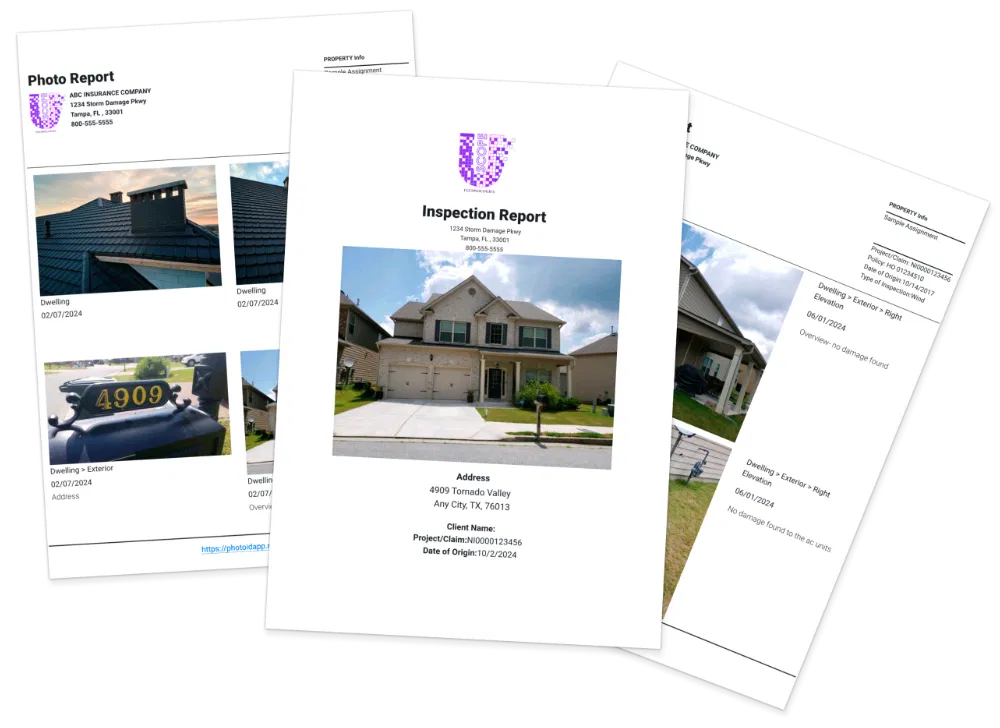
Except, with our automated reporting tools, the report is already built. Because every image was labeled and categorized as you took it, all that's left is to hit "Generate."
In one tap, the app compiles your photos, voice labels, timestamps, and GPS data into a professional, branded PDF. You can include your company logo, project details, and a summary of findings. You can even choose from various layouts to match the preferences of your specific clients or insurance carriers.
Total time elapsed? Less than 5 minutes.
Step 5: Seamless Integration with Your Business
A report is only useful if it gets to the people who need it. Instead of emailing massive zip files that get stuck in spam filters, you can sync your data directly to the platforms you already use.
Whether you use Salesforce, Jobber, JobNimbus, or Guidewire, our integration ecosystem ensures that your documentation moves at the speed of your business. Your office team can see the photos the moment you take them, allowing them to start estimates while you’re still driving to the next site.
Why Professionalism is Your Competitive Advantage
In the field service industry, your documentation is your reputation. If you send a client a messy folder of unlabelled photos, you look like an amateur. If you send a polished, organized, and voice-labeled PDF report within minutes of leaving the site, you look like the most professional contractor they’ve ever hired.
Who do you think gets the referral? Who do you think gets paid first?
Speed isn't just about saving time; it's about winning more work. When you reduce your administrative burden, you have more energy to focus on sales and service. You become more accurate, your claims get approved faster, and your clients trust you more.
Stop Wasting Time. Start Winning.
The "Old-School" way of documentation is killing your productivity. Every minute you spend typing out labels is a minute you aren't growing your business.
Are you ready to stop being a slave to your keyboard and start being a professional in the field?
The math is simple: 2-3 hours saved per day equals hundreds of dollars in recovered labor costs every single week. It’s time to upgrade to a digital workflow that works as hard as you do.
Ready to see it in action?
Don’t take our word for it. Join over 100,000 professionals who have transformed their field operations with PHOTO iD.
Start your Free Trial today and create your first 5-minute report. Your evenings: and your bank account( will thank you.)