
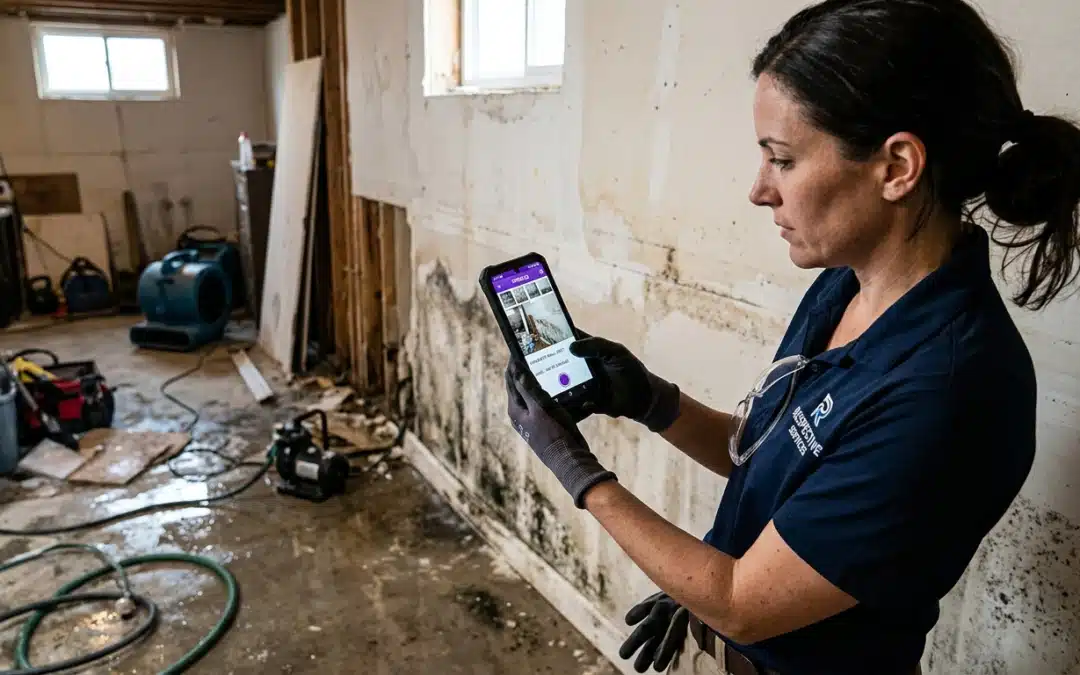
voice activated photo documentation
FIELD OPERATIONS GUIDE
Stop Losing Time on Manual Labels: Voice Activated Photo Documentation for Field Professionals
Field inspections demand speed and accuracy. Manual photo labeling wastes valuable time and introduces errors that stall claims. Voice activated photo documentation solves this by letting you capture images and dictate notes simultaneously–hands-free, in real time, without breaking your inspection rhythm.
What Is Voice Activated Photo Documentation?
It’s exactly what it sounds like: spoken commands control your mobile camera and attach notes while you work. You label rooms, describe damage, and mark locations by voice instead of tapping screens mid-inspection. The result is a cleaner path from capture to finished report–no post-visit sorting required.
How Voice Commands Accelerate Your Inspection Workflow
Hands-free capture isn’t just convenient–it’s a safety issue. On a ladder or a damaged roof, juggling a device and a notepad is how mistakes happen. Voice control keeps your focus on the site, not the screen.
Why It Matters on Complex Sites
When your hands are occupied, voice commands let you keep documenting without stopping. Photos get labeled at the moment of observation, which means your report reflects what you actually saw–not what you reconstructed from memory an hour later.
Voice Control on iOS: Siri Shortcuts and Accessibility
iOS users can enable native Voice Control under Settings → Accessibility. Once active, spoken commands open the camera, capture images, and navigate apps without touching the screen. Siri Shortcuts go further: custom phrases can open your documentation app and pre-load a job folder before the first photo is taken. I’ve watched inspectors cut their setup time by more than half just by building three or four shortcuts before a large loss site.
Voice Commands on Android: Google Assistant and Beyond
Android users access hands-free control through Google Assistant or manufacturer-specific voice features. “Hey Google, take a photo” opens the camera fast. For professional documentation, pair that capability with a field app like PHOTO iD on Google Play that organizes, labels, and exports in a consistent, claim-ready format.
Purpose-Built App vs. Native OS Features Alone
Native voice features handle capture. They don’t handle what comes next. Here’s the gap:
Purpose-Built Documentation App
- Real-time labeling tied directly to each photo
- Structured workflows aligned with insurer expectations
- GPS tagging and timestamp capture
- Export-ready reports for claim submission
Native OS Voice Features Alone
- No automatic photo organization or labeling
- Manual sorting after every inspection
- No claim-ready export format
- No workflow support for field teams
The PHOTO iD Advantage for Claim-Ready Field Documentation
Built for Speed: Capture to Claim Submission
PHOTO iD by U Scope structures your documentation while you’re still on site. Photos are labeled, organized, and report-ready before you leave. Pre-cataloged images can be imported into Xactimate, giving adjusters a clear, consistent narrative instead of a folder of unlabeled files. That’s the difference between a claim that moves and one that sits in a queue waiting for clarification.
Integrations That Eliminate Re-Entry
PHOTO iD connects with Guidewire (ClaimCenter), Salesforce, Jobber, and JobNimbus. Reports export directly to PDF or feed into your existing claim management process. Every photo, label, and GPS tag stays attached–no copy-paste, no dropped data, no re-entry errors.
Accuracy That Stops Claims from Stalling
Mislabeled photos and missing context are two of the most common reasons claims get delayed. When you speak the damage description at the moment you photograph it, that context is locked in. Adjusters get a structured, timestamped record they can act on–not a follow-up request they have to send back to you.
Making Voice Activated Photo Documentation Work for Your Business
What to Prioritize When Choosing a Platform
Native OS voice features give you hands-free capture. That’s table stakes. The real question is what happens to those photos after they’re taken. Most field teams lose time in the gap between “photo captured” and “report approved”–and that gap only closes when the app behind the camera is built for professional output.
Prioritize platforms that pair voice control with real-time labeling, GPS tagging, and structured export. Without those pieces, you’re still sorting photos manually after every inspection.
Where Field Reporting Is Heading
Insurers are raising documentation standards. Adjusters expect structured, timestamped, labeled evidence–not folders of unnamed images. Teams that build repeatable voice-activated workflows now will have a measurable edge as those expectations tighten.
PHOTO iD is built around that standard. GPS tagging, real-time labeling, and direct integration with Guidewire (ClaimCenter), Salesforce, Jobber, and JobNimbus move your documentation through the claim process with minimal manual handling. Stop losing hours to post-inspection sorting. Start submitting reports the same day you run the job.
Download PHOTO iD and build your first voice-activated workflow today.
Frequently Asked Questions
What's the best way to do photo documentation for field work?
For field professionals, the best way involves using a dedicated app like PHOTO iD that organizes photos, adds labels, and generates reports. This ensures your documentation is structured and ready for review, cutting down on post-visit work.
How do I use voice commands to take photos on a job site?
You can use native voice control features on your mobile device, like Siri Shortcuts on iOS or Google Assistant on Android, to open the camera and capture images hands-free. For professional documentation, pair these with an app like PHOTO iD to automatically label and organize photos as you speak.
Can I attach voice notes to my inspection photos?
Yes, voice activated photo documentation allows you to dictate notes directly to your photos as you capture them. This real-time labeling ensures context is immediately tied to each image, reducing errors and saving time on post-inspection cleanup.
Does my iPhone support taking pictures with voice commands?
Absolutely. iOS devices have a native Voice Control feature in Accessibility settings that lets you open the camera and capture photos using spoken commands. You can also set up Siri Shortcuts for custom phrases to streamline your documentation workflow.
Why use a specialized app for voice activated photo documentation over standard phone features?
Native phone features offer hands-free capture, but they don’t organize photos or create claim-ready reports. A specialized app like PHOTO iD provides real-time labeling, structured workflows, GPS tagging, and export-ready reports, ensuring your documentation is complete and accurate.
What are the key benefits of using voice activated photo documentation for field inspections?
Voice activated photo documentation significantly boosts efficiency and accuracy on job sites. It allows hands-free capture, which improves safety and productivity, while real-time voice labeling cuts down on post-visit cleanup, making photos ready for review sooner.