
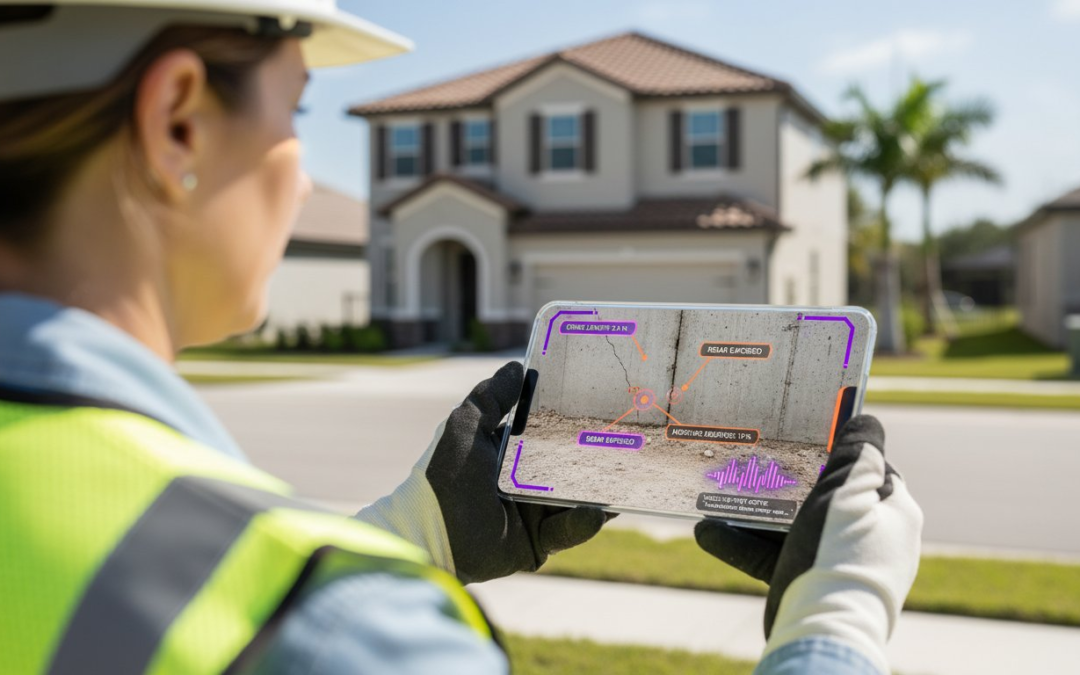
How much revenue did your firm lose last month while your field team fumbled with a tiny keyboard to document a single cracked foundation? You already know that manual data entry is the slowest part of your workday, especially when you are struggling to find a reliable app to label photos with notes while on-site. It’s frustrating to get back to the office only to realize you’ve forgotten why you took half the photos in your cluttered camera roll. You need a solution that keeps your hands free and your professional reputation intact.
Stop wasting hours on manual typing. Discover how the right technology automates your entire field documentation process. Following the February 23, 2026, expansion of professional voice-to-text tools to Android, inspectors now achieve 97% accuracy in the field. This means you can generate professional-looking reports instantly. We’ll show you how to streamline your workflow, organize your images, and reclaim your time. It’s time to embrace the Snap, Speak, Send mantra! This guide previews the best professional tools to ensure your documentation is fast, accurate, and effortless.
Key Takeaways
- Identify the critical difference between basic markup and a professional app to label photos with notes that automates data capture.
- Harness the power of AI-driven voice-to-text to document complex site details in seconds without touching a keyboard.
- Evaluate your documentation volume to choose a tool that scales from simple reminders to high-velocity professional PDF reports.
- Streamline your workflow by configuring custom industry templates that organize your photos into categories automatically.
- Transform your field operations with the “Snap, Speak, Send” method to eliminate back-office data entry and boost your productivity!
What is an App to Label Photos with Notes?
A professional app to label photos with notes is far more than a simple digital highlighter. It’s a high-velocity field documentation engine designed to capture, categorize, and communicate site conditions in real-time. While consumer apps focus on basic aesthetics, professional tools prioritize data integrity. They integrate descriptions directly into the image file or a linked database. This ensures that every shutter click contributes to a structured report rather than a disorganized mess. You aren’t just taking pictures; you’re building a searchable database of your entire project.
Professionals in home inspection, construction, and insurance adjusting use these tools to eliminate 100% of their manual back-office sorting. By 2026, the industry standard has shifted toward full automation. You don’t need to sit at a desk for three hours to label photos you took three days ago. You capture the data, speak the label, and move to the next task. It’s about restoring order to the chaos of the jobsite. A Picture is Worth a 1000 Words! But only if those words are accurate, organized, and instantly accessible.
Professional labeling systems provide:
- Automated Metadata: Instant recording of GPS, date, and time.
- Industry Categorization: Sorting by Roof, HVAC, or Electrical instantly.
- Voice Integration: Hands-free descriptions for loud, busy environments.
- Compliance Ready: Documentation that meets strict legal and insurance standards.
The Difference Between Markup and Professional Labeling
Don’t confuse professional labeling with simple markup. Competitor tools often focus on drawing arrows or adding hashtags for visual individuals. While these features help designers, they fail the rigorous demands of professional documentation. True labeling involves Automatic image annotation, which pairs visual data with critical metadata and industry-specific categories. This structure is vital for legal defense and insurance compliance. It transforms a simple image into a verified piece of evidence that stands up to scrutiny.
Why Your Native Smartphone Gallery Isn’t Enough
Relying on your standard camera roll is a recipe for disaster. This “Camera Roll Chaos” mixes your professional inspection photos with personal family pictures. This creates a massive liability and a search nightmare. Native galleries lack the ability to search for specific text within labels or filter by project ID. They don’t offer the security protocols required for team collaboration either. Professional apps secure your data in the cloud, allowing your team to access organized, labeled assets instantly. Stop digging through thousands of unsorted images. Switch to a dedicated app to label photos with notes and start working smarter today.
Consumer vs. Professional: Finding the Best App for Your Workflow
Stop treating your professional documentation like a hobby. If you only take five photos a week to remember where you parked, a basic smartphone app works fine. But if you’re an inspector processing 500 photos a day, you need a high-velocity engine. The right app to label photos with notes must handle massive volume without lagging or crashing. It isn’t just about the note; it’s about the final output. Professionals need instant PDF reports, not just digital sticky notes. You need a partner that works as hard as you do.
Efficiency is the only metric that matters. A 2025 industry survey revealed that 68% of inspection delays result from manual photo sorting. Avoid this trap. Check your integrations before you commit. Does the software play nice with Xactimate or Verisk? If it doesn’t, you’re just creating more work for yourself. A professional tool simplifies your life by ensuring data flows seamlessly from the field to the office. While some might suggest using a basic research photo management tool for simple archiving, these lack the specific industry templates required for modern property inspections. You need a system built for the grind.
Key Features Every Professional App Needs
Demand more from your software. A professional-grade app must offer automatic project organization. This means your photos are sorted by room or category the moment you snap them. Cloud synchronization is equally vital. It allows your office team to see site conditions in real-time. Look for customizable templates that match your specific workflow. Whether it’s a roof inspection or a water damage claim, your app should adapt to you. If your team can’t use it without a week of training, it’s not the right tool. High-velocity documentation requires an intuitive interface.
The Pitfalls of Using ‘Free’ Consumer Apps
Free apps come with a heavy price tag. Privacy is the biggest concern. Don’t risk your client’s sensitive information on a platform that sells data. Consumer apps also lack dedicated professional support. If an app crashes while you’re on a remote jobsite, who are you going to call? The hidden cost of ‘free’ is the manual labor required later. You’ll spend hours turning those scattered notes into a professional report. Professional software eliminates this waste. If you want to see how much time you can save, explore a dedicated photo organization software built for your industry. It’s time to Snap, Speak, Send and leave the chaos behind!
Voice-to-Text: The Secret to Labeling Photos in Seconds
Fumbling with a smartphone keyboard on a windy roof or in a dark crawlspace is a liability. It’s the #1 cause of documentation errors in the field today. When you’re forced to type, you’re forced to slow down, and that’s when critical details get missed. Stop compromising your data quality. AI-driven voice-to-text labeling represents the absolute future of 2026 field work, enabling professionals to convert spoken observations into precise, structured documentation in real-time. It’s time to trade your thumbs for your voice and experience true efficiency.
The “Snap, Speak, Send” workflow is the new gold standard for high-velocity documentation. You snap the photo, speak the description, and send it to the report instantly. This process captures granular details that manual notes often miss. While basic tools require you to remember hashtags later, a professional app to label photos with notes uses AI to transcribe your words with 97% accuracy. This isn’t just about convenience; it’s about building a bulletproof record of site conditions before you even leave the property. High-level Image Management requires this level of precision to ensure every asset is searchable and compliant.
Hands-Free Documentation for Safety and Speed
Safety is non-negotiable. Using voice commands allows you to keep your hands on your ladder or your flashlight, not your screen. You can capture “in-the-moment” observations while your eyes stay on the task. This hands-free approach isn’t just safer; it’s significantly faster. Professionals using voice automation report reducing their total inspection time by 50% compared to traditional manual entry. Don’t let a tiny keyboard dictate your schedule. Speak your notes, stay safe, and finish your jobs in record time!
Improving Accuracy with Automated Transcription
Jobsite noise used to be a barrier for voice technology, but 2026 AI has solved that problem. Professional apps now utilize intelligent cleanup features to filter out background saws, wind, or traffic. This ensures your speech is converted into structured data that flows directly into your report templates. This technology also enforces consistency. By using an app to label photos with notes, you ensure that every team member uses the same professional terminology. A Picture is Worth a 1000 Words! Make sure every one of those words is transcribed perfectly to protect your professional reputation and your bottom line.
How to Set Up Your Automated Photo Labeling System
Efficiency doesn’t happen by accident. It’s the result of a deliberate setup. Before you pull onto the jobsite, you must have your digital infrastructure ready. An automated app to label photos with notes works best when it’s tailored to your specific trade. Configure your categories like Roof, HVAC, and Electrical while you’re still in the office. This preparation ensures that when you’re in the field, you’re moving, not thinking. Take five minutes to train your voice-to-text settings to recognize your specific accent and industry jargon. Proper setup can reduce your office-based report writing by 90%, turning a three-hour task into a three-minute tap!
Sync your team dashboard to enable real-time project monitoring. This allows your office staff to see progress instantly as you work through the property. This connectivity eliminates the back-and-forth phone calls that plague most inspection jobs. You stay focused on the inspection while the data flows where it needs to go. It’s about creating a seamless bridge between the physical jobsite and your digital records.
Step 1: Choose and Customize Your Templates
Specialized contractors require specialized workflows. One-size-fits-all solutions lead to missed details and messy data. Build a custom inspection flow that guides you through the property room-by-room. Pre-label common issues, such as ‘hail damage’ or ‘frayed wiring,’ to shave even more seconds off your documentation time. A well-designed template is your roadmap to a faster workday. It ensures consistency across your entire team. When every inspector uses the same structured format, your company’s professional output becomes predictable and powerful.
Step 2: Mastering the On-Site Workflow
Speed and safety go hand-in-hand. The optimal sequence is straightforward: snap the photo, then immediately speak the label. This keeps your momentum high and your hands free. Use the built-in aerial measurements and virtual tools to capture dimensions without pulling out a tape measure. These tools allow you to document 100% of the required metadata without manual entry. Verify your labels on-site to ensure no documentation gaps exist. This proactive approach eliminates the need for a second trip to the property. It’s about getting it right the first time, every time. Remember the mantra: Snap, Speak, Send!
Step 3: Generating the Final Report
The finish line is just one tap away. Move from labeled photos to a professional PDF report in a single click. No more late nights at the computer. Share these reports instantly with clients or insurance adjusters to accelerate approvals. Archiving this data provides long-term liability protection for your business. Your documentation is your best defense against future claims. A Picture is Worth a 1000 Words! Make sure your words are organized, professional, and ready to send. If you’re ready to modernize your workflow, explore our custom report builder and start saving time today!
PHOTO iD: The Ultimate Solution for Professional Documentation
Stop settling for generic tools that slow you down. PHOTO iD is the industry-leading app to label photos with notes, built specifically for the high-pressure environment of field documentation. It replaces manual entry with an automated engine that works as fast as you do. While other apps force you to type on a screen, this platform empowers you to document site conditions using only your voice. It is the game-changing partner that restores order to the chaos of your jobsite documentation.
Our built-in voice-to-text technology is engineered for the real world. It filters out the roar of background saws, heavy machinery, and wind, ensuring your descriptions are crisp and accurate. For insurance adjusters, the seamless integration with Xactimate and Verisk image import means you never have to deal with double-entry again. Your data flows directly from the field into your estimating software. This level of connectivity is what separates a professional tool from a consumer toy. Take control of your data and let the software handle the heavy lifting.
Manage your entire fleet with a centralized team management dashboard. This feature provides real-time oversight, allowing office managers to monitor project progress as it happens. You can verify quality, check timestamps, and ensure compliance without leaving your desk. This transparency builds trust with clients and ensures your team maintains a high standard of excellence across every jobsite. It’s about maximizing your operational velocity while maintaining total accuracy.
Why Top Inspectors Choose PHOTO iD
Top-tier professionals demand tools that match their pace. This is the only platform that truly masters the Snap, Speak, Send mantra. You snap the photo, speak the label, and send the data instantly. We’ve included professional-grade aerial roof and wall measurements to keep your feet safely on the ground. This eliminates the need for dangerous climbs and expensive secondary measurement services. The instant photo report generation feature closes the gap between the field and the office entirely. You finish the inspection, and the report is already done. A Picture is Worth a 1000 Words! Make sure every one of those words is captured perfectly.
The ROI of Switching to PHOTO iD in 2026
Efficiency translates directly to your bottom line. By switching to an automated app to label photos with notes, you can take on 30% more jobs without increasing your overhead. You’ll reduce claim cycle times and eliminate the late-night reporting grind that leads to burnout. Calculate your annual cost savings based on the hours you reclaim every single week. This technology doesn’t just save time; it scales your business. Empower your team with the most reliable documentation tool on the market. Start your free trial of PHOTO iD today!
Take Control of Your Field Documentation Today
Manual data entry is a relic of the past. You’ve seen how automation and voice-to-text technology have transformed the industry landscape in 2026. By choosing a professional app to label photos with notes, you stop reacting to chaos and start leading with efficiency. You’ve learned that structured templates and hands-free labeling aren’t just luxuries; they’re essential tools for maintaining a competitive edge. This is about reclaiming your time and protecting your professional reputation with every shutter click.
PHOTO iD was founded by industry veteran Ken ‘The Claims Coach’ Perry to solve the exact frustrations you face every day. It’s currently used by thousands of professional adjusters and inspectors who have successfully reduced their documentation time by 40% or more. You don’t have to spend your nights at a desk anymore. It’s time to work smarter, stay safer, and finish faster. A Picture is Worth a 1000 Words! Make sure yours are organized and ready for the office.
Streamline your field inspections with PHOTO iD, Download the App!
The solution is just a tap away. Empower your team, impress your clients, and restore order to your jobsite documentation. Snap, Speak, Send!
Frequently Asked Questions
What is the best app to label photos with notes for home inspectors?
PHOTO iD is the superior app to label photos with notes for home inspectors because it utilizes industry-specific templates. Founded by veteran Ken Perry, it helps professionals reduce documentation time by 40% or more. You can move through a property room-by-room while the app handles the sorting automatically. Stop wasting your evenings on manual entry and start using a tool designed for the high-velocity demands of the field.
Can I use voice-to-text to label photos in the field?
Yes, you can use voice-to-text to label photos instantly while on-site. Modern professional apps achieve 97% transcription accuracy as of May 2026. This allows you to keep your hands free for safety on ladders or in tight crawlspaces. Just snap the photo and speak your observation. The app converts your speech into professional descriptions without requiring a single keystroke on a tiny screen.
Is there an app that automatically organizes photos into folders?
Professional apps like PHOTO iD automatically organize your photos into categories or project folders as you take them. You don’t have to manually sort through a cluttered camera roll at the end of the day. By setting up your categories before you start, every image is tagged and filed instantly. This saves thousands of professionals from the “Camera Roll Chaos” that plagues standard smartphone galleries.
How do I turn my labeled photos into a professional PDF report?
You can generate a professional PDF report with a single tap once your photos are labeled. The software compiles your images, descriptions, and metadata into a clean, branded document. You can share these reports instantly with clients or insurance adjusters while you’re still at the jobsite. This eliminates the three-hour office sessions previously required to format manual documentation and photos.
Do photo labeling apps work without an internet connection?
Yes, professional photo labeling apps work without an active internet connection. You can capture and label photos in remote areas or basements with zero signal. The app stores your data locally on your device. Once you return to a Wi-Fi or cellular zone, the system automatically syncs your work to the cloud dashboard for real-time office review and oversight.
Can I import labeled photos from PHOTO iD into Xactimate?
You can effortlessly import labeled photos from PHOTO iD directly into Xactimate. This feature is a game-changer for insurance adjusters who need to streamline their estimating process. The integration ensures that your labeled images and descriptions appear exactly where they belong in your claim file. It eliminates double-entry and speeds up the entire claim cycle for your team.
Is my data secure when using a cloud-based photo app?
Your data is highly secure when using a professional app to label photos with notes. These platforms use enterprise-grade encryption to protect sensitive client information and project metadata. Unlike consumer apps that may have privacy gaps, professional tools are built for strict compliance. Your work is backed up in real-time, ensuring you never lose critical documentation due to a broken or lost mobile device.
What is the difference between a photo markup app and a labeling app?
The difference lies in structure and professional utility. A markup app allows you to draw arrows or circles on an image for visual feedback. A professional labeling app captures structured data, GPS timestamps, and industry-specific descriptions for formal reporting. Labeling is essential for legal and insurance compliance, while markup is better suited for simple design notes. Get the structured data you need to protect your business reputation.