
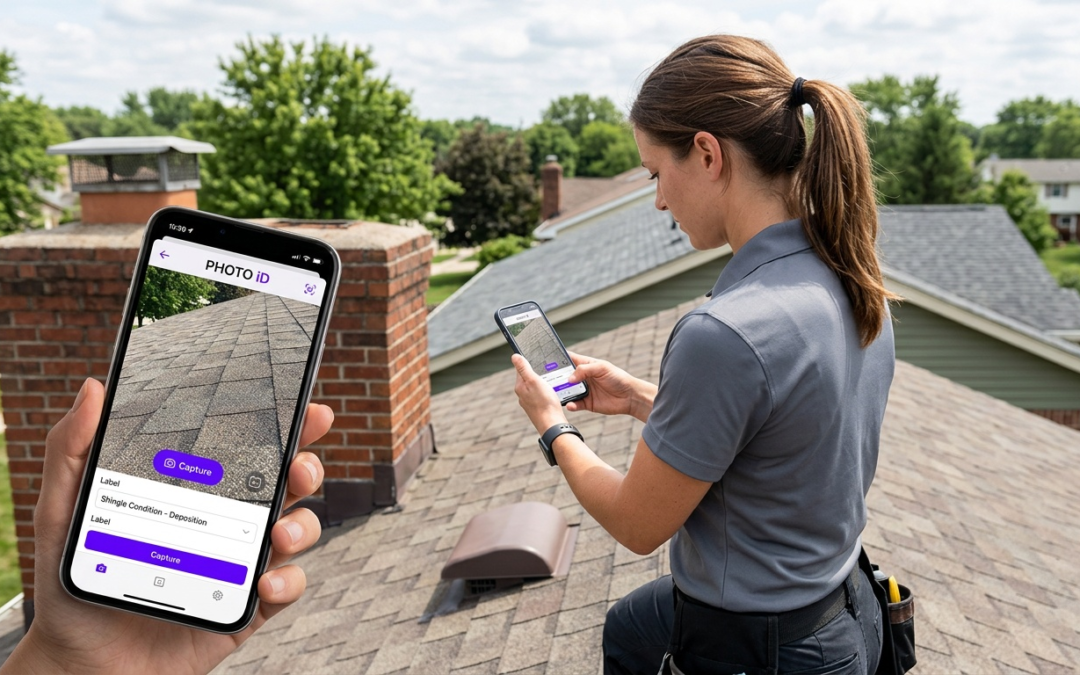
speech recognition photo app
Speech Recognition Photo App
A speech recognition photo app lets field professionals label, categorize, and annotate photos using voice commands in real time. It cuts manual data entry, reduces errors, and speeds report delivery from the job site.
What Is a Speech Recognition Photo App, and Why Does It Matter?
Understanding the Core Technology: Speech Recognition Meets Visuals
Traditional photo documentation requires you to stop, type a label, confirm the entry, and move on. A speech recognition photo app collapses that sequence into a single spoken command. You capture the image and describe it simultaneously — the app transcribes your voice into structured metadata attached directly to each photo.
Don’t confuse this with optical character recognition (OCR). OCR reads text that’s already visible in an image. Speech recognition captures your verbal description at the moment of capture and converts it into searchable, report-ready data. Those are two completely different problems, and only one of them helps you on a job site.
The Pain Points: Why Manual Photo Documentation Fails Field Pros
Manual labeling after the fact creates three compounding problems: misidentified photos, missing context, and hours of back-office cleanup. Try typing detailed labels on a phone screen when you’re on a roof in 90-degree heat wearing gloves. It doesn’t happen — which means it happens later, badly.
Field Reality: Inspectors documenting 50 to 100 photos per site can spend 45 minutes or more on post-inspection labeling. Voice-driven capture eliminates that bottleneck at the source.
Voice input also captures details that typed labels rarely include: damage severity, material type, measurement context, recommended action. That spoken context turns a raw image into documented evidence ready for claim submission or client reporting — without a second pass.
PHOTO iD: The Field Professional’s Speech-Enabled Photo Solution
How PHOTO iD Uses Speech Recognition for Real-Time Labeling
PHOTO iD by U Scope is built for property inspectors, contractors, and restoration teams that need structured documentation without slowing down in the field. Voice labeling lets you name, categorize, and annotate each photo at the moment of capture — not an hour later at a desk.
Speak the room, damage type, or condition directly into PHOTO iD’s iOS app or the Android version on Google Play, and the label attaches immediately. Each image gets identified, timestamped, and GPS-tagged before you move to the next shot. The label stays with the photo — it doesn’t live in a separate note that gets orphaned from the images it was meant to describe.
Streamlining Your Workflow: From Capture to Report Generation
Field teams lose billable time rebuilding context after the job. PHOTO iD eliminates that rework by compiling labeled images into a professional report automatically. Export to PDF or push content directly into Guidewire (ClaimCenter), Salesforce, Jobber, or JobNimbus — no format rebuilding, no copy-and-paste across platforms. Zapier extends that further if your stack requires custom handoffs.
Labeled images from PHOTO iD also fit naturally into Xactimate-centered workflows. Pre-cataloged photos can be imported directly, supporting faster, more accurate estimating and claim approvals without manual reformatting on your end.
Built-In Field Tools: Pitch Gauge, Compass, and More
PHOTO iD includes an in-camera pitch gauge and compass, so measurements attach to photos as you work. No switching between tools. No re-entering data back at the office. For roofing, restoration, and property inspection, those attached measurements give adjusters what they need to move faster on decisions.
Pros
- Real-time voice labeling at the point of capture
- GPS tagging and timestamps per image
- Built-in pitch gauge and compass
- PDF export plus integrations with Guidewire, Salesforce, Jobber, JobNimbus, and Zapier
- Compatible with Xactimate-centered documentation workflows
Cons
- Optimized for property and insurance documentation, not general photography
- Full time savings depend on consistent voice labeling on site
Key Features to Demand in Your Next Speech Recognition Photo App
Transcription Accuracy Under Real Field Conditions
A speech recognition photo app is only as good as what it hears — and job sites are not quiet. Wind, equipment noise, and distance from the device all degrade transcription quality. Test any app in conditions that match your actual work environment before committing. Fixing bad labels later costs more time than the app was supposed to save.
Customizable Workflows Built for Your Inspection Type
No two inspection types share identical documentation requirements. A roofing inspection needs different fields than a water mitigation job. Your app should support custom label sets, category structures, and report templates — because rigid workflows force you to adapt your process to the software instead of the other way around.
Offline Functionality: Documenting Without Constant Connectivity
Basements, rural properties, and multi-story structures create dead zones. Your photo workflow must capture and store data locally, then sync when connectivity returns. Any tool that fails offline will fail in the field — and you won’t know it until you’re standing somewhere without a signal.
Integration With Your Existing Platform Stack
Documentation trapped inside one platform creates delivery bottlenecks. Prioritize apps that connect with the claim management and CRM tools your team already uses. PHOTO iD supports integrations with Guidewire (ClaimCenter), Salesforce, Jobber, JobNimbus, and Zapier — covering the most common field-to-office handoffs without manual reformatting.
Practical Speech Recognition Use Cases in the Field
Hands-Free Documentation in Tight or Hazardous Environments
Crawl spaces, attics, and active restoration sites demand both hands. Voice-driven capture lets you hold a flashlight, stabilize a ladder, or manage equipment while documenting at the same time. A typing-first tool fails in these situations. A speech recognition photo app doesn’t.
Building Stronger Narratives for Claims and Inspections
Key Insight: Adjusters move faster when photos tell a complete story. Voice annotations add severity context, material identification, and recommended action directly to each image — reducing follow-up requests and accelerating approvals.
Generic photos without context force adjusters to ask questions. Labeled, annotated images answer those questions before they’re asked. That difference can be measured in days off a payment cycle.
Why Voice-Tagged Data Sets You Up for AI-Assisted Documentation
Speech recognition is the current baseline. AI-assisted damage classification and predictive labeling are next. Apps built on clean, consistently structured photo data today will support that analysis far more effectively than disorganized archives ever could. Adopt a speech recognition photo app with disciplined labeling now, and your operation won’t need to rebuild its documentation workflow to take advantage of what’s coming.
Making the Switch: Choosing the Right Speech Recognition Photo App
PHOTO iD vs. Generalist Photo Apps
| Feature | PHOTO iD | Generalist Photo Apps |
|---|---|---|
| Voice-activated labeling | Built-in, real-time | Varies, often limited or unavailable |
| GPS tagging | Automatic per photo | Varies, often manual |
| Built-in pitch gauge | Included | Rare |
| Claim and field platform integration | Guidewire, Salesforce, Jobber, JobNimbus, Zapier | Limited |
| Xactimate workflow fit | Compatible — labeled images import directly | Typically requires manual export and relabeling |
The ROI of Faster, More Accurate Documentation
Faster documentation means faster report delivery. Faster reports mean quicker claim decisions and shorter payment cycles. I’ve watched teams recover 5+ hours a week just by eliminating post-job labeling sessions — time that goes back into inspections, not admin. That’s the real case for switching.
Frequently Asked Questions
How does a speech recognition photo app use voice with my pictures?
A speech recognition photo app lets you speak labels and descriptions directly onto your photos as you capture them. This converts your voice into structured metadata, attaching details like damage type or location to the image instantly. It’s about voice input for efficient documentation, not reading text from the photo.
Can a speech recognition photo app automatically identify objects in my photos?
No, a speech recognition photo app like PHOTO iD doesn’t automatically identify objects. Instead, it allows you to verbally identify and label items in real-time while taking the picture. This process captures your spoken context and turns it into valuable, searchable data for reports.
What are the benefits of using a dedicated speech recognition photo app for field work?
Dedicated speech recognition photo apps, like PHOTO iD, are built for professionals to streamline documentation. They allow real-time voice labeling, reduce manual data entry, and speed up report generation from the job site. This saves significant time compared to generic camera tools or manual post-job labeling.
What is the primary function of a speech recognition photo app?
A speech recognition photo app’s main function is to let field professionals add voice-activated labels and annotations to photos as they are taken. This eliminates the need for manual typing and ensures all critical context is captured directly with the image. It’s about efficient data capture for professional reporting.
How does PHOTO iD improve photo documentation for field professionals?
PHOTO iD allows property inspectors and contractors to voice-label, categorize, and annotate photos in real-time, directly at the moment of capture. This eliminates manual data entry, reduces errors, and significantly speeds up report delivery. It ensures context stays with the photo, ready for professional reporting and team collaboration.
How does speech recognition in a photo app differ from optical character recognition (OCR)?
Speech recognition in photo apps captures your spoken descriptions and converts them into new, structured metadata for the image. OCR, on the other hand, reads existing text that is already visible within an image. A speech recognition app adds new context through your voice, while OCR extracts existing text.