
real-time photo share app vs email attachments for teams
Why Email Fails Your Field Team
This isn’t a theoretical debate. For field teams, the cost of relying on email to share inspection photos shows up in real hours lost every week. Photos buried in inboxes, files named “IMG_4471,” and 25 MB attachment limits that bounce back mid-submission aren’t minor annoyances. They stall claims, delay payments, and frustrate clients.
The Hidden Cost of Email Photo Workflows
Every time a photo is emailed without a label, context, or location tag, someone downstream spends time reconstructing what it shows. Multiply that by hundreds of images per project, and you’re looking at hours of rework that should never happen.
Email Attachments: Built for Messages, Not Field Documentation
Email was designed for communication. File size caps force teams to split submissions across multiple threads. Version control collapses. Adjusters and project managers end up with duplicate files, missing sequences, and no reliable way to confirm whether the set is complete.
The Real Price of Disorganized Photo Delivery
Delayed claim approvals and rework requests trace back to the same root cause: unclear documentation. When photos lack timestamps, GPS coordinates, or descriptive labels, reviewers request more information. Each back-and-forth cycle adds days to your payment timeline. Days you don’t have.
Real-Time Apps: The Efficiency Upgrade
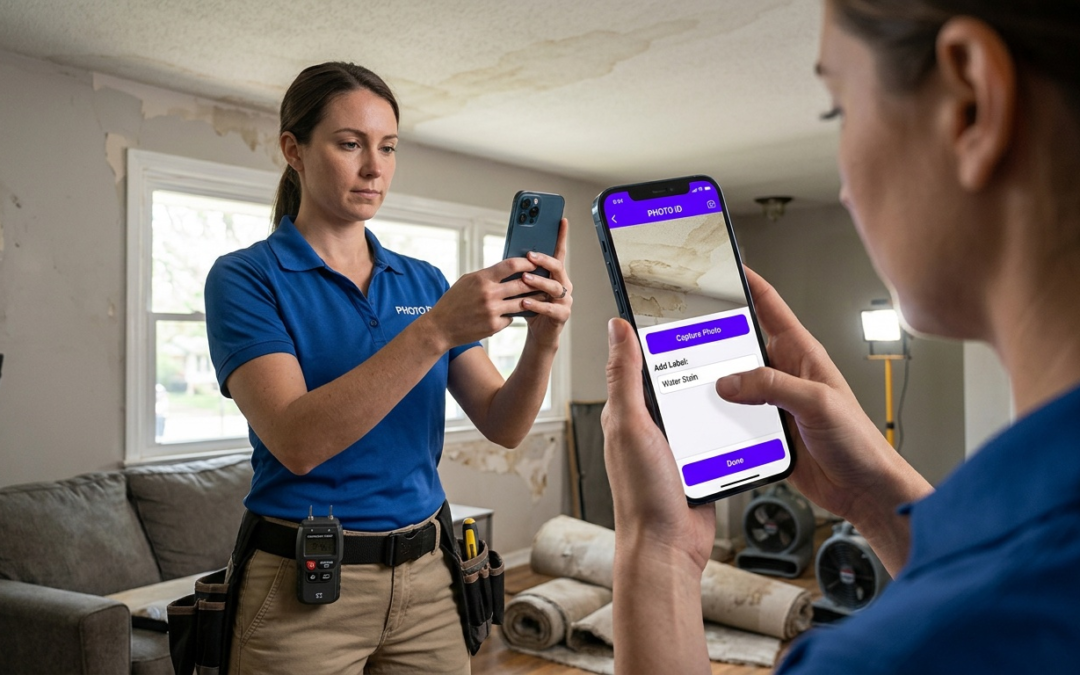
Purpose-built photo documentation apps eliminate the manual steps that slow teams down. Photos upload to shared cloud storage, labeled at the point of capture, and available to every authorized team member without a single forwarded thread.
What “Real-Time” Actually Delivers
Real-time means your project manager sees the photo seconds after your inspector takes it–with location, timestamp, and label already attached. No waiting. No follow-up emails asking “Which room is this?”
Field teams gain these advantages immediately:
- Auto-labeling at capture eliminates post-shoot sorting
- GPS tagging ties every image to a precise location
- Cloud sync gives the entire team access from any device
- Structured workflows prevent skipped required photos
PHOTO iD vs. Email: Direct Comparison
For property inspectors and contractors, the choice comes down to speed, organization, and documentation that holds up under adjuster review. PHOTO iD by U Scope is built to deliver all three.
| Factor | Email Attachments | PHOTO iD |
|---|---|---|
| File size limits | Often bounces around 25 MB | Unlimited images and cloud storage |
| Photo labeling | Manual, inconsistent | Labeled at capture with inspection-focused workflows |
| GPS tagging | Not built in | Built-in GPS tagging |
| Team access | Manual forwarding | Shared cloud access with team collaboration |
| Report export | Manual compilation | Customizable PDF report building and integrations |
| Claim approval speed | Slowed by back-and-forth | Faster with structured documentation |
Reports export directly to PDF or connect to platforms your team already uses, including Guidewire (ClaimCenter), Salesforce, Jobber, and JobNimbus. Pre-cataloged, labeled images can also export in Xactimate ESX and Symbility XML formats, supporting faster estimates without rebuilding documentation from scratch.
Built for the Field, Not the Office
Generic photo apps solve a general problem. PHOTO iD solves a field documentation problem. For property inspectors and contractors, this decision isn’t about convenience–it’s about whether your documentation holds up under adjuster scrutiny.
- In-camera pitch gauge measurements captured at the point of inspection
- In-camera compass and GPS tagging tied to each image at the moment of capture
- Custom workflow templates built around specific inspection types
- Real-time labeling that produces structured, claim-ready documentation
- Remote capture for virtual inspection assistance and team collaboration
- Video capture and image editing with custom annotations
These features exist so your team delivers documentation that tells a complete story–not a folder of unnamed files. Adjusters receive structured photo reports. Your team spends less time answering follow-up questions.
Integrations with Guidewire (ClaimCenter), Salesforce, Jobber, and JobNimbus move reports directly into the systems your clients already use. No reformatting, no manual data entry. For estimates and claim files that require it, images export to Xactimate ESX and Symbility XML formats.
The Bottom Line
Email wasn’t designed for field documentation. PHOTO iD was. Capture, label, collaborate, and report in one workflow–and stop rebuilding context that should have been captured on-site.
Frequently Asked Questions
What's the most efficient way for field teams to share many photos?
For field teams, a purpose-built real-time photo share app is the most efficient solution. Unlike email, these apps handle unlimited images, auto-label them at capture, and sync to shared cloud storage. This ensures the entire team has immediate access to organized, contextualized documentation.
Are general photo apps effective for professional field documentation?
General photo apps, designed for personal use, often lack the specific features field teams need. They typically don’t offer auto-labeling, GPS tagging, structured workflows, or team-wide cloud access. This makes them inefficient for property inspections or contracting work.
Why do email attachments fail for field team photo sharing?
Email attachments are not designed for structured field documentation. They have file size limits, lack auto-labeling and GPS tagging, and make version control impossible. This leads to disorganized files, delayed approvals, and wasted time for your team.
What does "real-time" mean for a photo sharing app in field operations?
“Real-time” means photos are instantly available to your project manager seconds after capture, complete with location, timestamp, and labels. This eliminates waiting, reduces follow-up questions, and ensures everyone on the team has current, complete information from any device.
How do real-time photo apps compare to email for team collaboration?
Real-time photo apps, like PHOTO iD, offer unlimited cloud storage, automatic labeling, and built-in GPS tagging, which email lacks. They provide shared team access and customizable report building, streamlining workflows and speeding up claim approvals far beyond what email can offer.
What key features should a team photo sharing app have for field work?
A good app for field work should offer auto-labeling, GPS tagging, cloud sync, and structured workflows to prevent missed photos. Features like custom workflow templates, in-camera tools, and integrations with other software are also essential for maximizing efficiency.
How do real-time photo apps impact project timelines and approvals?
By providing structured, immediate documentation, real-time photo apps significantly speed up project timelines. Clear photos with context reduce back-and-forth requests for information, leading to faster claim approvals and quicker payments for contractors and inspectors.