
photo report builder
What is a Photo Report Builder and Why Field Teams Need One
Standard cameras create isolated images without context. Field professionals need documentation that tells a complete story to insurance adjusters, property managers, and clients.
Photo report builders combine image capture with instant labeling, location data, timestamps, and custom field inputs. Each photo becomes part of a cohesive narrative that clearly communicates what happened, when it occurred, and why it matters.
The difference? You’re not just taking pictures. You’re building evidence.
The Hidden Cost of Manual Photo Organization
Time Drain Analysis
Manual photo organization consumes 2-3 hours per inspection. Teams spend more time on paperwork than fieldwork, reducing billable hours and project capacity.
Most field professionals capture quality photos but lose money in post-processing. Sorting through hundreds of images, adding descriptions, and formatting reports manually creates bottlenecks that delay project completion and payment cycles.
Basic photo apps force you to remember details, organize files manually, and create reports from scratch. This wastes hours and introduces errors that can delay approvals.
Essential Features That Actually Matter
Capture Context, Not Just Images
Professional tools label images instantly during capture. No guesswork about room location, damage type, or repair stage later.
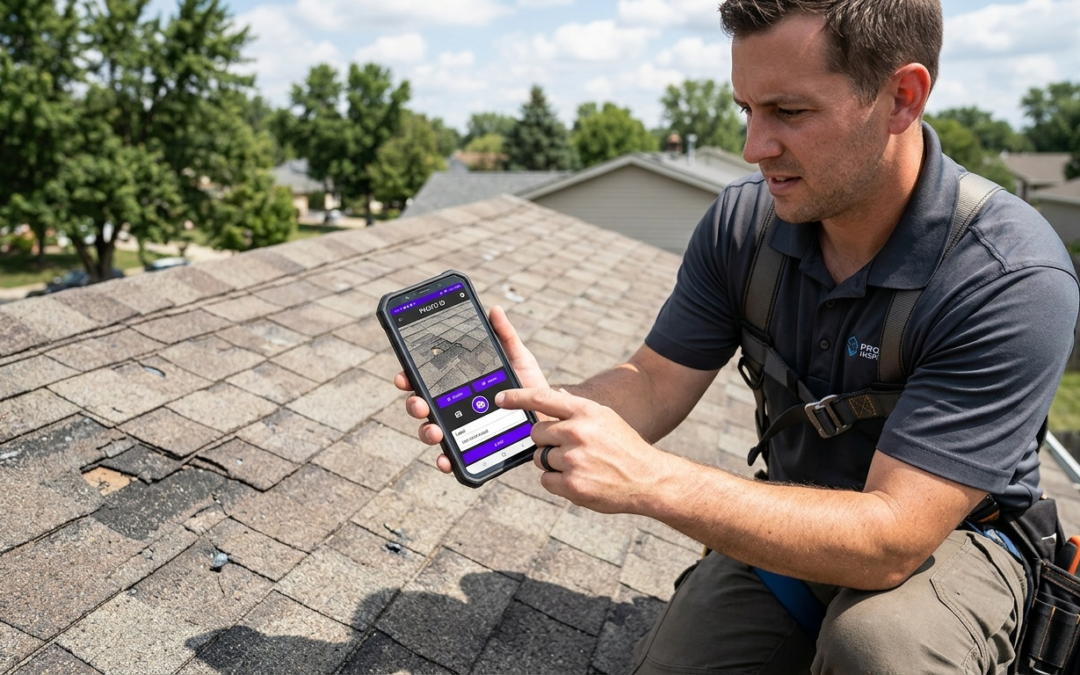
PHOTO iD uses customizable labels that match your workflow requirements, from insurance claims to property preservation documentation. One tap adds the context that makes photos useful.
Measurement Tools That Actually Work in the Field
Advanced platforms include pitch gauges, digital levels, and GPS coordinates. You don’t need five different apps when one handles everything.
These features reduce the need for separate tools while keeping documentation centralized. Measure, document, and report from the same platform.
From Photos to Professional Reports in Minutes
Quality builders generate polished reports automatically. The software compiles labeled photos into structured reports with timestamps, GPS data, and custom annotations.
This automation reduces report creation time from hours to minutes while maintaining consistent formatting across projects. Your clients get professional documentation. You get your time back.
Connecting to Your Existing Workflow
Integration capabilities determine whether your photo report builder simplifies or complicates your process. Professional tools connect with Guidewire ClaimCenter, Salesforce, Jobber, and JobNimbus.
Integration Impact
Direct platform connections eliminate duplicate data entry and get reports to stakeholders quickly. This reduces administrative overhead and speeds approvals.
Why PHOTO iD Works Better Than Desktop Solutions
Field Work Happens on Phones, Not Laptops
Desktop-based solutions create workflow gaps. You take photos on your phone, then transfer to a computer for organization and reporting. That’s two extra steps that waste time.
Mobile-first apps handle capture, labeling, and reporting on your phone. PHOTO iD includes touch-friendly controls, offline capability, and battery-efficient operation for long inspection days.
Speed Designed for Real Fieldwork
PHOTO iD supports one-tap labeling that captures location, damage type, and repair status without interrupting your inspection flow. The interface reduces taps per photo while meeting documentation standards used in insurance claims.
Speed separates professional tools from consumer apps. When you’re documenting 50+ photos per inspection, every second counts.
Built for Insurance Documentation Standards
Insurance documentation requires specific photo sequences and labeling conventions. Generic photo apps rarely match these requirements without manual formatting afterward.
PHOTO iD supports templates for common claim types so your documentation aligns with adjuster expectations and helps speed approvals. No more rejected claims due to insufficient documentation.
Getting Results from Your Photo Report Builder
Evaluate Based on Real-World Performance
Test mobile performance during actual field conditions, not office demonstrations. Real-world performance often differs from controlled environments.
Consider integration needs, team size, and industry-specific features before committing to a platform. The cheapest option usually costs more in lost time and functionality.
Documentation Best Practices That Speed Approvals
Consistent photo sequences tell better stories than random snapshots. Document conditions before work begins, capture progress at key stages, and photograph completed work from multiple angles.
Label photos during capture rather than batch-processing later. Real-time labeling improves accuracy and reduces the guesswork that leads to documentation errors and delayed payments.
Gradual Implementation Strategy
Start with one project type and expand usage as your team becomes comfortable. Successful implementation requires gradual workflow adoption rather than a complete process overhaul.
Ready to eliminate manual reporting bottlenecks? PHOTO iD offers mobile-first photo documentation designed for field professionals who need fast, accurate reporting.
Why Generic Design Tools Don’t Work for Field Reporting
Desktop Design Software Creates More Work
Generic design platforms lack field-specific functionality. These tools focus on appearance rather than documentation accuracy, missing GPS tagging, real-time labeling, and insurance-compliant formatting.
Desktop-based design software forces photo transfers between devices, manual file organization, and recreated formatting for each project. This approach increases documentation time instead of reducing it.
PHOTO iD vs. Multiple App Solutions
Speed Comparison
PHOTO iD supports real-time documentation during capture. Alternative approaches often require post-processing that takes 2-3 hours per inspection, while PHOTO iD generates completed reports within minutes.
Many alternatives require multiple apps to cover capture, labeling, field tools, and reporting. PHOTO iD combines everything in one mobile platform designed specifically for property professionals.
The Math Behind Professional Documentation Tools
Specialized tools pay for themselves through time savings and fewer errors. A dedicated photo report builder removes manual organization, cuts report creation time by 80%, and keeps formatting consistent for adjuster review.
The cost of delayed approvals and rework often exceeds software cost within the first month. Professional documentation tools turn reporting from a time drain into a competitive advantage.
Don’t let manual processes slow down your business. Professional field teams use professional tools.
Frequently Asked Questions
What’s the difference between a photo report builder and a standard camera app?
Standard camera apps just capture isolated images without context. A photo report builder organizes images with real-time labeling, GPS data, and custom inputs. It transforms raw photos into structured, professional documentation, saving you hours of manual work.
How do photo report builders improve field documentation accuracy?
They improve accuracy by adding context directly during capture. Real-time labeling ensures every photo includes details like location or damage type, eliminating guesswork later. This reduces errors that can delay approvals or payments.
What types of information can a photo report builder add to photos?
A photo report builder combines image capture with instant labeling, location data, and timestamps. It can also include custom field inputs, measurements from built-in tools like pitch gauges, and annotations. This ensures each photo tells a complete story.
How does a photo report builder help streamline insurance claim processes?
These tools automate the creation of structured reports with all necessary context. They support templates for common claim types, ensuring documentation aligns with adjuster expectations. This helps speed up approvals and payments.
What integrations should I look for in a photo report builder?
Look for tools that connect with your existing platforms to avoid duplicate data entry. PHOTO iD, for example, integrates with software like Guidewire ClaimCenter, Salesforce, Jobber, and JobNimbus. Direct connections ensure reports reach stakeholders quickly, reducing administrative overhead.
How does a mobile-first photo report builder like PHOTO iD benefit field professionals?
Field professionals work on their phones, so a mobile-first app handles capture, labeling, and reporting all in one place. PHOTO iD offers one-tap labeling and is optimized for touch controls and offline use. This means faster documentation without needing to transfer data between devices.
What kind of time savings can I expect from using a photo report builder?
Manual photo organization often consumes hours per inspection, taking time away from fieldwork. A photo report builder automates report generation, compiling labeled photos into structured documents in minutes. This can significantly reduce post-processing time and speed up project completion.