
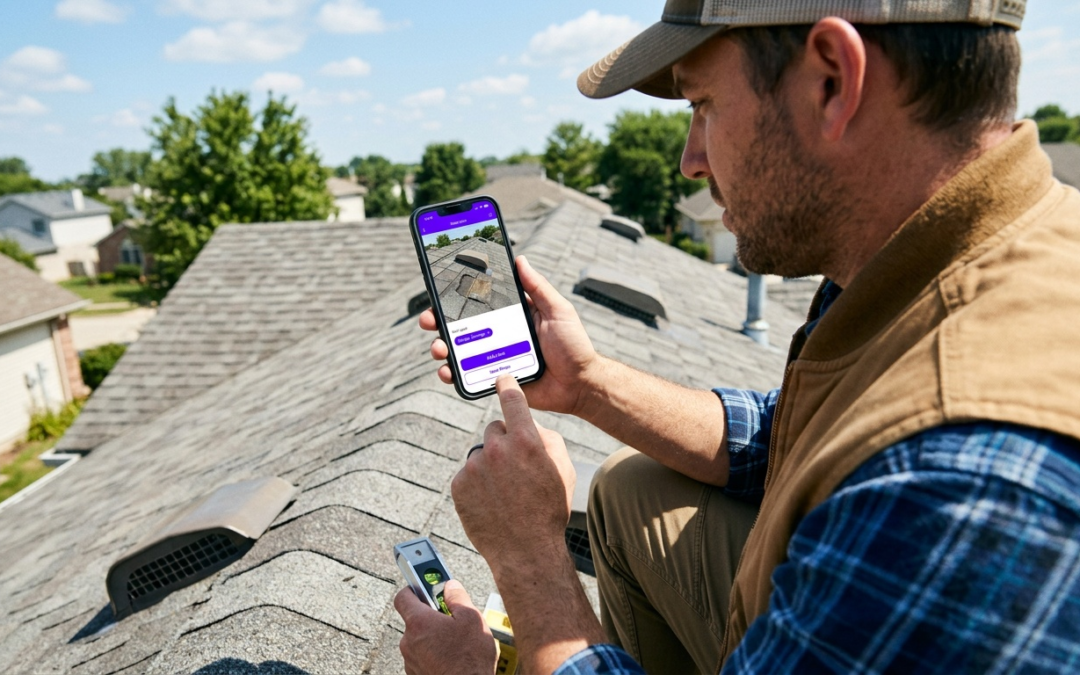
photo markup app for contractors
Photo Markup App for Contractors
Why Contractors Need a Dedicated Photo Markup App
On a jobsite, photos aren’t “nice to have.” They’re your proof–for the adjuster, the property owner, and your accounting team. Unlabeled images scattered across phones cost you time, invite disputes, and slow approvals.
That’s the gap a photo markup app for contractors closes: capture, label, and package evidence while the job details are still in front of you. Not back at the office. Not the next morning.
Must-Have Features: Improving Your Field Documentation with PHOTO iD
What Separates Professional Documentation from Amateur Photos
Labeled, time-stamped, GPS-tagged images close claims faster and reduce invoice disputes. Each feature below supports that outcome directly.
Real-Time Labeling: The Speed Advantage
PHOTO iD labels photos at the moment of capture. No post-processing, no manual renaming back at the office. Each image is immediately identified by location, damage type, or trade category–documentation is complete before you leave the site.
Customizable Workflows: Built for Your Trade
Generic apps force you into someone else’s process. PHOTO iD lets you build inspection sequences that match how your team actually works, whether you’re documenting roof damage, water intrusion, or pre-construction conditions. Your crew captures what each job requires, every time.
Built-In Field Tools: More Than a Camera
The built-in pitch gauge measures roof slope directly from your phone. The in-camera compass records directional orientation for each shot. GPS tagging ties every image to a verifiable location record. Fewer extra devices on site. Fewer follow-up questions from adjusters.
Annotation Tools: Arrows, Text, Shapes, and More
Mark up images to highlight damage areas, flag measurements, or call out conditions that need immediate attention. Annotations stay with the photo record permanently, so every stakeholder sees exactly what you documented–no separate explanation required.
Organized Storage and Reporting: From Field to Invoice
- Photos auto-organize by project, date, and category.
- Reports export to PDF for quick delivery to clients or adjusters.
- Structured image sets integrate with Guidewire (ClaimCenter), Salesforce, Jobber, and JobNimbus.
- Pre-cataloged, labeled images can be prepared for estimating workflows, including import into Xactimate.
Beyond the Markup: How PHOTO iD Streamlines Your Entire Workflow
Connecting Your Tools Without the Manual Re-Entry
A photo markup app for contractors is only as useful as the system around it. PHOTO iD connects with Jobber, JobNimbus, Salesforce, Guidewire (ClaimCenter), and Zapier. Completed documentation moves directly into your project management and claims platforms–no copy-pasting field notes, no duplicate data entry.
Xactimate Compatibility: Faster Estimating, Smoother Claims
PHOTO iD is compatible with Xactimate estimating workflows. Pre-labeled, cataloged images can be imported into Xactimate to support line items with visual evidence, reducing avoidable back-and-forth during claim review.
Virtual Inspections: Documenting Without Everyone On Site
PHOTO iD supports remote capture and real-time collaboration. When an adjuster or supervisor can’t be present, your team can still capture, label, and deliver structured photo sets–no scheduling delays, no missing documentation.
Real-World Impact: PHOTO iD Across Contracting Trades
Roofing: Slope Data and Shingle Condition in One Pass
Roofers use the built-in pitch gauge to record slope measurements alongside shingle condition photos, labeled by roof section. Estimate line items and field documentation stay aligned from the start–which means fewer questions about which photo belongs to which area of the roof.
Restoration: Sequenced Documentation for Water and Fire Damage
Restoration contractors document before, during, and after conditions with labeled photo sequences. GPS tags and time stamps create a verifiable timeline of when work occurred. That structure accelerates claim decisions and gives you a defensible record if disputes surface weeks later.
Insurance Claims: Organized Evidence Adjusters Can Actually Use
Adjusters don’t want a folder of unnamed files. A dedicated photo markup app for contractors means every image submitted is labeled, geotagged, and organized into a logical sequence. Clarification requests drop. Approvals move faster.
Choosing the Right Tool: PHOTO iD vs. Generic Solutions
Why Generic Tools Fall Short
PHOTO iD
- Real-time labeling at capture
- Built-in pitch gauge, compass, and GPS tagging
- Custom inspection workflows
- Integrations with claims and operations platforms
- Compatible with Xactimate estimating workflows
Phone Gallery / Basic Editors
- No automatic labeling or organization
- No field measurement tools
- Manual sorting required after every job
- No platform integrations
- Extra manual prep for estimates and reports
CompanyCam and Raken handle general construction photo tracking, but neither is built around the claims-driven structure that adjusters expect. The best photo markup app for contractors in insurance, restoration, or property preservation is designed around review workflows–not just storage. That’s exactly what PHOTO iD is built for.
The Verdict: The Best Photo Markup App for Contractors
A generic camera app creates admin work after every job. A specialized photo markup app for contractors eliminates it by standardizing capture, labeling, and delivery in a single field-ready workflow. PHOTO iD packages documentation in a format reviewers can process immediately–which means faster approvals and fewer payment delays.
Documentation That Scales With You
As carriers tighten evidence requirements, manual workflows break down. PHOTO iD’s repeatable inspection sequences and direct integrations with Jobber, JobNimbus, and Salesforce keep your team consistent as job volume grows.
If slow documentation is holding up approvals or payments, this is a practical fix. Download PHOTO iD and start delivering documentation that reviewers can act on.
Frequently Asked Questions
Why can't I just use my phone's camera for job photos?
Generic camera apps lead to unlabeled, scattered photos, causing lost time and disputes. A dedicated photo markup app for contractors captures, labels, and packages evidence right on site, streamlining your process. This ensures your documentation is complete and ready for review.
What specific tools does a photo markup app like PHOTO iD offer for field work?
PHOTO iD includes built-in field tools such as an in-camera pitch gauge for roof slope, an in-camera compass for directional orientation, and GPS tagging. These tools capture essential data directly with your photos, reducing the need for extra devices. You also get annotation tools for highlighting specific details on images.
How does PHOTO iD help with creating reports or estimates?
PHOTO iD automatically organizes photos by project, date, and category, making report generation straightforward. You can export comprehensive PDF reports for quick delivery to clients or adjusters. For estimating, PHOTO iD supports Xactimate ESX export workflows, allowing pre-labeled images to support line items with visual evidence.
Can a photo markup app help with different types of contracting jobs?
Absolutely. A photo markup app like PHOTO iD is designed for various trades, including roofing, restoration, and insurance claims. It allows for customizable workflows tailored to specific inspection sequences, whether documenting roof damage, water intrusion, or pre-construction conditions. This adaptability ensures your team captures exactly what each job requires.
How does PHOTO iD integrate with other software I already use?
PHOTO iD connects with common industry platforms to streamline your workflow. It integrates with software such as Jobber, JobNimbus, Salesforce, Guidewire (ClaimCenter), and Zapier. This allows completed documentation to move into your project management and claims tools with less manual data entry.
What makes PHOTO iD better than a basic photo editor?
Generic photo editors lack the specialized features contractors need for professional documentation. PHOTO iD offers real-time labeling at the moment of capture, built-in field tools like a pitch gauge, and custom inspection workflows. It also provides organized storage and integrates directly with claims and operations platforms, saving you significant administrative time.