
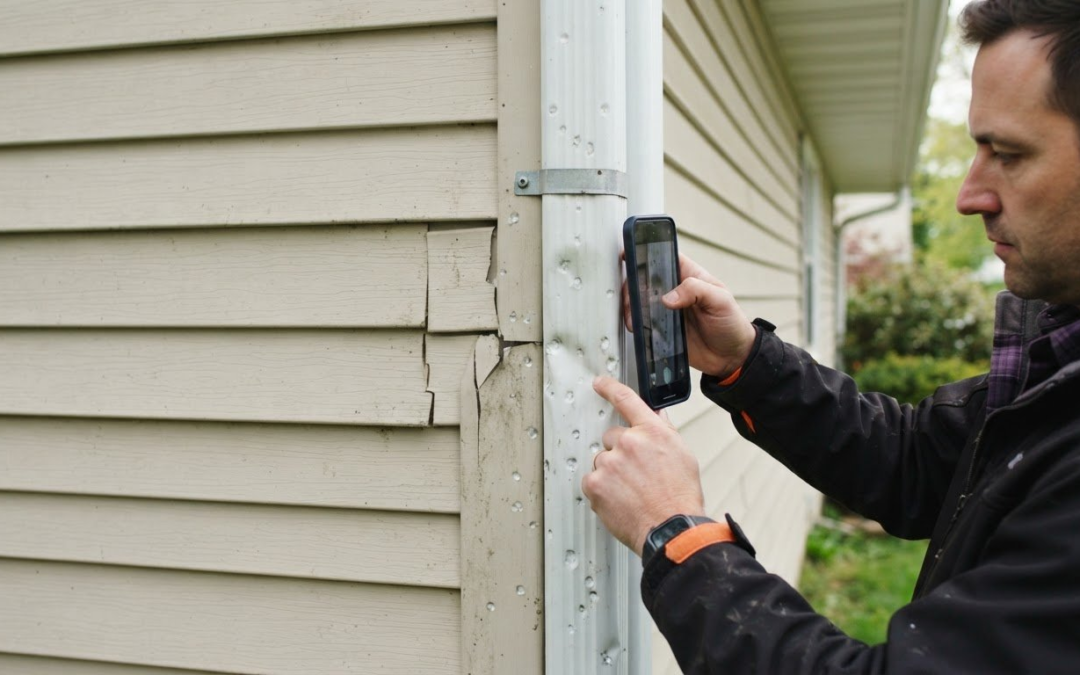
Photos taken with a mobile app can support an insurance claim in court, but the app alone doesn’t make them automatically admissible. Federal Rule of Evidence 901 requires evidence sufficient to support a finding that an item is what its proponent claims it is. According to the United States Courts, Rule 902 includes categories of self-authenticating evidence, including records generated by an electronic process shown to produce an accurate result. Photo inspection software for insurance claims can organize images and reports, but the evidence still needs to be authentic and clearly documented.
A photo folder can quickly become difficult to review when images lack labels, dates, or context. Structured notes and reports help connect each image to the damage being assessed, while careful evidence handling helps preserve a clear record of how photos were captured and managed.
Compare how inspection tools handle evidence, AI-generated notes and reports, and remote photo review versus an in-person inspection. The right capabilities make claim documentation clearer, show where virtual inspections fit, and help identify when photos alone may not answer the questions a claim raises.
Key Takeaways
- Learn what creates a traceable record for claim photos, from capture through upload.
- See how AI-generated notes can organize inspection details while keeping human review central.
- Identify when remote photos may help assess a claim and when an in-person inspection provides more useful detail.
- Understand which image and damage factors shape AI detection results, and where careful interpretation matters.
Evidence integrity, timestamps, and location verification
A claim photo needs context: who captured it, when, where, and whether the file changed. Federal Rule of Evidence 901 requires evidence sufficient to support a finding that an item is what its proponent claims it is. According to the United States Courts, Rule 902 includes categories of self-authenticating evidence, including records generated by an electronic process shown to produce an accurate result. Neither rule makes every app photo automatically admissible.
For digital evidence handling, the International Organization for Standardization identifies ISO 27037 as a relevant standard. A capture-to-upload record can help show the path from a policyholder’s device to the claim file. A timestamp gives reviewers timing context, while location metadata can help connect an image with a property or vehicle. Treat these as supporting details, not standalone proof: a phone’s clock or location setting may not establish when or where an image was truly captured.
Look for a process that preserves original files, records transfers, and makes later changes visible. When an adjuster downloads images for review, associated labels and timestamps should remain with them. A remote video session can add live context: the adjuster guides the policyholder to specific areas and asks follow-up questions as images are captured. This helps reviewers compare the submitted evidence with the reported damage.
Claim-system integration determines how records reach the file. Common approaches include a direct connection, an API exchange, or downloading a report and images. Each creates a different workflow:
| Option | Claim-file handling | Review consideration |
|---|---|---|
| Direct connection | Transfers images or reports into the claims system | Check how labels and timestamps carry through |
| API exchange | Moves selected claim data between systems | Map identifiers and fields consistently |
| Download and upload | Moves a report or files manually | Keep the transfer trail with the claim |
Privacy and security risks include unauthorized access, unnecessary exposure of location details, and unclear retention of claim photos. Choose a workflow that limits access to people handling the claim and preserves a traceable transfer record. Match the integration method to the insurer’s claims process and evidence-review needs.
AI-generated inspection notes and reports
An adjuster reviewing a folder of 60 images can lose time matching each photo to its damage description. AI-generated notes can help sort observations into a readable record, grouping images by room, component, or visible issue. For example, a roof photo and a ceiling-stain photo can appear under different report categories instead of remaining an unlabeled sequence. The adjuster still needs to assess whether each description accurately reflects the image.
Use AI as a drafting aid, not as the final claim decision-maker. A system may suggest that a photo shows a dent, crack, or water mark, but angle, lighting, and image quality affect what it can identify. Review the original image alongside the generated note. Correct mistaken labels, distinguish existing damage from newly reported damage, and add context the image cannot show, such as when the policyholder first noticed the issue.
A useful report connects each image to a clear claim question. Build it around a consistent sequence:
- Group photos by location, material, or damaged feature.
- Add concise notes that describe visible conditions without assuming cause.
- Flag missing views or unclear images for follow-up.
- Keep the final report readable for the adjuster and policyholder.
During a remote video inspection, live prompts can guide image capture as the policyholder moves through relevant areas. That context can clarify a generated note, but the report should distinguish what the camera shows from what someone says. Record the observation and its source, rather than treating an AI suggestion as a confirmed fact.
Before relying on automated reporting, assess whether the template fits the claim type and whether reviewers can edit the output. A custom report builder or template can standardize categories, while integration with a claims workflow determines how the finished record is used. Explore structured inspection reports as one way to organize claim photos and notes.
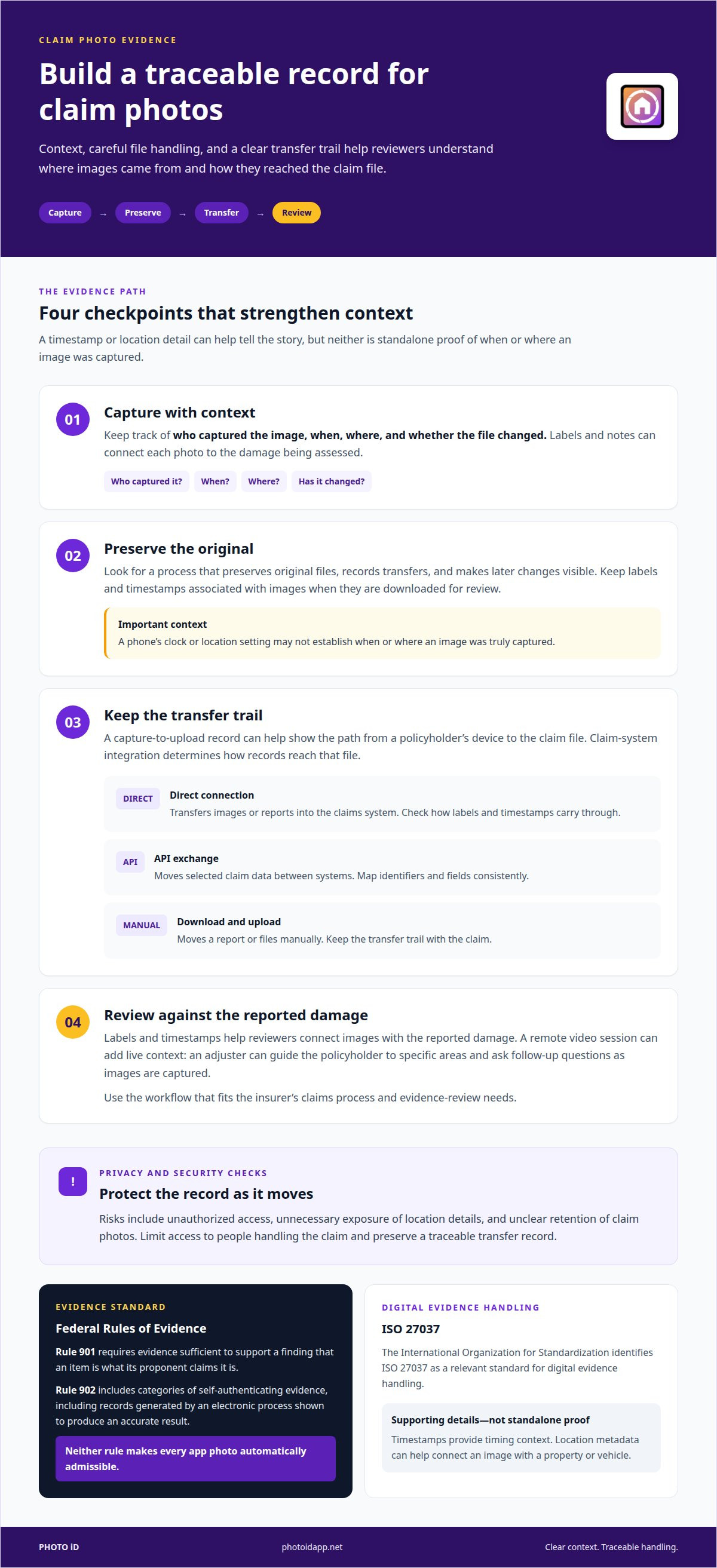
Photo inspections compared with physical inspections
For property and homeowners claims, carriers use virtual inspections in some cases, while each carrier sets its own rules for when an in-person visit is needed. Mobile photo tools support image capture, upload, organization, and report creation. The right workflow depends on the damage and the evidence required.
Photo Inspections
A photo inspection uses still images submitted by a policyholder or captured through a guided process. A mobile camera can document visible roof, wall, room, or contents damage, then organize those images for claim review. Unlike a physical visit, this approach relies on the views captured and the documentation attached to them. Clear labels and a structured report help an adjuster connect each photo with the reported damage.
For example, a remote video inspection lets an adjuster guide the policyholder in real time, ask questions, and check areas the camera can reach. It adds direction to image capture without making the process an in-person inspection. The submitted record gives reviewers a consistent way to compare visible conditions with claim details, though it shows only what entered the frame.
Physical Inspections
A physical inspection places an inspector at the property to assess conditions directly. Unlike photo review, the inspector can move around the site, change viewing angles, and examine areas a submitted image may miss. That distinction matters when damage appears behind a surface or photos leave an important question unresolved. Documentation can include on-site observations as well as images.
Photo and physical inspections serve different workflows, with no universal ranking. Carriers may use photos for some property claims and require an in-person inspection for others. The choice depends on the claim, visible damage, and whether the submitted views support review. Use photo capture when relevant conditions can be documented clearly; an in-person assessment is needed when direct examination can resolve uncertainty. In either workflow, organized records help the adjuster compare evidence with the reported loss.
How accurate is AI damage detection from claim photos?
AI damage detection can flag visible patterns in claim photos, but an image alone cannot establish every detail. A model may identify a crack, dent, or water stain while missing its depth, cause, or age. Those distinctions matter: a photo may show damage without establishing whether it relates to the reported event or affects coverage.
Image quality shapes the result. A close-up can reveal a surface mark but omit its location; a wide shot can show context while hiding fine detail. Glare, shadows, blur, blocked views, and unusual angles can also make damage harder to interpret. For example, a dark ceiling stain may look like discoloration in a compressed image, while a second view in better light can make its edges clearer.
Use a review sequence that separates machine suggestions from verified observations:
- Check whether the image clearly shows the area and damage being assessed.
- Compare the AI label with the original photo, not just the report text.
- Record visible features separately from conclusions about cause or timing.
- Request another view when framing, lighting, or scale leaves a material detail unclear.
Performance also depends on the damage category and the images used to train and evaluate the detection model. Results for a visible dent should not be assumed to apply equally to roof wear, interior moisture, or hidden structural damage. Treat a detection as a review cue, then weigh it against the claim description, other evidence, and inspection findings. Keep the AI output linked to the specific image so reviewers can see what prompted the flag.
Choose a workflow that makes image review and correction straightforward. Organized photos help reviewers compare AI suggestions with the actual evidence, while clear notes preserve the difference between a model’s label and an adjuster’s assessment. Organize inspection photos for review to give each image a clearer place in the claim record.
PHOTO iD
PHOTO iD helps inspection teams organize claim documentation with its mobile app, real-time photo labeling, and instant report generation. Use custom inspection templates to guide image capture around the property details reviewers need, then assemble photos and notes into a clear report. These tools support documentation workflows; the insurer and its adjusters make claim decisions.
Turn to PHOTO iD when scattered images and inconsistent labels make inspection records harder to review. Custom templates bring structure to reports, while automated labeling helps organize photos throughout the inspection. Together, these tools make it easier to prepare visual documentation without treating AI output as a substitute for professional judgment.
Contact PHOTO iD to discuss your inspection documentation needs.
Build a Workflow Your Team Can Trust
Start by mapping how inspection evidence moves through your team. Decide who captures images, who reviews automated observations, and where final documentation belongs. A clear handoff helps keep useful details from getting stranded between fieldwork and claim review.
When selecting photo inspection software for insurance claims, focus on how it fits your workflow, not on feature count alone. A good process clarifies responsibilities, keeps reviewers oriented, and leaves room for professional judgment. Start with a common inspection scenario, then identify where documentation slows down or becomes difficult to interpret. Use that friction point to guide your software decision.
PHOTO iD can help teams shape a more organized inspection documentation process. Contact PHOTO iD about inspections to discuss your workflow and explore a practical next step. Build a process that keeps field observations moving clearly from capture to review, and give your team a stronger foundation for every inspection.
Frequently Asked Questions
Do photos taken with a mobile inspection app count as legal evidence in court?
They may be considered, but using an app doesn’t automatically make a photo admissible or prove what it depicts. Federal Rule of Evidence 901 addresses support for authenticating evidence; Rule 902 includes certain self-authenticating records, according to the United States Courts. Preserve the original image and its context, and distinguish what the image shows from what a claim participant says it shows.
Does the policyholder need to download an app?
Not always; the required method depends on the inspection workflow. Some processes ask a policyholder to use an app, while others provide an assignment link for submitting images. A link-based workflow can guide someone through requested views without requiring an inspection app. Clear instructions should explain how to open the task, capture or upload the requested material, and submit it.
What is the difference between live video and self-service photo capture?
Live video connects the policyholder and an adjuster during an inspection, allowing the adjuster to guide the view and ask follow-up questions. With self-service capture, the policyholder takes requested photos independently and submits them for later review. Video helps clarify a view in the moment; still photos create specific images that can be organized and revisited during claim assessment.
What makes a field inspection app “forensic”?
“Forensic” describes evidence-focused handling, not a guarantee that every image will be accepted in court. Look for controls that preserve original files, record who handled them, log transfers, and make edits traceable. A useful test is whether a reviewer can follow an image from capture to claim file and identify any processing, rather than relying only on a label or timestamp.
What should carriers and adjusting firms look for?
Start with the inspection workflow: capture guidance, consistent categories, reviewable reports, and a clear handoff into the claim record. Then assess access controls, traceable file handling, and integration with existing claims systems. A property team, for example, may need room-based templates, while an auto team may organize images around vehicle areas. Choose features that fit the evidence and review process.
What is photo inspection software for insurance claims?
Photo inspection software helps collect, label, organize, and report images for insurance claim review. Depending on the tool, it may support guided capture, remote inspections, templates, or connections to claims workflows. PHOTO iD combines a mobile app subscription with real-time photo labeling, custom inspection templates, and instant photo report generation to support field documentation. It organizes evidence; it does not make claim decisions.