
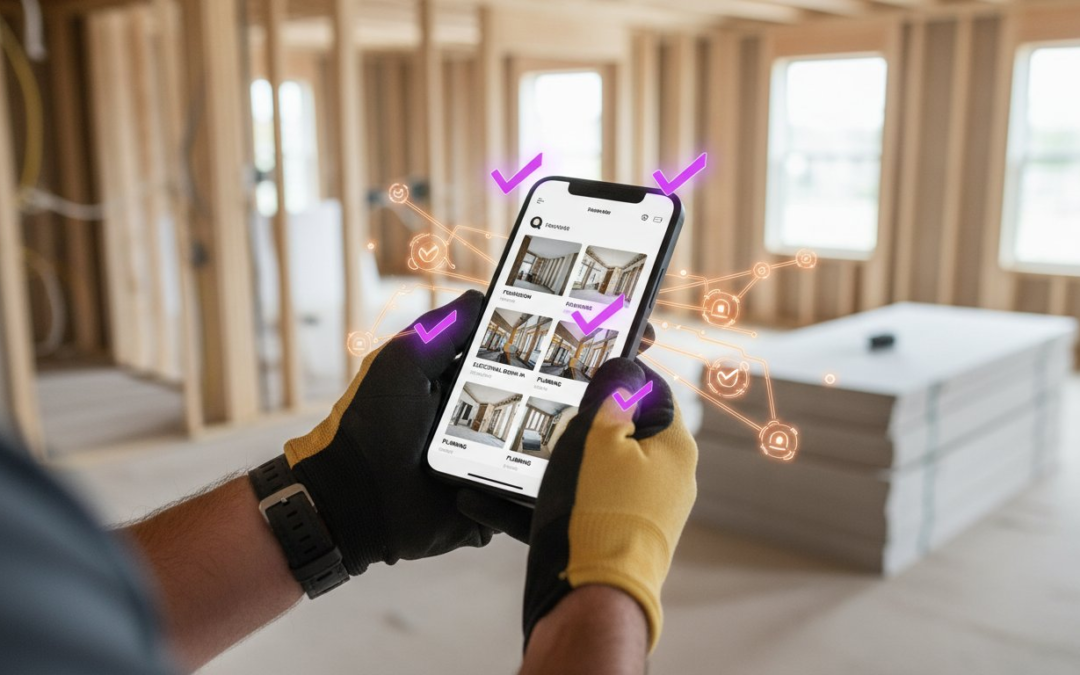
What if you could finish your entire closeout report before you even reach your truck? You know the drill. The walkthrough is the easy part, but the real nightmare starts back at the office. You spend hours squinting at hundreds of unlabeled photos, trying to remember which drywall crack belonged to which unit. It’s tedious; it’s slow; it’s exhausting. Using a mobile app for creating punch lists with photos should solve your problems, not create a mountain of digital paperwork for your evening.
You deserve a workflow that actually works for you. With the global punch list software market projected to reach 721.63 million dollars in 2026, industry professionals are rapidly moving toward total digital efficiency. This guide will show you how to leverage automated labeling to cut your punch list time in half and eliminate office-side documentation forever. We’ll explore how instant report generation, voice-to-text features, and seamless team communication can transform your chaotic field data into professional results. Capture. Label. Deliver. It’s time to restore order to your job site documentation and take your time back!
Key Takeaways
- Stop the “photo chaos” by eliminating manual organization and delivering professional reports before you even leave the job site.
- Leverage a mobile app for creating punch lists with photos to automate your documentation workflow and cut closeout time in half.
- Use voice-to-text labeling to capture critical deficiency details instantly without ever touching a keyboard.
- Standardize your inspections with custom templates that keep your team aligned and your data organized from start to finish.
- Master the team management dashboard to oversee multiple projects simultaneously with live, labeled photo feeds.
The High Cost of Manual Punch Lists: Why Photos Alone Aren’t Enough
Stop treating your camera roll like a filing cabinet. You’ve been there before: you walk off a job site feeling productive, only to realize you have 200 unlabeled photos sitting on your phone. This is the “Photo Chaos” trap. Without a dedicated mobile app for creating punch lists with photos, those images are just digital clutter. They aren’t useful data until you spend hours at your desk trying to remember if that cracked tile was in the master bath or the guest wing. It’s a massive drain on your energy and your schedule.
The financial impact is even worse. Manual documentation hides a massive financial leak in your operations. Every hour you spend in the office squinting at thumbnails is an hour you aren’t winning new bids or managing active crews. While a traditional punch list serves as the final roadmap to project completion, failing to document it properly turns that map into a maze. Unlabeled photos lead to disputes, delayed payments, and frustrated subcontractors who can’t decipher your reports. You need a system that captures the truth the first time.
The Documentation Bottleneck
Manual labeling is a profit killer. Industry professionals report that manual photo organization often takes three times longer than the actual site walkthrough. This “office time” destroys the profitability of your inspection and construction projects. When you send a disorganized pile of images to your team, you’re inviting confusion and rework. Subcontractors want clarity; you want the job closed. A professional mobile app for creating punch lists with photos eliminates the guesswork and keeps the project moving toward the finish line.
Why 2026 Standards Require Automation
The industry has shifted, and the expectations for 2026 are higher than ever. Clients, project owners, and insurance carriers now demand instant, transparent reporting. Automated labeling acts as a digital trail of truth that verifies every claim and correction with absolute certainty. Standard camera apps simply fail the needs of professional inspectors because they lack the structure and metadata required for high-stakes documentation. You can’t rely on a consumer tool for a professional’s job. Transition from simple storage to intelligent documentation and protect your reputation with every click.
What is Automated Photo Labeling for Punch Lists?
Automated photo labeling is the death of the desk-side photo dump. It’s a smart, AI-driven system that tags, categorizes, and organizes your images the exact second you press the shutter. Instead of a generic file name like “IMG_4829,” your photo is instantly identified by room, issue type, and severity. This “capture and categorize” workflow is the backbone of any high-performance mobile app for creating punch lists with photos. It ensures that your data is structured from the moment of impact, leaving zero work for your back-office team. You finish the walkthrough, and the documentation is already done.
Every image also carries a heavy layer of indisputable metadata. GPS coordinates and tamper-proof timestamps are baked into every file you capture. This creates a digital trail of truth that protects your business from liability. If a subcontractor claims a repair was finished on Tuesday, but your photo shows the defect on Wednesday, the data speaks for itself. You aren’t just taking pictures; you’re building a legal-grade record of the project’s progress. It’s about clarity, accountability, and speed.
The Magic of Voice-to-Text Labeling
Forget typing on a cracked screen with dusty gloves. Modern automation allows you to speak directly to your device. As you snap a photo of a scuffed baseboard, you simply say, “Master bedroom, scuffed baseboard, south wall.” The AI recognizes specific construction and inspection terminology with incredible precision. This hands-free approach keeps you moving safely through the job site while generating descriptive captions in real-time. It’s faster, safer, and far more accurate than manual data entry. If you want to see this in action, you can automate your photo organization and stop wasting time on manual notes.
Automated Folder and Report Structure
Traditional cloud storage relies on the “dump and sort” method, which is a recipe for disaster. Professional software takes a different path. It automatically sorts every image into pre-defined folders based on your custom inspection template. By the time you reach your truck, your gallery is already report-ready. You don’t need to drag, drop, or rename a single file. This structured approach is why a mobile app for creating punch lists with photos is a game-changer. You walk off the site with a finished product, not a homework assignment. Capture. Label. Deliver.
How to Create a Professional Punch List in 5 Steps
Speed defines your reputation. A professional mobile app for creating punch lists with photos turns a grueling walkthrough into a high-speed, streamlined process. Stop guessing and start documenting with absolute precision. Follow these five steps to master your next closeout and eliminate the documentation bottleneck for good.
Step 1: Use Custom Inspection Templates
Consistency is the backbone of a professional operation. Templates prevent missed items and ensure every team member follows the same rigorous standards. Whether you are managing complex roofing projects, detailed home inspections, or technical HVAC punch lists, a custom template keeps your focus sharp. You don’t need to reinvent the wheel for every site. You can even save “favorite” labels for recurring site issues like “scuffed paint” or “missing hardware.” This removes the friction of repetitive data entry and keeps your momentum high. Standardize your workflow. Protect your quality. Save your time.
Once your template is live, start capturing. Use the in-app camera and real-time voice labeling to document every deficiency as you see it. Speak clearly; the AI handles the rest. The software does the heavy lifting by organizing these images into pre-set location or trade folders automatically. You don’t have to rename files or move folders manually. It happens in the background while you walk the site. This “capture-and-sort” logic ensures your data is clean before you even head back to the truck.
Before you leave the site, review your captured data for any gaps. Sync everything to the cloud with a single tap. This makes the information instantly accessible to your project managers back at the office or subcontractors in the field. Real-time visibility means repairs can start before you even finish your walkthrough. No more waiting for the end of the week to share critical updates. Your team stays informed, and your projects stay on schedule.
Step 5: Instant Photo Report Generation
This is where you truly win back your evening and impress your clients. With a single click, you can generate a professional PDF report that is branded, polished, and ready for delivery. Unlike standard email attachments that lose context and confuse readers, these labeled photos are embedded directly into a clean, structured layout. Every photo includes the voice-captured description, timestamp, and location data. It’s professional. It’s fast. It’s final. Learn more about our custom report builder to see how easy your closeouts can be. Deliver the report before you even turn the key in your truck! Using a mobile app for creating punch lists with photos ensures that your final product is as high-quality as your field work.
Real-Time Oversight: The Power of Team Management Dashboards
Efficiency doesn’t stop at the job site gate. While your crews are moving through properties, you need total visibility without the constant commute. The team management dashboard serves as your digital command center, pulling every piece of field data into a single, organized view. Managers can monitor live photo feeds from multiple sites simultaneously, ensuring that quality standards are met in real-time. This isn’t just about watching; it’s about leading. A high-performance mobile app for creating punch lists with photos keeps you connected to the ground level from anywhere in the world.
Remote oversight is a massive profit protector. By utilizing virtual inspection capabilities, you can reduce travel time and eliminate the need for high-cost experts to visit every single location physically. You see what the field tech sees, the moment they see it. This real-time data flow prevents small deficiencies from snowballing into expensive delays. If a detail is missed, you catch it instantly. If a repair is done right, you approve it immediately. Monitor. Manage. Master.
Managing Multiple Crews Simultaneously
Scaling your business requires oversight that scales with you. The dashboard tracks project progress across different geographic locations, giving you a bird’s-eye view of your entire operation. You can assign specific tasks or punch items to team members directly from the interface, closing the communication gap between the office and the field. This level of coordination ensures that no project falls through the cracks. Whether you have two crews or twenty, you maintain the same level of rigorous quality control. It’s time to manage your team with a centralized dashboard and take control of your production schedule.
Seamless Integration with Industry Standards
Data is only as good as its accessibility. For claims adjusters and restoration professionals, syncing with tools like Xactimate or Verisk is non-negotiable. PHOTO iD bridges the gap between field capture and professional estimating software, ensuring your labeled photos and descriptions flow into your reports without manual re-entry. Your documentation remains secure and reliable thanks to cloud-based storage that protects your project history forever. You get the speed of a mobile app for creating punch lists with photos combined with the power of industry-leading estimating platforms. Professional. Secure. Seamless.
PHOTO iD: The Definitive Mobile App for Punch Lists with Photos
You don’t have time for tools that can’t keep up with your pace. PHOTO iD stands alone as the fastest, most reliable mobile app for creating punch lists with photos available to modern field professionals. We didn’t just build an app; we engineered a game-changing partner that restores order to the chaos of onsite documentation. By integrating proprietary Voice-to-Text and Automated Labeling features, we’ve eliminated the friction that slows down your closeout. You capture the data; we handle the organization. It’s that simple!
Our solution goes beyond simple photo tagging. For professionals who need a total site assessment package, we offer advanced aerial roof and wall measurements alongside our virtual inspection software. This comprehensive suite ensures you have every piece of data required to move a project from inspection to estimation without missing a beat. You’re not just taking pictures; you’re building an authoritative record of truth that protects your business and impresses your clients. Fast. Accurate. Professional. That is the PHOTO iD promise.
Why Professionals Choose PHOTO iD
We speak the language of the field because we come from the field. Our “Claims Coach” heritage means we are intimately familiar with the daily grind of specialized labor and the intense pressure of reducing cycle times. We don’t offer cold, detached software; we provide an energetic, solution-oriented platform backed by industry veterans who understand the value of a saved hour. When you choose PHOTO iD, you’re choosing a tool designed to maximize your productivity and minimize your office-side headaches. Stop wasting time on manual entry and start focusing on what you do best. Capture more. Type less. Close faster!
Get Started with the Future of Inspections
The days of spending your evenings labeling photos are over. It’s time to reclaim your time and elevate your professional standards with a mobile app for creating punch lists with photos that actually does the work for you. Download the app today and dive into our library of custom inspection templates to start your first automated report immediately. Whether you’re in roofing, home inspection, or commercial construction, our platform is ready to scale with your needs. Don’t let documentation be your bottleneck any longer. Experience the power of PHOTO iD—Download the app today!
Stop the Documentation Drain and Reclaim Your Time
Manual photo organization is a relic of the past. You’ve seen how “Photo Chaos” kills your profitability and how automated labeling restores order to every job site. By switching to a high-performance mobile app for creating punch lists with photos, you eliminate the tedious back-office work that used to eat up your evenings. Automated photo labeling saves up to 50% on report time, allowing you to close projects faster and get paid sooner.
Trusted by home inspectors and adjusters nationwide, our platform offers seamless Xactimate integration for a truly professional workflow. Don’t let disorganized field data hold your business back. It is time to work smarter, move faster, and deliver better results. Start Your Free Trial of PHOTO iD Today and experience the power of total automation. Capture. Label. Deliver. Your most efficient workday is just one download away!
Frequently Asked Questions
Can I use this punch list app without an internet connection?
Yes, you can work anywhere regardless of your signal strength. The app allows you to capture photos and voice labels offline while you are in the field. Once you return to a zone with internet access, your data syncs automatically to the cloud. This ensures that a mobile app for creating punch lists with photos never slows you down in remote locations or dead zones.
Does the app work for both residential and commercial construction?
Absolutely. The platform is built for maximum versatility across the entire building industry. Whether you are documenting a residential kitchen remodel or a multi-story commercial development, the custom templates adapt to your specific project scope. You can switch between different inspection types instantly. It is the perfect partner for any professional who demands high-speed documentation on every job site.
How many photos can I include in a single punch list report?
You can include as many photos as necessary to document the project thoroughly. There are no restrictive limits on the number of images you can add to a single report. This allows you to capture every tiny deficiency without compromise. Using a mobile app for creating punch lists with photos ensures that your final closeout is comprehensive, professional, and completely indisputable.
Can I customize the labels and categories for my specific industry?
Yes, total customization is a core feature of the software. You can create unique templates and labels that match your specific trade, whether it is roofing, electrical, or home inspection. This allows you to standardize your workflow across your entire team. You define the categories that matter to your business. Control your data and maintain your professional standards with ease!
Does PHOTO iD integrate with other construction management software?
Yes, it integrates seamlessly with the tools you already use. The app is specifically designed to work with industry-leading estimating platforms like Xactimate and Verisk. This connection eliminates the need for manual data re-entry back at the office. Your labeled photos and voice-captured descriptions flow directly into your estimates. It is a smooth, efficient process that saves you hours of administrative work.
Is my data secure and backed up in the cloud?
Your data is fully protected and accessible at all times. Every photo, label, and report is synced to secure cloud storage the moment you have a connection. This creates a permanent digital trail of truth for every project you manage. You never have to worry about losing field data or hardware failure. Your documentation is safe, organized, and ready whenever you need it.
How does the voice-to-text feature handle loud job site noise?
The AI is engineered specifically for high-noise professional environments. It utilizes advanced noise-filtering technology to focus on your voice while ignoring background construction sounds. You can accurately label deficiencies even while crews are working nearby. This hands-free capability keeps you moving safely and quickly through your walkthrough. Speak your notes and let the technology handle the rest of the work!
Can I share reports directly with subcontractors from the app?
Yes, you can deliver reports the second they are finished. The app allows you to generate professional PDF reports and share them via email or text directly from your mobile device. This instant communication ensures that your subcontractors can start repairs immediately. You don’t have to wait until you get back to your desk to send out assignments. Close out your projects faster than ever!