
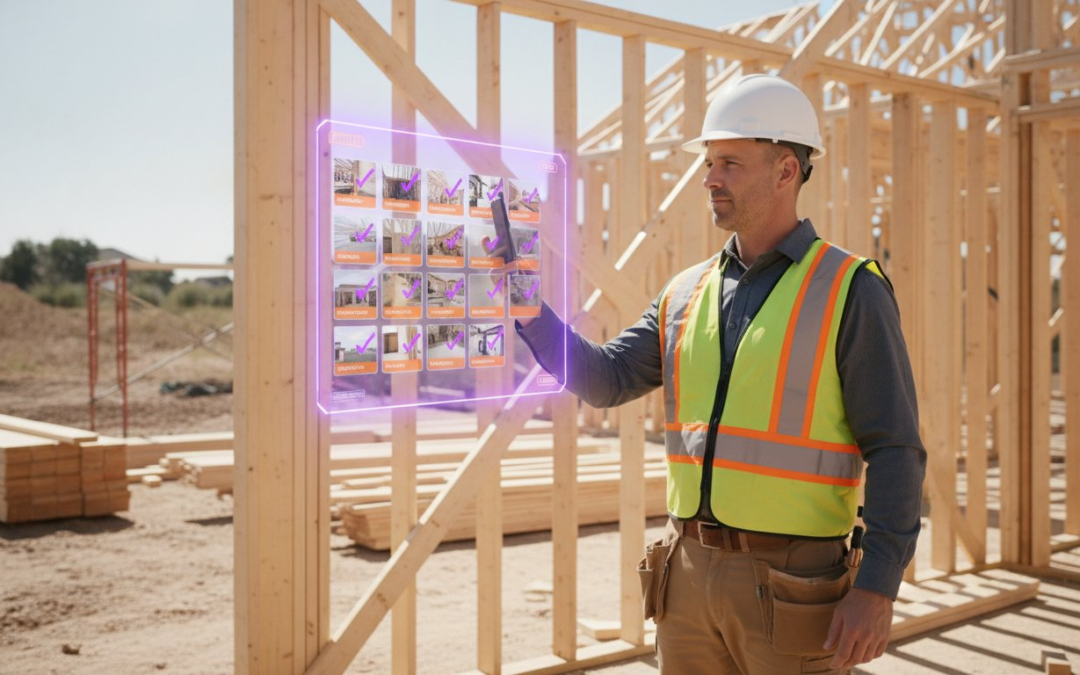
Did you know that 70% of construction disputes are caused by inadequate project documentation? It is a staggering figure that translates to millions in lost revenue and endless legal headaches. When field crews capture blurry, unorganized images, they are not just taking pictures; they are leaving your business exposed. Professional photo documentation for construction must be your strongest shield, not a tedious chore that keeps you chained to a computer long after the jobsite closes.
You likely feel the daily drain of manual entry and the stress of hunting for a specific photo to prove concealed work. It is an exhausting cycle, but it is one you can break today. This guide teaches you how to transform site photos into powerful project assets using automated labeling and standardized field workflows. We will show you how to eliminate manual typing, generate professional reports instantly, and build an ironclad defense against defect claims. Capture the detail. Automate the data. Protect your profit!
Key Takeaways
- Stop bleeding profit by identifying and eliminating the hidden administrative costs of manual photo organization.
- Build an ironclad defense with high-quality photo documentation for construction at every critical structural and MEP milestone.
- Empower your field crews to document faster using voice-to-text tools that replace slow, avoided manual typing.
- Implement a standardized “Capture, Label, Report” workflow to ensure field consistency and total project transparency.
- Generate instant, professional inspection reports that provide immediate value to stakeholders and protect your business against future claims.
The High Cost of Poor Photo Documentation for Construction
Poor photo management is a silent profit killer. While your team is busy building, your margins are being eaten away by the hours spent at a desk, dragging files into folders and trying to remember exactly where a specific pipe was laid. Effective photo documentation for construction is not just about taking pictures; it is about capturing actionable data that works for your business. When your documentation is a mess, you are not just losing time. You are losing money.
Think about the history of construction documentation and how far we have moved from film rolls and physical logs. Today, if you cannot find a specific photo in thirty seconds, that photo basically does not exist. This administrative chaos leads to unproven “concealed work” and delayed payments. When you can verify a milestone with a single, labeled image, you trigger faster draws and keep cash flowing through the project lifecycle. Owners want transparency. They want to see progress without driving to the site. Professional visual records build stakeholder trust and stop the endless cycles of “he-said, she-said” that stall projects and drain resources.
Preventing Construction Disputes and Litigation
Disputes are a plague on the industry. Research shows that 70% of construction disputes stem from inadequate project documentation. You can end these arguments before they start. By documenting “as-built” conditions before they are buried under concrete or drywall, you create an unalterable record of your work. Metadata like GPS coordinates and timestamps provide the legal weight needed to shut down defect claims instantly. Industry reports highlight cases where contractors saved over $50,000 simply by producing a timestamped photo of utility placement, proving they were not at fault for a subsequent line break. Capture the proof. Win the argument. Protect your bottom line!
Improving Field Accountability and Safety
A centralized photo feed does more than just record progress; it saves lives and improves quality. You can spot safety hazards in real-time from your dashboard and correct them before an inspector ever steps foot on the site. This level of oversight holds subcontractors to a higher standard. When crews know every detail is being captured and labeled, quality goes up and rework goes down. Shift your team toward a “Culture of Documentation” where every snap counts. Capture the work. Verify the quality. Secure the site!
Essential Capture Milestones: What to Document and When
Timing is everything on a jobsite. If you don’t capture the moment before the concrete pours or the drywall goes up, that evidence is lost forever. Strategic photo documentation for construction requires a proactive schedule. You need to know exactly what to shoot and when to shoot it to protect your project from future liability. Don’t leave your defense to chance. Capture the moment. Secure the proof. Protect the profit!
Preconstruction and Site Preparation
Start before the first shovel hits the dirt. Photograph existing cracks in neighboring foundations, sidewalks, and retaining walls. This simple step prevents “false claims” from neighbors who might blame your heavy equipment for pre-existing damage. Map out underground utility locations before you trench or backfill. Record site access points and staging areas to streamline logistical planning. Establishing this baseline is your first line of defense.
Concealed Systems and MEP Documentation
Once the slab is poured, your plumbing and electrical runs are invisible. Use a “Pre-Slab” checklist to document every pipe, conduit, and rebar placement. Capture wall cavities before enclosure to prove insulation depth, firestopping placement, and wiring paths. This visual data is a goldmine for facility managers years down the line. It turns a “guess” into a “certainty” when maintenance is required. To keep these critical milestones organized without the manual headache, consider using an automated photo app that labels as you go.
Documentation shouldn’t stop at major milestones. Capture daily progress to record weather conditions, site safety, and labor force levels. This data is vital if a schedule delay leads to a dispute. Use photo documentation for construction for your punch lists too. Document a defect, fix it, and photograph the repair. This creates a closed-loop record of quality that proves you met the spec and followed the contract to the letter.
Daily progress records are your best friend during a delay claim. If weather shuts you down, photograph the standing water or frozen ground. If a subcontractor fails to show, document the empty work zone with a timestamped shot. This level of detail builds an undeniable narrative of the project’s life. It ensures you get paid for the work you did and the time you spent. Use these photos to verify labor force levels and equipment usage. Every shot is a piece of evidence that protects your profit. Capture the detail. Secure the proof. Get the draw!
To ensure these records are always organized and accessible, GoBuid provides a project management platform designed to streamline construction site documentation and reporting.
Manual vs. Automated Labeling: Solving the Field Documentation Bottleneck
Your smartphone is a powerful tool, but its standard photo library is where data goes to die. Relying on generic folders and camera rolls is the fastest way to lose critical evidence. When photo documentation for construction is trapped in a mess of thousands of unnamed files, it is useless. You cannot find what you need during a dispute, and you certainly cannot build a professional report from a sea of digital chaos. Stop scrolling. Start organizing!
The real bottleneck isn’t taking the photo; it is the manual typing trap. Field crews often avoid documentation because typing detailed labels on a small screen with dirty hands is slow and frustrating. Most crews just skip it. They take the picture and move on, leaving the office staff to play detective weeks later. This disconnect creates a massive administrative drain that eats your profit margins. You need a way to label 200 roof photos in minutes, not hours. Voice-to-text technology turns your voice into data instantly. Speak the label. Capture the detail. Move to the next task!
The Hidden Cost of Unlabeled Photos
Contextless photos are the “Blurry Thumb” syndrome of the industry. A picture of a pipe without a location, date, or description carries zero weight in a defect claim. Manual labeling takes an average of three minutes per photo when you factor in uploading, sorting, and describing. Automated voice-driven systems cut that time to seconds. For a 10-person crew, automating photo labeling recovers over 40 hours of productive field time every week by eliminating manual data entry. This is not just a convenience; it is a massive return on investment that keeps your best people focused on building, not bookkeeping.
Standardizing Reports with Custom Templates
Consistency is the backbone of a solid defense. Custom inspection templates ensure every team member captures the exact same data points on every site visit. You stop “taking pictures” and start “building a professional report” the moment you pull the trigger. These templates guide the user through the process, ensuring no critical milestone is missed. By using pre-organized photo reports, you can reduce office review time by 75%. The photos sync directly to project folders in real-time. No more cables. No more manual uploads. No more chaos!
Implementing a Standardized Photo Workflow for Field Teams
Consistency is the only thing standing between a protected project and a legal nightmare. You cannot leave photo documentation for construction to chance or individual preference. To truly eliminate the administrative drain discussed earlier, you must deploy a repeatable, high-velocity framework. Move beyond the chaos. Standardize your process. Secure your site!
Follow these five steps to build a documentation engine that runs on autopilot:
- Step 1: Define Your Critical Capture Points. Determine exactly which milestones require visual proof. Use the milestones we identified in the previous sections, such as pre-slab plumbing or wall cavity firestopping, as your mandatory “What.”
- Step 2: Select a Voice-Driven Documentation Tool. Efficiency is the priority. Choose a platform that utilizes voice-to-text labeling to ensure field crews can record data without slowing down their physical work.
- Step 3: Establish an Automated Labeling Protocol. Remove the guesswork. Use custom templates that automatically apply naming conventions, dates, and GPS coordinates to every file.
- Step 4: Use a Team Dashboard for Real-Time Oversight. Stop waiting for weekly syncs. Monitor the centralized photo feed to catch safety hazards or quality issues the moment they happen.
- Step 5: Generate and Distribute Reports Instantly. Do not let data sit. Push professional, branded reports to owners and stakeholders immediately to trigger draws and build trust.
Ready to turn this framework into reality? Deploy the automated photo labeling app today and start documenting like a pro!
Training Your Crew for Documentation Success
The biggest hurdle to better records is the “Too Busy” excuse. Kill this objection by providing mobile-first, one-tap solutions that feel like a partner rather than a chore. Set clear expectations for photo clarity and lighting. You can even gamify the process by rewarding the team that produces the most consistent, high-quality site records. When documentation becomes a point of pride, accuracy skyrockets. Train the team. Trust the data. Triumph on site!
Centralizing Data for Real-Time Oversight
PHOTO iD: The Future of Automated Construction Photo Documentation
Stop wrestling with messy camera rolls and unnamed files. PHOTO iD is the “Chaos Killer” your field team has been waiting for. We have simplified photo documentation for construction into a high-velocity, three-part mantra: Capture, Label, Report! This streamlined workflow ensures that every site visit produces actionable assets rather than digital clutter. Capture the work. Label the data. Report the results!
The secret to field adoption is our Voice-to-Text Labeling. Your crews are tired of typing on small screens with dirty hands or gloves. With PHOTO iD, they simply speak the description and the app handles the rest. This is the tool your team actually wants to use because it respects their time. It eliminates the manual typing trap and ensures every image is rich with context. Speak the detail. Secure the proof. Move to the next task!
Office work shouldn’t start when the sun goes down. Our Instant Report Generation turns a standard site walk into a professional, branded PDF in just 60 seconds. You no longer have to spend hours at the computer after work organizing photos. Everything is pre-labeled and formatted. Use the Team Management Dashboard to maintain real-time oversight for projects across the country. See the progress. Spot the hazards. Sign off on the quality from anywhere!
Custom Inspection Templates for Every Trade
Every job is different, and your documentation should reflect that. Whether you are a roofer, a general contractor, or a property adjuster, our custom inspection templates fit your specific business workflow. These templates ensure compliance with industry standards like IICRC or OSHA by guiding the inspector through mandatory data points. You don’t just take pictures; you follow a professional standard that protects your liability. Standardize the capture. Ensure the compliance. Elevate the brand!
Virtual Inspection and Aerial Measurement Tools
Efficiency means doing more with fewer onsite personnel. Our virtual inspection software allows for high-resolution walkthroughs that reduce the need for repeat site visits. Need accurate estimating data? Integrate aerial roof and wall measurements directly into your project files. This combination of ground-level detail and aerial precision gives you a 360-degree view of project health. Empower your team with modern tools that replace guesswork with certainty. Measure the area. Document the condition. Master the project!
Take Command of Your Site Documentation
You have seen the high cost of digital chaos and the power of a standardized workflow. Transitioning to professional photo documentation for construction is no longer a luxury; it is a business necessity for survival and growth. By capturing critical milestones and eliminating the manual typing trap, you protect your margins and build an ironclad defense against claims. You deserve a documentation process that works as hard as you do.
Don’t let your after-hours office work eat into your personal time. Join the ranks of pros using automated photo labeling endorsed by “The Claims Coach” to reclaim your day. With voice-to-text labeling for maximum speed and instant report generation for field pros, you can turn a messy site walk into a professional asset in seconds. Stop manual labeling and start documenting smarter with PHOTO iD!
Your project deserves total transparency and your team deserves better tools. Take the first step toward a more efficient, profitable jobsite today. Capture the detail. Automate the data. Secure the profit!
Frequently Asked Questions
Why is photo documentation important in construction?
Photo documentation provides unalterable visual proof of work quality and progress. It protects your business against the 70% of construction disputes that arise from inadequate project records. By capturing every detail before it is concealed by drywall or concrete, you ensure payment for work performed and build a permanent historical record for long-term facility management. Capture the work. Secure the proof. Protect the profit!
What are the best practices for construction site photo documentation?
Focus on consistency, context, and clarity. Capture photos at every major structural milestone and always include a reference point for scale or location. Use automated tools to ensure every image includes a timestamp and GPS coordinates so the data remains actionable for future inspections or claims. Establish a clear “what” and “when” for your field crews to ensure no critical detail is missed during the build.
How do I organize construction photos efficiently?
Move away from generic smartphone folders and manual uploads. Organize your photo documentation for construction using an automated platform that syncs images directly to project-specific cloud storage in real-time. This eliminates the administrative drain of manual sorting and ensures every stakeholder has immediate access to site progress. Centralize your data. Clear the clutter. Command your project from a single, organized dashboard that tracks every milestone.
Can photo documentation help in construction legal disputes?
Visual records are your strongest defense against defect claims and litigation. High-resolution photos with unalterable metadata like GPS and timestamps provide the legal weight needed to prove “as-built” conditions. One clear, labeled photo can end a massive dispute instantly by proving your team met the contract specifications. It turns a “he-said, she-said” argument into a factual discussion that protects your reputation and your bottom line.
What should be included in a construction progress report?
A professional report must include labeled photos of work completed, weather conditions, and labor force levels. It should also feature a timestamped record of site safety and any identified defects or punch list items. Using custom templates ensures every inspector captures the same critical data points, creating a professional PDF for stakeholders in under 60 seconds. Push these reports instantly to build trust and trigger faster draws.
How does voice-to-text labeling improve field inspections?
It eliminates the manual typing trap that slows down field crews. Inspectors can speak descriptions directly into their mobile app while keeping their hands free for physical work. This increases the volume and quality of documentation because it removes the friction of using a small touchscreen with dirty hands or gloves. Give your team the tool they actually want to use. Speak the detail. Capture the data. Move fast!
What is the difference between manual and automated photo labeling?
Manual labeling requires hours of office work to sort and rename files after the workday ends. Automated labeling applies descriptions, project names, and metadata the moment the photo is captured. This transition recovers dozens of productive field hours per week by cutting data entry time to almost zero. Stop wasting time at the computer. Automate your labeling. Reclaim your personal life while maintaining professional standards on every jobsite.
Does photo documentation help with OSHA compliance?
It serves as a real-time record of your commitment to site safety and regulatory standards. By maintaining a centralized feed of site conditions, you can identify and correct hazards before an inspector arrives. This proactive approach to photo documentation for construction proves that your team follows safety protocols and meets compliance requirements every day. Document the hazard. Fix the issue. Prove the compliance with unalterable, timestamped visual evidence.