
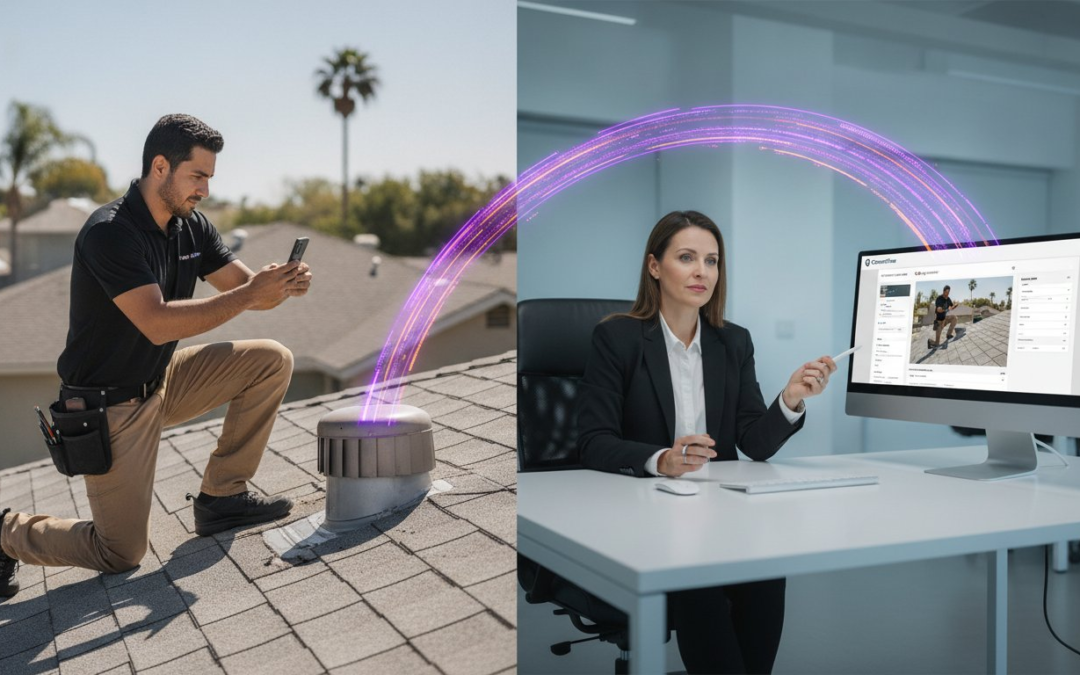
Did you know that poor internal communication costs U.S. businesses an estimated $1.2 trillion annually due to lost productivity? It is a staggering figure that hits home when you are chasing down a field tech for a missing photo or deciphering a messy inspection report. Prioritizing improving communication between field and office is no longer optional; it is a necessity for survival in a 2026 market facing a massive labor shortage of nearly 500,000 workers. You are tired of the fragmented texts, the manual labeling, and the client disputes that stem from poor documentation.
We understand that the disconnect between the job site and the desk is your biggest daily bottleneck. This guide promises to bridge that gap with actionable strategies and digital tools that sync data in real-time. You will learn how to implement automated labeling, instant report generation, and zero-friction data transfer. Capture the site, sync the office, and close the job. It is time to restore order to your onsite documentation, eliminate the manual grind, and scale your efficiency with total confidence.
Key Takeaways
- Identify the hidden costs of data bottlenecks and how they stall your project delivery and claim cycles.
- Eliminate “digital noise” by transforming raw job site photos into structured, instantly recognizable office assets.
- Master five actionable strategies for improving communication between field and office using mobile-first standards and voice-to-text tools.
- Contrast slow manual uploads with real-time cloud syncing to achieve zero-friction data transfer from site to desk.
- Leverage the PHOTO iD Mobile App to automate your labeling and generate professional inspection reports in seconds!
The Hidden Cost of the Field-to-Office Communication Gap
The gap between your job site and your desk is not just about missed phone calls. It is a fundamental breakdown in data flow. When information dies in the field because it was not captured or shared properly, your entire operation stalls. This disconnect directly impacts your claim cycle times and pushes project delivery deadlines into the red. You cannot afford to wait for a technician to drive back to the office just to hand over a flash drive or a stack of notes. In a high-velocity market, data must move as fast as the work itself.
Every company suffering from poor documentation pays what we call the “Double Entry” tax. This happens when field work must be re-explained, re-typed, or re-organized by office staff. Your technicians did the work once; they should not have to do it again through a series of clarifying emails. This redundancy eats your profit margins and creates a massive bottleneck. Improving communication between field and office is about eliminating this friction so that data captured on-site is immediately ready for the next step of the workflow.
Beyond the spreadsheets, there is a heavy emotional toll on your team. Friction between teams leads to a toxic “us versus them” mentality. The office feels left in the dark, while the field feels micromanaged and misunderstood. This tension erodes employee morale and turns your best performers into frustrated observers. Effective Organizational communication requires a structured, digital bridge that moves facts instantly. When everyone sees the same data at the same time, the blame game stops and the work moves forward.
Why Traditional Communication Channels Fail
Emails and text messages create dangerous data silos. They are impossible to track, difficult to search, and offer no central source of truth. Verbal updates are even worse because they leave no paper trail. If a detail is not documented, it effectively did not happen. Relying on “good enough” documentation is a liability nightmare in 2026. One missing photo or a vague description can lead to expensive legal disputes or denied insurance claims that your business has to eat.
The Financial Impact of Delayed Information
Slow field updates kill your cash flow. You cannot send an invoice until the final report is approved. If the office is waiting days for site data, your money stays in the client’s pocket. Consider the cost of a return trip; sending a technician back to a site just to snap one missing photo is a pure profit killer. Modern market standards demand instant transparency. Clients expect to see progress and proof in real-time. Speed is no longer a luxury. It is your greatest competitive advantage.
Why Visual Documentation is the Root of the Problem
Most businesses think they have a talking problem. They actually have a showing problem. A photo without a label is just digital noise. It is a mystery for the office team to solve. When a field tech sends 50 photos of a job site without context, the office staff spends hours playing detective. This is the primary hurdle in improving communication between field and office. If the person at the desk cannot tell which bedroom has the water damage or which wall has the structural crack, the documentation has failed. You aren’t just taking pictures; you are building a record.
We call this the “Monday Morning Dump.” It is that moment when hundreds of unorganized, unlabeled photos arrive via text, email, or a shared folder. The office team has to guess what they are looking at. Is that a roof leak or a condensation issue? This guessing game creates a massive bottleneck that stalls every project. Effective workplace communication requires clear, actionable data, not just raw files. Visual context is the only bridge that works. It connects the physical reality of the site to the digital workflow of the desk. Without context, your office team is flying blind.
The Nightmare of Manual Photo Labeling
Identifying roof versus wall photos might seem simple on-site. In the office, it is a nightmare. Staff members waste valuable hours squinting at pixels to identify specific damage locations. This manual process has an incredibly high error rate. One mislabeled photo can ruin your credibility with a client or an insurance adjuster. It leads to rejected claims and endless back-and-forth phone calls that waste everyone’s time. You can eliminate this friction entirely by using voice-to-text labeling. Speak the label as you take the photo. Capturing the data instantly means the office never has to guess again. It turns raw images into professional assets.
Standardizing Your Inspection Language
Consistency builds speed. Every technician must use the same terminology for their reports. If one tech calls it “shingle wear” and another calls it “granule loss,” the office team has to translate the data. Standardizing your inspection language is a critical step in improving communication between field and office. Use custom inspection templates to guide your field data collection. These templates ensure every tech follows the same path and captures the same vital info every time. Standardized photo organization speeds up your review process. It allows your office team to approve reports in minutes, not hours. Stop the translation game and start scaling your output!
Comparing Communication Methods: Manual vs. Automated
Ditch the “Phone and Folder” era. It is outdated, slow, and expensive. Old-school methods rely on a technician’s memory and physical data handoffs at the end of a shift. This creates a massive lag in your workflow. Improving communication between field and office requires an immediate shift to “Sync and Go” workflows. In this model, data moves the moment it is captured. You don’t wait for a van to return to the shop. You don’t wait for a thumb drive. You act on facts instantly. Speed is your new standard.
The speed difference is night and day. Manual uploads require a field tech to sort, rename, and upload files after a long day of labor. This often leads to “Passive Reporting” where the office only finds out about site problems 24 hours too late. Automated systems transform this into “Active Team Management.” You see the site through the technician’s eyes as they work. This level of communicating with leadership ensures that everyone is aligned on project status without a single phone call. The ROI of specialized inspection software is undeniable: you eliminate hours of administrative waste every single week.
The Failure of Generic Cloud Storage
Stop using Dropbox or Google Drive as a communication strategy. They are just digital buckets. These tools lack the metadata, searchability, and structure needed for professional reporting. A generic folder won’t tell you which photo belongs to which room without manual input. You need a dedicated team management dashboard that organizes data automatically. Generic tools force your office staff to do the heavy lifting. Specialized software does the work for you. Capture the data. Label the photo. Sync the report. It is that simple!
Real-Time Oversight vs. End-of-Day Syncing
Waiting until 5:00 PM to see site data is a recipe for disaster. Real-time dashboards allow office managers to catch errors mid-inspection. If a photo is blurry or a measurement is missing, you fix it while the tech is still on-site. This enables “Virtual Inspections” where senior staff can provide remote oversight without leaving their desks. Contrast the stress of waiting for reports with the ease of instant generation. Improving communication between field and office means moving from a state of constant catch-up to a state of total control. Ditch the delay. Embrace the speed. Win the day!
5 Strategies to Sync Your Field and Office Teams in 2026
Stop guessing and start knowing. Syncing your team requires more than just a better chat app. It demands a structured approach to data collection that leaves no room for interpretation. Use these five strategies to bridge the gap and turn your field operations into a high-speed data machine. Improving communication between field and office is the only way to stay competitive in a market where speed is the ultimate currency. Follow these steps to restore order and scale your efficiency.
- Step 1: Implement a Mobile-First documentation standard. Every technician should use the same mobile interface to capture site data. This ensures that every file is formatted correctly before it ever reaches the office.
- Step 2: Use Voice-to-Text to capture site notes. Typing on a cold, wet job site is a recipe for incomplete reports. Let your techs speak their findings. It is faster, more detailed, and keeps their eyes on the task.
- Step 3: Centralize project data into a single Team Management Dashboard. Stop hunting through emails. A central dashboard gives the office team a real-time view of every project’s progress.
- Step 4: Use aerial roof and wall measurements. Eliminate manual measurement errors that lead to ordering mistakes. Use precision technology to get the numbers right the first time.
- Step 5: Automate the report building process. Don’t wait for a human to compile the data. Deliver professional, formatted reports the moment the final photo is snapped.
Empowering Field Techs with Better Tools
Adoption is the biggest hurdle to any new strategy. If a tool is hard to use, your field techs will ignore it. Focus on user-friendly interfaces that prioritize speed. Automated photo labeling is a game-changer because it reduces the “homework” for field staff. They capture the image, and the software handles the organization. This creates a sense of relief for the tech and provides instant clarity for the office. Ensure your tools have robust offline capabilities. Your team works in basements, rural areas, and remote sites where signal is weak. They need a partner that works wherever they do. You can get started with a PHOTO iD Mobile App Subscription to give your team the edge they need today!
Training for Continuous Improvement
Documentation is just as important as the physical work. You must build a “Data-First” culture within your organization. Set up a regular feedback loop between office reviewers and field inspectors. If the office team struggles to understand a report, use that as a training opportunity. Shared data allows you to identify specific training gaps in the field. Maybe one tech consistently misses interior shots, or another struggles with labeling. Use these insights to coach your team and improve the overall quality of your output. When documentation becomes a core part of the job, the entire operation runs smoother. Capture the site. Sync the office. Close the job!
How PHOTO iD Closes the Communication Loop
You have the strategies. Now you need the engine to drive them. The PHOTO iD Mobile App is the all-in-one solution designed to turn your field data into your greatest asset. It is not just another app; it is a game-changing partner that restores order to the chaos of onsite documentation. Improving communication between field and office is impossible if your team is still wrestling with unorganized files. PHOTO iD eliminates that struggle by automating the heavy lifting. Capture the site. Sync the office. Close the job!
The Automated Photo Labeling feature is your ultimate time-saver. Forget the “Monday Morning Dump” where the office team plays detective with hundreds of mystery photos. With PHOTO iD, every image is categorized and labeled the moment it is snapped. This creates a seamless flow of information that keeps everyone on the same page. When the office team opens the Team Management Dashboard, they see exactly what the field tech sees in real-time. This instant oversight allows managers to approve work or catch errors before the technician even leaves the driveway!
Speed is the heartbeat of your business. Our Instant Photo Report Generation delivers professional, client-ready results in seconds. You no longer have to wait days for a report to be compiled and reviewed. The data is structured, the photos are clear, and the context is undeniable. This level of efficiency is the key to improving communication between field and office while scaling your operations. You save hours of administrative waste and get paid faster. It is high-velocity documentation for a modern industry.
Seamless Integration with Your Workflow
PHOTO iD is built to fit your specific needs. Our custom inspection templates guide your field staff through every step of the process. They don’t have to guess what to document next; the app tells them. Use voice-to-text labeling for hands-free, accurate site notes that keep your techs moving. We also include aerial measurement tools for roof and wall assessments. This eliminates manual errors and provides a level of precision that generic tools simply cannot match. It is a complete ecosystem designed for maximum productivity.
A Solution Built by Industry Veterans
We understand the daily grind because we have lived it. Led by Ken Perry and backed by “Claims Coach” expertise, PHOTO iD was built specifically to solve the frustrations of the specialized labor and assessment industries. Our focus is simple: reduce claim cycle times and increase report accuracy. We don’t just offer software; we offer a way to regain control of your workday. Stop letting poor communication eat your profits. Start your free trial of PHOTO iD today and bridge the gap!
Take Control of Your Job Site Data Now
You have seen the hidden costs of data silos and the chaos of mystery documentation. Reclaiming your profit margins starts with a mobile-first strategy that leaves no room for error. By prioritizing improving communication between field and office, you eliminate the “Double Entry” tax and stop the cycle of clarifying phone calls. Move your team into the future with structured workflows that provide instant clarity. Stop guessing. Start knowing. Scale faster.
Don’t let fragmented communication stall your growth in a competitive 2026 market. Restore order to your inspections with automated photo labeling, hands-free voice-to-text notes, and a real-time team management dashboard. It is time to work smarter, move faster, and lead with total confidence. Empower your team with the PHOTO iD Mobile App and start bridging the gap today! Your field operations deserve a partner that understands the daily grind. Capture the site. Sync the office. Close the job!
Frequently Asked Questions
What is the most common cause of poor communication between field and office?
The primary cause is the lack of shared visual context between the job site and the desk. While teams talk via phone or text, the actual project data often stays trapped in the field tech’s device until the end of the day. This delay creates a massive information gap. Prioritizing improving communication between field and office requires a system where data flows automatically, not just through informal conversations. Stop the guessing game!
How can I get my field technicians to adopt new documentation software?
Adoption succeeds when you remove the technician’s administrative burden. Techs hate manual photo labeling at the end of a long shift. Give them tools that work as fast as they do, like voice-to-text and automated organization. When the software feels like a helper rather than a chore, adoption rates skyrocket. Focus on speed and ease of use to win over your field team. Make their job easier!
Does automated photo labeling actually save time for the office staff?
Automated labeling is a massive time-saver for office personnel. It completely removes the need for staff to play detective with hundreds of inspection photos. Instead of spending hours renaming files, the office team can review and approve reports in minutes. This structured data flow is a cornerstone of improving communication between field and office, turning raw images into actionable business assets instantly. Organize your data automatically!
What features should I look for in a field-to-office communication app?
Look for a mobile-first platform with offline capabilities and real-time cloud syncing. You need a tool that captures data accurately even in low-signal areas and organizes it automatically. Prioritize features like custom inspection templates, automated photo labeling, and voice-to-text. These specific capabilities ensure that the information captured in the field is professional, consistent, and ready for office review. Build a better workflow today!
How does a team management dashboard improve project oversight?
A team management dashboard provides a real-time window into every ongoing project. It allows office managers to monitor progress and catch documentation errors while the technician is still on-site. This proactive oversight prevents costly return trips and ensures that all quality standards are met. It transforms the office from a passive recipient of data into an active partner. Gain total project oversight with one click!
Can voice-to-text really handle technical industry terminology during inspections?
Modern voice-to-text technology is highly capable of handling specialized industry jargon. It accurately captures technical terms related to roofing, structural assessments, and insurance claims without the need for manual typing. This feature ensures that site notes are detailed and precise. Techs can record findings instantly while their hands are busy, leading to much higher documentation quality. Speak your notes and save time!
How do virtual inspection tools reduce the need for site visits?
Virtual inspection tools allow senior experts to provide remote oversight from the office. Instead of driving to multiple sites, a manager can view live data or high-resolution photos to verify findings. This drastically reduces fuel costs and travel time. It enables your most experienced people to oversee more projects in a single day. Maximize your resources and eliminate unnecessary site visits with digital technology!
What is the fastest way to generate a professional inspection report?
The fastest way is to use software that builds the report as you work. When a field tech captures photos and speaks notes into an app, the data should populate a template in real-time. This eliminates the need for manual compilation back at the office. You get a professional, client-ready report the moment the final photo is taken. Speed, accuracy, and automation are the keys to 2026 efficiency!