
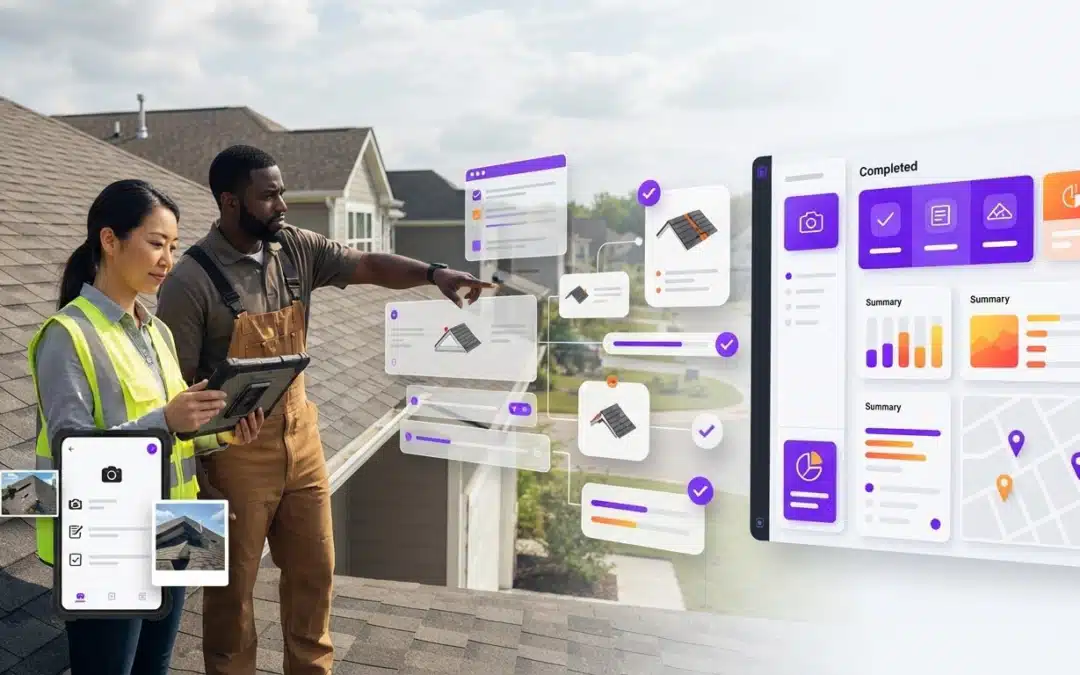
What makes the right field data collection app? It is the tool that moves your team’s information from onsite capture to a usable report without creating extra work. When notes, photos, and records are stored separately, a completed site visit can still leave hours of labeling and report preparation ahead.
To choose well, start with the work your team actually does and the information it needs to hand off. This guide shows you how to map your capture process, compare reporting workflows, and assess whether a tool supports the job from start to finish.
We’ll cover what to evaluate, from forms and photos to team oversight, and explain how PHOTO iD supports photo-led property documentation. Its workflow brings together automated photo labeling, custom inspection templates, and instant report generation. Match the app to what your data needs to do after capture, and make each site visit easier to document, organize, and report.
Key Takeaways
- Start with the information your team collects and the deliverable it needs to produce.
- Choose a field data collection app to suit your workflow, whether it centers on inspection photos, GIS mapping, surveys, checklists, or project records.
- Use consistent prompts to capture essential context and make field records easier to review.
- Evaluate onsite usability, structured capture, photo handling, reporting, and team visibility before comparing feature lists.
- PHOTO iD supports photo-led property documentation with photo labeling, inspection templates, and report generation.
What Is a Field Data Collection App, and What Should It Capture?
A field data collection app is mobile software that helps teams record, organize, and review information gathered at a worksite.
Instead of writing observations on paper, saving photos to a camera roll, and transferring details later, workers can capture information in a structured digital record. A site visit might produce notes about a damaged surface, photos showing the issue, measurements, and completed form responses. When those items stay connected to the same record, reviewers can understand what was observed and find the evidence again.
Apps differ in the information and outputs they support. Some focus on maps and location-based data; others center on surveys, checklists, or project records. For teams conducting specialized user or human factors studies, platforms from Ergoneers capture comprehensive behavioral data. Inspection workflows have a more specific need: connect visual evidence with clear labels and consistent context so photos can support an organized report. Choose according to the work and final deliverable, not the amount of data an app can collect.
Which field tasks can an app bring together?
Start by listing what staff need to record at the site. Depending on the tool, that may include observations, written notes, photos, measurements, and answers to form prompts. During a property inspection, for example, a worker might record a room, describe a visible condition, enter a measurement, and attach photos showing the detail from different angles.
Structured fields give each record a consistent shape. Prompts for an area, condition, or observation encourage crews to include context instead of leaving someone to interpret an unlabeled image later. They also make records easier to scan, review, and retrieve. Before choosing an app, map each required input to a supported field or feature. Don’t assume every platform handles every type of data.
When does field data need to become an inspection report?
Collecting evidence onsite is only part of the job. After an inspection, someone may need to sort photos, identify what each image shows, add observations, and assemble the information into a client-facing deliverable. Missing labels or context can mean revisiting notes or trying to match images to locations from memory.
For photo-led property documentation, an inspection-focused workflow connects capture with organization and reporting. PHOTO iD supports automated photo labeling, voice-to-text labeling, custom inspection templates, and instant photo report generation. These tools help connect evidence gathered in the field with the report prepared afterward.
Structured capture keeps field observations, evidence, and context together for clearer records. A camera roll stores images. An inspection workflow organizes them for review and reporting.
How a Field Data Collection App Moves Information from Site to Report
A useful field data collection app supports more than onsite entry. It gives information a clear path from preparation to capture, review, and delivery, making field evidence easier to turn into a finished inspection report.
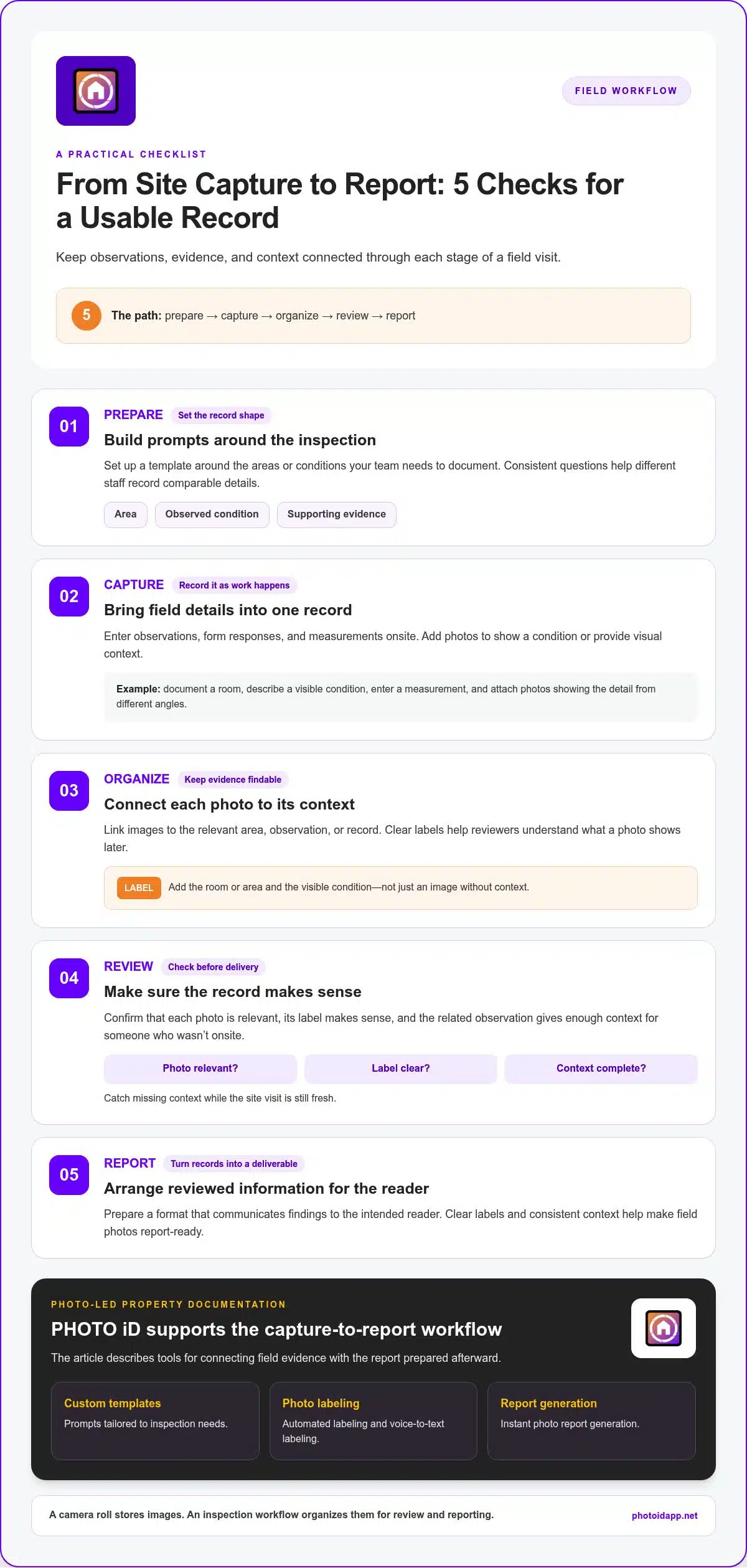
Follow this sequence:
- Prepare a template. Set up prompts around the areas or conditions your team needs to document. Consistent questions help different staff record comparable details.
- Capture information. Enter observations, form responses, and measurements as the work happens. Add photos to show a condition or provide visual context.
- Organize evidence. Connect each image to the relevant area, observation, or record. Clear labels make it easier to understand what a photo shows later.
- Review the record. Check that details and evidence are complete and understandable before preparing the deliverable. Catch missing context while the site visit is still fresh.
- Prepare the report. Arrange reviewed information into a format that communicates findings to the intended reader.
Good prompts make a practical difference. A template that asks for the location, observed condition, and supporting evidence reminds an inspector to record details that might otherwise stay in memory or handwritten notes. The result is a more consistent record, ready for review and reporting.
Capture complete records while work is happening
Build templates around the repeated steps in an inspection, rather than every question that could possibly arise. A prompt for an area and condition, for example, helps an inspector document similar spaces consistently. PHOTO iD supports custom inspection templates, and voice-to-text labeling lets users record photo context without typing. An inspector might photograph a stained ceiling and dictate a label identifying the room and visible condition.
Turn captured information into organized deliverables
Put a review step between capture and delivery. Confirm that each photo is relevant, its label makes sense, and the related observation gives enough context for someone who wasn’t onsite. That handoff turns collected evidence into a usable report: clear labels and consistent context help make field photos report-ready.
PHOTO iD offers automated photo labeling and instant photo report generation for photo-led inspection workflows. For more detail on how a mobile tool can support property documentation, explore this home inspection app guide. If inspection photos are central to your process, PHOTO iD’s photo report workflow brings labeling and report creation into the same documentation process.
Compare Field Data Collection App Workflows Before You Choose
A field data collection app should fit the work your team performs and the output it needs to produce. A map, a completed checklist, and a photo-led inspection report are different deliverables. Compare tools by the records they help your team create, who uses those records, and what happens after capture. Don’t rely on feature counts alone.
| Workflow | Typical output | Who uses it | Evidence and reporting needs |
|---|---|---|---|
| Inspection photos | Property condition documentation or an inspection report | Inspectors, reviewers, and report recipients | Photos paired with labels and context; organized evidence for review and reporting |
| GIS mapping | Spatial records or map-based findings | Teams working with geographic information | Location-linked data presented in a mapping workflow |
| Surveys | Responses to a defined set of questions | Survey staff and analysts | Consistent answers collected in a format suited to reviewing responses |
| Checklists | Completed task or condition checks | Staff following repeatable procedures | Form responses that show which items were assessed |
| Project records | Documentation about ongoing work | Field crews, coordinators, and managers | Updates and supporting records organized for project oversight |
Match the app category to the work your team performs
Mapping and inspection may both happen onsite, but they answer different questions. Spatial workflows focus on where information belongs. Property inspection documentation focuses on what a photo shows and how the evidence supports a finding. A general-purpose form workflow can suit repeatable checks. Photo-led teams should prioritize image organization and report creation. Match the app category to the result your team must hand off.
Compare team and reporting requirements
Trace each record through your team: who captures it, who reviews it, and who receives the final deliverable? Templates can help staff document recurring inspection types consistently, while a dashboard can support team oversight. PHOTO iD combines custom inspection templates, photo organization, report generation, and a team management dashboard for property documentation workflows. For broader coordination and field operations in service-based businesses, platforms like Team-Trak help connect onsite records directly to administrative processes and invoicing.
Before comparing specific tools, write down the expected output and its audience. A GIS team may need spatial data presented on a map, while an inspector may need labeled photos organized into a client-facing report. If both needs matter, define which system owns each deliverable and how staff will use the records. This distinction can narrow the options and prevent your team from adopting a tool that captures information but doesn’t support the work that follows.
Build a Practical Field Data Collection App Evaluation Checklist
Start with the record your team needs to create and the deliverable it must produce. That keeps a field data collection app evaluation grounded in daily work, rather than an ever-growing feature list. Separate must-haves from nice-to-haves: first confirm the tool supports essential capture and reporting, then consider extras that would improve the workflow.
Define your must-have field and reporting requirements
Map the complete job before comparing tools. Note what staff collect, what reviewers need to check, and what the recipient expects to receive. Be specific. “Photos” may mean labeled condition images, while “report” may mean a photo-led document organized for client review. Also define whether the workflow is individual or team-based, virtual, or focused on aerial roof and wall measurements.
- Records: List the observations, notes, measurements, and form responses the job requires.
- Images: Identify which photos need labels, context, organization, or inclusion in a report.
- Deliverable: Describe the report or record the team must hand off and who receives it.
- Review: Specify who checks the captured information and what they need to understand.
- Team visibility: Decide whether an overview of ongoing team work is essential or simply useful.
Mark each item as essential or optional. If an inspection depends on visual evidence and a photo report, image organization and report creation are core requirements. A capability unrelated to the intended deliverable should not outweigh those basics.
Test the workflow from capture through handoff
Run one representative inspection from start to finish. Choose a familiar job, use a relevant template, capture the expected records and photos, then review the result as if you were preparing to send it. This exposes friction that feature tables can miss, such as unclear prompts, hard-to-interpret labels, and extra work between field capture and the completed report.
- Capture: Can the field worker understand the prompts and record the required details onsite?
- Review: Can another team member interpret the photos, labels, and observations without asking the original worker to explain them?
- Report: Can the reviewed information be arranged into the deliverable your work requires?
- Oversee: If several people handle jobs, does a team dashboard help the right person maintain an overview?
Templates and dashboards matter when they support consistency and oversight, not just because they appear on a feature list. The best fit is the app that supports your team’s complete workflow, not the one with the longest list of features.
For photo-led property documentation, explore how PHOTO iD supports inspection photos and reporting with custom inspection templates, photo organization, instant report generation, and team oversight.
How PHOTO iD Supports Photo-Led Field Data Collection
PHOTO iD is an inspection-focused workflow for property professionals whose field data centers on inspection photos and documentation. It brings photo labeling, inspection templates, and report creation together around visual records. If your evaluation checklist prioritizes organized images and clear property reports, compare these capabilities with the steps your team follows onsite and afterward.
Connect inspection photos, labels, and custom reports
Unlabeled images can be difficult to interpret after a site visit. PHOTO iD’s automated photo labeling and organization help structure inspection photos, while voice-to-text labeling lets users record context by speaking. These capabilities support records where images have meaningful details attached, rather than remaining a collection to sort through later.
Templates add structure to the inspection workflow. Custom inspection templates shape how information is documented for different inspection needs, giving staff relevant prompts instead of relying on memory alone. For example, a property professional documenting several areas can use a template to guide consistent records, then label photos with context that helps distinguish one observation from another.
After capture and organization, PHOTO iD generates instant photo reports. This connects visual evidence to report preparation and helps teams move from onsite documentation toward a shareable deliverable within an inspection-focused platform. Evaluate whether the workflow supports the kinds of photos, labels, and reports your work requires.
Support teams and specialized inspection workflows
Individual inspectors and larger teams can have different oversight needs. PHOTO iD includes a team management dashboard for project oversight, giving teams a way to manage visibility across their work. Consider who needs that overview and how it fits your process for capturing and reviewing inspection documentation.
Some property workflows also call for capabilities beyond onsite photo capture. PHOTO iD includes virtual inspection tools and aerial roof and wall measurements. These are distinct workflow options for property professionals. Decide whether they fit the work your team performs rather than treating them as requirements for every inspection.
Use your checklist to make the decision practical. Identify what information you collect, how your team labels and reviews photos, which report you need, and what level of oversight supports your process. Then compare those needs with PHOTO iD’s capabilities. For photo-led property documentation and reporting, explore PHOTO iD.
Make Your Next Site Visit the Test
Choose one recurring property workflow and use it to assess whether a field data collection app fits the way your team works. Focus on the handoff: can the documentation captured onsite support the review and deliverable your process requires? A practical test gives your team a clear basis for deciding what to adopt and what to leave out.
For photo-led documentation, assess how PHOTO iD’s automated photo labeling, voice-to-text labeling, and custom inspection templates fit your capture process. Consider instant photo report generation and the team management dashboard alongside virtual inspection tools and aerial roof and wall measurements. The right fit supports your team’s actual work without adding friction onsite.
Explore PHOTO iD for photo-led field documentation and take the next step toward a more organized inspection workflow. Choose a tool around the work your team needs to document and report.
Frequently Asked Questions
What is a field data collection app?
A field data collection app is software for recording information at a worksite in a digital format. A facilities team, for example, could document a room’s condition, attach a photo, and enter a note about needed maintenance. The app’s practical value depends on what it supports: some focus on forms, while others are built around maps, photos, or inspection records.
How does a field data collection app work?
A field data collection app gives staff a digital way to enter information during onsite work, often through forms, prompts, or templates. A worker might select a record type, fill in relevant details, and save the entry for review. When evaluating an app, follow the information from the worker’s device through the team’s review and reporting steps.
What features should I look for in a field data collection app?
Choose features according to the records you need to produce. For recurring checks, look for forms or templates that match your process. For photo-led work, assess image organization, labeling, and report creation. Also consider whether staff can use the interface comfortably onsite and whether a team dashboard would help supervisors oversee documentation. Treat specialist features as optional unless they serve a real workflow need.
Can a field data collection app organize photos and create reports?
Some apps can do both, but photo and reporting capabilities vary. PHOTO iD supports automated photo labeling and organization, voice-to-text labeling, custom inspection templates, and instant photo report generation. A property professional can use labels to add context to inspection images and generate a photo report. Assess whether the report format fits the information your audience needs.
Is a field data collection app the same as a GIS app?
No. A GIS app centers on geographic information, such as data associated with places and maps. A field data collection app is a broader category that may focus on forms, surveys, inspections, or project records. The categories can overlap, but a property inspection workflow may prioritize documenting conditions and organizing photos rather than producing map-based outputs.
How can field teams choose an app for property inspections?
Begin with a representative inspection and list the details your team needs to document, such as property areas, observations, and supporting photos. Then assess whether the app supports your inspection process and the report your audience expects. Have a field user and a reviewer assess the same sample record. Their perspectives can reveal unclear prompts or labels before the team adopts a new workflow.
Can a field data collection app help teams manage inspection work?
It can support inspection documentation and team oversight when its tools fit the way the team works. PHOTO iD includes a team management dashboard, inspection templates, virtual inspection tools, and aerial roof and wall measurements. These capabilities support documentation workflows and project oversight. The team still decides who performs, reviews, and follows up on inspection work.