
custom template app vs generic camera app for roofers
Generic Camera App vs. Custom Template App for Roofers: Why It Matters
When you compare custom template apps to generic camera apps for roofing work, the difference hits you the moment you submit your first insurance claim. Generic camera apps capture images, but they leave you drowning in administrative work afterward. Hours get wasted sorting, labeling, and organizing photos that should have been structured the moment you pressed the shutter.
The “Admin Debt” of Generic Camera Apps
Every unlabeled photo creates administrative debt. With generic camera apps, you capture “IMG_4782.jpg” and “IMG_4783.jpg” without context. Later, you waste time trying to remember which photo shows the damaged flashing versus the repaired section.
This administrative burden multiplies across every job. Creates a backlog that delays claim submissions and reduces your capacity for new work.
Beyond Basic Snapshots: The Need for Context
Insurance adjusters reject claims when photos lack proper documentation. A generic camera app captures the image but misses the essential metadata: location details, damage categories, repair specifications, and GPS coordinates. Without this context, your photos become evidence without a story, which forces adjusters to request clarification and slows approvals.
Time Loss Reality Check
Roofers using generic camera apps often spend 2-3 hours per job organizing and labeling photos after returning to the office. Custom template apps reduce this by capturing structured data in real time during the inspection.
The Power of Customization: How Template Apps Streamline Roofing Photos
Building Your Workflow: Predefined Fields and Labels
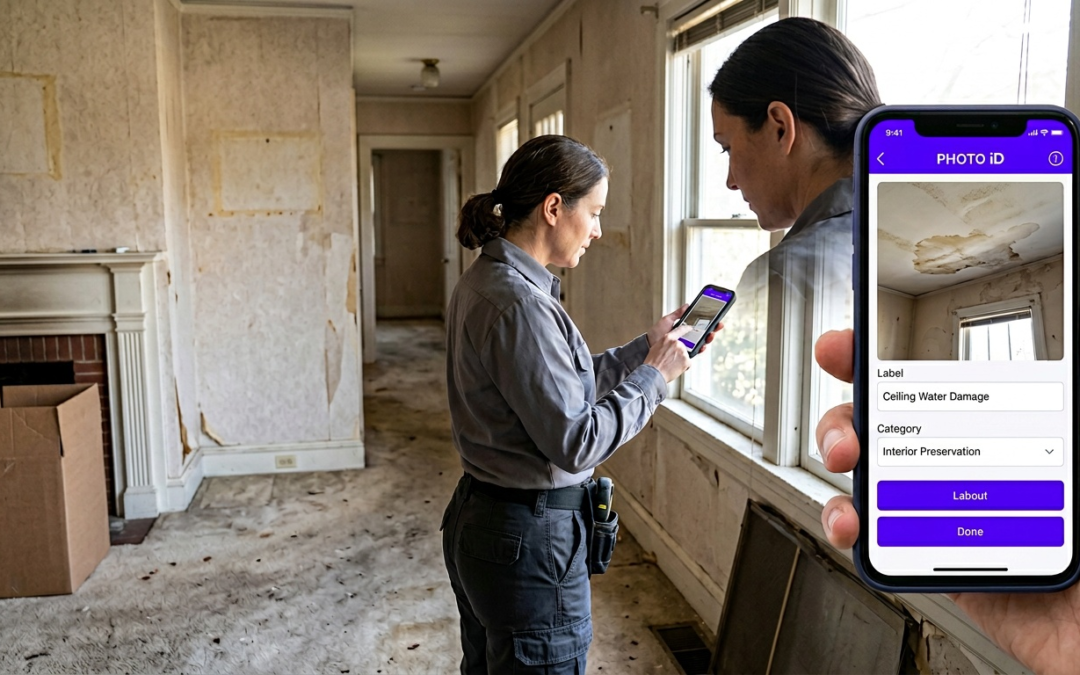
Custom template apps like PHOTO iD transform photo capture into structured documentation. Instead of random snapshots, you work with predefined categories such as “Before Damage,” “During Repair,” “Material Specifications,” and “Completed Work.” Each photo gets labeled at capture, with GPS coordinates and timestamps recorded automatically.
Real-Time Labeling: Capturing Data as You Inspect
The debate often comes down to timing: when the details get captured. Generic apps push the work to later. Custom apps collect key details during the inspection. Pitch measurements, material types, damage severity, and repair methods. That field-first approach reduces missing context when you submit claims days or weeks later.
Ensuring Consistency: Standardizing Photo Capture Across Your Team
PHOTO iD supports standardized workflows so each crew member follows the same documentation pattern. Whether your lead roofer or an apprentice takes the photos, adjusters and office staff receive consistent, professional photo sets that reduce back-and-forth.
Beyond the Photo: Liability Protection and Business Growth
From Liability Nightmare to Peace of Mind: Proving Your Work
Generic camera apps leave you exposed when disputes arise. Without solid documentation, it becomes harder to prove work completion dates, material specifications, or repair scope. Custom template apps help create defensible records with timestamps and location data that support warranty conversations and reduce risk when clients question work quality months later.
The “Field-First” Advantage: Tools Built for the Job
Roofing requires specialized tools, and photo documentation should match the job. While generic apps focus on basic capture, purpose-built inspection apps include features like in-camera pitch gauge and compass tools, guided capture, and annotation options better suited to jobsite documentation.
Quantifying the ROI: Time Saved, Errors Reduced, Revenue Increased
Template apps show practical business impact: faster submission-ready reporting, fewer missing-photo callbacks, and cleaner documentation for claims and supplements. When you cut rework, you protect margin and improve cash flow by shortening the time between inspection and payment.
Custom Template Apps
Pros
- Real-time labeling reduces post-job admin work
- Timestamp and location data support dispute resolution
- Standardized workflows keep teams consistent
- Insurance-ready formatting speeds submissions
Cons
- Requires initial setup and team training
- Monthly subscription cost compared with free camera apps
Choosing the Right Tool: PHOTO iD vs. Generic Camera Apps for Roofers
Key Features to Look for in a Roofing Photo App
Professional roofing documentation needs GPS tagging, custom labeling fields, pitch gauge support, and workflows that work in the field. Generic camera apps don’t cover these needs end to end, which creates gaps that slow claims and estimates. PHOTO iD brings roofing-focused capture and reporting into one platform built for field documentation.
How PHOTO iD Excels for Insurance Claims and Estimates
Adjusters move faster when documentation is structured and consistent. PHOTO iD is a cloud-based mobile and web app platform designed for organizing, labeling, and sharing property inspection photos. It supports generating professional photo reports before leaving a jobsite and enables real-time communication during photo capture.
That structure reduces the clarification cycles that often follow generic camera app submissions.
| Feature | Generic Camera App | PHOTO iD |
|---|---|---|
| Real-time labeling | Manual after capture | Built into inspection workflows |
| GPS coordinates | Basic location data | Job-focused capture with location and timestamps |
| Business system integrations | None | Supports integrations with Guidewire, Salesforce, Zapier, JobNimbus, and Jobber |
| Custom workflows | Not available | Custom workflow templates and guided capture |
| Team standardization | Inconsistent results | Shared templates and collaboration features |
Connecting Documentation to Your Workflow
The decision often comes down to where the photos go next. Generic apps create isolated photo files that require manual naming, sorting, and report building. PHOTO iD supports customizable PDF report building, shareable photo gallery web links, and integrations with systems such as Guidewire, Salesforce, Jobber, and JobNimbus, which reduces the manual handoffs that slow job closeout.
Professional Documentation ROI
Teams that switch from generic camera apps to template-based capture often report faster claim cycles and fewer revision requests. Results vary by carrier, scope, and internal process, but the biggest win is usually less time spent renaming, sorting, and rebuilding photo packets.
Making the Switch: Implementation Strategy and Team Adoption
Training Investment vs. Long-Term Gains
Moving off generic camera apps requires some training. Keep it simple: one template, one naming standard, and one report format. Many crews get comfortable quickly, especially when the office stops asking for “one more photo” after the fact.
Integration with Existing Business Systems
One of the strongest arguments for custom template apps is integration. Generic camera apps create data silos that require manual export and import. PHOTO iD supports integrations with platforms such as Guidewire, Salesforce, Zapier, JobNimbus, and Jobber, which keeps documentation moving from jobsite capture to internal systems with fewer manual steps.
Scalability for Growing Roofing Businesses
As your roofing business expands, consistency becomes non-negotiable. Custom template apps enforce a standard capture sequence across multiple crews, which improves quality control, reduces missed shots, and lowers the odds of a claim packet getting kicked back.
Future-Proofing Your Documentation: Industry Trends and Technology Evolution
Insurance Industry Digital Transformation
Carriers keep pushing toward structured digital documentation and faster cycle times. Generic camera apps output unstructured photo rolls, which slow intake and review. Custom template apps like PHOTO iD align better with how claims teams review damage categories, locations, and scope.
Regulatory Compliance and Documentation Standards
Building codes and insurance documentation requirements keep changing. Template-based workflows can be updated as standards change, which helps you keep your process consistent across crews and seasons.
Competitive Advantage Through Professional Positioning
Your documentation approach affects how professional your work looks to adjusters and property managers. Contractors who submit clean, consistent photo reports tend to see fewer delays and fewer clarification requests, which supports stronger relationships and smoother operations.
Template apps structure documentation while you’re still on the roof. If your work depends on supplements, claims, and clean handoffs to the office, template-based capture is usually the better fit.
Frequently Asked Questions
What is the 25% rule in roofing?
The 25% rule commonly refers to an insurance guideline where if 25% or more of a roof slope is damaged, the entire slope may be eligible for replacement. Accurate, well-documented photos from a custom template app are essential for clearly demonstrating the extent of damage to adjusters and supporting such claims.
What is the best software for roofing companies?
For roofing companies, the best software streamlines field documentation, moving beyond basic camera apps. Custom template apps like PHOTO iD are designed to capture structured data and generate professional reports in real time, saving hours of administrative work. They offer features like real-time labeling, GPS tagging, and standardized workflows, which are essential for efficient operations and faster claim submissions.
What is the hail app for roofers?
While there is not a single “hail app,” custom template apps for roofers are ideal for documenting hail damage. These apps allow you to label photos with damage categories, GPS coordinates, and timestamps directly in the field. This structured approach ensures adjusters receive clear, consistent evidence for hail damage claims, speeding up approvals.
How can I tell if a roofer is trustworthy?
A trustworthy roofer provides clear, consistent documentation of their work. If a roofer uses a custom template app, they can offer timestamped and geo-located photos of damage, repairs, and materials. This level of detail builds trust and provides defensible records, reducing disputes and proving the work’s quality and scope.
Why use a custom template app instead of a generic camera app for roofing jobs?
Custom template apps are superior because they capture structured data in real time, eliminating hours of post-job administrative work. They allow for immediate labeling, GPS tagging, and standardized workflows, ensuring all photos have the necessary context for insurance adjusters. Generic apps create “admin debt” by forcing manual organization later, delaying claims and reducing efficiency.