
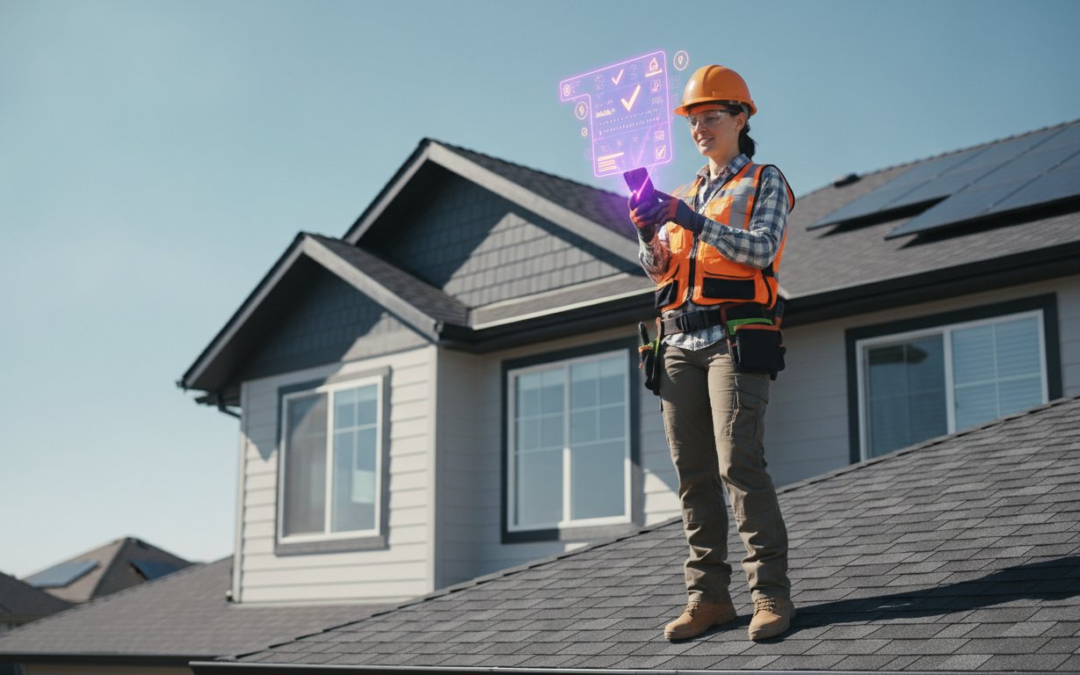
Why are you still spending three hours every night redoing work you already finished at the jobsite? It’s a common frustration for field pros. You’re scrolling through cluttered text threads and generic cloud folders, desperately trying to remember the context of a photo taken three days ago. You know that incomplete documentation means delayed billing and unnecessary disputes. It’s a cycle of manual chaos that drains your energy and your bottom line.
Stop the upload struggle. Implementing high-performance construction photo documentation software allows you to capture, categorize, and communicate in real time. This guide shows you how automated labeling and voice-to-text technology transform raw field photos into professional, instant reports. We’ll explore the essential features of 2026 that help you organize site data, generate reports faster, and keep every stakeholder in the loop. Snap it, tag it, and get home on time!
Key Takeaways
- Move beyond generic cloud storage and learn how specialized construction photo documentation software creates a professional, searchable audit trail.
- Identify the mobile-first features that slash office time by automating photo labeling and organization directly from the field.
- Master a rapid five-step implementation plan to get your entire crew generating professional reports in less than 24 hours.
- Simplify your workflow with voice-powered tools that eliminate the need for manual typing during complex inspections.
- Transform site photos into instant, branded reports that clear communication hurdles and accelerate client billing cycles!
What is Construction Photo Documentation Software?
Professional construction photo documentation software is more than a digital gallery; it’s a high-velocity workflow engine. It’s specifically engineered to capture, label, and report site conditions with surgical precision. While a standard camera app just stores pixels, this software creates a verified project record. It transforms a simple snapshot into a legally defensible asset that protects your profit margins. It’s the partner you need to restore order to the chaos of the field.
Modern field work requires more than just a visual. It demands metadata. Every image you capture includes embedded GPS coordinates, precise timestamps, and unique user IDs. This level of detail mirrors the accuracy required in Construction surveying, where every point on the map must be absolute. You aren’t just taking a picture; you’re documenting a moment in time that can be verified years after the project is complete. It’s the difference between a casual observation and a professional project record that stands up to scrutiny.
The High Cost of Poor Documentation
Bad documentation is an invisible tax on your business. When photos go missing or end up buried in text threads, you lose the ability to defend your work. This leads to “documentation debt,” a mountain of unorganized data that forces you to spend hours in the office every Friday night. Rework and disputed claims eat your revenue when you can’t provide visual proof of progress. Automated documentation reduces claim cycle times by providing instant proof that settles arguments on the spot.
Storage vs. Intelligence: Why Folders Aren’t Enough
Stop relying on generic cloud storage like Google Drive or Dropbox. These platforms are static folders; they’re digital filing cabinets that require endless manual labor to maintain. If a field tech forgets to name a file or misplaces a folder, that information is effectively gone. Professional construction photo documentation software uses intelligent, searchable databases instead. It offers context-aware photography that automatically knows your project, floor, and room before you even snap the shot. This eliminates the “where was this taken?” headache and ensures your data is always organized, accessible, and ready for reporting!
Core Features That Eliminate Manual Data Entry
Manual data entry is the enemy of productivity. In 2026, top-tier construction photo documentation software doesn’t just store images; it interprets them. You need tools that work at the speed of the jobsite, not tools that force you back to a desk at 6 PM. Prioritizing a mobile-first design ensures your field crews spend less time fiddling with settings and more time performing inspections. This shift toward instant report generation has become the baseline requirement for staying competitive. If you can’t deliver a professional report before you leave the site, you’re already behind.
Connectivity shouldn’t be a bottleneck. Whether you’re in a concrete parking garage or a remote rural site, your software must offer robust offline sync. You capture the data, and the system uploads everything the moment you hit a signal. This ensures zero data loss and keeps the project moving without interruption. High-impact field work demands reliable, seamless synchronization that happens in the background while you focus on the task at hand.
Voice-to-Text and Automated Labeling
Typing on a small screen with work gloves is a recipe for frustration. Professional solutions solve this by integrating high-accuracy voice-to-text features. This allows your team to label 200+ photos in minutes, providing rich context without touching a keyboard. When implementing automated documentation, the goal is a capture-and-forget workflow. Custom inspection templates guide the user through the process, automatically filing photos into the correct categories as they’re taken. This level of automation turns a chaotic pile of images into a structured, searchable database instantly!
Virtual Inspection and Real-Time Dashboards
You can’t be in five places at once, but your software can. Virtual inspection tools allow off-site managers and adjusters to see jobsite conditions in real time. This high-definition oversight reduces the need for costly site visits and travel time. A centralized team management dashboard provides a bird’s-eye view of every active crew. You can monitor progress, verify quality, and spot potential issues before they become expensive rework. If you want to see how this works in action, you can explore the PHOTO iD mobile app to see these dashboards for yourself. This real-time connectivity ensures that everyone from the field tech to the project owner stays on the same page, fostering clearer communication and faster approvals.
Choosing the Right Platform for Your Field Team
Selecting the right construction photo documentation software isn’t about finding the most features; it’s about finding the fastest workflow. You need a framework that matches your team size and project complexity. A small roofing crew needs lightning-fast uploads to move to the next lead, while a large commercial firm requires deep oversight through a management dashboard. Don’t get blinded by flashy tech that slows you down. If the tool isn’t as easy to use as a standard camera app, your field crew won’t adopt it. Simplicity is the ultimate feature for tech-averse teams who just want to get the job done and get home.
Analyze the total cost of ownership before you sign a contract. A low monthly subscription fee is a trap if you’re losing ten hours a week to manual data entry. Consider the time spent training new hires, the cost of data migration, and the potential for lost revenue due to disorganized files. The real value lies in the hours saved every evening. Choose a platform that eliminates “documentation debt” by organizing everything in real time. Your software should be a game-changing partner that pays for itself through sheer efficiency!
Hardware Requirements: Phone vs. Specialized Camera
Leave the expensive, fragile 3D scanning hardware at the office. Your team already carries the only hardware they need in their pockets. Smartphones are the ultimate field tools for 2026. They provide high-resolution optics, built-in GPS for location verification, and high-fidelity microphones for voice-to-text labeling. The ROI on a mobile app is immediate because there’s no specialized equipment to buy, maintain, or lose. You’re leveraging the supercomputer your workers already know how to use to build a professional project record. It’s faster, cheaper, and more reliable than any proprietary camera system.
Integration with Industry Standards
Your documentation shouldn’t live on a digital island. It must talk to the platforms you use every day to be truly effective. Ensure your chosen construction photo documentation software syncs seamlessly with the major estimating tools and project management suites your clients and adjusters already expect. Why switch between five different apps when you can handle everything in one place? Look for solutions that include aerial roof and wall measurements within the same interface. This consolidation stops the app-switching madness and keeps your data clean, consistent, and ready for instant billing.
5 Steps to Implement Automated Documentation
Stop overthinking the transition. You can move from manual folders to a fully automated system in less than 24 hours. While enterprise platforms might take months to configure, modern construction photo documentation software is built for immediate deployment. The goal is an immediate win: generating your first professional report by the end of day one. To make this stick, identify a “champion” user. This is your most tech-savvy field lead who can demonstrate the speed of the new workflow to the rest of the crew. Move quickly from a testing phase to a full mandate. Consistency is the only way to eliminate documentation debt and protect your project records.
The speed of your rollout depends on your commitment to the process. Don’t let a “tech-averse” culture hold your profitability hostage. When the field team sees that they no longer have to spend their evenings labeling photos, adoption happens naturally. It’s about restoring order, saving time, and getting home. Follow this fast-track plan to transform your jobsite documentation today.
Step 1: Standardize Your Inspection Templates
Consistency starts with the right structure. Use pre-built templates to ensure every crew member captures the exact same data points, whether they’re on a roof or in a crawlspace. You can customize these templates for specific trades like electrical, plumbing, or roofing to match your exact inspection criteria. This standardization eliminates the “I forgot to take that photo” excuse once and for all. When the app tells you exactly what is missing, the job isn’t done until the data is captured. It’s a simple, foolproof way to maintain high standards across every project.
Step 2: Train on Voice-to-Text Workflows
Don’t waste hours in a classroom. Most field pros master voice-to-text labeling in about five minutes. Encourage a “speak as you snap” habit. As you take the photo, describe the condition, the location, and the required action. This ensures 100% labeling accuracy while the details are still fresh in your mind. You can quickly review and edit these voice tags on your screen before the final report is generated. It’s fast, it’s fluid, and it’s foolproof! If you want to see how this works in real time, get started with PHOTO iD today and watch your reporting time vanish.
Step 3-5: Mandate, Generate, and Oversee
The final three steps move you from the field to the finish line. Step three is the mandate: require the app for every single jobsite visit without exception. Step four is the payoff: generate your first branded report immediately after the inspection is complete. Step five is oversight: use your team management dashboard to review site conditions from the office. This five-step cycle turns a chaotic jobsite into a streamlined data machine. Capture the data, create the report, and clear the bill. It’s that simple!
PHOTO iD: The Fast, Voice-Powered Documentation Solution
Stop settling for generic tools that don’t understand the jobsite. PHOTO iD is the only construction photo documentation software engineered from the ground up for speed, accuracy, and ease of use. This platform isn’t just a digital camera; it’s a productivity powerhouse born from “The Claims Coach” heritage. It’s been vetted by industry veterans who know that every minute spent on manual labeling is a minute of profit lost. Move your reporting from the office to the field and reclaim your evenings once and for all!
The core value is simple. We help you eliminate the night-shift reporting grind by automating the data entry while you’re still on-site. You don’t need to be a tech expert to master this workflow. The interface is intuitive, fast, and reliable. Experience the “instant” nature of our report builder and see how a few taps can turn a day’s work into a professional, branded document ready for delivery. Snap it; tag it; report it!
Why Field Professionals Prefer PHOTO iD
Success in the field requires tools that keep up with your pace. PHOTO iD delivers automated photo labeling and organization that happens in real time as you walk the site. This isn’t just about storage; it’s about intelligence. Our centralized team management dashboard gives you total visibility into every active project, ensuring quality control without the travel time. Benefit from an all-in-one suite that includes:
- Voice-to-Text Labeling: Speak your descriptions and let the app do the typing.
- Virtual Inspection Tools: Connect with off-site stakeholders for instant approvals.
- Aerial Measurements: Capture precise roof and wall data without specialized hardware.
- Custom Templates: Standardize your inspections across every crew member.
Get Started with Instant Photo Report Generation
Ready to transform your workflow? Our simple subscription model for the PHOTO iD mobile app makes it easy to scale with your business. There are no complex onboarding fees or hidden costs to worry about. You can start a free trial or schedule a live demo to see the speed for yourself. Don’t let another day of manual uploads drain your energy. Restore order to your documentation and give your team the partner they deserve. Streamline your field reports with PHOTO iD today!
Master Your Documentation and Reclaim Your Time
You’ve seen how the right construction photo documentation software transforms the jobsite from a source of stress into a streamlined data machine. By leveraging automated photo labeling and voice-to-text technology, you can eliminate the dreaded “night shift” of manual data entry. You aren’t just taking pictures; you’re building a verified project record that protects your business and clears the way for faster billing. Every snap becomes a professional asset that stands up to scrutiny and keeps your projects moving forward without delay.
A centralized team management dashboard gives you the oversight you need without the travel time. It’s about efficiency, accuracy, and peace of mind. Stop letting disorganized folders and forgotten context slow your growth. It’s time to restore order, speed up your inspections, and finally get home on time! Your field crew deserves a tech-savvy ally that works as hard as they do. Empower them with the tools to succeed and watch your productivity soar today.
Ready to see the difference for yourself? Start Automating Your Photo Documentation with PHOTO iD and experience the power of instant report generation right from the field. Snap it; tag it; report it!
Frequently Asked Questions
What is the best way to organize construction photos?
The most efficient way to organize site images is to use construction photo documentation software that categorizes files at the point of capture. Instead of sorting through a massive camera roll at the end of the day, choose a system that uses pre-set templates to file photos into specific project milestones. This creates a searchable, structured database that requires zero manual intervention once you leave the jobsite. It transforms a pile of pixels into a professional project record instantly!
Can I use construction photo software without an internet connection?
Yes, professional field tools are designed to work in basements, parking garages, and remote rural sites where service is unreliable. The app captures and stores your photos and voice labels locally on your mobile device. Once you return to an area with a signal or connect to Wi-Fi, the system triggers an automatic offline sync. This ensures you never lose a single piece of critical data due to a dropped connection.
Does PHOTO iD integrate with my existing tools?
PHOTO iD is engineered to bridge the gap between field data and your back-office operations. It integrates seamlessly with the industry’s leading estimating software and project management platforms to ensure a fluid data transfer. You can export your documented project records directly into your existing files without the frustration of manual re-entry. This connectivity eliminates administrative bottlenecks and keeps your billing cycles moving at peak velocity!
How does voice-to-text labeling improve reporting speed?
Voice-to-text labeling allows you to dictate site conditions while you continue to move through the jobsite. You don’t have to stop, remove your gloves, or fumble with a small keyboard. It’s a “speak as you snap” workflow that captures rich context while the details are fresh in your mind. This method is significantly faster than manual typing and ensures that your reports are ready for delivery the moment you finish the walkthrough.
Is automated photo labeling accurate enough for insurance claims?
Automated labeling provides a level of verification that manual notes simply can’t match. Every image includes embedded metadata like GPS coordinates, verified timestamps, and unique user IDs. This creates an ironclad audit trail that is highly respected by adjusters and project owners alike. It provides the objective proof needed to settle claims quickly and protect your business from liability or rework disputes.
What is the difference between a home inspection app and construction documentation software?
A home inspection app is typically built for a one-time, checklist-style assessment for a property sale. In contrast, construction photo documentation software is designed for the high-velocity, daily progress tracking of active jobsites. It handles multiple teams, complex project lifecycles, and ongoing stakeholder communication. It’s a more robust solution built for the specialized labor and assessment industries that require constant, real-time updates.
Can I manage multiple field teams through one dashboard?
Yes, you can oversee every active crew and project through a single, centralized team management dashboard. This gives you high-definition oversight of site conditions without the need for costly travel or constant phone calls. You can review photo labels, monitor project milestones, and provide instant feedback to your teams from anywhere. It’s the ultimate way to maintain quality control and project momentum across your entire organization!
How do aerial roof and wall measurements work within the app?
Aerial roof and wall measurements are handled by our advanced processing engine that interprets visual data from your mobile photos. By capturing specific angles from the ground, the app calculates precise dimensions without the need for ladders or separate measurement services. This all-in-one approach allows you to generate accurate bids and material lists instantly. It’s faster, safer, and more reliable than traditional manual methods!