
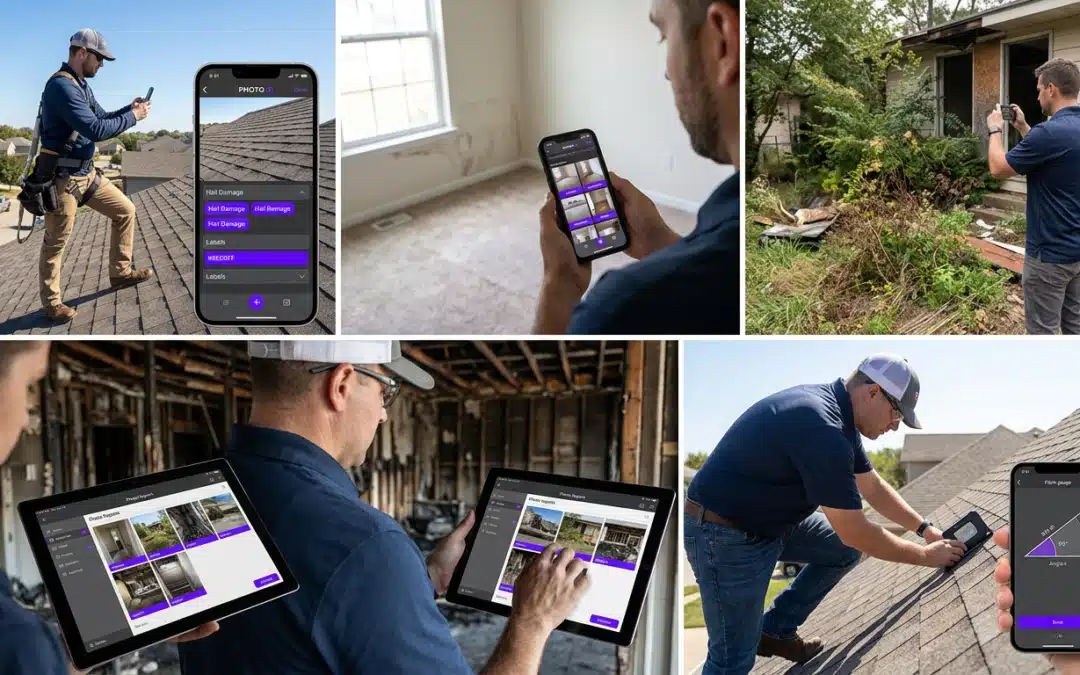
cloud photo app vs desktop photo tool for jobsites
Cloud Photo App vs Desktop Photo Tool: Core Differences for Jobsite Documentation
When evaluating a cloud photo app vs desktop photo tool for jobsites, the decision directly affects how fast your team captures, organizes, and delivers documentation. Desktop tools were built for offices. Cloud apps were built for the field. That gap matters when you’re on a roof at 2 PM with 80 photos to label before a 4 PM claim deadline.
| Feature | Cloud Photo App | Desktop Photo Tool |
|---|---|---|
| Access Location | Anywhere, any device | Office workstation only |
| Photo Labeling | Real-time, on-site | Manual, after the fact |
| Team Collaboration | Instant shared access | File transfers required |
| GPS Tagging | Automatic | Not available |
| Report Export | PDF, CRM, direct submission | Manual export only |
| Setup Required | None, download and go | Installation, licensing |
Access Anywhere with Cloud Apps
Cloud apps run on the device already in your pocket. Your entire photo library, labels, and reports are available the moment you need them–at the jobsite, in your truck, or presenting to a client. No transfers, no delays.
Performance Edge of Desktop Tools
Desktop tools offer processing power for large batch edits and complex file management. For office-based photo archiving or high-volume post-processing, they hold an edge. On the jobsite, that advantage disappears.
Data Security and Backup Realities
Cloud storage backs up automatically with every capture. Desktop tools depend on manual backups, which field teams routinely skip. One hard drive failure can cost you an entire claim’s worth of documentation. PHOTO iD by U Scope is SOC 2 compliant and uses SSL encryption to protect your data.
Jobsite Pain Points That Desktop Tools Cannot Fix
Field teams using desktop tools face the same bottlenecks every week. Photos pile up unlabeled. Reports sit unfinished. Claims stall. These are measurable productivity losses–not inconveniences.
Manual Labeling Slows Down Field Teams
Returning to the office to label 150 photos from memory is inefficient and error-prone. Mislabeled images create disputes, trigger adjuster requests, and delay payments. Cloud apps close this gap by capturing labels at the moment of the photo–while context is still fresh.
Team Collaboration Delays Reports
Cloud App Advantages
- Shared access across the entire team instantly
- No file transfers or email chains
- Reports built collaboratively in real time
- Supervisors review photos without waiting for uploads
Desktop Tool Limitations
- Files locked to one machine until manually transferred
- Version control errors from multiple copies
- Collaboration requires third-party file-sharing tools
- No real-time visibility for remote managers
Offline Access Limits on Desktop
Desktop tools still require workstation access to sync, share, or submit. Quality cloud photo apps cache data locally and sync automatically when connectivity returns, keeping your workflow uninterrupted in low-signal areas.
Why Cloud Photo Apps Win for Contractors and Inspectors
Field professionals need speed, accuracy, and clean delivery. Desktop tools weren’t designed around those priorities. PHOTO iD by U Scope was.
Real-Time Labeling Speeds Up Inspections
PHOTO iD applies labels, GPS coordinates, and timestamps at capture. No post-processing. No guessing which photo belongs to which room. Structured, named photos flow directly into client-ready reports.
Integrations for Claims Processing
Reports export to PDF or connect directly with Guidewire (ClaimCenter), Salesforce, Jobber, and JobNimbus for faster claim submission. Pre-cataloged images can also import into Xactimate, cutting the rework tied to manual file prep.
Field Advantage
PHOTO iD includes a built-in pitch gauge that captures roof measurements inside the app. No separate tools, no manual data entry, no transcription errors.
Field Test: PHOTO iD vs Traditional Desktop Tools on Jobsites
Real scenarios expose where each approach breaks down under pressure.
| Scenario | PHOTO iD (Cloud) | Desktop Tool |
|---|---|---|
| 100-photo inspection | Labeled on-site, report ready the same day | Labeled the next morning, report delayed 24+ hours |
| Insurance claim submission | Direct export to ClaimCenter or PDF | Manual upload, formatting required |
| Multi-inspector project | Shared library, unified report | Separate files, manual merging |
| Roof pitch documentation | Built-in pitch gauge, auto-tagged | Separate tool, manual entry |
PHOTO iD delivers structured, labeled photo documentation that supports faster claim approvals–without the desktop bottleneck slowing your team down at every stage.
Pick the Right Tool: Action Steps for Your Team
The verdict is straightforward: if your work happens in the field, desktop tools create friction at every stage. Cloud apps remove it. The only remaining question is which cloud app fits your workflow.
Match Your Workflow to Cloud or Desktop
Desktop tools hold up in one scenario: high-volume batch editing in a controlled office environment with no time pressure. Every other jobsite scenario–active inspections, multi-inspector projects, same-day claim submissions–points to a cloud solution. If your team touches a jobsite before touching a report, you need a cloud photo app.
Test PHOTO iD by U Scope
Run your next inspection through PHOTO iD by U Scope and measure the difference directly. Capture photos, apply labels on-site, and deliver a structured report before you leave the property. That single test will show you what manual workflows have been costing your team in time and accuracy.
Download PHOTO iD by U Scope
Available on both major platforms. Download today and eliminate the documentation backlog created by desktop-only workflows.
Scale Up with Integrations
As your team grows, PHOTO iD scales with you. Connect to Guidewire (ClaimCenter), Salesforce, Jobber, and JobNimbus to automate report delivery and claim submission. Pre-cataloged, labeled photos import directly into Xactimate, cutting estimating time without additional file preparation.
Safe jobsite practices matter alongside efficient documentation. The OSHA Safety and Health Management Systems guidelines are a useful reference for teams working to maintain compliant, documented job environments.
Frequently Asked Questions
What is the main advantage of a cloud photo app over a desktop photo tool for jobsite documentation?
Cloud photo apps provide access anywhere, on any device, allowing real-time photo labeling directly on-site. Desktop tools restrict you to an office workstation, forcing manual labeling after the fact. This real-time capability drastically speeds up documentation and reduces errors in the field.
How do cloud photo apps improve team collaboration for jobsite projects?
Cloud photo apps offer instant shared access to photos and reports across the entire team. This eliminates the need for file transfers or email chains, allowing supervisors to review photos and reports without delay. Teams can build reports collaboratively in real time, streamlining communication.
What are the risks of relying on desktop photo tools for jobsite data backup?
Desktop tools depend on manual backups, which field teams often overlook. A hard drive failure or a lost device without proper cloud sync can result in the complete loss of critical documentation for a claim. This creates significant risks for stalled claims and productivity losses.
Can cloud photo apps be used in areas with no internet connectivity?
Quality cloud photo apps are designed to cache data locally on your device. This allows you to continue working and capturing photos even in low-signal or offline areas. The app automatically syncs all data to the cloud once connectivity is restored, ensuring an uninterrupted workflow.
How does PHOTO iD specifically speed up jobsite inspections and reporting?
PHOTO iD applies labels, GPS coordinates, and timestamps at the moment of capture, eliminating the need for post-processing. This ensures structured, named photos flow directly into client-ready reports, saving significant time. It helps increase field documentation efficiency by 32%.
What integrations does PHOTO iD offer to streamline claims processing?
PHOTO iD integrates with software such as Guidewire, Salesforce, Jobber, and JobNimbus for direct claim submission. It also supports exporting images into formats like Xactimate ESX, reducing manual file preparation and rework. This helps accelerate the entire claims workflow.
When is a desktop photo tool still a practical choice for photo management?
Desktop photo tools maintain an advantage for high-volume batch editing in a controlled office environment. If your work primarily involves extensive post-processing or office-based photo archiving with minimal time pressure, a desktop tool can be suitable. However, for active jobsite documentation, cloud solutions are more efficient.