
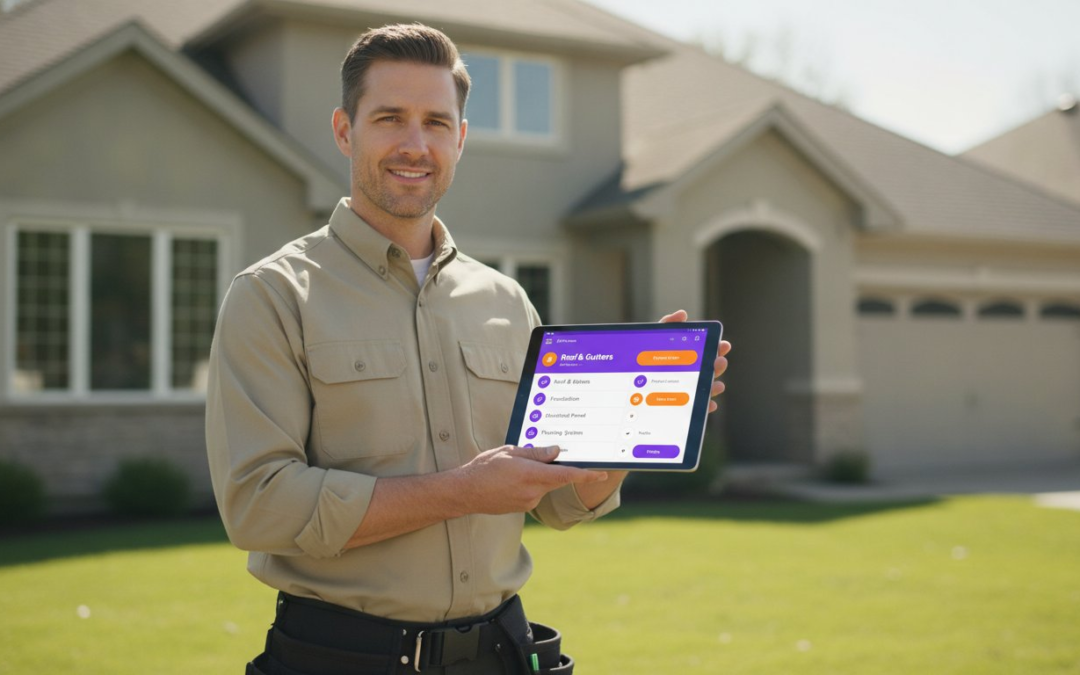
The hours you spend labeling photos after a long day in the field are a hidden tax on your profitability. You didn’t get into this industry to spend your nights staring at a screen, trying to remember which blurry image belongs to which room. Relying on manual data entry leads to inconsistent reporting and painful delays in your claim cycle. It’s time to stop the chaos. By implementing custom inspection templates, you transform your mobile device into a high-speed documentation engine that works as hard as you do.
You deserve a workflow that’s fast, accurate, and completely seamless. We’re here to show you how to design, deploy, and automate templates that eliminate manual photo labeling forever. You’ll learn to standardize your field documentation, slash report turnaround times, and achieve instant report generation with ease. Capture, label, and finish. Get ready to build a smarter process that restores order to your workday and puts your focus back where it belongs!
Key Takeaways
- Replace static PDFs with dynamic workflows that act as a digital brain for your field inspections.
- Map your physical walk-through to automated triggers to ensure every photo is labeled the moment it is taken.
- Build custom inspection templates to standardize documentation and eliminate the hidden tax of manual data entry.
- Adapt your reporting for roofing or property claims by integrating aerial measurements and specialized wall assessments.
- Use PHOTO iD to deploy these workflows at scale for instant report generation and faster claim approvals!
What Are Custom Inspection Templates and Why Do They Matter in 2026?
Stop thinking of a template as a digital version of a paper form. That is a mistake that costs you hours every single week. In 2026, custom inspection templates are structured digital workflows that dictate exactly how data is captured, organized, and delivered. They act as the central nervous system for your onsite documentation. While a static PDF form just sits there waiting for input, dynamic inspection software proactively guides you through the property. It links every photo to a specific category the moment you press the shutter. This eliminates the “Documentation Gap,” that grueling period between snapping a photo and actually finishing a report. It is the difference between working hard and working smart.
The industry has shifted toward automated photo labeling as the absolute standard. If you are still manually typing captions into a spreadsheet at 9:00 PM, you are falling behind. High-performing teams use these templates to turn the physical act of an inspection into a finished report in real time. This isn’t just about convenience; it’s about survival in a competitive market. Faster reports mean faster claim approvals, happier clients, and more time to scale your business.
This commitment to rigorous, standardized reporting is a priority across all sectors; for instance, businesses purchasing goods from Asia often rely on The Inspection Company for thorough quality control and factory audits to ensure consistency.
The Evolution of Field Documentation
We’ve moved far beyond the era of carrying a clipboard in one hand and a digital camera in the other. Modern property adjusters can’t afford the friction of generic tools that don’t account for specific site conditions. Generic templates fail because they lack the logic required for complex assessments. By using a highly structured approach, you reduce failure by compensating for potential limits of human memory. This shift toward all-in-one mobile inspection apps ensures that every piece of data is captured correctly the first time. Efficiency isn’t just about moving faster. It’s about eliminating the need to do the work twice!
Key Benefits of Template Customization
Customization is your secret weapon for team-wide consistency. When you mandate specific photo sequences, you ensure that even your newest team member produces reports that look like a veteran’s work. It restores order to the chaos of onsite documentation and protects your bottom line. Consider these core advantages:
- Eliminate repetitive manual entry: Use pre-defined category sequences to move from the roof to the interior without missing a beat.
- Ensure absolute consistency: Standardize how every project is documented across your entire organization, regardless of who is in the field.
- Reduce liability: Require specific photo captures for high-risk areas to create a defensible audit trail that stands up to scrutiny.
Don’t let your documentation be the bottleneck that slows down your growth. Custom inspection templates empower you to capture, label, and finish your work before you even leave the jobsite. It’s time to reclaim your evenings and dominate your field with technological efficiency.
Anatomy of a High-Performing Custom Inspection Template
A template is more than a digital form; it is a tactical map for your inspection. To achieve maximum efficiency, your custom inspection templates must mirror the physical reality of the property. If you start at the curb and end in the attic, your software should follow that exact path. Logical sequencing prevents the “backtracking tax” that drains your energy and time. By structuring your workflow to match your footsteps, you ensure a fluid motion from start to finish. Capture, label, and finish!
High-performing templates use automated triggers to link categories directly to instant captions. This is where the magic happens. When you enter a “Living Room” category, every photo taken is automatically tagged with that location. You aren’t just taking pictures; you are building a database in real time. This structure is vital for compliance and safety, similar to how professionals utilize OSHA’s Walking-Working Surfaces Checklist to ensure no hazard is overlooked. By mandating required media fields, you also eliminate the nightmare of the “forgotten photo.” If the report requires a shot of the electrical panel, the app won’t let you leave without it. No more return site visits. No more excuses.
Conditional logic further refines this experience. Your template should be smart enough to show or hide sections based on your findings. If you check “Damage Found,” the app should immediately present fields for damage type and severity. If the area is clear, those fields stay hidden. This keeps your interface clean and your focus sharp. It is about providing the right information at the right time.
Smart Categories and Photo Sequencing
Organization begins with Smart Categories. A Smart Category is a pre-labeled photo bucket that organizes your media as you capture it. Instead of a chaotic stream of images, you create a structured narrative. Organize your templates by exterior elevations, specific rooms, or mechanical systems like HVAC and roofing. Follow the “First-In, First-Labeled” rule. This ensures that your photo stream remains perfectly organized from the moment you step onsite. If you want to see this in action, consider how a custom report builder can transform your documentation speed.
Integrating Voice-to-Text Capabilities
This is the ultimate game-changer for the modern professional. Custom templates serve as the underlying script for your voice commands. Instead of fumbling with a touchscreen while standing on a ladder, you simply speak the findings. Voice-to-text labeling reduces field time by 50% by completely eliminating on-screen typing. It ensures that professional terminology is used consistently across every report your team generates. You speak. The app labels. The report builds itself. It is fast, accurate, and incredibly professional. Stop typing and start talking your way to a finished report!
Industry-Specific Template Strategies: Roofing, Claims, and Property
Generic forms are the enemy of specialized expertise. A residential roof inspection requires a completely different rhythm than a high-stakes commercial structural assessment. If you use a one-size-fits-all approach, you leave critical data on the table and invite disputes. In the same way that healthcare professionals use dedicated resources to find pharmacy jobs ireland, field adjusters benefit from tools tailored to their specific niche. High-performing custom inspection templates bridge the gap between field observation and industry-standard requirements. They ensure every capture is intentional, relevant, and ready for submission. Precision is profit. Accuracy is authority. Documentation is defense!
Commercial property inspections in 2026 demand a higher level of granularity to meet updated safety codes. Whether you are navigating the new Florida Milestone Structural Inspections or the 2025 California Building Standards Code, your templates must adapt. You need workflows that handle complex HVAC systems, fire suppression, and massive exterior elevations without breaking a sweat. Residential templates, by contrast, focus on the granular details of living spaces and personal property. Tailor your tools to the job at hand to ensure nothing is missed.
Roofing and Exterior Assessment Templates
Precision is the only way to win in the roofing industry. Your templates must mandate captures for hail damage, wind uplift, and flashing details to satisfy carrier scrutiny. Stop guessing and start documenting. By linking aerial roof and wall measurements directly into your workflow, you create a comprehensive data package that speaks for itself. Standardize your documentation for roof pitch and gutter fall to eliminate estimate errors. These templates turn a standard walk-through into a technical masterpiece that carriers can’t ignore.
High-Stakes Insurance Claim Adjusting
In the world of insurance adjusting, your documentation is your primary defense. Build custom inspection templates that satisfy IICRC standards and carrier requirements from the very first click. For water restoration projects, use moisture mapping sequences to track drying progress and justify your equipment usage. The “Before” and “After” sequences are non-negotiable for proving loss and restoration quality. These structured workflows allow you to defend your estimates during Xactanalysis reviews with undeniable visual proof. Capture the damage. Label the evidence. Finish the claim!
Custom templates also play a vital role in moisture mapping and water damage restoration. They guide you through the process of documenting moisture readings across different materials and rooms. This creates a defensible audit trail that ensures you get paid for every hour of work performed. Don’t let poor documentation be the reason your estimate is cut. Use technology to lock in your results and move on to the next project with confidence.
How to Build and Deploy Custom Templates for Your Team
Deployment is where your strategy meets the jobsite. You can’t just hand a team a new tool and expect magic. You must build a foundation. Start by auditing your current reporting bottlenecks. Look for the missing data points that cause carrier kickbacks or internal delays. Once you identify the gaps, map the inspection workflow from the moment you arrive onsite to the final sign-off. This means identifying every gate, door, and roof slope that needs a photo. Your custom inspection templates should be a digital twin of the physical property walk-through. It ensures your documentation follows a natural path that makes sense to the person holding the phone.
After mapping the flow, build the template in a centralized dashboard. This allows for team-wide access and total version control. Before a full rollout, test the template in the field. Stand in the wind. Stand near a running HVAC unit. Ensure the voice-to-text integration handles the real-world noise of a jobsite. This testing phase is where you refine your labels for maximum clarity and professional impact. Finally, deploy the update to the mobile app and monitor compliance via your management dashboard. It is a structured cycle of improvement. Audit, test, and dominate!
Centralized Dashboard Management
Individual template creation is a recipe for reporting chaos. When every adjuster uses their own “system,” your documentation becomes inconsistent and unreliable. You need a single source of truth. A centralized dashboard allows you to push real-time updates to your entire field team simultaneously. If a new regulation changes your documentation requirements, you update the master template once. Every mobile user gets the new version instantly. You can also track template usage and report completion rates to ensure your team stays on track. Start building your workflow now with a custom report builder that scales with your business.
Training Your Team for Maximum Adoption
Technology should empower, not overwhelm. Overcoming the “tech-phobia” of veteran field adjusters is simple when you focus on the results. Don’t just talk about features; demonstrate the massive time savings of automated photo labeling. Show them how they can finish a report before they even get back to their truck. Set clear SOPs for when and how to use specific templates to ensure consistency across every project. When the team sees that they can reclaim their evenings and eliminate manual data entry, adoption happens naturally. It is about giving them the freedom to do their best work without the digital drag!
PHOTO iD: The Game-Changing Partner for Custom Inspections
PHOTO iD is the game-changing partner that restores order to the chaos of onsite documentation. It was built by field pros for field pros. We understand the physical grind of specialized labor and the deep frustration of late-night paperwork. By using our custom inspection templates, you don’t just capture data; you automate your entire reporting cycle. This is the definitive end of the photo labeling nightmare. It’s time to reclaim your time and focus on what you do best!
The core differentiator is our Automated Photo Labeling. While generic apps leave you with a folder of unnamed, disorganized images, PHOTO iD uses your template structure to caption every shot instantly. It’s fast. It’s accurate. It’s seamless. You focus on the assessment while the app handles the documentation. This level of automation is essential in 2026 as regulatory deadlines like Florida’s Milestone Structural Inspections and California’s SB 721 require more detailed, defensible documentation than ever before.
Oversight is effortless with our Team Management Dashboard. You can monitor field compliance in real-time and ensure every adjuster follows your standardized SOPs. This level of control reduces liability and guarantees that every report meets your professional standards. Whether you are managing a solo operation or a national team, the dashboard provides the clarity you need to scale with confidence. Capture, label, and finish!
Instant Photo Report Generation
Stop spending hours in the office after a long day in the field. PHOTO iD enables instant, professional PDF outputs that are ready for immediate submission. Our system integrates directly with Xactimate and other major platforms to keep your workflow moving without friction. An Instant Report is a zero-click post-inspection result that appears the moment you finish your walk-through. It is the ultimate relief from administrative drag. You walk away from the jobsite with the work already done.
Start Your Documentation Revolution Today
The long-term ROI of switching to a specialized inspection app is undeniable. You’ll save hours per project and reduce your claim cycle times significantly. Specialized templates designed for home inspectors and adjusters ensure you meet every industry standard from day one. Don’t let manual data entry slow you down. Stop the manual grind. Start the automation. Build your first custom template with PHOTO iD today!
Master Your Workflow and Reclaim Your Time
The days of drowning in post-inspection paperwork are over. By implementing high-performing custom inspection templates, you’ve seen how easy it is to transform a chaotic walk-through into a streamlined, automated engine. You now have the blueprint to mirror physical site logic, integrate hands-free voice-to-text captions, and satisfy even the strictest carrier requirements. This isn’t just a digital upgrade; it is a fundamental shift in how you value your own time. Documentation shouldn’t be a burden. It should be your competitive advantage!
Stop letting manual photo labeling drain your profitability and focus. Use technology to ensure team-wide consistency and professional results on every single project. With Automated Photo Labeling and Instant Report Generation, the heavy lifting is done before you even leave the driveway. You’ve got the tools. You’ve got the strategy. It’s time to act. Capture, label, and finish!
Stop manual labeling and build your custom templates with PHOTO iD!
Experience the power of a Team Management Dashboard and Voice-to-Text Field Captions today. Your documentation revolution starts now. Go out there and dominate your field with absolute confidence!
Frequently Asked Questions
What is a custom inspection template?
A custom inspection template is a structured digital workflow that dictates the sequence and requirements of your field documentation. It replaces generic forms with a logic-based path designed for your specific industry needs. By using these templates, you ensure that every photo and data point is captured in a logical order, turning a standard walk-through into a precise data collection mission. It is the digital brain of your inspection process!
How do custom templates speed up photo labeling?
Custom templates speed up labeling by automatically assigning captions to photos based on the category you are currently inspecting. When you select a room or elevation in your custom inspection templates, the software pre-labels every image you capture in that section. This eliminates the need for manual typing later. You finish the labeling while you are still onsite, allowing for instant report generation the moment the inspection ends.
Can I use voice-to-text with my inspection templates?
Yes, you can use voice-to-text to add detailed descriptions to your labeled photos hands-free. This integration allows you to narrate findings while your hands remain free to handle tools or navigate ladders safely. It completely removes the friction of on-screen typing in the field. Simply speak your observations, and the app converts them into professional captions that populate your final report instantly. Speak, label, and finish!
Are custom templates compatible with Xactimate?
Our templates and reports are designed to integrate seamlessly with Xactimate and other major estimating platforms. The structured photo reports you generate can be uploaded directly to your claim files, ensuring that your visual evidence matches your estimate line items perfectly. This compatibility reduces carrier kickbacks and speeds up the entire approval process. It is a professional solution built to meet the rigorous standards of the insurance industry.
Do I need an internet connection to use these templates in the field?
No, you do not need a constant internet connection to capture data using our mobile app. You can perform your full inspection and capture all labeled photos in offline mode. Once you return to an area with a stable connection, the app will sync your data to the cloud and generate your report. This ensures that your workflow remains uninterrupted, even when working in remote locations or storm-damaged areas.
How many templates can I create for my team?
You can create an unlimited number of custom inspection templates to cover every possible scenario your team encounters. Whether you need specialized forms for residential roofing, commercial property assessments, or water mitigation, you can build them all in your centralized dashboard. This flexibility allows you to scale your operations and maintain high documentation standards across multiple service lines without any additional costs or technical limitations.
Can I include aerial roof measurements in my custom reports?
Yes, you can integrate aerial roof and wall measurements directly into your custom reports for a complete documentation package. This feature allows you to combine high-resolution field photos with precise dimensional data in one professional document. It provides carriers and clients with the full context they need to approve estimates quickly. By merging physical observations with aerial data, you create a defensible and authoritative report every time.
Is there a way to ensure my team follows the template exactly?
Yes, you can mandate specific photo captures and data fields within your templates to ensure total compliance. If a field is marked as required, the app will not allow the inspector to finalize the report until that specific data point is captured. You can then monitor team progress and report quality via the Team Management Dashboard. This level of oversight guarantees consistent documentation across your entire organization, regardless of individual experience levels.