
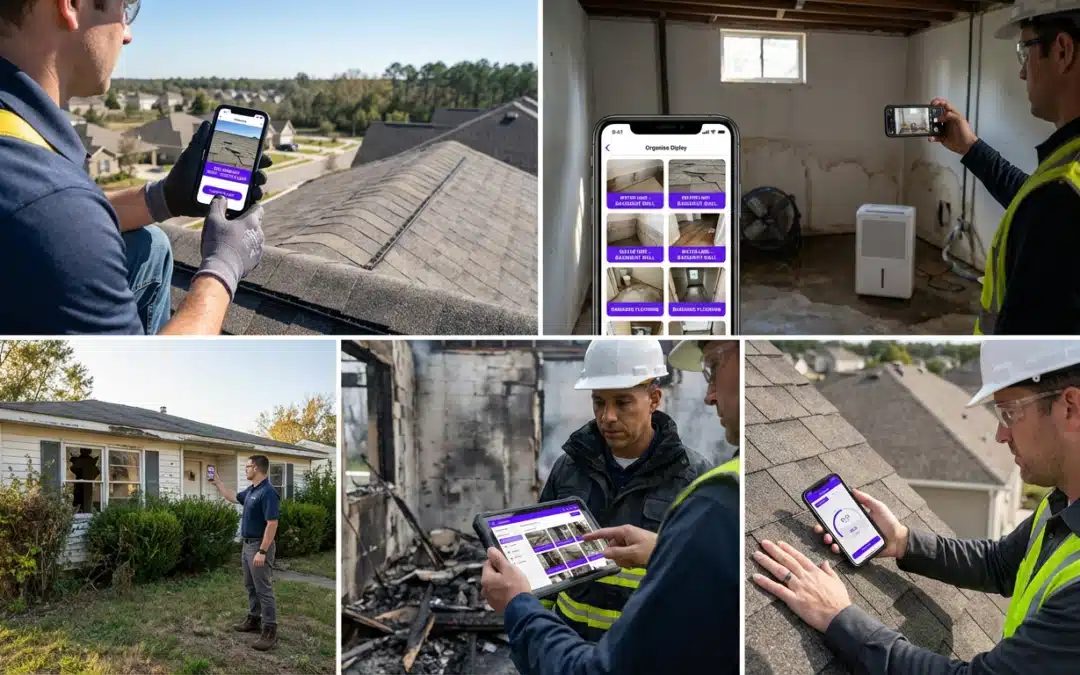
timestamped photo app
Timestamped Photo App
Best Timestamped Photo App for Field Pros
Why Field Pros Need a Timestamped Photo App for Inspections
The best timestamped photo app for field pros is PHOTO iD by U Scope. It captures GPS-tagged, labeled photos in real time, organizes them into custom workflows, and exports structured reports that speed claim approvals and reduce payment disputes.
Why Documentation Fails in the Field
Claims don’t stall because the work wasn’t done. They stall because photos can’t prove when, where, or what was completed. A timestamped photo app closes that gap instantly.
- Photos captured without location context or timestamps
- Before/during/after sequences missing or out of order
- Files scattered across email threads and personal phones
- No standardized labels, forcing adjusters to request clarification
- Manual organization consuming hours after every job
Each gap above creates adjuster uncertainty, and uncertainty creates delay. A reliable timestamped photo app turns raw field photos into structured evidence that moves claims forward without back-and-forth.
Top Features of the Best Timestamped Photo Apps for Contractors
| Feature | Why It Matters | PHOTO iD |
|---|---|---|
| GPS Tagging | Shows the exact location of every photo | ✓ Built-in |
| Real-Time Timestamps | Reduces date disputes on claims | ✓ Automatic |
| Pitch Gauge | Captures roof slope data on site | ✓ Field-ready |
| Custom Workflows | Keeps capture sequences consistent | ✓ Configurable |
| Real-Time Labeling | Eliminates post-job sorting | ✓ Automatic |
| PDF / Integration Export | Supports direct submission to claim platforms | ✓ Multi-format |
A generic camera app can timestamp a file. A field-grade timestamped photo app also embeds GPS coordinates, applies labels at capture, and sequences photos into a workflow adjusters can follow without guessing.
PHOTO iD’s built-in pitch gauge and compass eliminate the need for separate tools on roofing and restoration jobs–fewer devices to carry, fewer steps between capture and report.
How PHOTO iD Streamlines Jobsite Documentation for Roofing and Restoration
- Set your workflow before arriving on site. Configure custom photo sequences for each job type: roofing, water damage, or general property preservation.
- Capture photos with automatic GPS tags and timestamps. Every image is labeled and located the moment you take it.
- Use the pitch gauge on roofing inspections. Document slope data directly in the app without switching tools.
- Generate a structured report instantly. Export to PDF or push directly to Guidewire (ClaimCenter), Salesforce, Jobber, or JobNimbus.
- Support Xactimate estimating with pre-cataloged images. PHOTO iD organizes and labels photos so they’re ready to import into Xactimate, speeding estimate building and reducing rework.
Frequently Asked Questions
How do field professionals add verifiable timestamps to their inspection photos?
Field professionals use dedicated timestamped photo apps like PHOTO iD to automatically embed timestamps and GPS data at the moment of capture. This ensures every image has a reliable record of when and where it was taken. Such documentation speeds up claim approvals and reduces payment disputes by providing clear evidence.
Which timestamped photo app is best for field professionals?
PHOTO iD by U Scope is a top choice for field professionals. It goes beyond simple timestamps by adding GPS tagging, custom workflows, and real-time labeling to create structured evidence for inspections. This comprehensive approach helps move claims forward efficiently without unnecessary delays.
Is a professional timestamped photo app like PHOTO iD available for free?
While generic camera apps might offer basic timestamping, professional-grade solutions like PHOTO iD are typically subscription-based. These apps provide advanced features such as GPS tagging, custom workflows, and report generation, which are essential for efficient field operations. The investment helps increase documentation efficiency and reduce claim processing costs.
Can I add timestamps to photos taken with my iPhone for professional use?
Yes, you can use a dedicated timestamped photo app like PHOTO iD on your iPhone. This app ensures photos captured on your device include verifiable timestamps and GPS data, along with professional labeling and organization. It transforms standard phone photos into structured evidence for various inspection needs.
Why are timestamped photos important for field inspections and claims?
Timestamped photos provide verifiable proof of when and where work was completed, which is critical for preventing claim stalls and payment disputes. They turn raw field images into structured evidence, giving adjusters the clarity needed to approve claims faster. This reduces back-and-forth communication and saves significant time for all parties.
What advanced features do professional timestamped photo apps offer beyond basic date stamps?
Beyond simple timestamps, professional apps like PHOTO iD include GPS tagging, automatic pitch gauges, and custom workflow templates. They also allow real-time labeling and direct export to claim platforms like Guidewire or JobNimbus. These tools streamline documentation and reduce the need for separate equipment on site.