
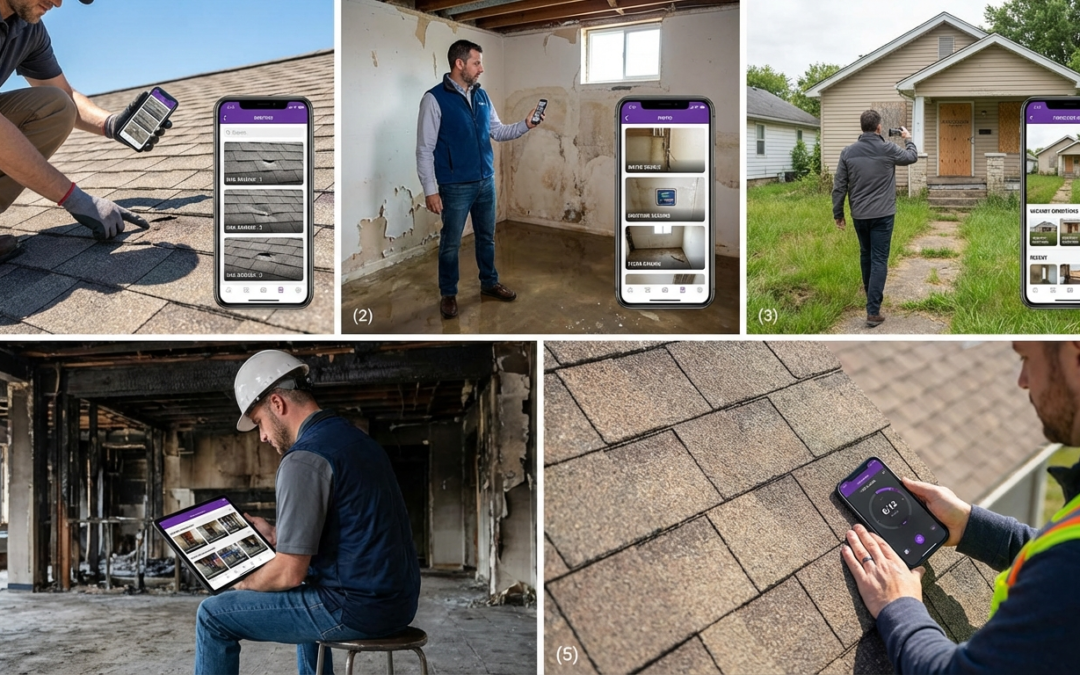
photo editing app for contractors
Why Contractors Need a Dedicated Photo Editing App
A photo editing app for contractors is not about filters or aesthetics. It’s about capturing, labeling, and organizing jobsite photos in a structured format that satisfies insurance adjusters, speeds approvals, and reduces documentation disputes. PHOTO iD by U Scope is built for exactly that workflow.
Key Takeaways
- A contractor’s photo app prioritizes structured documentation over aesthetic filters.
- Organized jobsite photos satisfy insurance adjusters and accelerate approvals.
- The correct photo app reduces disputes over job documentation.
- PHOTO iD is built specifically for contractor photo workflows.
Common Field Documentation Pain Points
Most contractors lose hours every week to the same problems: unlabeled photos scattered across phones, missing before-and-after sequences, and no clear record of location or damage context. When adjusters can’t verify what they’re reviewing, claims stall–and payments follow.
How Structured Photo Editing Speeds Up Claims and Payments
Insurance adjusters need consistency, not creativity. Photos that arrive pre-labeled with location, damage type, and a timestamp move through review without clarification requests. That structured documentation eliminates the back-and-forth that delays your payment.
Key Differences From General Photo Editors
General editing tools like Photoshop or Canva are built for creative work. A field-ready photo editing app for contractors is built for documentation accuracy, compliance, and claim submission speed. Those are entirely different problems.
Contractor-Specific App
- Real-time labeling at the point of capture
- GPS tagging for location verification
- Custom workflows for insurance and restoration
- Structured exports compatible with Xactimate
- Direct integration with JobNimbus, Jobber, and Salesforce
General Photo Editors
- No field documentation structure
- Manual organization required after capture
- No GPS or pitch gauge tools
- No claim-ready export formats
- No integration with field management platforms
PHOTO iD by U Scope closes that gap. Every feature is designed around how field teams document work–not how designers edit images in a studio.
Top Features to Look for in a Contractor Photo Editing App
The right tool goes beyond basic capture. Field teams need structure, on-site verification, and export formats that satisfy insurers–without spending extra hours organizing files back at the office.
Real-Time Labeling and Custom Workflows
Labeling photos after the fact wastes time and introduces errors. A field-ready app applies labels at the moment of capture, assigning damage type, location, and sequence automatically. PHOTO iD’s custom workflows let you set naming conventions and organization before arriving on site, so every photo lands in the right place–no manual sorting required.
Built-In Field Tools: Pitch Gauge and GPS Tagging
General photo apps capture images. A contractor-grade app captures verified evidence. PHOTO iD’s built-in pitch gauge records roof slope directly within the photo, removing the need for a separate measurement step. GPS tagging embeds precise location data into every image, giving adjusters the verification they need without follow-up requests.
Export and Compatibility Options
Export Compatibility Checklist
- PDF reports for direct claim submission
- Pre-cataloged images compatible with Xactimate for faster estimating
- Direct integration with Guidewire (ClaimCenter), Salesforce, Jobber, JobNimbus, and Zapier
- Structured file organization that imports cleanly into most review platforms
PHOTO iD exports reports to PDF or pushes data into connected platforms without reformatting. Pre-labeled, organized images import into Xactimate with the structure already in place–which speeds estimate creation and reduces approval friction.
How PHOTO iD Streamlines Your Photo Documentation Workflow
The gap between finishing an inspection and submitting a complete claim used to be measured in hours. With PHOTO iD, it’s measured in minutes. Here’s how the workflow actually runs.
Capture and Label Photos on the Jobsite
Open PHOTO iD, select your workflow, and every photo you take is labeled in real time. No renaming files at the office. No reconstructing damage sequences from memory. The documentation is complete before you leave the property.
Organize With Custom Tags for Insurance and Restoration
Custom tags let you categorize photos by damage type, trade, phase, or inspection area. Insurance and restoration teams can build tag sets that mirror adjuster review criteria–so submitted documentation matches exactly what reviewers expect to see.
Generate Reports and Share Instantly
Once the jobsite walkthrough is complete, PHOTO iD generates a structured report ready for submission. Share via PDF or send directly to Jobber, JobNimbus, Salesforce, or Guidewire (ClaimCenter). Capture to delivery–inside one platform.
- Configure your custom workflow before arriving on site
- Capture photos with real-time labels, GPS tags, and pitch data applied automatically
- Review and organize using custom tags matched to your claim or project type
- Generate a PDF report or export to your connected platform for immediate submission
Download PHOTO iD by U Scope and run your first workflow today. Available on the App Store and Google Play.
PHOTO iD vs. Other Jobsite Documentation Tools
Field teams evaluating a photo editing app for contractors need more than cloud storage and photo sharing. The real question is whether a tool is built around claim submission requirements–or built for general project communication that happens to include photos.
What Sets PHOTO iD Apart for Field Teams
PHOTO iD is purpose-built for insurance, restoration, and property preservation. Real-time labeling, a built-in pitch gauge, GPS tagging, and structured export options align directly with the criteria adjusters use to approve claims. General documentation tools require you to build that structure manually after the fact–which costs time and opens the door to errors.
The pitch gauge alone is a meaningful differentiator. Roof slope data captured within the photo removes a separate measurement step and gives adjusters verifiable evidence without triggering follow-up requests. No other general-purpose field app does this.
| Feature | PHOTO iD | General Documentation Apps |
|---|---|---|
| Real-time photo labeling | Yes, at the point of capture | Manual, post-capture |
| Built-in pitch gauge | Yes | No |
| GPS tagging per image | Yes | Limited or unavailable |
| Custom claim workflows | Yes, preconfigured | No |
| Xactimate-compatible export | Yes, pre-cataloged images | No structured export |
| Integration with field platforms | Jobber, JobNimbus, Salesforce, Guidewire | Varies, limited |
Get Started With PHOTO iD Today
The fastest way to cut documentation delays is to stop relying on a general photo app and switch to a tool built for field verification and claim submission. Your next inspection doesn’t have to end with a folder full of unlabeled files.
Download on App Store and Google Play
PHOTO iD is available on the App Store and Google Play. Download it now and configure your first workflow before your next jobsite visit.
Set Up Your First Custom Workflow
Start here to get full value from day one:
- Download PHOTO iD by U Scope and create your account
- Build a custom workflow that matches your claim type: roofing, water damage, or restoration
- Configure GPS tagging and the pitch gauge before arriving on site
- Connect your platform–Jobber, JobNimbus, Salesforce, or Guidewire–for direct report delivery
- Run your first inspection and submit a structured report the same day
Frequently Asked Questions
What kind of photo editing app is best for contractors?
Contractors need a photo editing app built for field documentation, not creative work. It’s about capturing, labeling, and organizing jobsite photos in a structured format that satisfies insurance adjusters. Tools like PHOTO iD by U Scope are designed specifically for this workflow, ensuring accuracy and compliance.
What's the best app for jobsite photos?
The best app for jobsite photos provides real-time labeling, GPS tagging, and built-in field tools like a pitch gauge. It needs custom workflows and structured export options compatible with platforms like Xactimate and Guidewire. PHOTO iD by U Scope offers these features, streamlining documentation from capture to claim submission.
How do contractor-specific photo apps differ from general photo editors?
Contractor-specific photo apps are built for documentation accuracy and claim submission speed, unlike general editors designed for creative tasks. They offer real-time labeling, GPS tagging, and custom workflows for insurance. General apps lack these field documentation structures and integrations with platforms like JobNimbus or Salesforce.
Why can't contractors just use a standard photo app for jobsite documentation?
Standard photo apps lack the structured format insurance adjusters require, leading to unlabeled photos and missing context. This causes claims to stall and payments to delay. A dedicated contractor app provides real-time labeling and organization, eliminating manual sorting and verification issues.
How does a specialized photo app speed up claims and payments for contractors?
A specialized photo app speeds up claims by providing adjusters with consistent, pre-labeled photos that include location, damage type, and timestamps. This structured documentation eliminates clarification requests and back-and-forth communication. Tools like PHOTO iD compress the timeline from photo capture to claim submission, leading to faster payments.
What key features should contractors look for in a photo editing app?
Contractors should look for real-time labeling, custom workflows, and built-in field tools like a pitch gauge and GPS tagging. Essential features also include seamless export options for PDF reports and compatibility with platforms like Xactimate, Guidewire, and JobNimbus. These features ensure documentation meets adjuster requirements and speeds up payment cycles.