
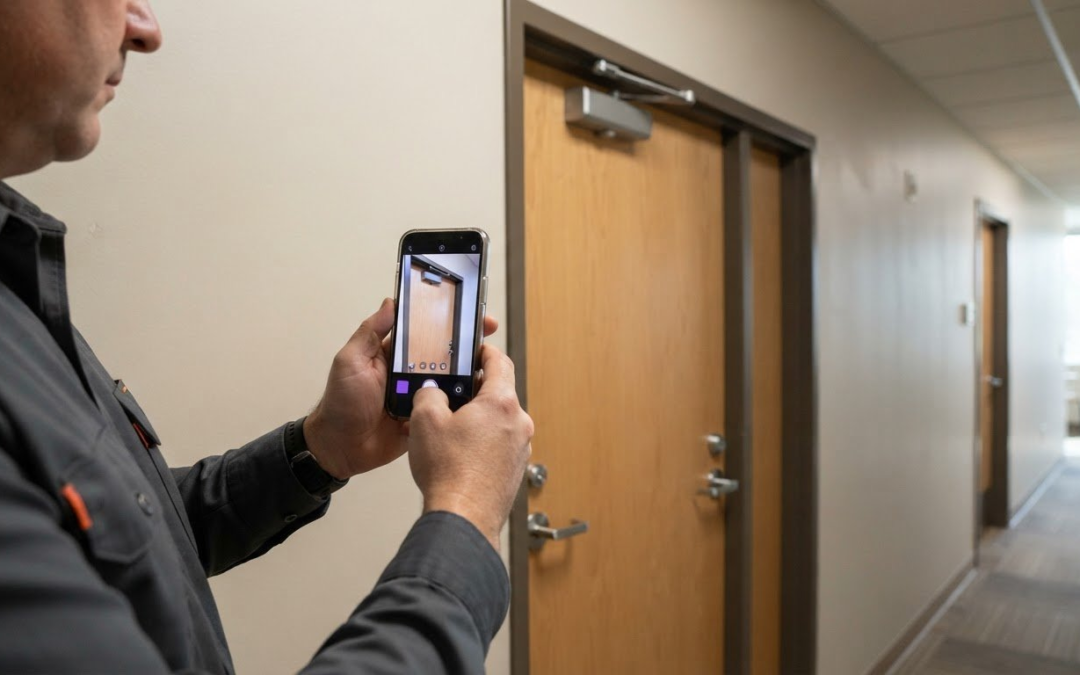
A closeout report should take shape throughout the job, not in a last-minute scramble. Project closeout starts when construction is largely complete and continues until ownership is formally transferred. To understand how to create a closeout report for construction, gather the final project records: punch list status, warranties, inspection results, as-built drawings, manuals, and turnover documents.
It’s easy to treat closeout as a paperwork sprint after fieldwork ends. But missing subcontractor documents, unclear punch list status, or scattered inspection records can slow the handover. The general contractor usually gathers documents from subcontractors, while a designated closeout owner keeps the process moving.
This guide explains what project closeout means, who coordinates document collection, and what a complete report includes. You’ll learn how to record punch list completion, organize warranties and inspection records, and track documentation from early project work through final handover. A clear process turns a pile of files into a practical record of what was completed, approved, and transferred.
Key Takeaways
- Assign a closeout owner early and set clear document requirements so subcontractor records arrive in a steady flow.
- Make each punch list entry actionable by recording its location, deficiency, responsible trade, due date, and status.
- Connect warranty records and final inspection findings to the work and systems they cover for a clearer handover.
- Use a structured report to bring financial, compliance, testing, and turnover records together in one place.
Who is responsible for collecting closeout documents from subcontractors?
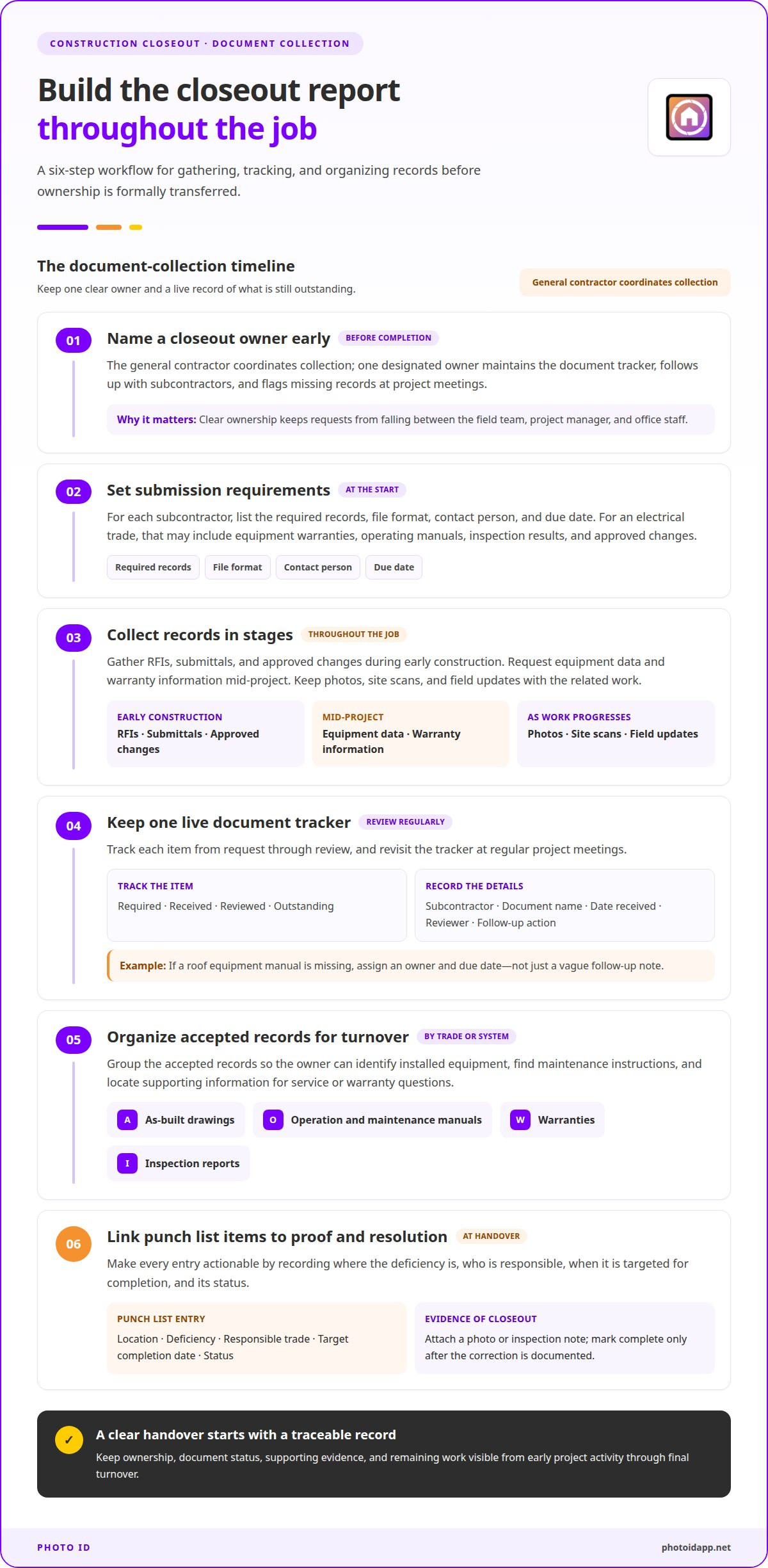
- Assign the general contractor to coordinate collection, then name one closeout owner before project completion. This person maintains the document tracker, follows up with subcontractors, and flags missing records at project meetings. Clear ownership prevents requests from falling between the field team, project manager, and office staff.
- Set submission requirements early. List each subcontractor’s required records, file format, contact person, and due date. For an electrical trade, requirements might include equipment warranties, operating manuals, inspection results, and approved changes. A shared standard lets the general contractor review consistent packages instead of sorting through mismatched files at substantial completion.
- Collect documents throughout the job, not just at closeout. Gather RFIs, submittals, and approved changes during early construction; request equipment data and warranty information mid-project. Keep photos, site scans, and field updates with the related work. This staged approach reveals gaps while subcontractor and project details are still easy to trace.
- Maintain one live tracker for required, received, reviewed, and outstanding items. Record the subcontractor, document name, date received, reviewer, and follow-up action. Review the tracker at regular project meetings. If a roof equipment manual is missing, assign an owner and due date rather than leaving a vague note to follow up.
- Organize accepted records for turnover and future operations. Group as-built drawings, operation and maintenance manuals, warranties, and inspection reports by trade or building system. These records help the owner identify installed equipment, understand maintenance instructions, and find supporting information when service or warranty questions arise.
- Link punch list entries to evidence and resolution. Describe each deficiency by location, responsible trade, target completion date, and status; attach a photo or inspection note where useful. Mark an item complete only after documenting its correction. This record shows what remained outstanding and how the team resolved it, reducing confusion and delays at closeout.
Punch list completion
Move from inspection findings to verified corrections, then record what remains for handover. Keep substantial completion, final completion, and occupancy records separate.
-
Conduct Final Inspections
Complete code inspections before the owner walk-through so code-related corrections can be addressed first. Final construction inspections generally follow punch list corrections. Record each deficiency, approval, or condition identified by the authority, architect, or engineer, and attach the report to the relevant work area. A scheduled inspection is not proof of approval: record the actual finding and any required follow-up.
-
Complete and Document the Punch List
Resolve each punch list item with the responsible trade, then record its status and supporting evidence. A clear entry identifies the location, deficiency, responsible subcontractor, target date, and status. For example, note the room and door where hardware needs adjustment, then attach a dated photo after the correction. Keep unresolved items visible so the remaining work is clear at handover.
- Separate substantial completion from final completion in the report. Substantial completion means the owner can use the project for its intended purpose, subject to remaining punch list work. An architect or contract administrator issues the certificate of substantial completion. Record its date and any outstanding items listed, since the certificate can establish warranty periods, shift insurance and site-control responsibilities, and trigger partial retainage release.
- Track occupancy approval and owner handover as separate closeout records. A certificate of occupancy verifies that the building meets applicable local codes, usage regulations, and safety requirements and is ready for use. Obtain it from the local authority before owner move-in or facility operations begin. Final completion follows delivery and acceptance of the remaining work and documentation. Record approvals, open items, and handover status against the contract.
Warranties and final inspection reports
For construction project closeout, connect warranties, inspection records, and payment documents to the work they support. These steps show what was delivered and what remains before final transfer.
- Collect each subcontractor’s warranty and link it to the installed equipment or system. Record coverage terms, duration, exclusions, and remedies for defects. Pair the warranty with product data and the operating manual so the owner can find the applicable document if a facility issue arises. Organize these records by trade or building system.
- Reconcile the actual final cost against the approved contract and change orders. Prepare a final cost summary and change order log showing scope adjustments and their financial effect. Resolve discrepancies before submitting the final payment application. That application requests the remaining contract balance, including retainage release, after the work and closeout requirements are satisfied.
- Before releasing subcontractor retainage, verify assigned punch list work, collect final lien waivers, and match the payment application to the approved contract value and change orders. Final lien waivers confirm that contractors, subcontractors, and suppliers have received full payment and waive mechanics lien rights against the property. Contracts may withhold retainage of 5% to 10% of contract value.
- File final inspection reports with the relevant work records. Capture deficiencies, approvals, or conditions noted by authorities, architects, or engineers, then connect each finding to its resolution or approval. Add testing and commissioning results: testing, adjusting, and balancing reports verify HVAC performance, while commissioning reports confirm systems function as designed.
- Include required training documentation in the handover package. Record the system or equipment covered, the training provided, and the materials transferred to the owner. For example, pair training records for a building system with its operation and maintenance manual. This gives facility staff a useful reference after transfer and supports ongoing operations.
Construction closeout report contents
Create the report by gathering required records, checking them against project requirements, and organizing them for turnover. A checklist helps identify missing documents, unresolved items, and approval gaps before release.
-
Gather the Report Contents
Build one checklist for the construction project, then group records by topic: scope and approved changes, final costs, inspections, testing, warranties, and owner handover. Add as-built drawings, operation and maintenance manuals, permits and regulatory approvals, lien waivers, commissioning records, and the final payment application where applicable. Include punch list confirmation and the certificate of substantial completion. Check that each record is current and tied to the relevant work or system.
-
Review Applicable Deadlines and Requirements
For a public project in the United States, use the project contract and applicable requirements to identify closeout deadlines and deliverables. Track each due date and approval, including permit closure and regulatory compliance records. Required documents and timing depend on the contract and project requirements, so list them in the closeout checklist instead of assuming one deadline applies to every project.
- Assemble the report in a practical order: project summary, scope changes, financial reconciliation, inspection and commissioning results, warranties and manuals, then turnover approvals. Compare planned scope, schedule, budget, and deliverables with actual results. Add recommendations, lessons learned, and approval signatures when needed. This sequence makes the report easier to review and shows what is complete before release.
- Avoid common closeout mistakes by keeping the checklist live, assigning an owner and due date to every missing record, and reviewing gaps at project meetings. Don’t treat a submitted document as accepted until it has been reviewed. If a required manual, inspection report, or approval is outstanding, show its status and follow-up action in the report.
- Turn field photos and inspection notes into organized project records with Instant Photo Report Generation.
PHOTO iD: Instant Photo Report Generation
PHOTO iD helps organize visual documentation for the closeout record with Automated Photo Labeling and Instant Photo Report Generation. Use it when project photos need clear labels and a report-ready format, making them easier to match to inspection notes and completed work than scattered files.
Custom Inspection Templates help structure information captured during inspections, while the PHOTO iD Mobile App Subscription supports mobile photo documentation. These tools support the visual record, but don’t replace required contract documents, approvals, warranties, or inspection certificates. Keep those records together in the broader closeout package.
Bring photo documentation into a more organized closeout workflow. Contact PHOTO iD to discuss how its reporting tools can support your project documentation.
Build a handoff people can use
Treat the closeout report as an operating reference, not a final archive. Its value continues after construction, when the owner needs to understand what was installed, locate project decisions, or coordinate future work. Design the handoff around these practical tasks, and keep the report clear enough to use under pressure.
The strongest approach to how to create a closeout report for construction is to give every record a clear purpose: supporting ownership, operation, maintenance, or future review. Use a consistent structure so teams can find the right information without retracing the project. Start by considering how the owner will use the report.
PHOTO iD supports visual documentation through its PHOTO iD Mobile App Subscription, Automated Photo Labeling, and Instant Photo Report Generation. To explore how these tools fit your reporting workflow, contact PHOTO iD for project support. Build a handoff that keeps your team moving forward.
Frequently Asked Questions
What Is Project Closeout?
Project closeout is the transition from active construction to an accepted, operational project. It brings physical work, administrative obligations, and owner handover to a documented endpoint. A building, for example, may be ready for its intended use even though final records or remaining work are incomplete. Tracking these activities separately helps teams distinguish readiness for occupancy from final acceptance and complete transfer.
Who is Involved in Construction Closeout?
The general contractor typically coordinates closeout, with a designated owner tracking progress and follow-ups. Subcontractors provide records for their scopes, while the owner reviews handover deliverables. Architects, contract administrators, engineers, and inspection authorities may contribute reviews, findings, or approvals. Assign each participant a clear responsibility, such as submitting equipment records, reviewing a system test, or accepting a completed deliverable.
How Should Teams Manage Closeout Documentation Across Multiple Trades?
Use a trade-by-trade document matrix with consistent naming and review practices. Give each record a project identifier, system or location, responsible trade, current version, and review status. For example, distinguish revised mechanical drawings from an earlier submission rather than saving both as “final.” A shared tracker helps the team spot dependencies, route corrections to the right trade, and avoid filing one subcontractor’s documents under another scope.
How early should teams start preparing for closeout?
Start during project execution, not after substantial completion. Gather RFIs, submittals, and approved changes during early construction, then request equipment data and warranty information mid-project. Keep field photos and updates as work progresses. This timing helps teams resolve missing records while the work and responsible trade are easy to identify, rather than rebuilding project history during final handover.
What Is a Project Closure Template?
A project closure template is a reusable structure for recording completion status, approvals, outstanding issues, and lessons learned. It can guide planning as well as formal sign-off. A one-page format may work for a brief status summary, while a construction handover needs supporting records organized alongside it. Treat the template as an index and workflow aid, not a substitute for required project documents.
What Should the Final Documentation Package Include?
Include the records required by the project contract and owner handover, then add an index showing where each item belongs. Organize files by trade or building system, and label their status so reviewers can distinguish accepted records from pending items. For example, link an inspection finding to evidence of its correction. A clear index helps the owner locate information later without searching unrelated project files.