
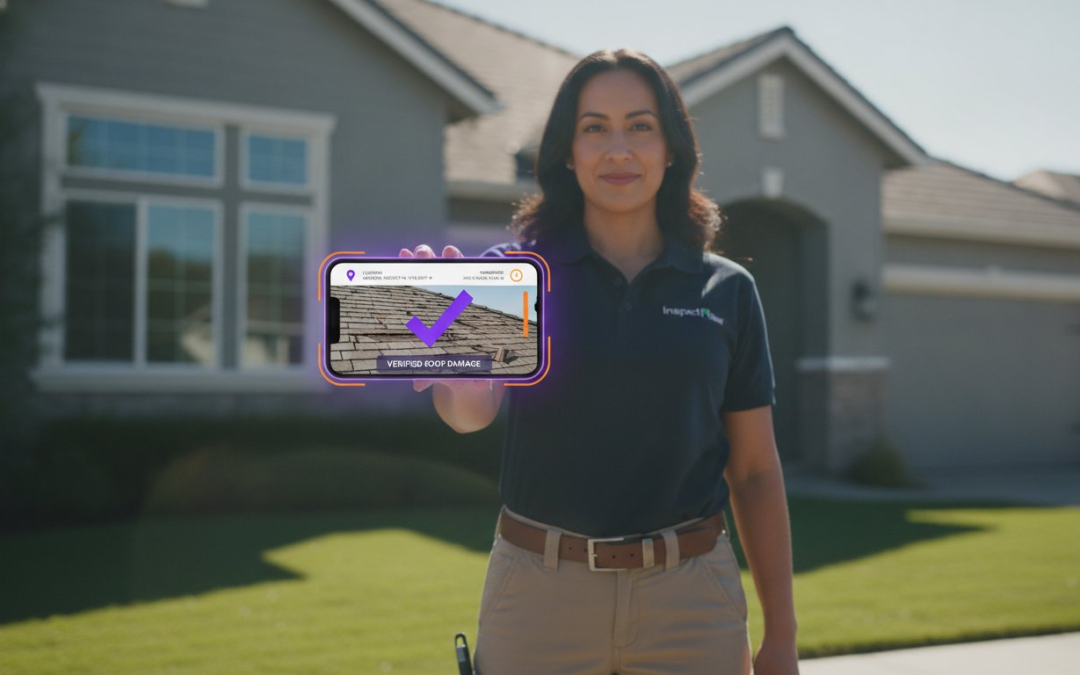
Did you know that over 70% of organizations involved in digital litigation fail to follow standardized procedures for managing electronic evidence? That’s a staggering figure from the National Institute of Standards and Technology (NIST), and it explains why so many field professionals face the sting of claim denials. When your documentation is questioned, the problem isn’t usually the image itself. It’s the lack of context and integrity. Mastering the best practices for digital photo evidence isn’t just a technical hurdle. It’s the foundation of your professional reputation. It’s the difference between a quick approval and a costly, drawn-out dispute.
We understand the headache of spending hours manually labeling files only to worry if the digital integrity will hold up under a microscope. You deserve faster approvals and bulletproof audit trails without the soul-crushing manual labor. This guide will help you master the standards of digital integrity and teach you how to capture, organize, and protect photo evidence that stands up to the toughest scrutiny. We’ll explore automated workflows, essential industry standards like ISO/IEC 27037, and the simple ways to ensure your documentation remains indisputable. Let’s turn your onsite chaos into a streamlined, high-speed success story.
Key Takeaways
- Understand the “Original File” rule to ensure your digital evidence remains admissible and beyond reproach in any legal setting.
- Eliminate manual “AirGap” errors by maintaining a seamless, unbroken digital chain of custody from the jobsite to the office.
- Master the best practices for digital photo evidence by leveraging EXIF data and GPS tagging to verify damage locations instantly.
- Protect your hard work with real-time cloud syncing and high-level encryption that keeps your files safe from device failure or theft.
- Accelerate your workflow with voice-to-text labeling and automated report generation to save hours on every inspection!
Defining Digital Photo Evidence: Integrity and Admissibility
Stop thinking of your site photos as mere snapshots. Digital photo evidence is any image that provides factual proof of a condition, event, or damage. In the eyes of a judge or an insurance adjuster, Digital Evidence must be relevant, authentic, and a “fair and accurate” representation of reality. The difference between a simple picture and true evidence lies in the metadata. Without verifiable data, your photo is just a file. With it, your photo is a legal powerhouse. Mastering the best practices for digital photo evidence starts with understanding that your camera is a data-collection tool, not just a lens.
The “Original File” rule is your first line of defense. The first capture is the only one that truly matters in a professional dispute. Courts and carriers look for raw data to ensure no manipulation has occurred. If you manually move files, rename them, or run them through editing apps, you degrade their evidentiary value. You need a system that preserves the file’s DNA from the moment you tap the screen. This is how you transform a chaotic folder of images into an organized, admissible report that stands up to scrutiny.
The Core Pillars of Digital Integrity
Integrity is built on three essential foundations. First is completeness. Tell the whole story. Capture the wide shot to show the room; take the medium angle to show the wall; use the close-up to show the crack. Second is authentication. You must prove the “where” and “when” without hesitation. Embedded GPS coordinates and synchronized timestamps are mandatory. Third is the unaltered state. Never use filters. Never use AI-enhancements. Never crop out context. A professional report requires the raw truth. These best practices for digital photo evidence ensure your work is never dismissed as incomplete or doctored.
Why Property Professionals Need Forensic Standards
Adopting forensic standards isn’t just about winning court cases. It’s about survival. High-quality documentation stops claim denials in their tracks. It provides the irrefutable proof of loss that adjusters demand and clients expect. Beyond the immediate job, these standards protect your business from liability in construction or inspection disputes. You are building a professional reputation for bulletproof documentation. Capture the truth. Protect your record. Build your legacy. By using standardized workflows, you eliminate the anxiety of digital file integrity and replace it with the confidence of a job well done.
Maintaining a Digital Chain of Custody in the Field
Your evidence is only as strong as the story of how it was handled. In the field, a “Chain of Custody” isn’t just a legal term; it’s a play-by-play log of every person who touched a digital file from the second it was captured to the moment it hit the final report. If you can’t prove who had access to that image, you can’t prove its integrity. Implementing these best practices for digital photo evidence ensures that every image tells a verifiable story. It shuts down any suggestion of tampering before it even starts.
The biggest threat to your documentation is the “AirGap” error. This happens when you manually move files between multiple devices, like transferring photos from a camera to a laptop via SD card or emailing them to yourself. Every manual jump creates a gap in the record. These gaps are a playground for scrutiny. The Admissibility of Digital Photographs depends heavily on a clear, documented path. To fix this, you must establish a “Master File” protocol. This means the original capture is immediately locked and synced to a secure environment, leaving the source data untouched and pristine.
The Lifecycle of a Digital Evidence File
The life of a file begins with Acquisition. Use a secure mobile application to capture the image directly into a project folder. Next is Storage. Move files immediately to a secure, encrypted cloud environment to prevent data loss from broken or stolen phones. Finally, Reporting occurs. Generate your output using the synced data, ensuring the source metadata remains embedded and unedited. This three-step flow creates a seamless path that is easy to defend.
Common Mistakes That Break the Chain
- SMS and Social Media: Never send original evidence photos via text or messaging apps. These platforms often strip or compress metadata to save space, destroying your proof of time and location.
- Renaming Files Manually: Renaming “IMG_001” to “Front_Door” on your desktop can lose the original timestamp order. Use automated labeling instead.
- Shared Folders Without Logs: Allowing multiple users to edit a single shared folder without an audit log is a recipe for disaster. You need to know exactly who added or moved a file.
Adopting best practices for digital photo evidence means moving beyond manual folders and embracing automated audit trails. Using a dedicated photo app for inspections eliminates these risks by automating the custody log from the moment you click the shutter. You’ll spend less time defending your process and more time closing files with confidence! Keep your chain unbroken and your reputation bulletproof.
Metadata and Contextual Labeling: Proving the “Where” and “When”
Generic filenames are a liability. “IMG_4582.jpg” tells no story. It offers no defense. In a high-volume inspection, generic names are the fast track to confusion and claim denials. To implement the best practices for digital photo evidence, you must prioritize metadata and contextual labeling. This is the “hidden” evidence that turns a simple image into a forensic asset. It transforms a folder of random shots into a structured, professional record that commands respect from adjusters and attorneys alike.
EXIF (Exchangeable Image File Format) data is the heartbeat of your documentation. It records the technical DNA of every shot. Without it, you are just guessing. GPS tagging takes this further by pinning the damage to a specific coordinate on the globe. This prevents fraud and eliminates “wrong property” disputes instantly. When your hands are full of tools or you are balancing on a ladder, use voice-to-text labeling. Speak the context into existence. “Master bedroom ceiling, water stain, north corner.” It’s fast. It’s accurate. It’s undeniable! You capture forensic-level detail at the speed of speech.
The Essential Metadata Checklist
- Synchronized Timestamps: Ensure your device clock is synced to a global network. Local manual times are easily challenged; global synchronization is bulletproof.
- Directional Geotagging: Know which way the camera was facing. Was that damage on the east wall or the west? Directional data removes the guesswork.
- Device Identity: Every photo should carry the ID of the equipment used. This proves the source and maintains the integrity of your digital file.
Contextual Labeling Best Practices
Consistency is your best friend. Use a standardized vocabulary for every report. If you call it “Front Elevation” on Monday, don’t call it “Street View” on Tuesday. This uniformity makes your reports easier to read and harder to pick apart. Automation is the key here. Manual labeling is slow, boring, and prone to mistakes. Automated labeling ensures that 100% of your photos are identified the moment they are taken, creating a safety net that captures every detail even during the most exhausting eight-hour inspections. By automating the workflow, you ensure that no photo is ever left behind or forgotten in the shuffle of a busy workday.
Stop wasting time at your desk at night trying to remember which blurry photo belongs to which room. Real-time labeling is a game-changer. It restores order to the chaos of onsite documentation. It empowers you to deliver high-standard reports without the headache of manual data entry. When you master these best practices for digital photo evidence, you aren’t just taking pictures. You are building a powerful audit trail that protects your business and your bottom line.
Storage and Security Protocols for Admissible Reports
A broken phone shouldn’t mean a broken business. If your evidence only exists on a physical device, it’s a ticking time bomb. High-standard documentation requires a fortress, not just a folder. To truly master the best practices for digital photo evidence, you must move beyond the device. You need a security protocol that is as mobile as you are. Stop crossing your fingers and start protecting your assets with professional-grade storage standards. It’s time to trade uncertainty for unshakeable security.
Follow these four steps to secure your reputation. First, implement real-time cloud syncing. Every photo must leave the device the moment you capture it. This prevents data loss from theft, damage, or hardware failure. Second, use AES-256 encryption. Your data must be unreadable to outsiders both “at rest” and “in transit.” Third, establish strict user permissions. Use a team management dashboard to control who sees what and when. Finally, maintain a 10-year retention policy. Disputes can surface years after the fact. You need to be ready to pull that file at a moment’s notice without hesitation.
Cloud vs. Local Storage for Professionals
Physical SD cards are the weakest link in your evidence chain. They get lost. They get corrupted. They get stepped on. Centralized dashboards offer real-time project oversight that local storage simply cannot match. By syncing directly to the cloud, you ensure your work meets industry-specific compliance standards like ISO/IEC 27037. This international benchmark for digital evidence preservation is the gold standard for 2026. Don’t settle for “good enough” when your liability is on the line. Use a system that keeps your data centralized, searchable, and secure.
Encryption and Access Control
Security isn’t just about locks; it’s about logs. Multi-factor authentication (MFA) is mandatory for every team member. If they can’t prove who they are, they shouldn’t see the evidence. Audit logs tell you exactly who viewed, downloaded, or shared a report. This level of transparency is vital for managing a distributed field team. It aligns with the updated ISO 19011:2026 guidelines, which emphasize the protection of digital audit evidence. You get total control without the micromanagement headache. Your documentation stays pure, protected, and professional.
Ready to lock down your documentation for good? You can start securing your files today with a PHOTO iD Mobile App Subscription. It’s the fastest way to turn your smartphone into a secure, encrypted vault for all your inspection data. Protect your work. Secure your future. Close every file with total peace of mind! Don’t let a hardware failure destroy your hard work.
Streamlining Evidence Capture with PHOTO iD
Stop the chaos of manual documentation. You don’t have time to spend your evenings hunched over a laptop, squinting at photos and trying to remember which leak belonged to which room. PHOTO iD automates the most tedious parts of digital evidence collection. It turns your mobile device into a high-speed reporting engine. By integrating best practices for digital photo evidence directly into your workflow, you eliminate the risk of human error before it starts. Capture the truth. Label the damage. Approve the claim. It’s that simple!
Voice-to-text labeling is your new secret weapon. When you’re on a roof or in a crawlspace, your hands are full. You can’t stop to type. With PHOTO iD, you simply speak. You capture forensic-level context at the speed of speech. This ensures every image is rich with data, metadata, and meaning. You aren’t just taking pictures; you’re building a legal-grade record in real time. Instant photo report generation means you can move from the field to the client in seconds. No delays. No bottlenecks. No excuses.
Automated Photo Labeling and Organization
Mislabeled photos lead to denied claims. PHOTO iD eliminates manual entry and the risk of mislabeled evidence by organizing your files logically the moment you hit the shutter. The app preserves every scrap of metadata, from GPS coordinates to camera settings, ensuring your best practices for digital photo evidence are always met. You generate professional, branded reports that build instant trust with adjusters. Show them you’re the expert. Provide the proof. Get paid faster. This is how modern professionals stay ahead of the curve.
Virtual Inspection and Team Management
Managing a distributed team requires total visibility. Use virtual inspection software to guide site visits and ensure no evidence is missed, even when you aren’t there in person. Custom inspection templates enforce best practices across your entire organization, making high standards the default, not the exception. Managers can use the real-time dashboard to verify field work instantly. You see the progress. You verify the quality. You maintain the standard. It is the ultimate tool for resource optimization and peace of mind.
Don’t let poor documentation hold your business back. You deserve a partner that works as hard as you do. Ready to revolutionize your field documentation? Try PHOTO iD today! It’s time to restore order to your onsite chaos and master the standards of digital integrity. Experience the power of automated workflows. Protect your reputation. Scale your operations. Your bulletproof documentation starts right here!
Take Command of Your Documentation Today
You’ve learned how to lock down your chain of custody and why metadata is the heartbeat of every admissible file. Implementing the best practices for digital photo evidence means moving beyond simple snapshots and embracing forensic-level data. By securing your storage and automating your labels, you eliminate the anxiety of claim denials. You’re no longer just an inspector; you’re a documentation expert. It’s time to restore order to your onsite chaos and reclaim your valuable time!
PHOTO iD is the game-changing partner used by top adjusters and inspectors nationwide to maintain the highest standards of digital integrity. Experience 100% accuracy with automated voice-to-text labeling that captures context at the speed of speech. Slash your claim cycle times with instant report generation that moves your files from the field to the office in seconds. Don’t let poor documentation be your weakest link.
Capture Bulletproof Evidence with PHOTO iD! Stop the manual grind. Protect your professional reputation. Build a business that stands up to any scrutiny. You have the knowledge and the tools. Now, go take the lead and close those files with total confidence!
Frequently Asked Questions
What makes a digital photo “admissible” as evidence?
Admissibility depends on authenticity, relevance, and a “fair and accurate” representation of the scene. You must prove the photo is what you claim it is. This requires an unbroken chain of custody and verifiable metadata. Trustworthiness is everything. If the date, origin, or integrity of the file is in question, the evidence may be discarded by the court.
Can I edit my inspection photos to make the damage clearer?
Never edit your original evidence files. Alterations like cropping, filtering, or AI-enhancement can lead to accusations of tampering. If you need to highlight a specific area, do so on a duplicate. Always preserve the raw “Original File” to maintain total integrity. Clean, unaltered photos are the only way to ensure your documentation stands up to tough scrutiny.
What is the best way to store digital photo evidence for long-term use?
Secure, encrypted cloud storage is the professional standard. This approach follows the best practices for digital photo evidence by eliminating the risks of physical device failure or theft. Implement real-time syncing to protect data the moment it is captured. Maintain a 10-year retention policy to stay prepared for disputes that arise long after the job is finished.
How does metadata help in authenticating digital images?
Metadata serves as a digital fingerprint for your images. It records the EXIF data, GPS coordinates, and synchronized timestamps that prove the “where” and “when” of every shot. This information is embedded directly in the file. It provides the forensic-level proof needed to verify that a photo was taken at a specific time and location without any manual entry.
Why is manual photo labeling considered a risk for professionals?
Manual labeling is slow, tedious, and prone to mistakes. It often leads to “forgotten photo” syndrome where images lose their context hours after the inspection ends. This creates a massive liability during audits or legal disputes. Automating your labeling process ensures 100% accuracy. It keeps your workflow moving fast and ensures every image is an asset rather than a confusing filename.
What happens if I lose the original EXIF data of an evidence photo?
Losing EXIF data strips your photo of its technical DNA. Without it, you cannot prove the exact moment or location of the capture. This significantly reduces the evidentiary weight of the image. Opposing parties can easily challenge the photo’s authenticity. Always use a system that locks and preserves this data from the second you tap the shutter to ensure your record remains bulletproof.
How can I prove a photo was taken at a specific property?
Embedded GPS coordinates and directional geotagging are the keys to property verification. These best practices for digital photo evidence pin your images to a precise global location. When you combine this data with specific contextual labels like “Front Elevation,” you create an indisputable record. This prevents fraud and quickly resolves any disputes regarding which property the damage actually belongs to.
Is cloud storage secure enough for sensitive digital evidence?
Professional cloud storage is far more secure than local hard drives or SD cards. It utilizes AES-256 encryption and multi-factor authentication to keep data safe from unauthorized access. Detailed audit logs track exactly who viewed or downloaded a report. This level of protection meets international standards like ISO/IEC 27037, ensuring your digital evidence remains protected, private, and pristine.