
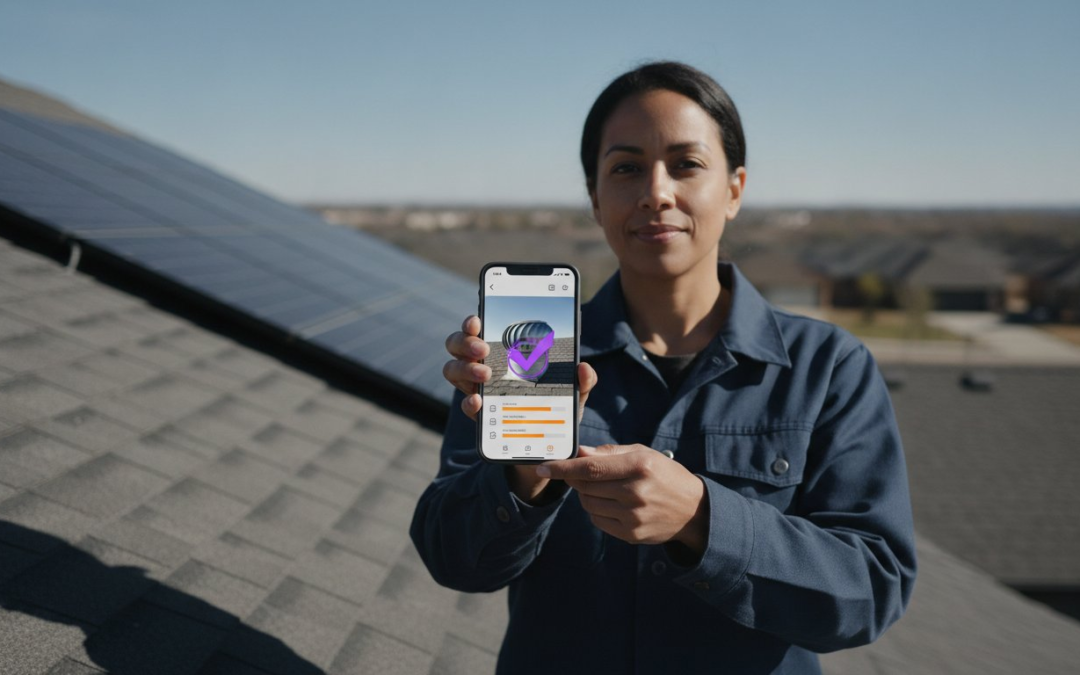
The era of spending your evenings hunched over a laptop labeling hundreds of inspection photos is officially over. You know the exhausting routine; you spend all day on-site capturing defects, only to spend all night trying to remember which image belongs to which room. It’s a chaotic, draining, and completely avoidable bottleneck. In 2026, the industry standard has shifted toward mobile forms with photo capture that do the heavy lifting for you. Capture the data. Tag the location. Sync the report. Stop wasting time on manual entry and start focusing on the specialized work that actually moves the needle.
We agree that field documentation is the heartbeat of your business, yet the manual labeling process is a relic of the past. It’s slow, inconsistent, and frustrating. You deserve a workflow that is fast, fluid, and flawless. This guide will show you how to transform your field documentation from a pile of unorganized images into instant, professional reports. We will explore how intelligent labeling, voice-to-text integration, and real-time dashboards can reclaim your nights and accelerate your turnaround times immediately.
Key Takeaways
- Stop fighting the “photo bottleneck” by moving beyond basic digital forms that just store images without context or organization.
- Discover how mobile forms with photo capture use intelligent labeling to organize your documentation automatically as you snap each picture.
- Use voice-to-text integration to capture detailed defect descriptions hands-free while you’re still on the ladder or in the field.
- Slash your reporting time and reduce claim cycle times by implementing custom templates that mirror your physical walk-through.
- Gain instant visibility into field operations with a centralized dashboard that tracks every photo and form submission in real-time!
What are Mobile Forms with Photo Capture and Why Do They Fail?
Think of Mobile forms as the digital evolution of the traditional clipboard. They are sophisticated data collection tools that integrate camera functionality directly into your field workflow. However, in 2026, simply having the ability to snap a picture isn’t enough to stay competitive. Many professionals realize that mobile forms with photo capture often fail because they create a massive “Photo Bottleneck.” You finish an inspection with 200 images, but they are just a chaotic pile of files without context. Attaching an image is easy; organizing it is the real challenge.
Generic form builders treat photos like afterthoughts. They function as basic image attachments rather than labeled visual data. This is where specialized inspection platforms pull ahead. They transform raw pixels into actionable insights. Stop settling for a digital dump of files. Start demanding a system that categorizes, tags, and organizes your evidence at the exact moment you press the shutter button. True efficiency requires moving beyond the simple “upload” and embracing automated organization.
The Difference Between Web Forms and Native Apps
Web forms are simple to deploy, but they are often too fragile for the rigors of the field. They struggle with large image files and usually require a constant internet connection to function. Native apps offer a superior alternative for the modern professional. They provide deep hardware integration, allowing you to control the flash, utilize optical zoom, and embed precise GPS metadata. Most importantly, native apps prioritize “Offline-First” capabilities. Remote jobsites rarely have perfect 5G. You need a tool that captures everything offline and syncs automatically when you return to civilization. Capture. Save. Sync.
Common Pitfalls of Standard Form Solutions
Manual labeling is the ultimate hidden time-killer. If your team is still typing out descriptions for every single defect, your productivity is plummeting. Standard forms ignore this fatigue, leading to inconsistent data. One inspector might label a photo “Damaged Shingle,” while another writes “Roof Leak.” This lack of standardization makes your reports look unprofessional and scattered. Additionally, many general-purpose apps face severe performance hurdles. They function well during a small trial but begin to lag or crash once you hit heavy image loads in a single project. Don’t let your software dictate your capacity. Choose a platform designed for mobile forms with photo capture that handles high-volume, high-velocity field documentation without breaking a sweat.
The Anatomy of a High-Performance Photo Capture Form
A high-performance form does more than just collect data. It organizes it at the source. Most mobile forms with photo capture fail because they treat the image as a separate entity. Instead, think of the photo as the anchor for all other data points. Every image should automatically carry contextual labels, precise GPS coordinates, and compass orientation. This isn’t just about taking pictures. It’s about building a digital evidence trail that is impossible to dispute. Identify. Document. Deliver.
Contextual labeling is the secret to high-speed documentation. By using pre-defined tags based on the specific inspection type, you eliminate the need for manual typing. Your photos become structured data the moment you snap them. This setup ensures that every team member follows the same naming convention, making your reports look uniform and professional every single time.
Voice-to-Text: The Game Changer for Field Teams
Typing on a smartphone screen while balancing on a ladder is dangerous and slow. Voice-to-text changes the equation. By simply speaking a label like “Front Elevation – Hail Damage,” you save roughly 30 seconds per photo. Over a standard inspection with 60 images, that’s 30 minutes saved on a single job. It keeps your eyes on your surroundings and your hands on your gear. Documenting findings while they’re fresh in your mind reduces errors and ensures every detail is captured accurately. Stop typing. Start speaking. Stay safe.
Custom Templates and Workflow Logic
Consistency is the backbone of professional reporting. High-performance forms use dynamic templates that guide your team through a specific inspection sequence. You don’t have to guess what’s next. The form tells you. Use conditional logic to ensure no defect goes undocumented. If an inspector marks “Damage Found,” the form can automatically require three additional close-up photos. This standardizes your output across the entire team, whether they’re in the next town or across the country. You can see this efficiency in action with a PHOTO iD mobile app subscription that manages your entire team from one central hub.
Field work shouldn’t be a black hole for information. With real-time syncing, the office dashboard updates the moment a photo is snapped. This allows project managers to review findings instantly, often before the inspector even leaves the site. It bridges the gap between the field and the office, turning a chaotic pile of images into a streamlined pipeline of information. Every shot is time-stamped, geo-tagged, and orientation-aware. It’s not just a photo; it’s a complete record of the truth.
Manual vs. Automated: Calculating the ROI of Intelligent Labeling
Stop treating your time like it is a free resource. Manual photo organization is a massive “invisible cost” that drains your profitability every single week. When your team uses standard mobile forms with photo capture, they often finish the field work only to start a second shift of tedious data entry. This manual process is prone to errors, fatigue, and memory lapses. By contrast, automated labeling ensures 100% accuracy because the data is captured at the exact moment of discovery. Capture the defect. Tag the location. Move to the next task.
Instant Photo Report Generation is no longer a luxury; it is a competitive necessity. Clients in 2026 expect results immediately. They don’t want to wait three days for a PDF that should have been ready in three minutes. By automating the organization process, industry data shows that teams can reduce claim cycle times by up to 40%. This speed keeps your pipeline moving and your customers impressed. Efficiency creates capacity. Capacity creates growth.
Case Study: From 4 Hours to 15 Minutes
Consider the typical property inspection workflow. In a manual setup, an inspector spends one hour on-site and three hours back at the office. They must download images, rename files, and upload them into a template. It is a slow, soul-crushing cycle. With intelligent automation, that three-hour office block vanishes. The “Download-Rename-Upload” cycle is eliminated because the photos are already labeled and placed within the report before the inspector even gets back to the truck. For a 10-person team, switching to automated labeling reclaims over 1,500 billable hours every single year. That is 1,500 hours you can spend winning new contracts instead of fighting with folders.
Scalability: Handling 1,000+ Photos Without Crashing
Many generic form apps hit a wall when you try to upload more than 500 photos. They lag, freeze, or crash entirely, leaving your team stranded in the field. Architecture matters. Mobile forms with photo capture built for heavy-duty inspections, like PHOTO iD, are designed to manage high-resolution batches of 1,000 images or more without breaking a sweat. We utilize smart cloud-syncing strategies that won’t drain your battery or exceed your data plans. Even when you are working in remote areas with zero connectivity, our system maintains data integrity. Your work is saved locally and synced the moment you find a signal. Robust. Reliable. Ready.
Step-by-Step: Implementing Mobile Forms for Your Team
Success in the field begins with a clear plan. Don’t just hand out tablets and hope for the best. Start by identifying your core inspection types, whether they’re residential, commercial, or specialized roof assessments. Each job requires a unique set of eyes and a specific set of data. Once you’ve defined the scope, build custom inspection templates that mirror your physical walk-through. This ensures your digital workflow matches your physical movement on-site. Plan. Build. Deploy.
Designing Your First Custom Template
Start with high-level categories like Interior, Exterior, and Roof. Within these sections, add specific prompts for critical documentation points. If you need a photo of the electrical panel or a specific furnace serial number, make it a required field. Test the form flow on a mobile device yourself. If it doesn’t feel natural while you’re walking the property, your team won’t use it. Refine the logic until the software feels like a natural extension of the inspection process. A well-designed form should feel like a guide, not a chore.
Integrating with Industry Software
Efficiency dies when data is trapped in a silo. You need your mobile forms with photo capture to talk to the software you already use every day. Exporting labeled photos directly into your preferred estimating or claims management platform allows for faster processing and more accurate results. If you’re in construction, sync your inspection data with your existing project management tools to keep timelines tight. You can also use virtual inspection software to supplement onsite data, creating a comprehensive digital record. To get started with these powerful connections, get your PHOTO iD mobile app subscription and link your entire tech stack today.
Training is the final hurdle for successful implementation. Show your field staff how to use voice-to-text labeling for maximum speed. It’s the fastest way to turn a physical observation into digital data without slowing down. Once your team is live, use the management dashboard for real-time quality control. You can see what’s being captured as it happens, allowing you to catch errors before the inspector even leaves the site. Monitor. Correct. Succeed. This proactive approach ensures that every report meets your high standards every single time. Stop guessing about field performance and start seeing it in real-time!
PHOTO iD: The Ultimate Solution for Field Documentation
PHOTO iD isn’t just another app; it’s your primary inspection partner. We’ve built an engine that handles the heavy lifting so you don’t have to. Our mobile forms with photo capture utilize a sophisticated Automated Photo Labeling engine that categorizes your visual evidence in real-time. This isn’t just about storage. It is about intelligence. By turning raw pixels into structured data at the point of capture, we eliminate the post-job documentation grind forever. Capture. Label. Lead!
National oversight requires more than just a hope for consistency. It requires a system that enforces it. Our Team Management Dashboard gives you a bird’s-eye view of every active project across your entire organization. You can see what your team is capturing as it happens, allowing you to maintain strict quality control across state lines. This level of transparency is why industry veterans rely on us for complex tasks like aerial roof and wall measurements. We provide the precision you need without the manual headache. Stay informed. Stay organized. Stay ahead.
Key Features of the PHOTO iD Mobile App
- Voice-to-Text Labeling: Our system is engineered to function in the real world. It cuts through the wind on a roof or the noise of a commercial jobsite to capture your descriptions accurately and instantly.
- Instant Photo Report Generation: Finish the job and send the report before you even start your truck. Our mobile forms with photo capture format your data into professional PDFs the moment you’re done.
- Integrated Aerial Measurements: Get precise roof and wall measurements directly within your documentation workflow. No more switching between multiple expensive apps to get the data you need.
Ready to Reclaim Your Evenings?
Stop letting documentation steal your personal time. PHOTO iD eliminates the exhausting cycle of renaming files and organizing folders at the end of a long day. You gain a massive competitive advantage by delivering professional, organized reports faster than anyone else in the market. In a world where speed is currency, being the first to deliver the report makes you the most valuable player in the field. It is time to work smarter, not harder. Restore order to the chaos of your documentation and take back your nights!
Start your PHOTO iD subscription today and automate your inspections!
Take Command of Your Inspection Workflow
The transition from a chaotic pile of images to organized, instant reports is no longer a futuristic dream. It is the new industry standard. By implementing mobile forms with photo capture, you eliminate the grueling hours spent on manual labeling and reclaim your evenings for what matters most. You have learned how to build custom templates, integrate voice-to-text technology, and sync data directly to your office dashboard in real-time. This is about more than just software; it is about restoring order to the chaos of the jobsite.
Trust the platform founded by industry veteran Ken Perry, “The Claims Coach.” PHOTO iD is already used by thousands of home inspectors and adjusters nationwide to reduce claim cycle times by 40%. Stop fighting with folders and start delivering the professional results your clients demand. Start Automating Your Photo Reports with PHOTO iD Now and experience the relief of a truly streamlined documentation process. You have the tools. You have the plan. Now, take the lead!
Frequently Asked Questions
Can I use mobile forms for photo capture without an internet connection?
Yes, you can capture photos and data entirely offline. High-quality mobile apps are designed with an offline-first architecture. This means your work is saved locally on your device the moment you snap a picture. Once you return to an area with a stable connection, the app automatically syncs your data to the cloud. You don’t have to worry about losing progress in remote locations or basements with zero signal. Capture. Save. Sync.
What is the best app for labeling inspection photos automatically?
PHOTO iD is the premier choice for professionals who need automated photo labeling. It transforms the chaotic process of manual entry into a streamlined, instant workflow. The app uses an intelligent labeling engine to tag photos as you take them, ensuring every image is organized before you leave the site. It is built specifically for the high-volume needs of adjusters and inspectors who can’t afford to waste time on post-job documentation.
How do I integrate mobile form photos into my existing estimating or project management software?
Integration is handled through direct data exports or cloud-syncing features. You can export your labeled photo batches into formats that are fully compatible with leading industry-standard tools. This eliminates the need to manually rename files or move them between folders. By connecting your documentation platform to your broader technology ecosystem, you ensure that every stakeholder has instant access to organized, visual evidence. Connect. Export. Deliver.
Is there a limit to how many photos I can upload in a single mobile form?
Most specialized platforms handle over 1,000 high-resolution photos per project without performance lag. While generic web forms often crash after a few dozen uploads, native mobile forms with photo capture are built for extreme field conditions. They use smart compression and background syncing to manage massive batches of data. This robust architecture ensures your device remains responsive and your data stays secure, even during the most complex commercial inspections.
How does voice-to-text labeling improve field inspection accuracy?
Voice-to-text allows you to document findings while they are fresh in your mind. By speaking your observations directly into the app, you capture specific details that might be forgotten by the end of the day. This hands-free approach keeps your eyes on the environment, which significantly reduces safety risks. It also ensures that descriptions are more detailed and consistent, as you aren’t limited by the speed of your thumbs on a screen.
Can I create custom inspection templates for different types of properties?
Absolutely, you can build templates that mirror your specific physical walk-through. Whether you are assessing a residential roof, a commercial warehouse, or a multi-family unit, your forms should adapt to the job. You can set required fields, conditional logic, and pre-defined labels for every scenario. This level of customization ensures that every team member follows the same rigorous standards, regardless of the property type or location. Plan. Build. Inspect.
What is the difference between a mobile form and a photo organization app?
A mobile form is a comprehensive data collection tool, while a photo organization app is often just a storage gallery. Forms allow you to collect signatures, GPS coordinates, and text inputs alongside your images. Specialized platforms bridge this gap by treating photos as structured data rather than simple attachments. They provide the context and organization necessary for professional reporting, turning a simple gallery into an actionable, legally-defensible document.
How do I generate an instant photo report from my mobile device?
You generate reports by simply tapping a finish button once your inspection is complete. The system automatically compiles your labeled photos, text inputs, and metadata into a professionally formatted PDF. You can review the draft on your device and send it to your client immediately. Using mobile forms with photo capture eliminates the need for any office-based processing, allowing you to close files faster and move on to your next task.