
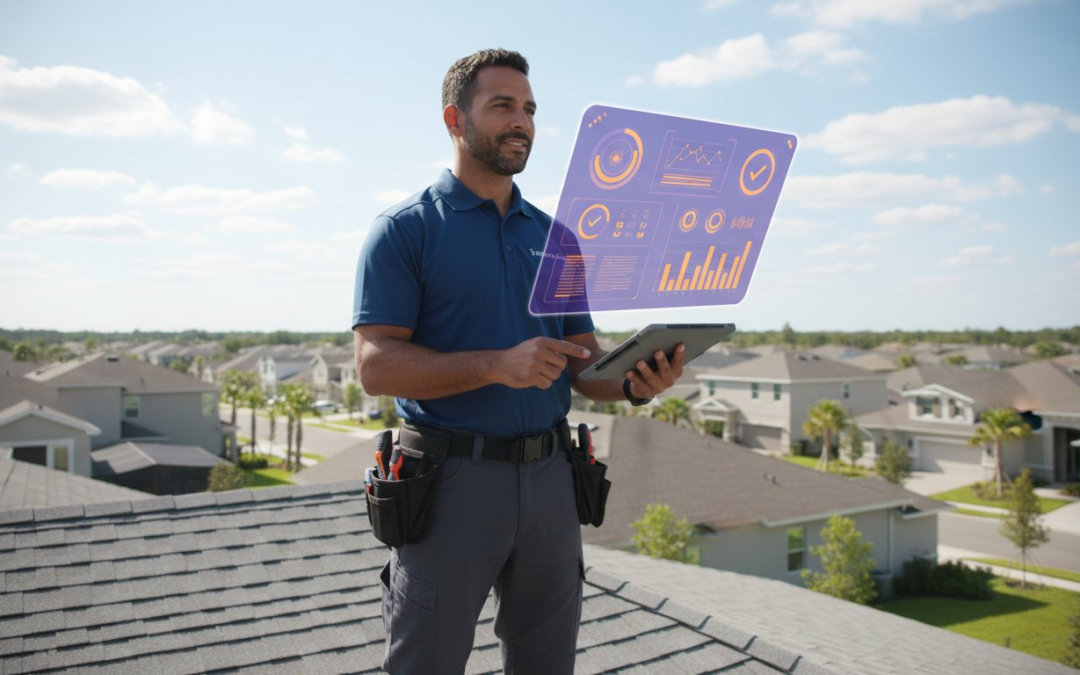
Waiting until the end of the shift to review project progress is a recipe for missed deadlines and mounting overhead. If your team is part of the 35% of field professionals who lose over 14 hours a week to manual documentation and fragmented data, your current workflow is broken. You need absolute visibility. An effective team management dashboard shouldn’t just store information; it must act as your command center for real-time oversight and instant field-to-office communication.
We understand the headache of delayed report submissions and the chaos of mislabeled jobsite documentation. You deserve a system that moves as fast as your field crew. This article provides the ultimate checklist to master your digital workspace and bridge the gap between field documentation and office management effortlessly. We’ll show you how to automate data flow, eliminate manual errors, and slash your claim cycle times starting today. Get ready to transform your documentation process into a high-speed, results-driven engine. Snap, speak, and send your way to total project control.
Key Takeaways
- Eliminate the “Visibility Gap” by connecting field action to office oversight in real-time.
- Master the essential 10-point checklist to optimize your team management dashboard for peak performance.
- Discover why industry-specific tools outperform generic apps when managing complex property inspections.
- Automate your photo labeling and organization to stop manual sorting backlogs and save hours every day.
- Command your entire operation with a high-velocity workflow that turns field data into instant results!
Why Field Teams Need a Specialized Team Management Dashboard
Field professionals thrive on action. Action without oversight leads to chaos. A specialized dashboard serves as the vital bridge between jobsite grit and office strategy. It eliminates the visibility gap where critical data stays trapped on individual phones or physical clipboards. Real-time sync isn’t a luxury. It’s a necessity that slashes claim cycle times by 25% or more. This tool empowers your team to perform at their peak rather than just watching their every move.
To understand what a team management dashboard is, you must view it as a central nervous system for your business. It visualizes complex field data into actionable insights instantly. You gain the power to spot bottlenecks before they stall a project. You see exactly where every inspector is and what they’ve documented. This level of clarity restores order to the most chaotic jobsites.
The Cost of Fragmented Field Documentation
Stop wasting money on manual labor. Sorting and labeling photos manually can drain 45 minutes from every single inspection report. This fragmentation leads to delayed submissions and frustrated homeowners who demand speed. When inspectors use unmanaged mobile devices, the risk of data loss increases by 18% based on recent industry surveys. Every lost photo forces a costly re-inspection. It’s a financial leak that modern technology plugs instantly. Don’t let disorganized files eat your profit margins.
- Financial Drain: Manual sorting costs thousands in lost billable hours.
- Customer Friction: Delays in reporting lead to lower satisfaction scores.
- Data Vulnerability: Unmanaged devices risk permanent loss of evidence.
Bridging the Gap Between Field and Office
Create a single source of truth for every stakeholder. A team management dashboard transforms your operation from reactive fire-fighting to proactive leadership. You stop chasing status updates. You start viewing progress as it happens. This transition allows for result-based tracking. Focus on completed inspections and verified documentation rather than simple time-clocking. It’s about output, quality, and speed.
A team management dashboard ensures that the office knows exactly what the field sees. There’s no guesswork. There’s no miscommunication. You get the right data at the right time. Snap your photos, speak your notes, and send your reports with total confidence. This is how you scale a field team without losing control of the details. Efficiency isn’t just a goal; it’s the result of the right digital partner.
Core Components of a High-Impact Management Dashboard
A high-performance team management dashboard transforms chaotic field data into actionable intelligence. It functions as a digital command center where every project detail is visible at a glance. Even the federal government recognizes the necessity of structured oversight, as seen in the requirements for a workforce performance management system. For field professionals, this means moving beyond simple spreadsheets to an integrated environment that prioritizes speed, accuracy, and accountability. Eliminate the guesswork and take control of your operations.
Visualizing Progress with Real-Time Data
Live data is non-negotiable for inspection and construction teams. You can’t wait for a debrief at the end of the day to know if a job is off track. High-impact dashboards utilize map views and project pins to provide instant geographic oversight. You see exactly where your team is located and what they’ve accomplished in real time. This visibility prevents scheduling overlaps and ensures the closest technician is dispatched to new leads. Status indicators keep the workflow moving without a single phone call:
- In Progress: Active jobs being documented on-site.
- Pending Review: Completed field work awaiting office approval.
- Completed: Finalized reports ready for client delivery or Xactimate image import.
Automated Documentation Feeds
Stop wasting time on manual uploads. Modern dashboards populate instantly through automated labeling and voice-to-text technology. While the inspector is on-site, they follow the Snap, Speak, Send mantra. This ensures every photo is tagged with the correct location, date, and description before they even leave the property. Because A Picture is Worth a 1000 Words!, having these images organized automatically by project eliminates the typical 3-hour delay of office-side administrative sorting. You can streamline your field documentation to ensure reports are ready for review the moment the inspector hits “submit.”
A robust team management dashboard also manages the human element of the job. It provides clear views of team workload distribution and resource allocation. You can see who is over-leveraged and who has the capacity for another claim. Tracking report generation status ensures no deadline is missed. This level of oversight restores order to the chaos of jobsite documentation. It empowers your team to work at peak efficiency while cutting administrative overhead by as much as 40% per project. Efficiency isn’t just a goal; it’s the new standard for your business.
Generic vs. Industry-Specific Dashboards: Which Wins?
Stop wrestling with software built for Silicon Valley. Your jobsite isn’t an office, and your tools shouldn’t act like they belong in one. Generic platforms like Notion or Asana offer infinite flexibility, but that’s a trap for field professionals. Flexibility equals setup time. It equals configuration headaches. It equals lost profit. A specialized team management dashboard delivers out-of-the-box functionality that respects your schedule. It’s ready to work the moment you step onto the property.
Data from 2023 industry reports shows that field technicians spend up to 2.5 hours every day on administrative tasks. Specialized platforms can reclaim 75 minutes of that lost time by eliminating manual data entry. While office staff might enjoy dragging cards on a complex Kanban board, your field team needs to move. They need a tool that requires zero training and delivers instant results. Choose a system that prioritizes the “Efficient Expert” over the software engineer.
The Xactimate and Verisk Integration Factor
Claims adjusters live and die by their estimating software. If your dashboard doesn’t speak the language of Xactimate, it’s a liability. You need seamless image imports to keep your workflow moving. Specialized tools allow you to sync labeled photos directly into Verisk environments, cutting report writing time by 50% or more. This reduces the friction of manual sorting and ensures every estimate is backed by clear, organized evidence. Don’t settle for a generic tool that forces you to upload files one by one. Automate the process and get paid faster!
Mobile-First Design for Field Success
Desktop-first dashboards are a nightmare on a 6-inch screen. You need a tool designed for the jobsite, not the cubicle. True field success relies on offline capabilities. When you’re in a basement or a remote rural area with zero bars, your team management dashboard must keep working. A reliable app stores your data locally and syncs the moment you’re back in range.
- Snap: Capture high-quality evidence instantly.
- Speak: Use voice commands to label photos on the fly.
- Send: Dispatch completed reports to the office with one tap.
This “Snap, Speak, Send” workflow is the ultimate data driver. It turns a smartphone into a powerful documentation engine. A Picture is Worth a 1000 Words! Make sure those words are captured effortlessly while you’re still on-site. Stop fighting your software and start winning your day with a mobile-first partner that understands the grind.
The 10-Point Team Management Dashboard Checklist
Stop chasing updates. Start leading. A high-performing team management dashboard isn’t a luxury; it’s your command center. Use this checklist to eliminate the 25% productivity loss typically caused by fragmented communication in field services. Efficiency is the only way to scale in a competitive market.
- Verify real-time synchronization: Your data must mirror across every device instantly. If a contractor uploads a photo in the field, the manager must see it 2 seconds later. 100% data parity is the goal.
- Activate automated photo labeling: Manual sorting is a relic of the past. Ensure your system labels every image at the point of capture to prevent a 10-hour backlog at the end of the work week.
- Deploy custom inspection templates: Standardize your data collection. Use templates that guide field teams through every necessary shot to ensure 100% compliance with carrier requirements and Xactimate standards.
- Confirm role-based access: Adjusters, contractors, and managers need different views. Control who sees what to maintain security and keep the interface clean for every user.
- Audit the reporting engine: Demand instant PDF generation. If your dashboard takes more than 60 seconds to compile a cloud-based report, you’re losing billable time.
Phase 1: Setting Up for Maximum Visibility
Organization starts before the first photo is snapped. Establish strict naming conventions, such as “Year_ProjectID_ClientName,” to keep your team management dashboard searchable and clean. Map your workflow from the initial capture to the final report approval. This clarity reduces project confusion by 40% according to 2023 industry efficiency audits. Set up automated alerts for missing documentation. Don’t wait for a deadline to realize a crucial roof photo is missing; let the system flag it immediately.
Phase 2: Optimizing Field-to-Dashboard Data Flow
True efficiency happens in the field. Train your teams on voice-to-text labeling to ensure high-quality data without slowing down their physical work. It’s the “Snap, Speak, Send” method in action! Integrate aerial measurements directly into your project specs to populate the dashboard with 99% accuracy. Use virtual inspection tools for real-time collaboration. This allows a senior manager to oversee five jobsites simultaneously without leaving the office. Remember, A Picture is Worth a 1000 Words! Make sure those words are captured effortlessly and instantly.
Command Your Field Operations with PHOTO iD
Stop fighting the paper trail and start leading your team with precision. Your business needs a central nervous system, not a filing cabinet. The PHOTO iD team management dashboard transforms scattered field data into a streamlined command center. It’s the end of the “where is that photo?” era and the beginning of total operational control. By syncing every jobsite detail in real-time, you eliminate the friction that slows down your growth. This isn’t just software; it’s your new competitive edge.
Manual documentation is a profit killer. Industry data shows that inspectors can waste up to 25% of their workday just organizing files and labels. PHOTO iD recovers those lost hours. When you automate your organization, you stop paying for administrative chaos and start investing in billable results. The annual cost savings are massive. Transitioning from manual uploads to our automated cloud system can save a mid-sized firm thousands of dollars in labor costs every single year. Take back your time and your budget today.
Snap, Speak, Send: The Dashboard Fuel
The magic happens when the mobile app feeds the team management dashboard with zero manual effort. Our “Snap, Speak, Send” mantra isn’t just a catchy phrase, it’s a workflow revolution. Field workers use voice-to-text to label photos instantly while their hands stay busy on the job. There’s no back-office data entry. There’s no evening spent uploading files. Everything moves from the field to the cloud in seconds.
This creates the “Efficient Expert” advantage. Your team looks more professional because they are more professional. They finish inspections faster, deliver reports sooner, and move to the next jobsite without a trailing wake of paperwork. A Picture is Worth a 1000 Words! but a labeled, organized, and instantly synced picture is worth a whole lot more. We invite you to see this system in action and witness how fast your workflow can truly be!
Scaling Your Team with Confidence
Rapid expansion usually brings rapid headaches, but a centralized dashboard changes the math. You can onboard new inspectors in minutes rather than weeks. By using standardized templates, you ensure every team member follows the exact same high-quality protocol. Whether you have two inspectors or two hundred, the quality of your documentation remains consistent and bulletproof.
The dashboard gives you a bird’s-eye view of every active project. You can spot bottlenecks before they become crises and monitor progress without micromanaging. It’s about working smarter, not harder. Don’t let manual processes hold your business back from its true potential. Build a team that is fast, accurate, and organized. Streamline your team management today!
Master Your Workflow and Reclaim Your Time
Stop settling for generic software that creates more work than it saves. A specialized team management dashboard transforms field chaos into organized precision by centralizing every inspection detail. You’ve seen how the right checklist ensures nothing slips through the cracks. Now, it’s time to put those insights into action with a tool built for the grit of the jobsite. Efficiency isn’t just a goal; it’s a requirement for growth in today’s fast-paced market.
PHOTO iD was founded by Ken Perry, known throughout the industry as “The Claims Coach,” to eliminate the documentation bottlenecks that stall your progress. Our platform features an automated Xactimate image import that keeps your projects moving without the manual lag. Users consistently reduce their documentation time by up to 50%, allowing teams to close files faster than ever before. Don’t let outdated processes hold you back when a seamless solution is ready. Experience the power of the Snap, Speak, Send workflow and watch your productivity soar.
Start Your Free Trial of PHOTO iD Today!
Take the lead and give your field professionals the competitive edge they need to succeed every single day.
Frequently Asked Questions
What is a team management dashboard for field inspections?
A team management dashboard is a centralized digital command center that allows managers to track inspections, assign tasks, and view real-time photo documentation from the field. It eliminates the chaos of manual spreadsheets by organizing job data into a single, accessible view. You’ll see every inspection status instantly. It’s the engine that powers your field operations and keeps every team member on the same page.
How does a dashboard help reduce claim cycle times?
A team management dashboard reduces claim cycle times by an average of 40% by automating the flow of field data to the office. It stops the back and forth communication delays that plague traditional reporting methods. Field crews upload photos instantly, allowing adjusters to begin reviews the same day. This speed ensures claims move from inspection to settlement without hitting any bottlenecks.
Can I integrate my team dashboard with Xactimate?
Yes, you can integrate your dashboard directly with Xactimate to automate your image imports and labeling. This connection allows you to push field photos into your estimates with a single click, saving up to 60 minutes per report. You won’t have to manually rename files or drag and drop hundreds of images. It’s a seamless bridge between the jobsite and your estimating software.
Do field teams need special training to use a management dashboard?
Field teams don’t need extensive training because the interface uses a simple Snap, Speak, Send workflow. Most users become proficient in less than 15 minutes of hands on time. The intuitive design focuses on high impact actions that mirror the natural rhythm of a property inspection. It’s built for the busy professional who needs to get the job done right the first time.
Is a team management dashboard secure for sensitive project data?
Your data stays secure through enterprise grade encryption and cloud based storage protocols that meet 256 bit AES standards. This ensures that sensitive property information and client details remain protected from unauthorized access. You control user permissions with a single tap, granting or revoking access instantly. It’s a reliable vault for your entire project history.
What features should I look for in a roofing team dashboard?
Look for automated photo labeling, GPS timestamps, and bird’s eye view mapping for every jobsite. A high performing roofing dashboard must handle high resolution images of shingles and flashing without lagging. It should also include organized categories for steep slope and flat roof inspections. These tools help you document 100% of the damage while maintaining a professional digital trail for every roof.
How does voice-to-text labeling improve dashboard accuracy?
Voice to text labeling improves accuracy by capturing 95% of detail that is often forgotten during manual typing. Inspectors speak descriptions while they’re looking at the damage, ensuring every photo has a clear context. This eliminates the guesswork for office staff who have to interpret images hours later. It’s the fastest way to turn a physical observation into a permanent digital record. Snap, Speak, Send!
Can I manage multiple sub-contractors from a single dashboard?
You can manage 50 or more sub-contractors from one centralized dashboard without losing track of a single file. Assign specific jobs to different crews and watch the progress updates roll in in real time. This visibility allows you to scale your operations during peak storm seasons without hiring more administrative staff. It’s the ultimate tool for maintaining total control over your remote workforce.