
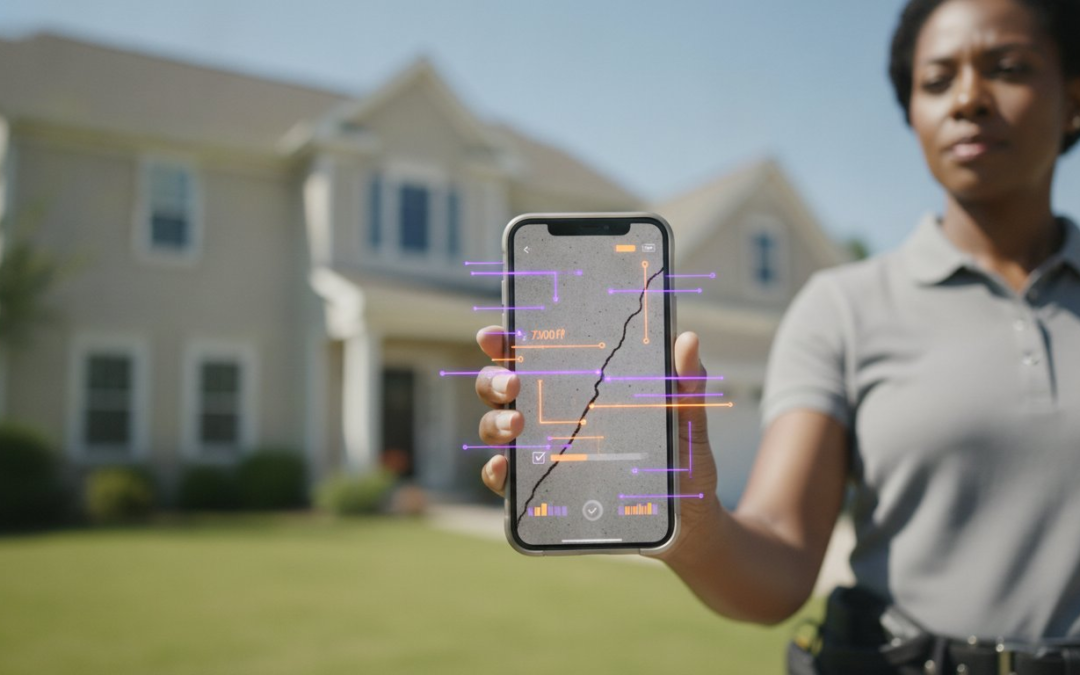
Every minute you spend manually typing photo labels is a minute of billable time you’ll never get back. You didn’t enter this field to spend your nights hunched over a laptop, squinting at images and trying to remember if a specific foundation crack belonged to the Smith or Jones property. It’s a frustrating, slow, and expensive way to work that leads to documentation errors and lost revenue. You need a workflow that’s as fast and precise as your onsite inspections.
It’s time to stop the manual grind and start scaling your operations. This guide reveals how to leverage software to add captions to photos automatically so you can generate professional photo reports in seconds. Discover how automated labeling technology eliminates data entry, ensures accuracy, and impresses your clients with lightning-fast turnaround times. We’ll explore the power of voice-to-text, custom templates, and seamless reporting tools that restore order to the chaos of your documentation. Get ready to capture, label, and report with total confidence!
Key Takeaways
- Understand the critical difference between generic social media tools and technical labeling software designed for heavy-duty field documentation.
- Learn how to use professional software to add captions to photos automatically using advanced voice-to-text and pre-set inspection templates.
- Master the “Capture, Label, Report” workflow to slash reporting time and eliminate documentation chaos!
- Compare specialized field software against generic creative apps to find the most cost-effective solution for your business.
- Generate high-impact, revenue-ready reports in seconds using automated labeling and custom templates to impress your clients.
What is Software to Add Captions to Photos Automatically?
Stop thinking about social media subtitles or creative video filters. In the high-stakes world of field documentation, professional software to add captions to photos automatically is your digital backbone. It’s the engine that converts raw visual evidence into structured, actionable data. While consumer apps focus on aesthetic fonts, professional tools use AI, voice-to-text, and custom templates to embed critical details directly into your image files. This isn’t just about adding text. It’s about Automatic image annotation that creates a permanent, searchable record of every onsite finding.
The core technologies driving this shift include Optical Character Recognition (OCR), real-time Voice-to-Text, and AI-driven image recognition. These systems don’t just “see” a photo; they interpret the context of the jobsite. They replace the soul-crushing task of manual file renaming with instant metadata embedding. Instead of spending hours at your desk after a long day onsite, you capture the image and let the technology handle the heavy lifting. You get precision, speed, and reliability in one seamless package.
The Evolution of Photo Labeling
Documentation has moved from physical notebooks to clunky digital folders and finally into the era of total automation. For decades, field pros relied on memory or scribbled notes that often got lost in transit. Digital cameras helped, but they still required manual typing back at the office. By June 2026, AI-assisted documentation has reached a tipping point where manual entry is no longer a viable business model. The shift from desktop-centric software to mobile-first cloud platforms means your reports are finished before you even leave the jobsite! This transition empowers you to focus on the inspection, not the paperwork.
Key Industry Use Cases
High-stakes industries demand high-speed labeling to maintain profitability and clear communication. Professional software to add captions to photos automatically solves unique pains across multiple sectors:
- Property Inspections: Identify defects, label structural components, and categorize rooms instantly without touching a keyboard.
- Construction Management: Track project milestones with time-stamped, labeled proof that keeps stakeholders informed and protects your liability.
- Insurance Adjusting: Slash claim cycle times by generating detailed, annotated photo sheets the moment you finish your walkthrough.
Efficiency is the new standard. By adopting automated labeling, you eliminate the chaos of disorganized photo galleries and ensure every image tells a complete, professional story. You save time, reduce errors, and reclaim your evenings.
How Automated Photo Labeling Technology Works
Efficiency isn’t an accident. It’s the result of smart engineering. High-performance software to add captions to photos automatically works by layering multiple data streams onto a single image file. When you snap a photo, the system doesn’t just save pixels. It instantly pulls GPS coordinates, compass headings, and timestamps from your device’s hardware. This metadata forms the foundation of a professional report, ensuring every piece of evidence is anchored to a specific time and place. It’s the end of “where was this taken?” and the beginning of absolute clarity.
The process is designed for speed. Once the hardware data is captured, the software applies your specific descriptions through voice or templates. This creates a rich, data-heavy file that remains lightweight and easy to share. You aren’t just taking pictures; you’re building a digital map of your entire inspection. This level of detail protects your liability and provides undeniable proof of onsite conditions.
The Power of Voice-to-Text in the Field
Stop typing on tiny screens with dirty gloves. Voice-to-text labeling is the ultimate hands-free solution for busy professionals. By speaking directly into the app, you convert your observations into embedded captions instantly. This technology is vital for automated captioning for web accessibility and professional documentation standards. Modern AI engines now achieve 95% to 99% accuracy in clear audio conditions. This level of precision means you can use technical jargon with total confidence. Capture, speak, and label! Many field professionals report that moving to a voice-first workflow can reduce documentation time by up to 50% compared to manual typing.
Template-Based Automation
Structure creates speed. Custom templates allow you to “tap and tag” your way through a jobsite using pre-set categories tailored to your specific industry. If you’re a home inspector, your template might include categories for the roof, HVAC, and foundation. This logic prevents you from missing critical shots and ensures your reports remain consistent across every project. These smart folders auto-sort your labeled photos the moment they’re captured. You can explore professional labeling tools that offer these custom templates to standardize your team’s output. It’s about creating a unified library of labels that everyone can use, ensuring your brand’s voice is consistent on every report.
Once you finish the walk-through, cloud syncing takes over. Your labeled photos move from the jobsite to the office dashboard in real time. Your office staff can start reviewing the data before you even pull out of the driveway. This seamless flow from field to office eliminates the bottleneck of manual uploads. It’s a game-changing partner for your business. You get faster turnaround times, happier clients, and a more profitable operation. Choosing the right software to add captions to photos automatically is the smartest investment you can make for your business today!
Professional Software vs. Creative Apps: Choosing the Best Tool
Stop wasting time with tools designed for influencers. Creative apps like Canva or Adobe are powerful for graphic design, but they’re a massive bottleneck for field professionals. When you need software to add captions to photos automatically, you need a workflow that handles volume, not aesthetics. Choosing between a generic app and specialized software like PHOTO iD is the difference between struggling with manual text boxes and finishing your report in seconds. You don’t need fancy fonts; you need data-rich documentation that stands up to scrutiny.
Professional documentation isn’t just about putting text on an image. It’s about generating a comprehensive, revenue-ready record of your work. While creative tools focus on “look and feel,” specialized field software focuses on “speed and security.” Professional reports require encrypted cloud storage and secure data handling to protect your business and your clients. A subscription to a dedicated tool provides far more value than a “free” app when you calculate the billable hours lost to manual data entry. Invest in a game-changing partner that scales with your workload!
Evaluation Criteria for Professionals
Don’t settle for limitations. Before you commit to a platform, ensure it meets the rigorous demands of your industry. Your software must be built for the reality of the jobsite, not the comfort of an office. Look for these non-negotiable features:
- Bulk Processing: Can the app handle 200 or more photos in a single project without crashing?
- Export Options: Does it output professional PDFs and Excel sheets, or integrate directly with industry standards like Xactimate?
- Offline Capability: Can you continue to capture and label photos when you’re in a basement or a remote area without a cellular signal?
Why Creative Apps Fail Field Teams
Creative tools are designed for single-image perfection, not high-velocity reporting. The frustration of manual placement and font selection in consumer-grade apps will kill your productivity. These tools lack project-based organization, leaving you with a disorganized mess in your camera roll. Even worse, they offer no team oversight. Without a team management dashboard, you can’t track progress or maintain quality control across multiple inspectors. Field work is chaotic enough; don’t let your documentation software add to the mess. Choose a solution that prioritizes organization, oversight, and output!
Switching to professional software to add captions to photos automatically ensures that every team member follows the same standards. It eliminates the guesswork and keeps your documentation consistent, professional, and audit-proof. Stop fighting with tools that weren’t built for you. Embrace a platform that understands the daily grind of inspections and assessments. It’s time to capture, label, and report with total efficiency.
A Step-by-Step Workflow for Automated Photo Documentation
Theory is good, but results are better. To truly eliminate the headache of manual data entry, you need a repeatable process that works as hard as you do. Using software to add captions to photos automatically isn’t just about the tech; it’s about the workflow. When you integrate these five steps into your daily routine, you transform a chaotic pile of images into a structured, professional asset. Follow this roadmap to reclaim your time and master your documentation.
- Step 1: Select your template. Before you snap the first picture, choose a custom inspection template. This sets the stage for organized data collection and ensures you never miss a critical shot.
- Step 2: Capture photos directly. Don’t use your phone’s native camera app. Shoot within the professional app to keep your project photos separate from your personal gallery and instantly organized.
- Step 3: Speak your labels. Use voice-to-text to describe the scene while the camera is active. Speaking your observations in real time ensures you capture the details while they’re fresh in your mind.
- Step 4: Review on the dashboard. Sync your photos to the centralized team dashboard. This allows you or your office manager to verify labels and organization from any device.
- Step 5: Export and deliver. Generate your final report with one click. Your photos will be perfectly formatted, fully captioned, and ready for the client!
You can start your automated workflow today and see the difference in your turnaround times immediately. This process ensures that every project follows the same high standard of excellence.
Setting Up for Success
Build a library of common descriptions to accelerate your future inspections. When you find yourself describing the same roof damage or foundation crack repeatedly, save those phrases into your custom labeling library. Train your team on voice-to-text best practices to ensure the AI captures technical jargon with 99% accuracy. Finally, integrate your photo workflow with your existing CRM or estimating software to create a seamless data bridge from the field to the final invoice.
Maximizing Report Quality
Consistency is the hallmark of a professional. Standardized labeling across your entire team builds trust with clients and carriers alike. Take your documentation further by adding aerial measurements and wall data to your captioned photos. This creates a comprehensive data package that answers every possible question before it’s asked. Use your management dashboard to audit field photos before they reach the client, ensuring every report is polished, precise, and powerful. By leveraging software to add captions to photos automatically, you aren’t just saving time; you’re elevating your entire brand.
PHOTO iD: The Ultimate Software for Automated Photo Labeling
You need a tool that speaks your language. PHOTO iD isn’t just another app; it’s a game-changing partner built by adjusters who understand the grit of the jobsite. This software to add captions to photos automatically replaces the chaos of manual entry with a streamlined, professional system. We lived the frustration of late-night reporting, so we built the solution. Our mission is simple: we help you restore order, reclaim time, and raise profits!
Efficiency lives in our DNA. We operate on a powerful, three-part mantra: Capture, Label, Report! This rhythm ensures that your data moves seamlessly from the physical world to a digital report without any friction. You capture the evidence, the technology labels the details, and the system generates the report instantly. It’s the ultimate software to add captions to photos automatically that scales with your business needs. Stop fighting your documentation and start mastering it.
Built for Speed and Accuracy
Speed is nothing without precision. PHOTO iD’s voice-to-text engine is specifically tuned for technical field descriptions, ensuring your industry jargon is captured correctly every time. You can utilize custom templates tailored for home, roof, or wall inspections to keep your team focused and consistent. For roofing professionals, the ability to integrate aerial roof and wall measurements directly into your documentation provides a level of detail that competitors simply can’t match. You get more than just a photo app; you get a complete inspection camera system that works as hard as you do.
Seamless Integration and Collaboration
Your data shouldn’t live on an island. PHOTO iD acts as a centralized hub for all project documentation, allowing for real-time oversight through the Team Management Dashboard. This dashboard empowers managers to audit field progress as it happens, ensuring quality control across every single job. Most importantly, our platform integrates directly with industry standards like Xactimate. You can sync your field photos and labels instantly, eliminating the double-entry that drains your profit margins. It’s a professional, practical, and powerful solution for the modern field team.
Stop settling for slow, manual workflows that eat into your personal time. It’s time to empower your team with the modern tools they deserve. Whether you are managing a single inspector or a national team, PHOTO iD provides the reliability and speed you need to stay ahead of the competition. Start your free trial of PHOTO iD today! and experience the power of automated documentation for yourself!
Master Your Documentation and Reclaim Your Time Today
The era of manual data entry is over. You now have the roadmap to transform your field documentation from a bottleneck into a competitive advantage. By leveraging software to add captions to photos automatically, you ensure every image is an asset rather than a liability. Professional labeling technology brings order to the chaos, providing the speed and accuracy your clients demand. It’s time to stop the late-night typing and start scaling your business with confidence!
Founded by industry veteran Ken Perry and trusted by thousands of field professionals, PHOTO iD is the game-changing partner you need. Our platform is proven to reduce claim cycle times by up to 40%, letting you finish more jobs in less time. Don’t let disorganized photos slow you down another day. Capture, label, and report with total efficiency!
Streamline your inspections with PHOTO iD. Start Now!
Expert Answers for Field Professionals
Can software add captions to photos automatically in bulk?
Yes, professional tools are built to handle high volumes of data. You can apply labels to hundreds of photos at once using custom templates or batch processing features. This prevents you from wasting hours on repetitive tasks and ensures your reports are ready in record time! It is the most efficient way to manage large-scale property or construction projects.
How accurate is voice-to-text for technical inspection labeling?
Modern AI technology is incredibly precise. In clear audio conditions, voice-to-text systems achieve between 95% and 99% accuracy. These tools are trained to recognize complex technical jargon used in construction and insurance, so you can speak naturally while you work. This high level of precision means you spend less time correcting text and more time finishing the job.
Will automated photo labeling work if I don’t have an internet connection?
Yes, you can continue working without a cellular signal. Professional field apps allow you to capture and label photos offline in remote areas or deep basements. Your data stays organized on your device and syncs to the cloud automatically once you’re back online. This ensures your workflow never stops, regardless of the jobsite conditions.
Can I export labeled photos directly into Xactimate or Verisk?
Absolutely. High-quality software to add captions to photos automatically integrates directly with industry-standard platforms like Xactimate. This seamless data bridge eliminates manual re-entry and slashes your claim cycle times. You finish the documentation faster, reduce errors, and get paid sooner. It’s a game-changing partner for your estimating process.
Is there a difference between photo captions and image metadata?
Yes, and both are critical for professional documentation. Captions are the visible text labels that describe the scene for the reader, while metadata is the hidden data like GPS coordinates and timestamps embedded in the file. Professional tools capture both to create an audit-proof, data-rich record of your onsite findings. This double layer of documentation protects your liability.
How do custom templates help with automated photo organization?
Templates act as your digital roadmap for every inspection. They pre-categorize your photos into specific folders like “Roof,” “Foundation,” or “Interior” as you take them. This structure prevents you from missing critical evidence and keeps your project files perfectly organized from the start. You don’t have to worry about sorting images later because the software handles it in real-time.
What is the best app for home inspectors to label photos on-site?
PHOTO iD is the ultimate solution for inspectors who value their time and professional reputation. It’s built specifically for the field, offering voice-to-text labeling and instant report generation in one mobile-first platform. It’s the tech-savvy ally that lets you complete your paperwork before you even leave the driveway! It restores order to the chaos of onsite documentation.
Can I manage a team of adjusters using automated photo software?
Yes, you can maintain total oversight from a centralized team management dashboard. This feature allows you to track progress, audit photo quality, and manage documentation for multiple adjusters in real-time. It’s the most efficient way to scale your operations and ensure brand consistency across every project. You stay in control without having to be on every jobsite.