
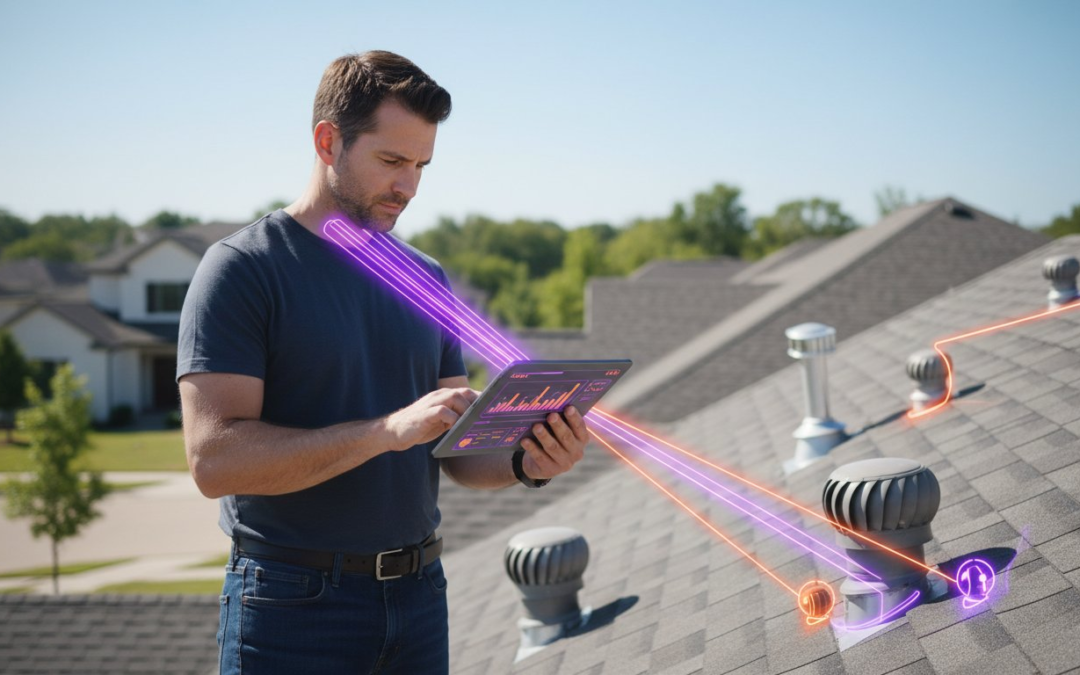
The hours you spend labeling photos at your kitchen table at 9 PM aren’t just a “part of the job”; they’re a symptom of a broken workflow. In an industry where the field data collection and reporting tools market has surged to over $6 billion in 2026, there’s no longer an excuse for manual entry or clunky apps that crash in low-service areas. You know the frustration of inconsistent data from your team and the headache of delayed reports that stall your payments. It’s a chaotic cycle that drains your energy and your profits.
This guide will show you how to reclaim your time. You’ll master the technology that eliminates manual entry, automates photo organization, and turns field chaos into professional, instant reports. We’ll explore the essential features for 2026, including AI-powered voice-to-text labeling and seamless integrations with industry standards like Xactimate. Stop the data bottleneck, empower your team, and deliver results at high velocity. It’s time to capture, label, and report with total confidence.
Key Takeaways
- Stop paying the “hidden tax” of manual entry by upgrading to 2026’s most intelligent field data collection and reporting tools.
- Eliminate your biggest time-sink with automated photo labeling and voice-to-text technology that captures insights instantly.
- Identify why generic form builders fail and choose a specialized, visual-first framework designed to break the “Photo Bottleneck.”
- Implement a “Zero-Lag” reporting workflow to generate professional, client-ready documents the second you leave the jobsite.
- Restore order to your onsite documentation and reclaim your evenings by letting AI-driven automation handle the heavy lifting.
The Evolution of Field Data Collection and Reporting Tools
The days of passive data storage are dead. In 2026, professional documentation has moved beyond simple digital forms and entered the era of intelligent data ecosystems. Modern field data collection and reporting tools are no longer just digital filing cabinets; they’re high-velocity execution engines. They don’t just hold information. They process it, organize it, and deliver it to your clients before you even leave the driveway. This shift represents a fundamental change in how specialized labor and assessment industries operate. You aren’t just recording what you see. You’re automating the entire narrative of the jobsite.
Think about the “Hidden Tax” your team pays every single day. Every minute an inspector spends manually typing descriptions or dragging photos into folders is a minute they aren’t inspecting. If your team loses 30 minutes per job to manual entry, and they handle four jobs a day, you’re losing two full hours of billable potential per person. That’s a massive drain on your bottom line. 2026 standards require a “zero-lag” approach where field data and office oversight exist in a state of constant, real-time synchronization. This eliminates the reporting bottleneck and ensures that project managers have total oversight as events unfold, not hours after the fact.
From Paper Logs to Intelligent Automation
The history of site documentation is a journey from friction to flow. We’ve moved from messy paper logs to static PDFs, and finally to AI-driven applications. Early data collection methodologies relied on human memory and manual transcription, both of which are prone to expensive errors. Simple spreadsheets and generic form builders no longer meet professional liability standards. Today, cloud connectivity allows for a seamless handoff between the physical action and the digital result. Professional tools now use automated logic to ensure every required field is captured correctly the first time. No more return trips. No more missing signatures. No more excuses.
Why Visual Data is the New Gold Standard
Photos are the heartbeat of modern inspections. However, a folder full of unlabeled images is a liability, not an asset. High-resolution, time-stamped photo evidence is now the non-negotiable requirement for insurance carriers and high-end clients. Automated labeling is the game-changer here. It prevents data loss and stops miscommunication in its tracks. When your software organizes images as you take them, you eliminate the #1 time-sink in the industry. You meet the demands of the most rigorous standards while actually doing less manual work. Capture the detail. Label the evidence. Generate the report. It’s that simple!
Core Features of High-Performance Field Documentation Platforms
High-performance field data collection and reporting tools must do more than just digitize paper. They have to eliminate friction. The most critical feature for any professional platform in 2026 is automated photo labeling. For property adjusters and inspectors, photos are the bulk of the work. If you’re still manually typing “Front Elevation” or “Living Room Ceiling” for every shot, you’re working in the past. Modern systems label these images as you snap them, turning hours of post-inspection sorting into zero seconds of effort. It’s about moving from collection to delivery in a single heartbeat.
Offline functionality is another non-negotiable pillar. Fieldwork doesn’t always happen in areas with perfect 5G coverage. Your tools must capture data, photos, and signatures locally and sync them the moment a connection is restored. This ensures that no data is lost and prevents the frustration of app crashes in remote locations. When these features combine, you move from “collecting data” to “delivering results” in seconds. This level of responsiveness is what separates the industry leaders from the laggards.
The Power of Voice-to-Text Labeling
Efficiency isn’t just about speed; it’s about safety and focus. Voice-to-text capabilities allow you to capture expert insights without ever putting down your tools or taking your eyes off the inspection point. 2026 AI voice engines are specifically tuned for noisy construction environments, filtering out background wind or machinery to ensure high accuracy. By dictating labels and notes during the walkthrough, you can reduce post-inspection office work by up to 75%. You finish the job, and the report is already written. It’s a game-changing shift for the mobile professional!
Centralized Dashboards for Project Oversight
Managing a national team requires more than just good intentions. It requires visibility. Team management dashboards allow you to oversee multiple projects from a single hub, ensuring that every team member follows the same high standards. Much like the complex enterprise data collection systems used by government agencies, these dashboards provide real-time project oversight to prevent costly re-inspections. You see the progress as it happens, allowing you to catch errors before the team leaves the site.
Standardization is key to professional branding. Use custom inspection templates to ensure every report looks identical, whether it was generated in Florida or Oregon. Integrating aerial roof and wall measurements directly into your workflow adds another layer of precision that clients now expect. If you want to stop the manual struggle, it’s time to switch to a professional home inspection app that handles the heavy lifting for you. This centralized approach restores order to the chaos and keeps your projects moving forward at high velocity!
Specialized vs. General Tools: Choosing the Right Framework
Stop settling for “good enough” software that wasn’t built for your industry. Generic form builders might work for a simple office checklist, but they crumble under the weight of a professional property inspection. Choosing the right field data collection and reporting tools is the difference between a high-growth firm and one that’s drowning in admin work. Generic tools are designed for basic data entry; they ignore the high-velocity needs of property adjusters and home inspectors who live and breathe visual evidence.
The biggest failure of generic apps is how they handle high-volume media. If you’re capturing 200 photos for a single project, a basic form will lag, freeze, or lose your progress entirely. These tools lack specialized inspection templates, forcing you to waste hours building workflows that should be ready to go. Manual organization is a trap. It leads to mislabeled damage, lost files, and rejected reports. You need a system that understands your industry jargon and your onsite reality. Choose excellence over convenience.
When General Form Builders Hit the Ceiling
Generic apps hit a wall the moment you try to scale. They lack the professional logic required to manage complex property data without errors. Without specialized features, your team is left to sort, name, and folder photos manually. This creates a catastrophic reporting bottleneck that delays client delivery and kills your profit margins. A tool that can’t handle the “Photo Bottleneck” isn’t a solution; it’s a liability. Professional standards in 2026 demand a visual-first approach that generic software simply can’t provide.
The ROI of Specialized Property Inspection Software
Calculate your true cost-per-report. When you use specialized software, you eliminate hours of office work for every single job. This instant documentation slashes claim cycle times and keeps your clients coming back. It also provides a bulletproof audit trail. Accurate, time-stamped, and organized data protects your business from liability and costly disputes. You’re not just buying an app; you’re investing in a shield for your professional reputation.
Your workflow doesn’t exist in a vacuum. Your field data must sync seamlessly with Xactimate and Verisk environments to keep the industry moving. Specialized tools are built with these integrations in mind, ensuring your data moves through the pipeline without friction. Scalability is the final test of your framework. A manual process might survive 10 inspections a month, but it will collapse at 1,000. Automation is the only way to scale without adding massive overhead. Invest in a framework that grows with you. Capture. Sync. Succeed!
Implementing a ‘Zero-Lag’ Reporting Workflow
The goal is simple: finish the job and the report at the same time. Achieving a “zero-lag” workflow isn’t just about working faster; it’s about working smarter with the right field data collection and reporting tools. When you eliminate the gap between the physical inspection and the final document, you boost your cash flow and impress your clients. This process turns your mobile device into a high-velocity production studio. Don’t let your documentation lag behind your physical work. Capture the data. Sync the files. Close the file.
Standardize your approach with these five critical steps:
- Standardize your inspection templates before you ever step foot on the site.
- Utilize voice-to-text labeling during the walkthrough to kill manual notes.
- Leverage aerial measurements to automate roof and wall data collection.
- Sync data instantly to the cloud so your office team can review in real-time.
- Generate and deliver the final photo report before you even start the truck.
Pre-Inspection Preparation
Success starts before you arrive. Build custom inspection templates that match your specific service offerings. This ensures your team captures exactly what’s needed without wasted motion. You don’t want your inspectors guessing which photos to take or which labels to use. Optimize your mobile devices for high-volume photo capture by ensuring high-speed settings are active. Finally, set up team permissions through your dashboard. This keeps your data secure and ensures only the right people have access to sensitive project files. Preparation is the foundation of speed!
On-Site Execution and Real-Time Syncing
Once you’re on-site, move with purpose. Focus on capturing and labeling “problem” areas quickly using voice commands. If you hit a complex issue, use virtual inspection software to collaborate with a remote expert in real-time. This prevents costly return trips and keeps the project moving forward at high velocity. Always verify data integrity within the app before you hit the final upload. This quick check ensures that every photo is clear, every measurement is precise, and every label is accurate.
Real-time syncing means your office team can begin their review while you’re still walking the perimeter. This collaborative rhythm eliminates the “9 PM reporting tax” discussed earlier. Stop wasting your evenings on paperwork. You deserve a workflow that works as hard as you do. Ready to transform your process? Start your PHOTO iD Mobile App Subscription today and experience zero-lag reporting for yourself!
PHOTO iD: Transforming Field Data into Instant Reports
PHOTO iD represents the ultimate evolution of field data collection and reporting tools. It was built specifically to solve the “Photo Bottleneck” that plagues property adjusters and inspectors. While generic apps force you to sort images manually, PHOTO iD uses intelligent automation to handle the heavy lifting. You take the photo. The app labels it. The report builds itself. This isn’t just a minor improvement; it’s a total transformation of your workday. It’s the only way to stay competitive in an industry where field data collection and reporting tools are now the backbone of every successful operation.
Stop the manual struggle. Let AI and voice-to-text technology capture your expert insights while you move. By the time you walk back to your truck, your documentation is organized and ready. This seamless process ensures that your final photo reports are professional, consistent, and delivered with high velocity. Plus, PHOTO iD integrates directly with the platforms you already rely on, such as Xactimate. Your data flows where it needs to go without extra clicks, manual exports, or wasted time. Capture. Label. Report. It’s that simple!
Why Top Adjusters Choose PHOTO iD
Top adjusters choose this platform because it was designed by industry veterans who have lived the field grind. We know that organized, time-stamped evidence is the only way to build client trust and protect your professional reputation. Professional reports don’t just look better; they close claims faster. Our users report a significant reduction in reporting time for high-volume inspections, allowing them to handle more volume without burning out. It’s about restoring order to the chaos of onsite documentation. Fast. Accurate. Professional.
Get Started with Modern Field Documentation
Transitioning your team to a modern workflow doesn’t have to mean downtime. PHOTO iD is designed for immediate adoption. Use the team management dashboard to gain real-time project oversight across your entire roster. You can monitor progress, standardize templates, and ensure quality control from one centralized hub. Empower your team with the digital capabilities they need to succeed in 2026. Don’t let manual paperwork hold your business back any longer. Reclaim your evenings and professionalize your output today.
Start your free trial of PHOTO iD today!
Master Your Workflow and Reclaim Your Time
The era of manual data entry is over. You’ve seen how automated photo labeling saves hours per report and how a zero-lag workflow transforms onsite chaos into professional clarity. By choosing specialized field data collection and reporting tools, you protect your liability and eliminate the 9 PM reporting tax once and for all. Don’t let clunky, generic apps slow your growth or frustrate your team. It’s time to work at high velocity.
National property adjusters trust this technology to deliver instant professional report generation every single day. Stop the struggle and start scaling. You have the digital capabilities to restore order, impress your clients, and dominate your market. Take the first step toward a more efficient future right now. Your evenings belong to you again!
Take Control of Your Field Reports with PHOTO iD
Capture with confidence. Label with ease. Report with speed!
Frequently Asked Questions
What are the best field data collection tools for home inspectors?
The best tools for home inspectors prioritize visual documentation and automated labeling. Look for a specialized home inspection app that eliminates manual sorting and folders. PHOTO iD is a premier choice because it combines custom templates with instant report generation. This ensures your data is professional and consistent every time you step on a property.
How can I automate photo labeling during a property inspection?
You can automate photo labeling by using AI-driven field data collection and reporting tools that feature voice-to-text capabilities. Instead of typing labels manually, you dictate descriptions as you snap photos. This software organizes your images in real-time, effectively breaking the “Photo Bottleneck.” It allows you to finish your documentation before you leave the jobsite.
Do field reporting tools work without an internet connection?
Yes, high-performance tools include robust offline functionality as a standard feature. You can capture photos, record notes, and complete templates in areas without a 5G signal. The app stores your data locally on your device. Once you return to a service area, the system syncs everything to the cloud automatically. Your workflow never stops just because the signal does.
Can I integrate my field data with Xactimate or Verisk?
Leading field data collection and reporting tools offer seamless integration with industry standards like Xactimate and Verisk. This connectivity is essential for property adjusters who need to move data into estimating software without manual re-entry. It slashes claim cycle times and ensures your documentation meets carrier requirements immediately. Flow is the goal.
What features should I look for in a construction management reporting tool?
Look for real-time oversight, custom templates, and integrated aerial measurements. A professional tool should offer a centralized dashboard to manage your team across multiple sites. Ensure it handles high-volume media capture without lagging. You need a platform that turns raw site data into an actionable, branded report in seconds, not hours.
How much time can voice-to-text labeling save on-site?
Voice-to-text labeling can reduce your post-inspection office work by up to 75%. By narrating your findings during the walkthrough, you eliminate the need to sit at a computer later to type descriptions. It keeps your hands free and your eyes on the inspection point. This simple shift saves hours of admin time every single week.
Is virtual inspection software secure for insurance claims?
Professional virtual inspection software is highly secure and designed specifically for the insurance industry. It provides time-stamped, geotagged evidence that serves as a bulletproof audit trail. These tools protect against fraud and liability by ensuring the data is captured at the correct location and time. It is a reliable way to handle remote assessments with total confidence.
What is the best way to manage a remote team of field adjusters?
The best way to manage a remote team is through a centralized team management dashboard. This hub allows you to monitor field progress in real-time and standardize templates across your entire staff. You can catch errors early and ensure every inspector follows your specific branding. It restores order to the chaos of managing a national team of adjusters.