
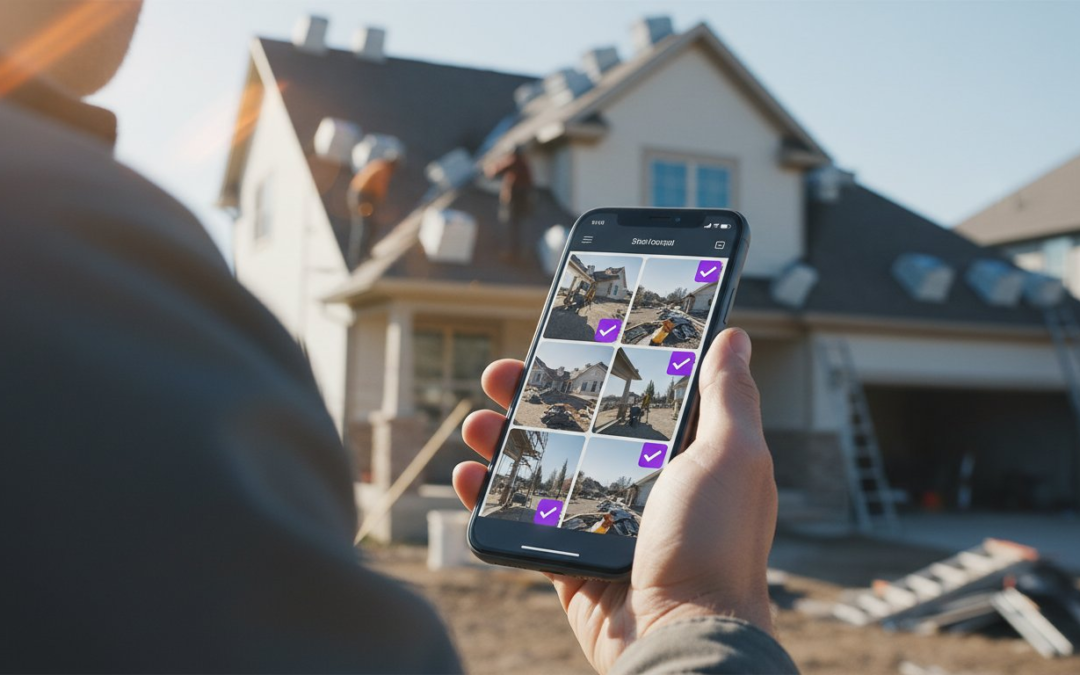
Did you know that 70% of construction disputes are caused by poor documentation? That is a staggering figure that represents billions in lost revenue and endless legal headaches. You shouldn’t have to spend your nights hunched over a smartphone, manually labeling hundreds of photos while your family waits for dinner. It’s exhausting to face a client dispute and realize your proof is buried somewhere in a chaotic, unorganized camera roll.
You need a system that works as hard as you do. This guide teaches you how to master photo documentation for contractors by switching to high-velocity, automated workflows that protect your business. Learn how to eliminate manual labeling, generate instant reports, and provide time-stamped proof that holds up under pressure. We’ll show you how to empower your team to document everything correctly the first time. Capture the work, automate the labels, and secure your profit!
Key Takeaways
- Defend your bottom line with time-stamped proof that validates every change order and project milestone.
- Stop the manual data entry grind by using voice-to-text technology to label and categorize photos instantly.
- Discover how automated photo documentation for contractors eliminates the security risks of unorganized personal phone galleries.
- Implement the 360-Degree Rule to create a bulletproof “Capture Culture” across your entire field team.
- Transform site chaos into professional, branded reports in seconds to impress clients and speed up payments!
Why Photo Documentation is a Contractor’s Best Legal Defense
In the high-stakes world of modern construction, a photo is far more than a simple image. It’s high-velocity visual evidence. This is the strategic process of tracking every project milestone from pre-construction to final completion. Without a structured digital archive, you’re essentially flying blind. Research shows that 70% of construction disputes are attributed to poor documentation. That is a massive, avoidable risk to your revenue. Don’t let your hard-earned profit vanish because of a missing folder or a lost memory card.
The financial stakes are incredibly high. Missing documentation leads directly to unpaid change orders and expensive litigation. Quality control failures cost the U.S. construction industry $31.3 billion annually. You cannot afford to rely on the “camera roll” chaos of a personal smartphone. Blurry, unlabelled images won’t stand up in a meeting or a courtroom. By 2026, industry standards require a professional, organized record that tells a clear and undeniable story. Capture the work. Label the details. Protect your business!
Protecting Your Bottom Line from Disputes
Stop liability before it starts. You must document pre-existing conditions before your crew ever sets foot on the site. This simple step stops “you broke it” claims in their tracks and saves thousands in potential damages. Documenting concealed work is equally vital. Take photos of MEP systems and structural elements before the walls are closed. By maintaining photographic legal evidence, you create a bulletproof defense against future claims. Every image must be time-stamped and geo-tagged to verify your site presence. It is fast, accurate, and undeniable proof of your progress.
Meeting OSHA and Compliance Standards Effortlessly
Safety is non-negotiable on a 2026 jobsite. Use photo documentation for contractors to track PPE compliance and safety meetings with a single tap. This creates a digital paper trail that satisfies building inspectors and regulatory bodies instantly. When you provide a consistent, organized record of jobsite safety, you position your company as a leader in the field. This level of transparency can even lead to reduced insurance premiums over time. Regulatory bodies want proof, not promises. Show them the truth through a structured, automated reporting system. Document, verify, and succeed!
The Technology Behind Automated Photo Labeling
Most contractors treat storage like a digital junk drawer. You snap a photo, it sits in your phone, and you forget the critical details by the time you get home. Manual data entry is the primary reason field documentation fails. It is too slow. It is tedious. It is the “typing bottleneck” that kills productivity and leads to missing information. Automated photo documentation for contractors changes the game by linking the image to the data the moment you pull the trigger. No more guessing. No more delays. Just pure efficiency!
The role of AI in 2026 has shifted from a novelty to a necessity. Modern systems now recognize project phases and suggest labels based on the visual context of the site. Instead of a generic file name, your software identifies a “foundation pour” or “drywall installation” and categorizes it instantly. This level of automation ensures that your trade-specific folders are organized without a single manual click. You get a structured digital archive that is ready for review the second you leave the jobsite.
Voice-to-Text: The End of Manual Onsite Typing
Stop pecking at a tiny keyboard with dirty gloves. Voice-to-text technology allows you to speak your notes directly into the report while you work. Say “Damaged flashing on south-east corner” and watch the text appear in real-time. This isn’t generic dictation. These specialized systems recognize industry jargon like “joist,” “soffit,” and “HVAC” without missing a beat. You can label 100 photos in minutes instead of losing hours at your kitchen table. Using a specialized photo app ensures your voice notes are immediately converted into professional labels that stay attached to the file forever. It is fast. It is accurate. It is effortless!
Custom Inspection Templates for Every Trade
Consistency is the key to legal protection. If every team member documents a site differently, your records are useless during a dispute. Custom inspection templates solve this by providing a standardized checklist for every trade. Whether you are doing roofing, HVAC, or general contracting, the app tells the user exactly what to capture next. This standardization ensures that no corner is left undocumented and every safety check is recorded. You can even customize labels to match the specific requirements of your client or insurance adjuster. Empower your team to follow the same logic every time. Capture the work, follow the template, and secure your results!
Comparing Manual Photo Management vs. Automated Systems
Stop wasting your weekends on digital busywork. If you are still spending five hours every Friday night sorting through a chaotic camera roll, you are paying a “manual tax” on your business. Manual photo documentation for contractors is a recipe for burnout and inaccuracy. By the time you sit down to label images from a Monday site visit, the details have faded. This “memory gap” leads to vague descriptions that won’t protect you in a dispute. You need a system that captures the truth in real-time, not a pile of unorganized files that clutter your personal life.
Data integrity is another massive risk. Storing project photos in a personal phone gallery is a security nightmare. If a device is lost, broken, or an employee leaves the company, your project history vanishes with them. Personal galleries lack the encryption and organization required for professional standards in 2026. Automated systems move your data into a secure, trade-specific cloud instantly. This ensures that your intellectual property is protected, searchable, and permanent. Protect your data, preserve your history, and provide total transparency!
The Hidden Cost of Post-Job Photo Sorting
Calculate the lost revenue from manual labeling. If a project manager spends five hours a week sorting photos, that is over 250 hours a year of wasted talent. Research indicates that effective photo documentation for contractors can save 40% in administrative costs. Beyond the numbers, manual entry is a morale killer. Your top field leads didn’t join the industry to become data entry clerks. When you eliminate the admin burden, you improve employee retention and keep your team focused on high-value tasks. Stop the pecking and start the producing!
Real-Time Syncing: Moving from Field to Office Instantly
Visibility is your greatest competitive advantage. With real-time syncing, the office sees exactly what the field sees the moment the shutter clicks. Forget about slow email attachments or clunky manual uploads. Cloud-based storage ensures that remote project managers can provide feedback while the crew is still onsite. This creates “one version of the truth” for every stakeholder involved. Whether it is a client, an architect, or a building inspector, everyone stays on the same page. Capture the moment, sync the data, and satisfy the stakeholders!
Managing ten projects at once is impossible without automation. As you scale, the volume of images becomes a tidal wave that can drown your quality control. Automated systems maintain documentation quality whether you are running one crew or fifty. They provide the structure you need to grow without losing the details that safeguard your profit. A picture might be worth a thousand words, but a labeled, time-stamped photo is worth a thousand dollars in saved disputes!
Best Practices for High-Velocity Field Documentation
Documentation is a team sport. To win, you must establish a “Capture Culture” where every crew member understands one simple rule: if it isn’t documented, it didn’t happen. This mindset shifts photo documentation for contractors from a chore into a core part of the production process. When your team takes pride in their visual records, your liability drops and your professional reputation soars. Build the habit, set the standard, and reap the rewards!
Master the “360-Degree Rule” to ensure total site coverage. Stand in the center of the room or in front of an exterior elevation. Pivot slowly and capture images from every angle to create a seamless visual record. This method eliminates “blind spots” that often hide pre-existing damage or construction errors. For high-level views, don’t rely on ladders alone. Utilize aerial roof and wall measurements within your app to get precise data that ground-level photos might miss. This combination of perspectives creates a bulletproof project history.
Tight spaces and low-light conditions are common jobsite hurdles. Don’t settle for “good enough” blurry shots. Use high-velocity apps that automatically adjust exposure and focus for crawl spaces or basements. If you can’t see the detail, neither can the client or the building inspector. Clear, crisp, and labeled images are the only ones that count when the stakes are high. Capture the truth, regardless of the environment!
Standardizing Your Team’s Capture Process
Consistency is the backbone of a reliable archive. Define a mandatory set of photos for every job type: “Before,” “During,” and “After.” This sequence tells the complete story of your craftsmanship. Train your crews to use voice-to-text labeling for every shot to keep descriptions consistent and descriptive. To ensure nothing slips through the cracks, set up notification alerts. If a project is active but lacks recent photos, your dashboard should tell you immediately. Stay proactive, stay informed, and stay protected!
Integrating Photos into Your Existing Workflow
Your photos should work for you, not sit idle in a folder. Sync your field data directly with your preferred estimating software or project management suites. This integration allows you to justify change orders with visual proof and get them signed off by the client immediately. You can even create a client-facing “Progress Gallery” to build trust and transparency. When a homeowner sees the daily progress through professional, labeled reports, disputes vanish. Ready to transform your field reporting? Start your PHOTO iD subscription today and automate your success!
Streamline Your Inspections with PHOTO iD
Storage is a liability. Reporting is an asset. Most apps just hold your photos, but photo documentation for contractors only works when it produces professional, actionable results. PHOTO iD transforms onsite chaos into polished, labeled reports in seconds. It is the game-changing partner you need to restore order to your jobsite. Experience the “Claims Coach” philosophy firsthand. This isn’t just code; it’s a tool built by field professionals who understand the daily grind of specialized labor. Capture. Categorize. Conquer!
Customizing your inspection templates is effortless. Whether you work in roofing, HVAC, or restoration, the app adapts to your specific trade requirements. You get the exact data you need without the unnecessary filler that slows down your day. This is high-velocity documentation designed for the mobile professional who demands excellence. By 2026, the industry will move faster than ever. You need a system that doesn’t just keep up, but sets the pace. Document the truth, automate the labels, and secure your profit!
Instant Report Generation in the Palm of Your Hand
Generate a complete PDF photo report before you even put the truck in gear. You don’t have to wait until you are back at the office to impress your clients or satisfy an adjuster. Branding your reports with company logos creates an elite client experience that builds immediate trust and transparency. Share your reports via a secure link or email to project owners instantly. Speed is your new competitive edge in a crowded market. Deliver. Document. Done!
Managing Teams with the Real-Time Dashboard
National oversight is now a reality for every contractor. Track every photo taken across all active jobsites from one central hub. The Team Management Dashboard gives you total visibility into your field operations without leaving your desk. Review voice-to-text labels for accuracy and ensure project clarity across every crew. You can even use aerial roof and wall measurements to verify field estimates remotely. This level of control allows you to manage ten projects as easily as one. It is modern, reliable, and intensely efficient!
Stop wasting your nights on administrative busywork. Take control of your photo documentation for contractors and protect your profit with a system designed for speed. Your team deserves a tool that works as hard as they do. Use the dashboard to spot missing documentation before it becomes a legal headache. Capture the work, automate the reports, and secure your future today!
Secure Your Profit with Automated Documentation
You’ve seen how manual labeling drains your time and puts your profit at risk. By 2026, the industry demands a higher standard of visual proof. Effective photo documentation for contractors is no longer just about storage; it’s about speed, accuracy, and protection. You need a system that works as hard as your crew. Stop losing hours to the “typing bottleneck” and start focusing on what you do best: building. Capture the work, automate the record, and win the day!
Built by industry veteran Ken Perry, PHOTO iD is designed specifically for the high-velocity environment of a modern jobsite. Use voice-to-text labeling technology to capture critical details in real-time. Generate instant photo reports before you even leave the site to keep projects moving and clients happy. It is time to move beyond the camera roll chaos and embrace a professional digital archive that defends your bottom line at every turn.
Don’t wait for a dispute to realize your records are missing. Stop manual labeling and start your free trial of PHOTO iD today! Restore order to your onsite chaos. Empower your team. Secure your legacy!
Frequently Asked Questions
What is automated photo labeling for contractors?
Automated labeling is a system that instantly attaches descriptive data to your images without manual typing. It uses pre-set logic to link photos to specific project phases, rooms, or trades the moment they are captured. This keeps your project history organized and searchable from day one. Capture the work, automate the data, and secure the proof!
How does voice-to-text improve jobsite documentation speed?
Voice-to-text allows you to narrate findings while your hands are busy on the site. Speak technical terms directly into the app to create instant labels that describe damage or progress. You can process 100 photos in minutes instead of wasting hours at home. It removes the friction of onsite typing and keeps your focus on the physical work. Speak it, see it, save it!
Can I use photo documentation software for insurance claims?
Yes, professional software is essential for providing court-ready evidence to adjusters. Automated photo documentation for contractors includes time-stamped and geo-tagged data that proves site presence and work quality. This level of detail validates change orders and speeds up the claims approval process. It turns your photos into undeniable proof of loss or repair that holds up under pressure.
Is it better to use a dedicated app or just my phone’s camera?
A dedicated app is vastly superior for security, organization, and professional standards. Standard phone cameras lack the trade-specific labeling and cloud-syncing capabilities needed for professional oversight. Using a specialized app ensures project data is encrypted and separated from personal photos. It provides a structured workflow that a generic camera roll simply cannot offer. Professional tools yield professional results!
How do I integrate field photos with industry-standard estimating software?
Use an app that offers direct export or syncing features to bridge the gap between field and office. This allows you to pull labeled images directly into your estimate to justify specific line items. It eliminates the need for manual uploads and tedious file renaming. Streamlining this connection ensures your estimates are backed by visual proof that adjusters and project owners cannot ignore.
Do I need an internet connection to capture photos on the jobsite?
No, high-quality mobile apps allow for offline capture in any environment. You can take photos and add voice-to-text labels in remote areas or basements without a cell signal. The data stores locally on your device and syncs to the cloud automatically once you are back in range. This ensures your documentation never stops, regardless of site conditions. Work anywhere, sync everywhere!
How does photo documentation help with OSHA compliance?
It creates a permanent digital paper trail of safety meetings and PPE usage. Use photos to document daily site hazards and the corrective actions your team took. This proactive record proves a consistent commitment to safety standards. In the event of an inspection, you have instant, visual evidence of your compliance history. Document the safety, prove the process, and protect the crew!
What are the best practices for taking construction progress photos?
Capture images at every phase: pre-construction, structural, and final completion. Use the 360-degree rule to document entire rooms and avoid blind spots. Always include time-stamps and descriptive labels to provide context for future reviews. Consistency across your team ensures that every project has a reliable, high-quality visual history. Plan the shot, capture the detail, and archive the truth!