
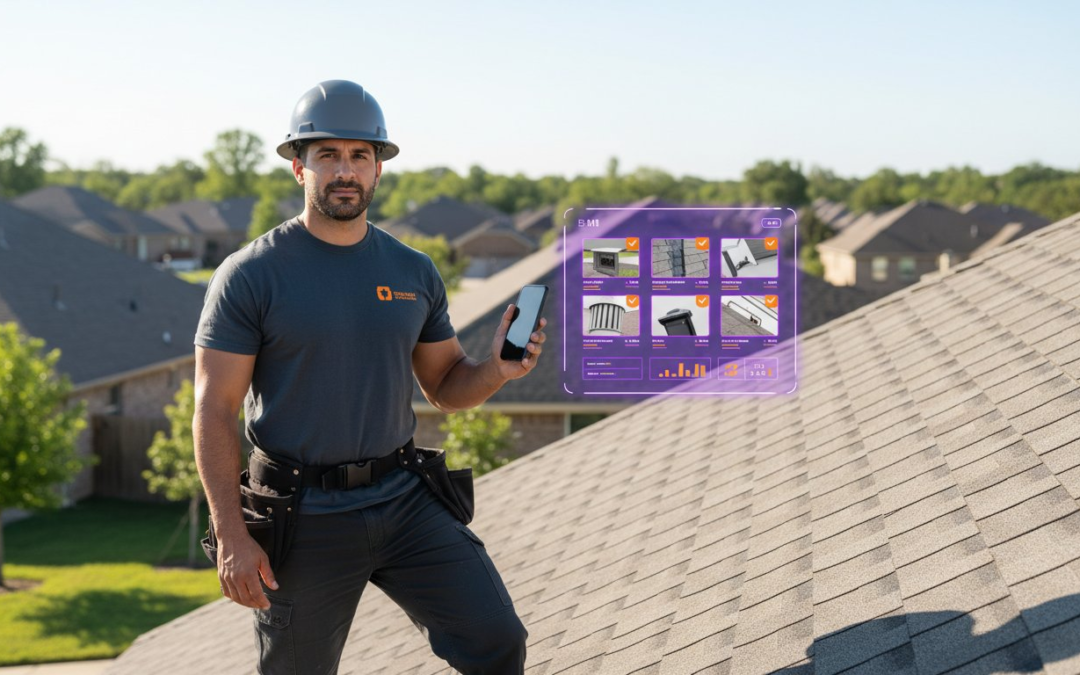
Did you know that poor project data and miscommunication are responsible for 52% of all rework in the construction industry? This staggering figure from 2026 research proves that disorganized documentation is a direct threat to your profit margins. You likely spend hours every night sorting through blurry images or hunting down crews who forgot to label their work. Finding the right contractor app for daily reports with photos is the only way to stop the chaos, reduce rework by up to 25%, and reclaim your time.
We understand the frustration of manual entries and the fear of insurance disputes caused by poor records. You need a digital partner that works as hard as your field crew. This 2026 buyer’s guide promises to show you how to eliminate manual office work by choosing a tool that automates photo labeling and generates professional reports instantly. We will dive into the top field-first software options, compare current pricing models, and help you implement a centralized dashboard that provides total project clarity in real-time. Capture data. Label photos. Generate reports. It’s time to work smarter, move faster, and protect your business with total confidence!
Key Takeaways
- Stop paying the “hidden tax” of manual reporting by learning how to transform chaotic jobsite photos into organized, insurance-grade evidence.
- Evaluate the best contractor app for daily reports with photos based on the critical “Time to Report” metric to ensure your crew finishes documentation before they clock out.
- Master the six non-negotiable features for 2026, including AI-driven automated photo labeling and hands-free voice-to-text narration.
- Eliminate field crew pushback by implementing an “Ease-of-Use” test that makes digital documentation simpler than sending a text message.
- Accelerate your project cycles and see how centralized dashboards deliver instant, professional PDF reports that protect your profit margins.
The High Cost of Poor Documentation: Why Your Current Reporting Method is Failing
Stop losing money to the “Hidden Tax” of construction. Every hour your team spends manually organizing jobsite photos is an hour stolen from your bottom line. In 2026, the industry has shifted away from simple notes. We no longer just keep daily logs; we build visual evidence. Without a dedicated contractor app for daily reports with photos, you’re flying blind and leaving your profits exposed. Poor documentation doesn’t just cause headaches; it kills cash flow by triggering rejected claims and endless payment delays. Capture the work. Document the truth. Protect your profit!
The Evening Office Work Bottleneck
Field crews often capture great photos but fail to provide context. This creates a typical two-hour delay as you sit at your desk every night trying to remember what happened eight hours ago. This “memory gap” is dangerous. When you label photos hours after the fact, accuracy plummets and critical details vanish. You aren’t just losing time; you’re accruing Documentation Debt. Documentation Debt is the compounding liability created by every unorganized photo, missing timestamp, and unlabeled report that leaves your business vulnerable to disputes. Stop the nightly grind and start reporting in real-time.
Insurance and Liability: The Need for Professional Standards
Insurance carriers and adjusters have raised the bar. Platforms like Verisk and Xactimate now demand “insurance-grade” data before they release funds. They want to see more than just a picture; they require timestamped, GPS-tagged, and clearly labeled visual assets. Modern Capital program management software frameworks emphasize these standards to ensure project integrity and accountability.
If your documentation doesn’t meet IICRC standards, it’s useless in a legal or insurance dispute. Blurry, unlabeled images won’t hold up when a client or carrier challenges your work. To stay competitive in 2026, your reporting must be:
- Instant: Captured and filed before the crew leaves the site.
- Verifiable: Backed by hard metadata like location and time.
- Searchable: Labeled automatically so you can find any photo in seconds.
Implementing a robust contractor app for daily reports with photos ensures every shot is a professional asset, not a liability. Don’t let poor records stand between you and your paycheck. Turn your documentation into a shield that protects your reputation and your revenue!
6 Must-Have Features for a Contractor Daily Report App in 2026
Efficiency isn’t a luxury; it’s a necessity. In 2026, a basic camera app is a liability. Your contractor app for daily reports with photos must function as a digital partner that anticipates your needs. Look for these six non-negotiable features to ensure your field operations remain profitable and protected. Capture the data. Automate the filing. Secure the profit!
- Automated Photo Labeling: AI identifies jobsite components instantly.
- Voice-to-Text Capabilities: Narrate complex findings hands-free while climbing a ladder.
- Custom Inspection Templates: Switch between roofing, HVAC, or electrical layouts in one tap.
- Aerial and Virtual Tools: Pull roof measurements and conduct virtual walkthroughs without leaving the app.
- Real-Time Dashboards: Provide the office with instant project status updates.
- Enterprise-Grade Security: Ensure every pixel and data point is encrypted and protected.
Automated Labeling vs. Manual Entry
Typing is the enemy of productivity. Manual text entry in the field is slow, prone to errors, and universally hated by crews. The 2026 benchmark is “zero-typing.” Modern AI identifies jobsite elements like flashing, decking, or structural damage automatically. Pre-labeled templates guide the user through the inspection, ensuring no critical shot is missed. Snap the photo. AI labels the view. The report builds itself. It’s that simple! This level of automation ensures your contractor app for daily reports with photos actually gets used by your team instead of being ignored.
Seamless Cloud Integration and Offline Mode
Connectivity is never guaranteed on a jobsite. Your app must perform in deep basements and remote rural zones using a robust offline mode. Once back in range, data should sync instantly with core platforms. This eliminates the need for manual uploads and keeps the entire team on the same page. Security is equally vital. Your documentation is your evidence; protect it with high-level encryption and secure cloud storage. Don’t settle for apps that leave your data stranded or exposed.
Speed. Accuracy. Simplicity. These are the pillars of modern documentation. To see these features in action, consider how a photo organization software can turn chaotic jobsite images into structured, professional assets in seconds. Stop wasting time on manual entry and start leveraging the power of AI-driven reporting today!
Top 3 Contractor Apps for Daily Reports with Photos: 2026 Comparison
Speed is the new currency. When you evaluate a contractor app for daily reports with photos, you must look beyond the shiny interface. The real test is the “Time to Report” (TTR). This metric measures the minutes between the final jobsite photo and the delivered PDF. In 2026, specialized tools are outperforming generalist platforms by cutting TTR by as much as 60%. Pick the tool that fits your workflow. Maximize your speed. Protect your time!
PHOTO iD: The Specialist’s Choice for Photo-Intensive Work
If your job requires 50 or 100 photos per inspection, you can’t afford manual entry. PHOTO iD is engineered for high-velocity documentation. It leverages industry-leading automated photo labeling and voice-to-text labeling to eliminate typing entirely. The “Instant Report” feature generates professional PDF reports in seconds, not hours. This makes it the preferred partner for home inspectors and insurance adjusters who need “insurance-grade” evidence immediately. Snap the shot. Speak the label. Send the report!
Raken and Contractor Foreman: The Generalist Alternatives
Raken remains a strong contender for large-scale crew management. With plans like their “Professional” tier at $30 per user per month, it offers solid visibility for massive projects. Contractor Foreman excels when you need deep accounting and back-office integration. However, be cautious of “feature bloat.” For a field professional, a contractor app for daily reports with photos should stay lean.
When an app tries to do everything, it often makes the simple act of documenting work more complex. If your crew spends more time navigating menus than taking pictures, the “all-in-one” solution is actually a bottleneck. Choose Raken for manpower logs and time cards. If your priority is rapid, organized visual evidence, stick to a specialist. Don’t let back-office features slow down your field production. Keep it fast. Keep it simple. Keep it profitable!
How to Implement a Daily Report App Without Field Crew Pushback
Software adoption is the graveyard of many great intentions. If your field crew feels like an app is just another chore, they will ignore it. You must provide a contractor app for daily reports with photos that feels like a power tool, not a tracking device. Focus on speed. Focus on simplicity. Focus on results! When the crew sees that documentation saves them from rework and disputes, pushback vanishes.
- Select Field Champions: Identify your most respected lead and let them drive the transition.
- Pass the Ease-of-Use Test: The app must be simpler than sending a text message.
- Incentivize Accuracy: Link high-quality documentation to project bonuses or performance reviews.
- Refine Templates: Use crew feedback to cut out unnecessary steps and fields.
Phase 1: The Pilot Program
Don’t roll out new tech to the entire company on day one. Start with a single crew to identify specific template needs for your trade. Gather “before and after” data to show how much time they save by eliminating that two-hour evening reporting grind. Position the app as a digital shield that proves your crew did the job right, rather than a tool for management surveillance. When they see the “memory gap” disappear, they will embrace the change.
Phase 2: Full Rollout and Optimization
Once the pilot is a success, standardize your custom templates across every project type. Use your Team Management Dashboard to identify documentation gaps before they become legal liabilities. Regularly review reports with the team to show exactly how a single photo prevented a client dispute or an insurance rejection. This creates a culture of accountability and pride.
Ready to eliminate the friction? Build your first Custom Inspection Template today and see how fast your team can document the truth. Stop fighting your crew and start empowering them with the right tools. Capture the work. Protect the team. Grow the business!
Why PHOTO iD is the Ultimate Solution for Photo-Driven Reporting
PHOTO iD isn’t just another software package. It’s a game-changing partner built by industry veterans who live the daily grind of inspections and assessments. We understand that your reputation relies on the quality of your evidence. By utilizing the “Claims Coach” methodology, our platform ensures every photo serves a specific purpose. This isn’t just about taking pictures; it’s about building an airtight case for every project. Stop guessing. Start documenting. Win the claim!
The core of our contractor app for daily reports with photos is the proprietary automated photo labeling engine. This technology eliminates the labeling bottleneck that contributes to project rework and miscommunication. By automating the organization of jobsite assets, firms can see a 15-25% reduction in disputes and rework according to industry statistics. Our system transforms raw images into professional, branded assets that carriers and clients trust instantly. It even integrates aerial roof and wall measurements and virtual inspection software into one seamless workflow. Capture the work. Secure the data. Close the project!
Beyond Simple Photos: Professional Inspection Power
Our Custom Report Builder is a powerhouse for specialized trades. Whether you’re in roofing, restoration, or HVAC, you can tailor your reports to meet specific industry standards. The impact of voice-to-text labeling cannot be overstated. It allows your field crews to narrate complex findings with high precision while their hands remain free for tools or ladders. This level of detail ensures that your reports are not just finished, but are also accurate and professional. In an industry where 85% of projects experience cost overruns, having precise, timestamped data is your best defense against margin erosion.
Get Started: From Field to Finish in Minutes
Speed is the ultimate advantage. You can set up your first custom template in under five minutes. Once your team is invited to the Team Management Dashboard, you gain real-time oversight of every active jobsite. You don’t have to wait for the end of the day to see progress. You see it as it happens. This instant visibility allows you to identify documentation gaps early and keep your cash flow moving without delays.
Don’t let another day of manual office work drain your energy and your profits. It’s time to equip your team with a tool that works as fast as they do. Start your free trial of PHOTO iD today and experience the future of field documentation. Capture the truth. Automate the report. Reclaim your evening!
Take Control of Your Jobsite Documentation Today
Stop fighting the clock every night. You’ve seen how disorganized photos drain your profit and how AI-driven automation restores your sanity. Choosing the right contractor app for daily reports with photos is the most effective way to eliminate the 52% of rework caused by miscommunication. Implement automated photo labeling to save over 2 hours of manual work every single day. Deliver instant PDF reports with professional branding that command respect from clients and adjusters alike.
PHOTO iD is trusted by home inspectors and insurance professionals nationwide to handle high-velocity documentation with ease. It’s time to replace the memory gap with insurance-grade evidence. Empower your crew. Automate your workflow. Secure your revenue! The chaos of the jobsite shouldn’t follow you home. Work smarter. Move faster. Close jobs sooner!
Streamline your field reports with PHOTO iD, Download the App Now
Your expertise deserves a reporting tool that matches your speed. Take the first step toward a more efficient and profitable future today!
Frequently Asked Questions
What is the best app for contractors to take photos and notes?
PHOTO iD is the premier contractor app for daily reports with photos for professionals who prioritize speed and accuracy. It eliminates the need for manual sorting by organizing every image as you take it. This ensures your project documentation is always complete, professional, and ready for review before you even leave the jobsite.
How do I automate daily construction reports?
Automation starts by selecting a platform that handles the heavy lifting of data organization. Choose an app with automated photo labeling and custom templates that match your specific trade. This setup allows your field data to flow directly into a finished report format without any manual typing or late-night office filing.
Can field photos be automatically labeled with voice-to-text?
Yes. Modern voice-to-text labeling allows your crew to narrate their findings directly into the photo metadata while they work. This hands-free approach ensures high-quality detail without slowing down field production. It’s the ultimate way to maintain accuracy while keeping hands on the tools and eyes on the job.
Do daily report apps work without an internet connection?
Yes. Professional field apps are built with a robust offline mode to handle remote jobsites, basements, and rural areas. The app stores all your photos and data locally on your mobile device. Once you return to a zone with service, the system syncs everything to the cloud automatically and securely.
What features should a roofing contractor look for in a daily report app?
Focus on aerial roof and wall measurements and specialized inspection templates that cover common damage types. You need a tool that handles high-altitude documentation safely and efficiently. Voice-to-text is a lifesaver when you’re on a roof and need to document flashing or shingles without fumbling with a keyboard.
How does automated photo labeling help with insurance claims?
It transforms raw jobsite images into undeniable, insurance-grade visual evidence. Labeled photos provide the exact context adjusters need to approve files and release funds quickly. This reduces the disputes that often delay payments and keeps your company’s cash flow moving in the right direction.
Is it possible to sync daily reports with Xactimate or Procore?
Yes. You can sync your documentation with major platforms like Xactimate or Procore through seamless cloud integrations. This ensures your field data is immediately available for estimating and project management teams. Stop wasting time on manual uploads and start working in one unified, efficient system.
How much time can a contractor save by using a daily report app?
A contractor app for daily reports with photos can save you over 2 hours every single day. Most of this time is reclaimed by eliminating the nightly grind of sorting, labeling, and filing photos manually. When your reports are finished the moment the job is done, you get your evenings back!