
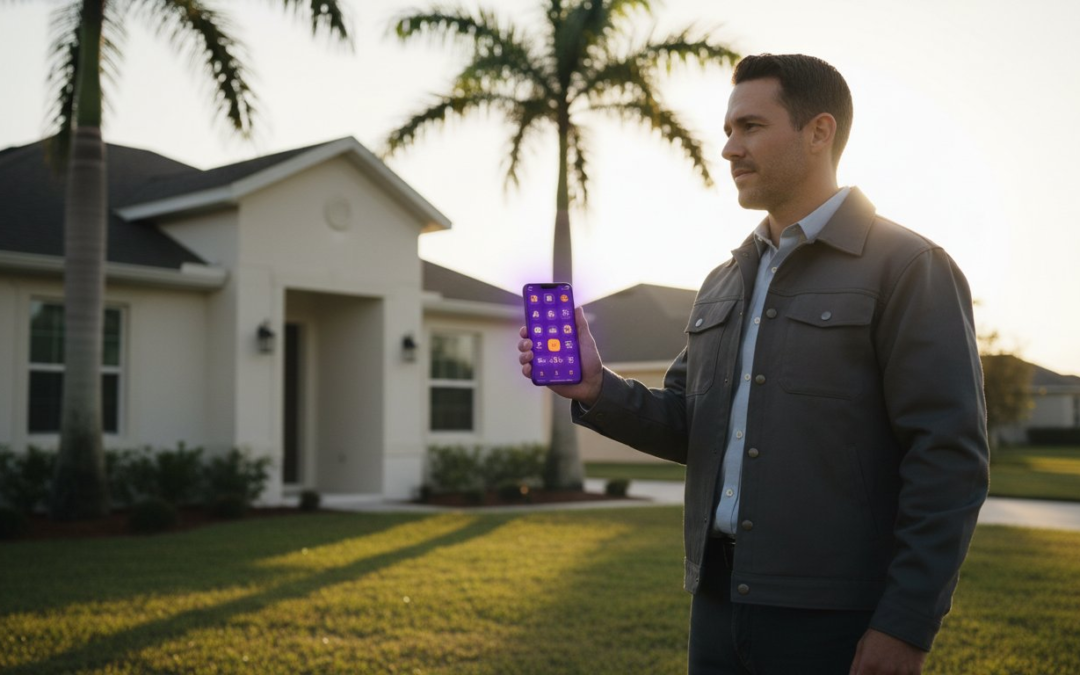
Stop treating your evenings like a second job. If you spend 15 hours every week manually labeling images, you aren’t just losing time; you’re losing profit. You know the grind. You finish your last inspection at 5:00 PM, but your workday doesn’t end until you’ve spent three hours sorting photos and typing captions. It is a chaotic, exhausting cycle that leads to inconsistent reports and frustrated clients. Finding the right software for creating photo reports is the only way to reclaim your life and restore order to your documentation.
This 2026 buyer’s guide shows you how to eliminate manual entry and generate professional, labeled photo reports instantly from the field. A Picture is Worth a 1000 Words, but only if it is organized, labeled, and delivered on time! We will compare the top documentation partners that prioritize speed, accuracy, and seamless Xactimate integration. Discover how to snap, speak, and send your way to a finished report before you even put your truck in gear. It is time to work smarter, move faster, and finish your day when the sun is still up.
Key Takeaways
- Stop wasting hours on manual labeling and learn how automated workflows transform your inspection process from a chore into a competitive advantage.
- Identify the five non-negotiable features for any modern software for creating photo reports, including voice-to-text labeling and instant organization.
- Understand the critical differences between general design tools and dedicated field documentation apps to ensure your team has the right equipment for the job.
- Discover how to train your entire crew in under 15 minutes to generate professional PDFs while they’re still standing at the jobsite.
- Master the Snap, Speak, Send workflow to eliminate nighttime documentation and boost your annual cost savings through extreme efficiency.
What is Software for Creating Photo Reports and Why Do You Need It?
Stop thinking of your camera as a simple recording device. In 2026, the best software for creating photo reports is a documentation engine that works as hard as you do. It isn’t just a place to dump files. It is a specialized tool that automates the capturing, labeling, and organizing of every site photo. While old-school pros still struggle with manual folders and messy desktop uploads, elite field workers use automated cloud-based streams to finish the job before they leave the driveway.
There is a massive difference between photo storage and photo reporting software. Storage is a bucket; it holds things but does nothing with them. Reporting software is a processor. It takes raw visual data and transforms it into a professional, labeled PDF instantly. Modern systems even incorporate the science of obtaining reliable information from photographs to ensure every pixel serves a purpose in your claim or estimate. If you aren’t using an automated system, you’re just taking pictures. You aren’t building a report.
The Hidden Cost of Manual Photo Management
Manual documentation is a profit killer. If you spend 2 hours every night labeling photos, you are losing 10 hours of billable time every week. Over a standard 50-week work year, that is 500 hours of wasted energy. At an average industry rate of $65 per hour, manual labeling costs you $32,500 annually in lost productivity. Beyond the money, “doing it later” leads to claim cycle delays and misidentified damages. A photo of a water-damaged ceiling looks like a dozen other ceilings if it isn’t labeled on-site. Don’t risk your reputation on a memory that fades after the third job of the day.
Key Industries Revolutionized by Automated Reporting
Speed is the new gold standard for field professionals. Automated reporting has become the backbone for several key sectors:
- Roofing and Restoration: Contractors use instant labeling to document pre-existing damage and justify supplemental estimates.
- Home Inspectors: Pros generate detailed reports in real-time, allowing them to book 20% more inspections per month.
- Insurance Adjusters: Catastrophe teams use automated streams to process claims 40% faster than traditional methods.
Efficiency isn’t a luxury anymore. It’s the only way to stay competitive in a high-velocity market. Use the right software for creating photo reports to ensure your documentation is accurate, professional, and finished before you even put your truck in gear.
5 Essential Features to Look for in Photo Reporting Software
Choosing the right software for creating photo reports is about more than just finding an app that takes pictures. It is about selecting a documentation partner that understands the high-pressure environment of a jobsite. In 2026, a basic gallery app won’t cut it. You need a tool that handles the heavy lifting while you’re still on your feet. Look for these five non-negotiable features to ensure your workflow remains unbreakable:
- Voice-to-Text Labeling: Eliminate the need to type with freezing fingers or dirty gloves. Speak your findings and watch the software transcribe them instantly.
- Automated Photo Organization: Stop scrolling through endless thumbnails. Your software should sort images by room, category, or damage type the moment you snap the shutter.
- Instant PDF Generation: Turn your field data into a professional, branded report with a single tap. Clients and adjusters shouldn’t have to wait 24 hours for a summary.
- Real-Time Cloud Synchronization: Bridge the gap between the field and the office. When you capture a photo, your team should see it on their dashboard in seconds.
- Custom Inspection Templates: Standardize your data collection. Use pre-set labels and workflows to ensure every team member captures exactly what is required for every claim.
Efficiency is the only way to scale your business without burning out. If your current tool doesn’t offer these capabilities, you’re leaving money on the table. You can explore professional field documentation tools that integrate these features into one seamless experience.
The Power of Voice-to-Text in the Field
Typing on a mobile device is the ultimate bottleneck for field professionals. It is slow, prone to errors, and forces you to stop moving. AI-driven voice labeling allows you to document at the speed of sight. By utilizing the Snap, Speak, Send workflow, you ensure 100% accuracy in your descriptions without ever touching a keyboard. This technology doesn’t just save time; it captures the raw, immediate details of an inspection that are often forgotten by the time you reach the office. It’s the difference between a vague note and a bulletproof claim.
Template Customization for Specialized Inspections
One-size-fits-all reports are a recipe for failure in niche trades. An HVAC technician needs different data points than a roofing contractor or a mold remediation expert. Custom templates allow you to build a structured flow that matches your specific industry requirements. This consistency builds trust with insurance adjusters and clients alike. When every PDF features your company logo, a clean layout, and precise labels, you establish yourself as the leading expert in your market. Don’t settle for generic; demand a report that reflects your professional standards.
Comparing Software Categories: Design Tools vs. Field Documentation Apps
Don’t get distracted by flashy interfaces. When you are standing on a steep roof or documenting a flooded basement, the right software for creating photo reports must be a workhorse, not a paintbrush. Many pros make the mistake of using general design tools for their documentation. While these platforms are excellent for office-based marketing reports, they fail miserably in the field. They lack the durability, automation, and technical depth required for high-stakes property inspections.
Basic field apps offer a step up for general contractors who only need simple photo sharing. However, high-volume adjusters and restoration pros require more than just a shared gallery. You need advanced inspection software that understands the “Xactimate Factor.” In 2026, the gold standard is a documentation partner that bridges the gap between the physical jobsite and the final estimate. Specialized tools like PHOTO iD take the lead by focusing on speed and technical compliance rather than just aesthetics.
Why Design Tools Fall Short for Property Inspections
Using a design tool for field work is a 2-hour nightmare waiting to happen. You have to manually upload, resize, and position every single image. Even worse, these tools strip away the vital GPS and timestamp metadata that insurance carriers require for legal proof of damage. If you lose your internet connection on a remote jobsite, most design tools simply stop working. You can’t afford to have your workflow tethered to a perfect 5G signal. You need a tool that works offline and captures the raw data automatically.
Integration with Industry Standards (Xactimate & Verisk)
Seamless integration is the only way to survive a heavy claim season. For adjusters, the ability to import labeled images directly into estimating software like Xactimate or Verisk is non-negotiable. This single feature can reduce claim cycle times by 30% or more. Instead of manually re-typing every label, your software for creating photo reports should push that data through instantly. This ensures you maintain IICRC documentation standards effortlessly while keeping your files organized for every stakeholder. Stop wasting time on data entry and start focusing on the inspection. Use a tool that speaks the language of the insurance industry and watch your productivity soar.
Maximizing ROI: Implementing Photo Software in Your Workflow
Don’t let a steep learning curve kill your momentum. The best software for creating photo reports is built for the rugged reality of the field, which means your crew should be proficient in under 15 minutes. You shouldn’t need a computer science degree to document a property. By automatically converting HEIC files into report-ready formats, you eliminate the technical friction that often stalls office-side processing. This is about total efficiency from the moment you step out of the truck to the moment the final PDF is signed.
- Training Speed: Deploy a standardized documentation process across your entire team in a single morning.
- Direct Cost Savings: Save an average of 2.5 hours per inspector every single day by removing manual labeling tasks.
- Format Automation: Stop fighting with incompatible phone settings; the software handles all image conversions in the background.
- Real-Time Oversight: View live project updates on a team dashboard to keep every claim moving forward.
Team Management and Real-Time Oversight
Stop the constant cycle of status update calls. A centralized management dashboard allows you to monitor field progress from the office without ever picking up the phone. You’ll know exactly when an inspection is complete because the organized photos appear in your stream instantly. Custom templates ensure every team member follows the same high standard, whether they’re seasoned pros or new hires. For large catastrophe teams managing 50 or more claims daily, granular user permissions keep your data secure while your adjusters focus on the damage. You can get started with professional team management tools to streamline your entire operation.
Measuring Success: Claims and Project Speed
Success in this industry is measured by the speed of the check. Using the right software for creating photo reports leads directly to a 20% reduction in re-inspections because you get the right evidence the first time. When you provide high-resolution, labeled proof, insurance carriers have no reason to delay the claim. Faster reporting leads to faster payments and clients who view you as a true professional. ROI in the context of inspection software is the measurable gain in billable capacity and overhead reduction achieved by eliminating manual administrative tasks through automation. If you aren’t saving time, you aren’t making money.
Why PHOTO iD is the Industry Leader for Photo Reports
Stop settling for generic tools that don’t understand your specific business needs. PHOTO iD stands as the industry leader because it was forged in the field by the experts at U Scope Technologies. This software for creating photo reports isn’t a side project for a Silicon Valley startup; it’s a specialized documentation engine built by veterans who know the heat, the height, and the high stakes of property inspections. While competitors prioritize office-based aesthetics, we prioritize the physical reality of the jobsite. We focus on speed, durability, and technical compliance.
We provide more than just a basic camera app. Our platform includes advanced capabilities like aerial roof measurements and moisture mapping support. These features allow you to capture every dimension and detail with surgical precision. If a site visit isn’t possible, our virtual inspection tools empower you to conduct remote assessments that maintain full professional standards. It is a game-changing partner that restores order to the chaos of documentation. It is technical, it is reliable, and it is built for the professional who demands results!
Automated Labeling That Actually Works
Manual entry is a relic of the past that kills your billable hours. Our automated labeling system eliminates the bottleneck of typing on a small screen with dirty hands. By utilizing AI-driven voice-to-text, you can organize hundreds of photos in seconds. The software sorts your images into the correct rooms and categories the moment you capture them. A Picture is Worth a 1000 Words! Our goal is to make sure those words are captured the instant you see the damage. The centralized dashboard provides total project control, giving you a bird’s-eye view of every claim in your pipeline. It is organized, it is efficient, and it is built for high-velocity workflows.
Next Steps: Get Started with PHOTO iD
Transformation starts with a single tap. Setting up your first custom inspection template is a streamlined process that takes only minutes. Once your workflow is established, your team will produce consistent, professional reports that insurance carriers and clients trust. For adjusters, the seamless Xactimate image import is the ultimate time-saver, ensuring your data moves from the field to the final estimate effortlessly. Don’t let another day slip away into hours of nighttime paperwork. Download the PHOTO iD app and start your free trial today! Experience the relief of a finished report before you even leave the jobsite. Snap it, speak it, and send it today!
Take Control of Your Documentation Today
You’ve seen the data. Manual documentation is a $32,500 annual drain on your productivity based on standard industry rates. Choosing the right software for creating photo reports isn’t just about convenience; it’s about reclaiming your time and scaling your business. By moving away from generic design tools and adopting a system built for the field, you ensure every claim is bulletproof and every report is professional. You don’t have to spend another night labeling photos at your kitchen table.
PHOTO iD was founded by ‘The Claims Coach’ Ken Perry to solve the exact frustrations you face every day. Our Snap, Speak, Send™ workflow is the gold standard for speed, and our full Xactimate and Verisk compatibility ensures your data flows exactly where it needs to go. Stop working for your documentation and start making your documentation work for you. Start Your Free Trial of PHOTO iD Now! You have the skills; we have the tools. Let’s finish the job together!
Frequently Asked Questions
What is the best software for creating photo reports for insurance claims?
PHOTO iD is the premier software for creating photo reports because it bridges the gap between field work and final estimates. It was built specifically for the insurance industry to handle high-volume claims with surgical precision. By automating the documentation process, adjusters reduce their office time by 40%. It ensures every photo is labeled and organized the moment it is taken. This tool is the only way to maintain total control over your claim files during a busy storm season.
Can I use voice-to-text to label my inspection photos?
You can absolutely use voice-to-text to label photos. This is the core of the Snap, Speak, Send workflow. Instead of struggling with a tiny keyboard in the rain or while wearing gloves, you just say what you see. The AI transcribes your words into clear, professional labels instantly. This technology is the fastest way to document site conditions without slowing down your physical inspection. It captures the raw details of the damage while they are still fresh in your mind.
How do I create a professional photo report on my phone?
Download a professional documentation app and follow the built-in inspection templates. These templates guide you through the property to ensure no damage is missed. Once you capture the images and speak your labels, the app compiles everything into a structured PDF. You can send this professional report to your client or adjuster with a single tap from your mobile device. It is a streamlined process that allows you to finish your work before you even leave the jobsite.
Does photo reporting software integrate with Xactimate?
Yes, top-tier software for creating photo reports provides seamless integration with Xactimate and Verisk. This is a non-negotiable feature for adjusters who need to import images directly into their estimating platform. It eliminates the need to re-label photos once you get back to your desk. This integration can save a catastrophe team hundreds of hours during a single storm event. It keeps your documentation consistent and compliant with all major carrier standards.
Is there a free app for creating photo reports?
Many apps offer a free trial, but professional field documentation requires specialized tools that have a cost. Basic free apps don’t include the GPS metadata, voice-to-text, or Xactimate integration necessary for high-level insurance work. Pro-level software is an investment that yields a massive ROI. It saves the average inspector over 500 hours of manual labor every year. You get what you pay for when it comes to speed, security, and professional results.
How can I organize 200+ roof photos quickly?
Use an app with automated category sorting to handle large volumes of images. As you move across the roof, the software tags each photo based on the specific area or damage type you select. This keeps 200+ photos perfectly organized in a cloud-based stream. You won’t have to spend hours at night guessing which slope a specific shingle photo belongs to. A Picture is Worth a 1000 Words, and organized photos tell a much more professional story to the adjuster.
What features are essential for a home inspection app in 2026?
In 2026, a home inspection app must have voice-to-text labeling, cloud synchronization, and custom report builders. It should also support aerial roof and wall measurements for comprehensive property data. Speed is the most important feature. The app must allow you to finish your documentation while you are still standing on the property. This ensures 100% accuracy and immediate delivery. Look for a tool that offers team management dashboards for real-time project oversight.
How does automated photo labeling save time for contractors?
It saves time by eliminating the “second shift” of data entry that many contractors face every night. Instead of spending 2 hours labeling photos after a long day, the work is done in real-time. This efficiency allows a single contractor to handle 2 more jobs per week. Faster documentation also means insurance supplements are approved 30% quicker, which directly improves your overall cash flow. It is the ultimate relief for a busy field professional.