
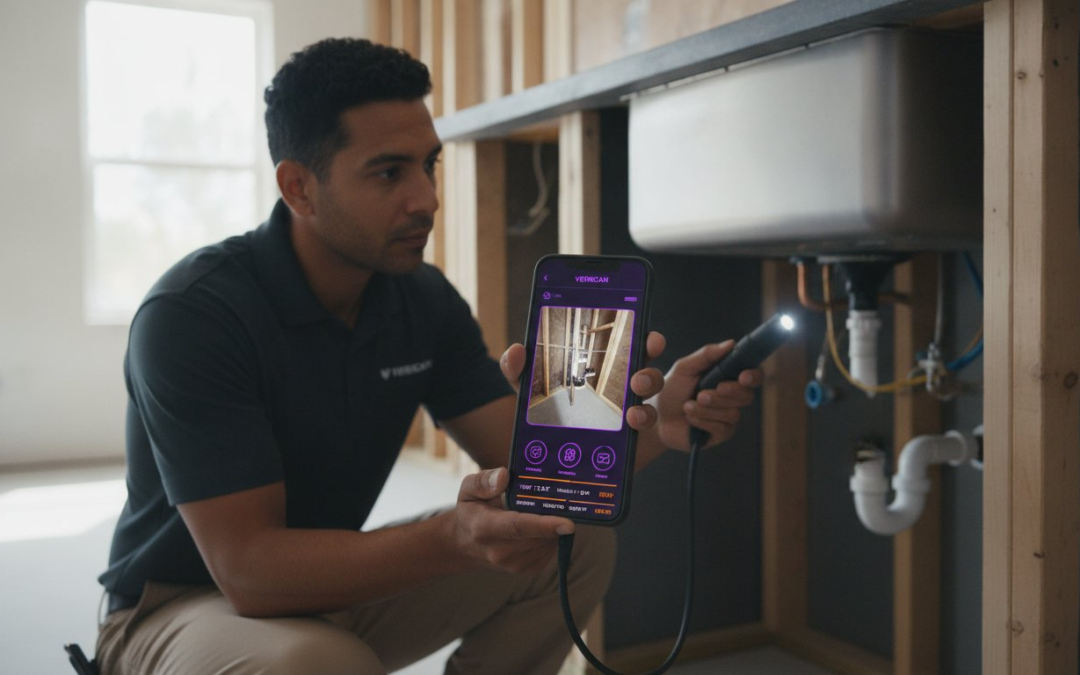
How many hours did you lose this week to the “photo pit” of manual labeling? You know the grind. You finish a high-stakes site visit only to spend your entire evening dragging files into folders and guessing which blurry image belongs to which room. It’s exhausting; it’s inefficient; it’s unnecessary. We agree that your expertise is wasted on a clunky inspection camera app that doesn’t automate the hard part of your job.
This guide will show you how to turn your smartphone into a high-speed documentation engine with the right software and a fully automated workflow. You’ll learn how to eliminate the post-inspection headache through voice-controlled labeling and instant report generation. Stop fighting with hardware-specific tools that crash when you’re in the field. We’re breaking down the essential tools for 2026 that ensure your data stays organized, your reports stay professional, and your office stays in sync. Capture the shot. Speak the label. Finish the job!
Key Takeaways
- Learn why a professional inspection camera app is more than a viewer; it’s a documentation partner that bridges the gap between hardware and high-speed reporting.
- Discover the essential features that eliminate manual entry, including automated cloud syncing and high-resolution capture that keeps your field data secure.
- Understand how to integrate external hardware like borescopes with your smartphone to create a unified, professional-grade inspection toolkit.
- Master the onsite workflow by using custom templates and voice-to-text labeling to capture critical details without slowing down your walk-through.
- See how PHOTO iD serves as the all-in-one solution for instant report generation, allowing you to finish the documentation before you even leave the site.
What is an Inspection Camera App and Why You Need One
An inspection camera app is your digital eyes on the jobsite. It is a specialized software platform designed to manage visual data from your phone’s native camera or external hardware like a Borescope. In the professional world, a photo is more than just a picture. It’s evidence. It’s a record. It’s the foundation of your entire report. If you’re still using a generic gallery app to store site photos, you’re working twice as hard for half the results. Stop wasting time on manual sorting.
Think of a professional app as a documentation engine rather than a simple lens. A lens just captures light; a documentation engine captures context. It tethers every image to a specific room, a specific defect, and a specific timestamp. This level of organization is the difference between a seamless workflow and a late night spent guessing which attic hatch belonged to which property. You need a partner that restores order to the chaos of onsite documentation!
Consumer Viewers vs. Professional Inspection Apps
Generic apps found on app stores are often just “viewers.” They show you the live feed from a Wi-Fi camera and let you hit “save.” That’s where the utility ends. Professional inspection camera app software goes deeper. It organizes data instantly. It embeds critical metadata and GPS coordinates into every file. Why settle for a free app that leaves you with a mess of unlabeled files? Those “free” tools actually cost you hours in manual labor back at the office. You need ironclad documentation for insurance and legal compliance. Professional apps provide that security through automated organization.
Key Industries Using Inspection Camera Software
Speed and accuracy are the lifeblood of specialized labor. Home inspectors rely on these apps to identify structural defects in crawlspaces or electrical panels. By labeling as they go, they eliminate the risk of misidentifying a foundation crack. Insurance adjusters use this technology to document property damage claims with precision. Every photo must tell a story that stands up to scrutiny. Roofing contractors also leverage these platforms to combine ground-level photos with aerial roof and wall measurements. This creates a complete visual package that wins bids and closes files faster.
Efficiency isn’t a luxury. It’s a requirement. Whether you’re checking for mold behind a wall or assessing hail damage on a steep roof, your tools must keep up with your pace. Don’t let your documentation become a bottleneck. Move from simple capture to smart automation. Capture the shot. Speak the label. Finish the job!
Essential Features of a Professional Inspection Camera App
Professionalism in 2026 isn’t just about the hardware in your hand. It’s about the intelligence of your software. Most basic tools just record pixels. A professional inspection camera app must do more. It needs to manage the entire lifecycle of a visual asset. High-resolution capture is now the baseline. Cloud synchronization is the standard. If your photos aren’t uploading to the office while you’re still on the ladder, you’re falling behind. Speed is the new currency of the inspection industry!
Efficiency starts with automation. You shouldn’t have to manually rename files like “IMG_0042.jpg” to “Master Bedroom Ceiling Crack” after your site visit. The right app handles this during the walk-through. This shift from manual entry to automated workflows is what separates the high-volume pros from the struggling amateurs. Use your technology to restore order. Build your reports. Save your time.
Automated Photo Labeling and Organization
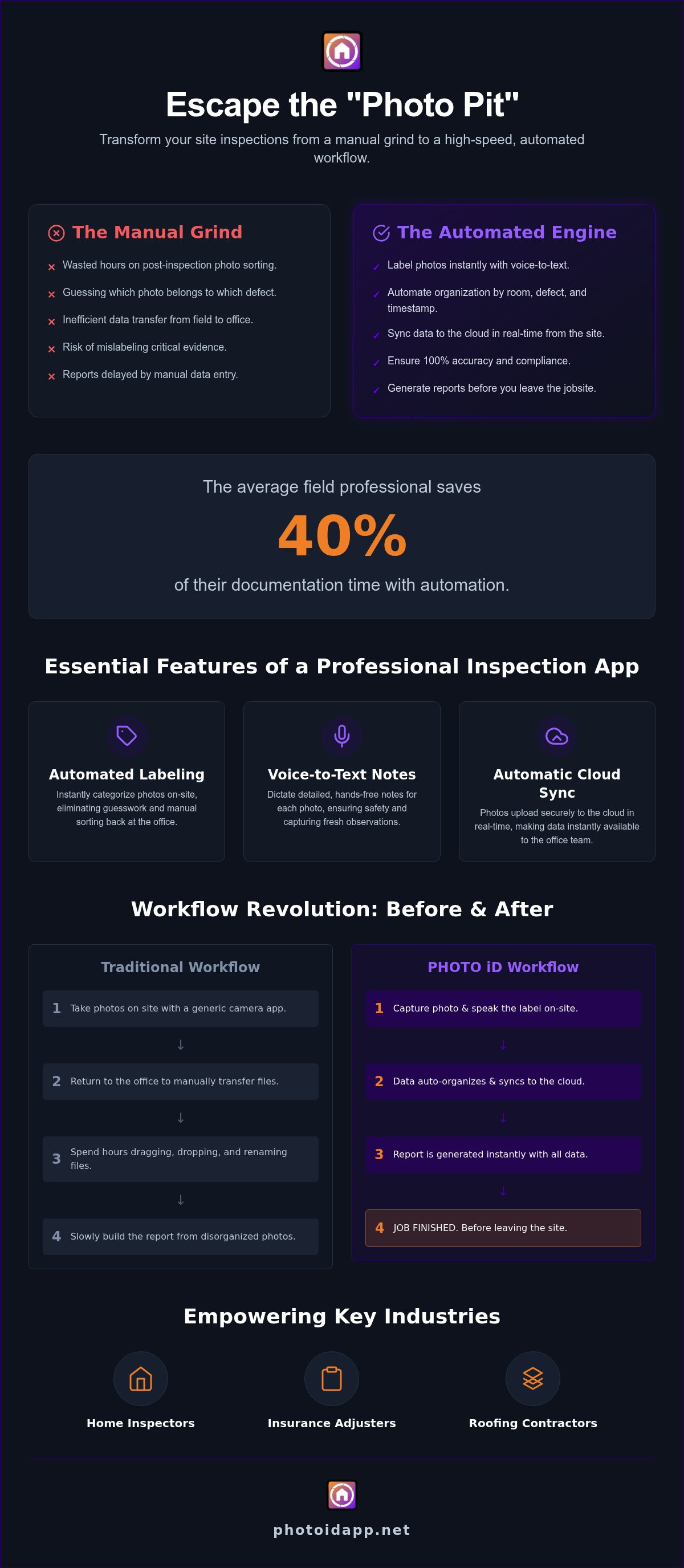
Stop the guessing game immediately. Labeling photos the moment you take them ensures 100% accuracy. You won’t have to rely on memory after visiting three different properties in one afternoon. Automated categorization prevents you from missing critical documentation steps required by carriers or clients. Utilizing automated labeling acts as a 40% time-saver for the average field professional. This isn’t just a minor tweak; it is a fundamental upgrade to your daily productivity. If you want to see how these features look in action, you can explore a professional photo app designed for the field.
Voice-to-Text: Hands-Free Field Documentation
Safety is paramount. Keep your eyes on the property and your hands on your equipment. Voice-to-text labeling allows you to dictate detailed notes without ever touching your screen. This real-time capture improves accuracy by documenting observations while they are fresh. You capture the defect. You speak the description. You sync the data. This triad of actions turns a chaotic site visit into a structured data collection event!
Voice commands integrate seamlessly with custom inspection templates. You can jump from “Roof” to “Exterior” to “HVAC” using only your voice. This creates a rhythmic, high-velocity workflow that keeps you moving. When your voice-to-text notes are already attached to high-res images, your final report is practically finished before you step back into your truck. Don’t just take pictures; create a high-speed documentation engine that works as hard as you do.
Hardware Compatibility: Endoscopes, Borescopes, and Smartphones
Hardware is only as good as the software driving it. You might own the most expensive borescope on the market, but if your inspection camera app crashes in a crawlspace, that hardware is useless. A professional app acts as the essential bridge between your physical lens and your digital report. It translates raw visual data into organized, actionable evidence. Don’t let high-end equipment be sidelined by low-end software. Plug in. Power up. Document!
Choosing the right camera for the job is a tactical decision. For wall cavities, floor drains, or tight attic corners, an external snake camera is mandatory. However, for 90% of your property walk-through, your smartphone is actually the superior tool. Modern mobile devices offer incredible clarity that often surpasses standalone inspection tools. You just need the right interface to capture that detail without creating a file-management nightmare.
File types matter more than you think. While HEIC offers amazing compression for saving space, JPEG remains the gold standard for universal compatibility in insurance and construction reports. A professional app allows you to manage these formats effortlessly. It ensures your high-resolution images don’t bloat your final report or cause upload errors when you’re back at the office. Keep your files lean. Keep your quality high. Keep your workflow moving!
Using External Borescopes with Your App
Stability is everything when you’re in the field. Wi-Fi connections are convenient, but they can be finicky in basements or areas with high interference. For maximum reliability, use a direct USB-C connection whenever possible. Professional software ensures consistent image quality across different hardware brands, so your “view” remains sharp regardless of the probe you use. If you encounter a black screen, check your app permissions first. Most field issues are software handshake problems, not hardware failures. Reset the connection. Refresh the app. Resume the inspection.
Smartphones as the Ultimate Inspection Camera
Your phone is a powerhouse of documentation. Leverage the wide-angle lens for room overviews and the macro lens for tight shots of serial plates or hairline cracks. The biggest advantage isn’t just the optics; it’s the data. Built-in GPS provides location-stamped evidence that proves exactly where and when a photo was taken. This creates an ironclad trail of documentation that protects your business and your clients. For the best results, pair these optics with Professional Photo Organization for Property Reports to ensure every shot is filed correctly the first time. Stop scrolling through your personal gallery. Start using a dedicated documentation engine that respects your time!
Optimizing Your Inspection Workflow for Speed and Accuracy
Speed is the goal. Accuracy is the requirement. A professional inspection camera app should guide you through a repeatable, high-velocity process that eliminates double-handling. If you’re still waiting until you get home to start your paperwork, you’re losing money every single day. Optimization means moving the heavy lifting to the jobsite. Prepare, perform, and prevail!
Follow these five steps to master your field documentation:
- Step 1: Set up custom inspection templates before arriving onsite. Establish your shot list so you never miss a critical angle.
- Step 2: Use voice-to-text labeling during the walk-through. Dictate findings as you see them to keep your hands free and your momentum high.
- Step 3: Utilize aerial roof and wall measurements for exterior assessments. Combine ground-level detail with high-altitude data for a complete property profile.
- Step 4: Sync photos to a team management dashboard in real-time. Let the office see what you see without a single phone call.
- Step 5: Generate an instant photo report before leaving the driveway. Deliver the final product while the client is still standing in front of you!
This workflow isn’t just about convenience. It’s about compliance. With new regulations like California’s Assembly Bill 1738 requiring remote inspection options by 2027, having a structured digital process is mandatory. Get ahead of the curve. Build your brand. Boost your bottom line. You can start building your automated inspection workflow today to see these results immediately.
Real-Time Team Oversight and Management
Stop waiting for the “end of the day” upload. A professional dashboard allows managers to view field photos as they are being captured. This instant visibility reduces claim cycle times and allows for immediate office-to-field communication. If a field tech misses a shot, the office catches it before the ladder is even packed away. This ensures 100% documentation consistency across large teams, regardless of individual experience levels. Visibility creates accountability!
Instant Report Generation: Closing Files Faster
The “photo pit” is where profits go to die. Stop spending three hours tonight on a report you could finish in three minutes right now. Instant report generation converts a full day of documentation into a professional PDF with one tap. You can customize layouts to meet specific carrier requirements or client preferences. The ROI is clear: finishing the paperwork onsite means you can take on more inspections per week. Close the file. Collect the fee. Move to the next job. Efficiency is the ultimate competitive advantage!
PHOTO iD: The All-in-One Professional Inspection Solution
PHOTO iD is the professional upgrade you’ve been waiting for. It transforms your smartphone into the ultimate inspection camera app. This platform wasn’t built in a vacuum. It was designed by ‘The Claims Coach’ to solve the real-world frustrations of field professionals. It’s more than a tool. It’s a game-changing partner that restores order to your onsite documentation! Stop fighting with disjointed systems and start using a platform that understands your daily grind.
Experience the power of our signature mantra: Capture. Label. Report. This three-part process is the shorthand for your new, efficient workday. You capture the shot. You speak the label using voice-to-text technology. You generate the report instantly. It’s that simple. It’s that fast. It’s that effective. This rhythmic workflow ensures that you stay moving, stay focused, and stay profitable from the first photo to the final upload.
Integration is the key to a truly seamless workflow. PHOTO iD connects directly with leading estimating software and national claims management systems. This ensures your data flows from the field to the office without a single manual step. Our team management dashboard gives you a bird’s eye view of every project. You can track progress, review photos, and manage your staff in real-time. Visibility creates accountability, and accountability drives results!
Advanced Features for High-Volume Pros
High-volume professionals need a robust toolkit that goes beyond basic photography. PHOTO iD delivers with built-in aerial roof and wall measurements and virtual inspection capabilities. You don’t need five different apps to finish one job. Use our custom inspection templates to standardize your data collection across every property. Our custom report builder lets you create specialized assessments that meet any carrier’s requirements. Best of all, our secure cloud storage keeps your phone’s memory free for the next inspection. Capture more. Store more. Do more!
Join the Future of Field Documentation
The industry is moving fast, and the tools you use today will define your success tomorrow. Thousands of inspectors have already ditched manual labeling to reclaim their evenings. Professional documentation doesn’t just save time; it builds brand credibility. It signals to carriers and clients that you are a modern, tech-savvy expert who values accuracy. For those managing multiple software accounts, Anosim provides a reliable way to handle SMS activations and keep business communications organized. With the global adoption of inspection automation tools rising rapidly, staying competitive means adopting the best tools now. Don’t get left behind in the manual “photo pit.”
When you aren’t optimizing your professional workflow, you can use your photographic expertise for more adventurous pursuits; for example, you can explore Wildlife Photography Expeditions to sharpen your skills in the world’s most stunning natural environments.
Start Your PHOTO iD Subscription Today!
Take Control of Your Field Workflow Today
The right inspection camera app isn’t just a tool; it’s your most valuable partner in the field. You’ve learned how to integrate hardware, automate your labeling, and generate reports in seconds. Now, it’s time to put those insights into action. Stop spending your nights dragging photos into folders. Join the thousands of professionals who have already reclaimed their time and their sanity.
Automated photo labeling saves 40% more time on every assignment. Instant PDF report generation means your work is finished the moment the inspection ends. Trusted by industry veterans and field pros, PHOTO iD is the definitive solution for the modern age. Take the leap into a faster, more accurate future. You deserve a workflow that works as hard as you do!
Streamline Your Inspections with PHOTO iD, Get Started Now!
Capture the shot. Speak the label. Finish the job!
Frequently Asked Questions
Can I use an inspection camera app with a generic USB endoscope?
Yes, you can. A professional inspection camera app provides the necessary software handshake for most generic USB or Wi-Fi hardware. This flexibility allows you to use specialized probes for tight spaces like pipes or wall cavities while maintaining a single, organized documentation workflow. Simply plug in your device and start capturing high-resolution evidence immediately!
How does voice-to-text labeling work in a noisy environment?
Voice-to-text labeling is engineered for the loud reality of a busy jobsite. The software utilizes advanced algorithms to prioritize your voice over background noise like wind, traffic, or power tools. This allows you to maintain your momentum and document findings hands-free without ever needing to find a quiet spot to type. It ensures your descriptions remain accurate while your eyes stay on the property.
Does PHOTO iD support aerial roof and wall measurements?
Absolutely. PHOTO iD includes integrated aerial roof and wall measurements to provide a 360-degree view of the property. This feature allows you to combine ground-level defect photos with high-altitude data for a comprehensive assessment. It is the ultimate professional upgrade for contractors and adjusters who need precision data without carrying multiple specialized devices.
Can I generate a full inspection report directly from my phone?
You can generate a complete photo report before you even put your truck in gear. The app converts your labeled photos and dictated notes into a professional PDF instantly. This eliminates the “photo pit” and lets you deliver the final product while the details are still fresh. Finish the paperwork onsite and reclaim your evenings!
Is my data secure and synced to the cloud in real-time?
Your data is protected and synced to the cloud in real-time. This ensures that every photo you take is immediately available to your office team through the management dashboard. It keeps your phone’s internal memory clear for the next job and prevents catastrophic data loss if your hardware is damaged or lost in the field.
What is the difference between a borescope app and an inspection documentation app?
A borescope app is merely a viewer that displays a live video feed from an external camera. In contrast, an inspection camera app like PHOTO iD is a comprehensive documentation engine. It doesn’t just show the image; it automatically labels the file, organizes it by room, and builds the final report for you. It turns raw visual data into a professional asset.
Can I manage a team of multiple inspectors through one dashboard?
Yes, you can oversee an entire fleet of inspectors through a single team management dashboard. This tool allows managers to review field photos as they are captured to ensure documentation consistency across the board. Visibility creates accountability! You can track progress, identify missing shots, and communicate with your team without leaving the office.
Do I need an internet connection to label photos in the field?
You can capture and label your photos even when you are in a basement or remote area without a signal. The app stores your data locally and syncs it to the cloud automatically once you return to a service area. Your workflow never has to stop for a weak connection. Capture the shot, speak the label, and let the sync happen later!