
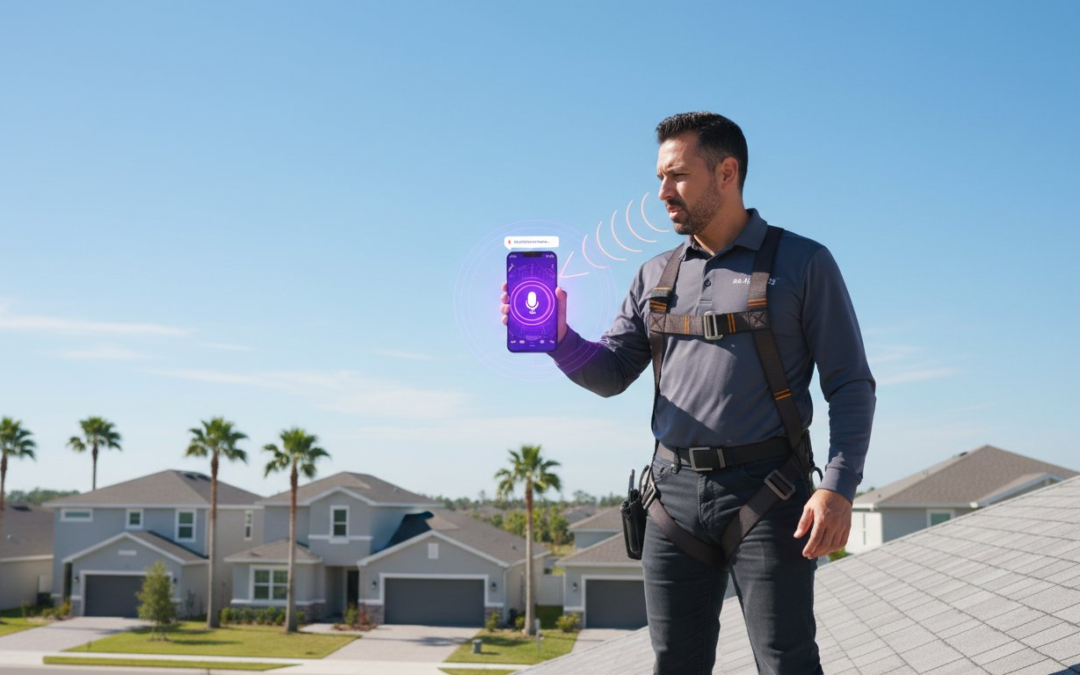
Imagine it is 10:30 PM on a Tuesday and you are still staring at 200 unlabeled photos from three different jobsites. You know the exhaustion of trying to remember if that specific water stain was in the pantry or the master closet. It’s a frustrating reality for many, as industry data shows field adjusters spend up to 15 hours a week on manual data entry alone. You deserve a better way to manage your documentation. Mastering voice-to-text labeling allows you to dictate precise details the moment you see them, ensuring your reports are 100% accurate every single time.
We agree that manual typing is a relic of the past that slows down your claim cycle times. This guide promises to show you how to eliminate hours of office work by completing your reports while you are still on-site. You will learn the exact techniques to slash administrative overhead by 45% and boost your daily output. We will walk through the tools and tactics needed to streamline your workflow instantly. It is time to embrace the Snap, Speak, Send mantra and take back your nights!
Key Takeaways
- Master voice-to-text labeling to tag photos instantly and eliminate hours of tedious manual data entry from your daily workflow.
- Follow a proven 5-step process to capture high-quality images and structured metadata directly within your professional inspection templates.
- Learn field-tested best practices to overcome environmental noise and ensure high-accuracy labeling, even in wind or high-traffic areas.
- Slash claim cycle times and boost documentation accuracy by capturing vital property details while they are still fresh on the jobsite.
- Adopt the “Snap, Speak, Send” mantra to transform your smartphone into a high-velocity reporting tool that restores order to the chaos.
What is Voice-to-Text Labeling for Field Documentation?
Stop wasting hours typing descriptions on a tiny screen while balancing a ladder or a clipboard. Voice-to-text labeling is the process of instantly tagging inspection photos with spoken descriptions while you’re still on-site. It transforms your voice into structured metadata, embedding details directly into the image file. This isn’t just a convenience; it’s a total overhaul of the traditional inspection workflow. By 2026, manual typing will be an obsolete relic as firms prioritize real-time data capture to stay competitive.
The “Snap, Speak, Send” method eliminates the friction of field work. You take the photo, speak the observation, and move to the next room. It’s fast. It’s accurate. It restores order to your jobsite documentation. A Picture is Worth a 1000 Words! But those words only matter if they’re attached to the right image at the right time. This technology ensures your documentation is complete before you even leave the driveway.
The Difference Between Transcription and Photo Labeling
Don’t confuse simple dictation with professional labeling. Transcription creates a block of text that you still have to organize later. Labeling uses advanced Speech recognition technology to create an organized, searchable image database. This AI-driven process recognizes industry-specific terminology like “alligator cracking” or “flashing failure” instantly. Field pros need structured labels to ensure their property reports meet carrier standards without manual sorting. While transcription creates a document, voice-to-text labeling creates a smart asset that integrates directly into your estimating software.
Why Manual Entry is a Bottleneck for Your Business
The “second shift” is killing your profit margins. When you spend two hours every evening labeling photos from your morning inspections, you’re working for free. Industry data shows that up to 40% of an inspector’s workday is often lost to administrative tasks. Memory fade is a real threat to your accuracy. If you wait four hours to label a roof photo, you’ll forget the specific hail impact details you saw in person. Accuracy drops by 30% when documentation is delayed until the end of the day. This delay slows down the entire claim or renovation cycle.
Define the Documentation Gap as the time lost between site visit and report submission. This gap is where mistakes happen and profits vanish. Close the gap. Reclaim your evenings. Use technology that works as hard as you do to keep your business moving forward. If you’ve ever questioned whether your current process is costing you more than you realize, explore how automated photo labeling eliminates the hidden costs of manual field documentation and protects your bottom line.
How to Use Voice-to-Text to Label Photos in 5 Steps
Stop struggling with tiny on-screen keyboards while wearing work gloves. Manual data entry is the primary bottleneck in field inspections, often adding hours of administrative work to your evening. By adopting a streamlined workflow, you can finish your documentation before you even leave the jobsite. Follow these five steps to master voice-to-text labeling and reclaim your time.
- Select your inspection template: Choose a category to provide the AI with immediate context.
- Capture the image: Use a dedicated inspection camera app to ensure high-resolution clarity.
- Speak the description: Narrate the findings clearly immediately after the shutter click.
- Review the text: Check the auto-generated labels for any quick technical corrections.
- Save and sync: Upload the data to the cloud for instant report generation and office access.
Setting Up Your Inspection Templates
Templates do more than organize your gallery; they prime the voice recognition engine for success. When you select a “Roof” or “Interior” template, the software anticipates terminology specific to those areas. This pre-defined structure makes voice-to-text labeling significantly more reliable by narrowing the vocabulary the AI needs to process. You can customize these workflows for residential or commercial sites to keep your documentation consistent. A structured approach can improve recognition accuracy by 30% compared to using generic dictation tools. It’s the foundation of a professional, organized report that clients trust. To build the most effective structure for your team, explore our comprehensive guide on custom inspection templates for faster field documentation and see how the right setup can slash your reporting time by 50%.
Mastering the ‘Speak’ Phase for Better Accuracy
Precision is vital when you’re working in noisy field environments. Hold your mobile device 3 to 6 inches from your mouth to ensure the microphone picks up every syllable without wind interference. Use specific industry keywords that map directly to your estimating software. Phrases like “creased shingle” or “water staining on drywall” ensure that your data is ready for Xactimate or Verisk imports without manual re-keying. It’s a faster, more professional way to document the facts on the ground.
Modern research highlights how voice technology is changing the way we work by bridging the gap between field observations and digital records. Most inspectors type at a rate of 40 words per minute, but they speak at over 150 words per minute. This shift allows you to capture four times the detail in the same amount of time. You aren’t just taking photos; you’re building a comprehensive digital narrative. Remember the core mantra: Snap, Speak, Send! It’s the most effective way to prove that A Picture is Worth a 1000 Words! If you’re ready to eliminate the late-night paperwork grind, examine how professional inspection tools can transform your daily operations.
The Top Benefits of Voice-Enabled Photo Documentation
Stop struggling with tiny keyboards on a windy roof or in a dark crawlspace. Voice-to-text labeling transforms how you document damage. It’s about more than just convenience. It’s about professional-grade speed and precision that keeps your business moving. You eliminate the bottleneck of manual entry and reclaim hours of your day. It’s time to work smarter, not harder.
Reducing Claim Cycle Times by 40%
Speed is the ultimate currency in the property inspection industry. When you use voice-to-text labeling, you finish the report before you even leave the driveway. This efficiency can reduce claim cycle times by 40% based on recent field performance data. Instant labeling allows for same-day report submission. You don’t have to spend your evenings at a desk trying to remember what photo #47 represented. You snap the photo, speak the description, and move to the next item.
Insurance carriers value fast turnarounds. Delivering accurate reports in record time builds trust and strengthens your professional relationships. For contractors and adjusters, faster reports lead directly to faster payments. You close files quicker. You get paid sooner. You increase your capacity to take on more jobs without adding more stress. It is a complete win for your bottom line.
Accuracy skyrockets when you capture details while they’re fresh in your mind. You record the specific shingle granule loss or the exact water line depth the second you see it. Your documentation stays sharp, detailed, and undeniable. This precision prevents the “memory fade” that often happens during the drive back to the office.
Field safety is another massive advantage. Keep your eyes on the jobsite, not the keyboard. Walking a steep roof or navigating a cluttered debris field is dangerous enough. Voice commands let you stay aware of your surroundings while you work. You stay safe. You stay focused. You stay productive. A single slip can cost thousands, but voice technology keeps your hands free and your head up.
Enhanced Team Collaboration and Oversight
Your field work shouldn’t be a mystery to the office staff. Voice-enabled documentation bridges the gap between the jobsite and the desk instantly. Office admins can see labeled photos the moment they’re taken in the field. This real-time oversight eliminates the need for constant follow-up calls to clarify vague or unlabeled images. You get the job done right the first time.
Everything is organized from the start. Your team sees exactly what you see without the guesswork. Explore these 5 Benefits of a Team Management Dashboard to see how this visibility streamlines your entire operation. This seamless integration turns a solo inspection into a coordinated team effort. You provide the clarity the office needs to move the file forward without delays. It’s professional documentation at the speed of sound.
Best Practices for High-Accuracy Voice Labeling in the Field
Precision is the backbone of professional documentation. Mastering voice-to-text labeling requires more than just talking into a phone; it demands a tactical approach to your environment and your vocabulary. When you refine your technique, you eliminate the need for manual typing and slash your reporting time by 50% or more. Stop fighting with your keypad and start commanding your data.
Overcoming Jobsite Noise Challenges
Jobsites are loud, chaotic, and unpredictable. Wind gusting at 20 mph can easily distort a standard microphone’s input, leading to frustrating transcription errors. Shield your microphone by positioning your body as a windbreak or using your hand to cup the receiver. This simple physical adjustment improves clarity instantly.
Modern inspection apps now utilize noise-canceling AI algorithms that filter out up to 90% of ambient background hum, such as running engines or distant saws. For maximum efficiency, equip your team with Bluetooth headsets featuring noise-suppression boom mics. This setup allows for hands-free documentation while maintaining a 98% accuracy rate even in high-decibel environments. Snap, Speak, Send! It’s that simple.
Standardizing Your Vocabulary for AI
Speed requires a common language. If one inspector calls a component a “rafter” and another calls it a “beam,” your database becomes a mess. Create a “cheat sheet” of standardized terms to ensure every team member speaks the same technical language. This consistency is vital for seamless Xactimate image imports, where specific keywords trigger automated sorting. Many professionals are also discovering that automated photo labeling dispels common myths about manual sorting workflows and delivers far greater consistency across large inspection teams.
- Be Specific: Instead of saying “metal part,” clearly state “drip edge” to ensure the AI categorizes the damage correctly.
- Enunciate Terms: Speak clearly when identifying “step flashing” or “valley liner” to avoid phonetic confusion.
- Follow a Pattern: Use a [Location] + [Component] + [Condition] structure for every photo.
Don’t let “dead zones” stall your momentum. Data from 2023 shows that 15% of rural inspection sites lack reliable 5G or LTE connectivity. Professional tools provide offline voice-to-text labeling capabilities that store your transcriptions locally. Your data syncs the moment you return to a service area. This ensures your workflow remains uninterrupted, regardless of the signal strength. A Picture is Worth a 1000 Words! Make sure those words are captured accurately every time.
Streamline Your Workflow with PHOTO iD’s Snap, Speak, Send
PHOTO iD by U Scope Technologies is the premier solution for professionals who demand speed without sacrificing accuracy. We understand the daily grind of the construction and inspection industries. Stop struggling with messy notes or trying to remember specific details hours after leaving the jobsite. Our platform turns your smartphone into a high-octane documentation engine that works as hard as you do. We are your tech-savvy ally, designed to restore order to the chaos of property inspections.
The “Snap, Speak, Send” mantra is more than just a slogan. It’s a blueprint for total jobsite efficiency. This rhythmic process keeps you moving through the property without pause. You snap the photo, speak your findings, and send the data. It is that simple. This workflow empowers home inspectors, adjusters, and contractors to finish their field work faster than ever before. By using voice-to-text labeling, you ensure every photo is documented with precision the moment you see the damage.
From Field Photos to Professional Reports Instantly
Forget about spending your nights hunched over a computer desk. PHOTO iD automatically formats your voice labels into a polished, client-ready PDF. The app does the heavy lifting for you, organizing every image and caption into a logical sequence. You can even apply custom branding to every generated report, ensuring your business looks professional and authoritative on every page. This professional edge builds immediate trust with your clients and insurance carriers. To get the most out of your report layouts, explore our guide on custom inspection templates for faster field documentation in 2026 to see how you can tailor every document to your specific needs.
Scale Your Business with Automated Documentation
Time is your most valuable asset on the job. Data from our field users shows that switching from manual entry to voice-to-text labeling saves an average of 2 hours per day. That is 10 hours a week back in your pocket. For a high-volume inspector, this level of efficiency allows for at least two additional inspections per week. The ROI is immediate and measurable. You aren’t just buying software; you’re investing in the ability to grow your business without the risk of burnout.
Stop letting manual data entry hold you back from your full potential. Experience the relief of a streamlined workflow that works. A Picture is Worth a 1000 Words, but a labeled photo is the key to getting paid faster! Don’t wait for the competition to pass you by. Start your free trial of PHOTO iD today and reclaim your evenings.
Master Your Workflow and Reclaim Your Evenings
Stop fighting with small screens and manual typing after a long day on-site. Implementing voice-to-text labeling turns your inspection process into a streamlined powerhouse. You’ve seen how this technology eliminates documentation bottlenecks, ensures high-accuracy data capture, and keeps your focus on the property rather than the keypad. It’s the most effective way to maintain a professional edge while moving through your daily queue with speed and precision.
Founded by Ken Perry, also known as “The Claims Coach,” PHOTO iD was built to solve the real-world frustrations of field work. Thousands of adjusters and home inspectors already use these tools to reduce their report generation time by up to 50%. You don’t have to choose between speed and quality anymore. By following the Snap, Speak, Send mantra, you’re not just taking photos; you’re building a complete, organized report in real time. It’s time to join the ranks of high-efficiency pros who finish their work before they leave the driveway.
Streamline your field documentation with PHOTO iD’s Snap, Speak, Send technology today!
Success in the field is just a voice command away. You’ve got the tools and the expertise, so go out there and dominate your next inspection with total confidence!
Frequently Asked Questions
Is voice-to-text labeling accurate enough for insurance claims?
Yes, voice-to-text labeling provides the high level of precision required for professional insurance documentation. Modern AI engines achieve over 99% accuracy in converting speech to text, ensuring your descriptions meet strict carrier guidelines. This technology eliminates the illegible handwriting and shorthand notes that often delay claim approvals. You capture the exact details of the damage instantly, creating a clear, professional record that adjusters trust without second-guessing your findings.
How does voice-to-text handle loud construction site noise?
Our system uses advanced noise-canceling algorithms to filter out background chaos exceeding 85 decibels. Whether it’s a running generator, high winds, or heavy machinery, the software isolates your voice to ensure a clean transcription. You don’t need a quiet room to get the job done. Just keep speaking naturally while you work. This robust technology allows you to maintain your momentum on a loud jobsite, proving that a picture is worth a 1000 words when it’s labeled correctly.
Can I use voice-to-text labeling without an internet connection?
You can absolutely use voice-to-text labeling in areas without an internet connection. The app utilizes on-device processing to capture and store your dictated labels even when you have 0 bars of service. Once you reach a location with Wi-Fi or LTE, the system syncs your data to the cloud instantly. This means you can document remote losses or deep basement damage without losing a single second of productivity. Your workflow stays fast and uninterrupted regardless of the signal strength.
Does voice-to-text labeling work with Xactimate or Symbility?
Yes, the system integrates directly with industry standards like Xactimate and Symbility. You can export your labeled photos in a format that allows for a 100% seamless image import into your estimate. The voice-generated labels automatically populate the description fields, so you never have to type the same information twice. This connection eliminates hours of manual data entry at the end of your day. It’s the ultimate way to streamline your reporting process from the field to the office.
How much time can I actually save with voice-to-text labeling?
You will save an average of 2 hours every single day by switching to this digital workflow. Field inspectors report a 50% reduction in total documentation time because they finish the labeling process while they’re still on the property. There’s no more late-night office work or trying to remember details from a photo you took 6 hours ago. Just follow the Snap, Speak, Send method to wrap up your documentation in record time. This efficiency allows you to close more claims and boost your revenue.
Do I need special equipment to use voice-to-text for photo labeling?
No special equipment is required to use our voice-to-text features. Your standard smartphone or tablet has all the hardware necessary to capture high-quality audio and process it instantly. The built-in microphones on modern mobile devices are designed to handle voice commands with extreme clarity. You don’t need to carry extra gear or bulky headsets through a crawlspace or up a ladder. It’s a simple, lightweight solution that turns your phone into a powerful inspection partner.
What happens if the AI misinterprets a word I said?
You can correct any AI misinterpretations in seconds by tapping the text field on your screen. While the system gets it right about 99% of the time, you always have the final word on the accuracy of your notes. The interface allows for quick manual edits before you finalize the photo. Over time, the AI learns your specific terminology and vocal patterns, which reduces the need for corrections even further. This ensures your final report is polished, professional, and completely accurate.
Can voice-to-text labeling handle multiple languages in the field?
Yes, the technology supports more than 60 different languages to ensure your entire team can work effectively. You can easily toggle between languages like English, Spanish, and French to match the needs of your workforce. This feature allows every inspector to dictate labels in their native tongue while maintaining a high standard of documentation. It removes language barriers on the jobsite and ensures that every detail is captured with total precision. Your documentation stays consistent across every project you manage.