
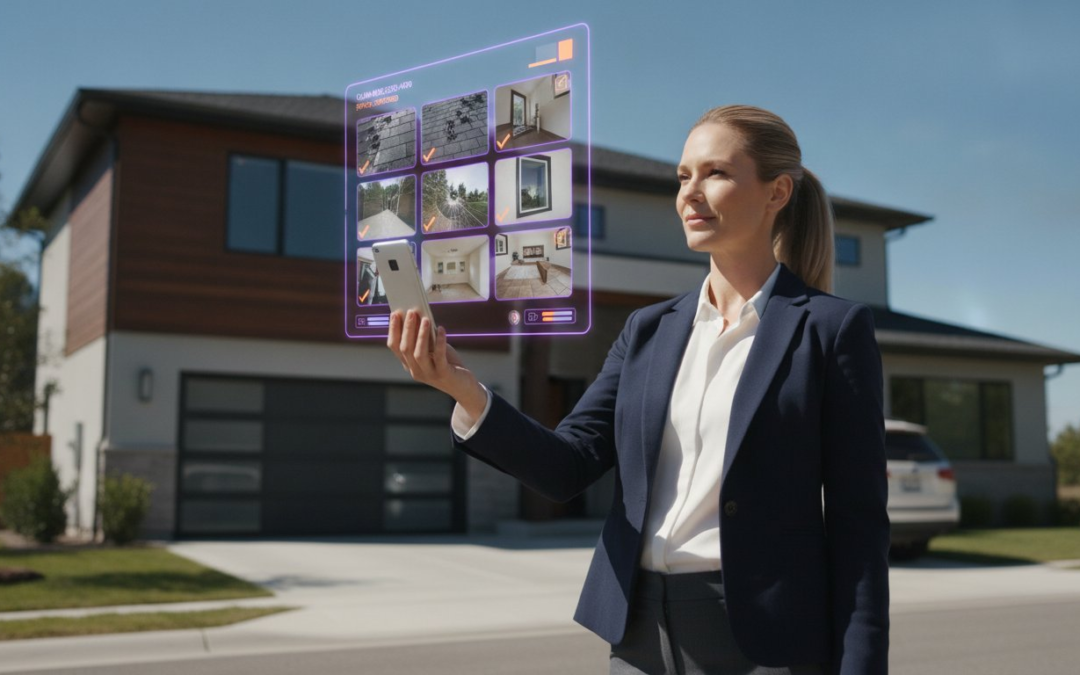
The “photo bottleneck” isn’t an inevitable part of your job; it’s a choice you make every time you leave a property without finished documentation. You know the drill. You spend all day in the field, only to spend your evening hunched over a laptop, squinting at blurry thumbnails and fighting a clunky interface. Typing captions on a tiny screen with gloves on is a nightmare, and watching your photos scramble during an import is enough to make anyone lose their cool. It feels like the documentation takes longer than the actual inspection.
It’s time to stop wasting hours on manual data entry. With a high-performance Xactimate photo labeling app, you can capture, voice-label, and sync perfectly organized photos directly into your estimates before you even leave the driveway. This isn’t just about saving time; it’s about reclaiming your life. By the time you get home, the work is done. No more late-night typing. No more keyboard frustration. No more disorganized files.
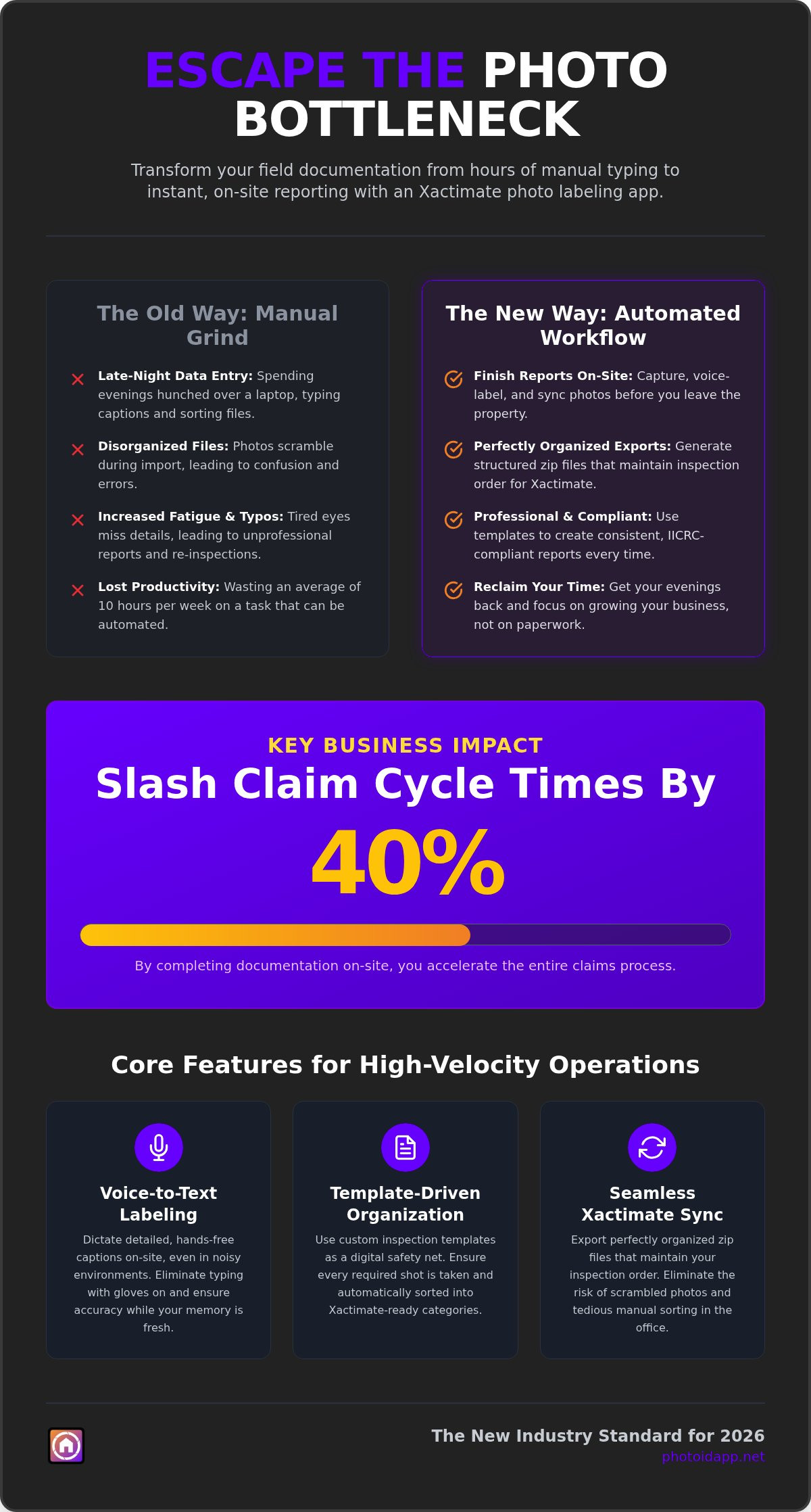
In this article, you’ll discover how to leverage automated workflows to slash your claim cycle times by 40% and produce professional, IICRC-compliant reports instantly. We’ll break down the latest 2026 integration features that allow you to dictate, document, and deliver results faster than ever before. Get ready to transform your field routine into a streamlined, high-velocity operation.
Key Takeaways
- Stop the manual typing grind and discover how an Xactimate photo labeling app automates your entire documentation workflow.
- Use voice-to-text commands to label every room instantly; dictate, document, and deliver results!
- Implement custom inspection templates to ensure every report is consistent, professional, and IICRC-compliant.
- Slash your claim cycle times by 40% by completing your photo reports onsite instead of at the hotel.
- Streamline your office work by exporting perfectly organized zip files that maintain your inspection order every single time.
What is an Xactimate Photo Labeling App and Why Do You Need One?
An Xactimate photo labeling app is far more than a digital gallery; it’s an automated documentation engine designed for the field. It bridges the massive gap between high-velocity onsite inspections and the tedious, slow-motion reality of office data entry. While you’re at the property, the software organizes, categorizes, and captions every image in real time. It eliminates the “Photo Bottleneck,” that frustrating period where claims stall because you’re too exhausted to type captions after a ten-hour day. Manual entry is a relic of the past. Modern adjusters use voice-driven tools to turn visual evidence into structured data instantly. You shouldn’t have to choose between a thorough inspection and a fast one.
The Hidden Cost of Manual Labeling
Think about your current routine. If you spend just thirty minutes labeling photos for every claim, and you handle four claims a day, you’re losing ten hours of your life every week to a keyboard. That’s ten hours you aren’t spending with family or taking on new assignments. Beyond the time, fatigue is a silent profit killer. Tired eyes miss details. Exhausted fingers make typos. When a carrier sees a disorganized report with missing labels, they don’t just ask for a revision; they question your professionalism. In the broader context of Construction project management, documentation is the foundation of trust. Slow reporting isn’t just an inconvenience. It’s a threat to your reputation and your bottom line. Accuracy matters. Speed matters. Your time matters.
How Automation Solves the Documentation Crisis
Automation transforms the inspection from a two-step process into a single, fluid action. By using an Xactimate photo labeling app, you follow pre-set templates that guide you through the property. The software uses AI to recognize room types and damage categories, prompting you for the right details at the right moment. You speak the caption, the app transcribes it, and the system files it. There is no sorting. There is no scrambling. There is no confusion. Finishing onsite is the new industry standard for 2026. It ensures your memory is fresh, your data is accurate, and your evening is actually yours. You walk away from the property with a finished report, not a looming deadline. Capture, label, and sync; it’s the only way to stay competitive in a high-demand market. Use technology to restore order to the chaos of field documentation.
Core Features of the Best Xactimate-Compatible Apps
While Xactimate is the industry standard for estimating, its native photo tools often lag behind the pace of a busy storm season. A dedicated Xactimate photo labeling app bridges this gap by offering features designed specifically for the professional standing in the mud or on the roof. It’s about moving from a “capture now, label later” mindset to a “finish onsite” reality. The best tools in 2026 focus on three pillars: speed, accuracy, and seamless integration. You don’t need a clunky interface; you need a partner that keeps up with your boots on the ground.
Voice-to-Text: The Adjuster’s Secret Weapon
Stop fighting with a tiny mobile keyboard while wearing gloves or balancing on a ladder. Hands-free documentation is the only way to maintain momentum during a long day of inspections. Modern AI transcription is incredibly robust. It’s designed to filter out the roar of a generator or the whistle of high winds, ensuring your captions are crisp and professional. You can describe complex structural damage or IICRC-specific drying conditions while your hands are busy holding a moisture meter or a flashlight. Dictate your captions, document the evidence, and deliver the report. It’s that simple. This voice-driven approach doesn’t just save time; it ensures your descriptions are detailed because you’re recording them while the damage is right in front of your eyes.
Template-Driven Organization
The “re-inspection” nightmare is a profit killer. If you miss a single photo of a water heater or a specific roof slope, you’re looking at a return trip that costs you time, fuel, and reputation. Standardized templates for roofing, water, or fire damage act as a digital safety net. These templates ensure you follow official guidance on documenting damage, providing the thorough evidence carriers demand. These templates don’t just remind you what to shoot; they automatically sort your photos into Xactimate-ready categories. When it’s time to import, your photos are already organized by room and category, eliminating the scramble to reorder them in the office later.
Beyond these core functions, look for an Xactimate photo labeling app that offers instant PDF report generation and aerial measurement integration. Being able to combine your onsite photos with accurate roof and wall data creates a comprehensive documentation package that is hard to dispute. You can even get started with a specialized app subscription to see how these automated features transform your daily grind. By integrating these tools, you aren’t just taking pictures; you’re building a professional, bulletproof claim file in half the time.
How to Sync Your Labeled Photos with Xactimate
Syncing your field data shouldn’t be a struggle. When you use a high-performance Xactimate photo labeling app, the transition from the driveway to the digital estimate is seamless. You’ve already done the hard work onsite. Now, it’s just about moving that data into your project without losing organization or clarity. Stop dragging and dropping individual files from messy Windows folders. Follow this five-step workflow to master your documentation sync every time.
- Step 1: Capture and label your photos using the PHOTO iD mobile app while you’re still at the property. Use voice-to-text to ensure every detail is recorded while the damage is in sight.
- Step 2: Generate an automated photo report or export the organized zip file directly from the app dashboard. This file contains your images and their corresponding labels in a structured format.
- Step 3: Log into Xactimate on your desktop. Open your specific project and navigate directly to the “Images” tab in the estimate entry section.
- Step 4: Select the import function and choose your pre-labeled zip file. The system will recognize the file structure and populate descriptions into the Xactimate fields automatically.
- Step 5: Finalize your estimate. Your documentation is now perfectly categorized, matching your inspection flow and your specific line items for a professional finish.
Optimizing the Export Workflow
Efficiency depends on choosing the right output for the right task. If you’re sending a quick update to a homeowner, a PDF photo sheet is perfect. For the actual estimate, always export the raw data in an organized zip file. This ensures Xactimate reads the metadata correctly and puts the right label on the right photo. Keep an eye on file sizes. Massive, uncompressed images can slow down your Xactanalysis uploads. Use the app’s internal compression settings to maintain high quality without bloating the file. Don’t forget that timestamps and GPS metadata are essential for forensic documentation. They provide the bulletproof evidence you need to defend your findings during a dispute.
Avoiding Common Import Errors
Importing hundreds of photos at once can sometimes lead to mapping errors if your labels are too long or contain restricted characters. To avoid this, keep your voice descriptions concise within the Xactimate photo labeling app before you export. Match your photo order to the logical flow of your estimate’s line items. This makes the review process faster for the examiner and reduces the chances of a rejected claim. If you’re dealing with a massive loss, consider batch-uploading by room rather than dumping 500 photos at once. This keeps the software stable and ensures every caption lands exactly where it belongs. Stay organized, stay efficient, and let the automation handle the tedious work.
The Business Case: ROI of Automated Documentation
Software is often viewed as a line-item expense, but a professional Xactimate photo labeling app is actually a high-yield profit engine. In the high-stakes world of property claims, time is your most valuable currency. If you’re still treating documentation as an “after-hours” chore, you’re leaving money on the table. Automation doesn’t just make your life easier; it fundamentally changes your business’s financial trajectory. When you move faster, you earn more. It’s a simple equation with powerful results.
Consider the immediate impact on your operational metrics. By shifting to a voice-driven, onsite workflow, you can achieve a 40% reduction in claim cycle times. This speed allows you to process more claims per day without increasing your stress levels or working longer hours. High-velocity documentation also improves your “First Contact to Settlement” metrics, which is the primary data point carriers use to rank their preferred vendors. Better metrics lead to more assignments. More assignments lead to higher revenue. It’s a virtuous cycle of growth.
- Slash Administrative Overhead: Reduce the need for dedicated file reviewers by ensuring photos are labeled correctly the first time.
- Maximize Daily Volume: Handle 2 to 3 additional inspections per week by eliminating office-based data entry.
- Optimize Carrier Scorecards: Deliver polished, professional reports faster than your competition to secure more work.
Professionalism and Claim Accuracy
Precision is the best defense against a rejected claim. When your documentation is vague, examiners send “kickbacks” that force you to reopen files and waste time. Using an Xactimate photo labeling app allows you to provide granular detail that justifies every line item. You can integrate moisture mapping and aerial data directly into your photo sheets, creating a bulletproof narrative of the loss. This level of transparency builds instant trust with homeowners and adjusters alike. They can see the damage, read your expert description, and understand the scope immediately. To start seeing these results in your own workflow, sign up for a PHOTO iD subscription today and stop the manual grind.
Scaling Your Inspection Business
Growth requires systems that don’t break under pressure. If your current documentation process relies on your personal memory, you can’t scale. By using a Team Management Dashboard, you can oversee multiple projects in real time from anywhere in the country. Standardized templates allow you to onboard new adjusters or contractors in hours rather than weeks. You set the standard once, and the app enforces it across every inspection. This ensures consistent quality control whether you’re managing one local claim or a national catastrophe response team. Build a business that runs on efficiency, not just effort. Document. Deliver. Dominate.
Conclusion: Master Your Workflow with PHOTO iD
The days of “office nights” are over. You’ve seen how the right Xactimate photo labeling app transforms the entire documentation process from a burden into a competitive advantage. Moving away from manual typing isn’t just about comfort; it’s about survival in an industry that demands instant results. By adopting voice-labeled automation, you align your field work with the speed of modern digital estimates. Every hour you save onsite is an hour of pure profit earned back in your day. You don’t have to be the last one at the computer when the sun goes down. Dictate your labels, sync your files, and reclaim your evening.
The 2026 claims environment moves fast. Adjusters who cling to old methods will find themselves buried under paperwork while their peers finish reports before leaving the property. Staying competitive means embracing tools that offer seamless Xactimate compatibility. You need a partner that understands the grind, respects your time, and eliminates the chaos of disorganized files. It’s time to work smarter, not harder. Professionalism isn’t just about the quality of your inspection; it’s about the speed and clarity of your delivery. Automation ensures you excel at both without the extra effort.
Managing a team across multiple states requires more than just grit. It requires real-time oversight and total consistency. As your business grows, the need for project visibility becomes critical for maintaining quality control. Automated labeling provides that standard. It ensures that whether you have one adjuster or fifty in the field, every report looks exactly the same. This level of standardization builds long-term trust with major carriers and secures your spot on their preferred vendor lists. You aren’t just taking photos; you’re building a scalable, high-velocity operation that can handle any storm season.
Ready to Eliminate the Photo Bottleneck?
Getting started is effortless. The PHOTO iD mobile app puts professional documentation power directly in your pocket. Whether you’re using specialized templates for roofing or comprehensive home inspections, the system guides you through a perfect capture every time. You don’t need a complex setup to start saving 40% on your cycle times. You just need to start. The app is built by adjusters, for adjusters, ensuring every feature solves a real-world problem you face in the field. No more small keyboards. No more scrambled photos. No more wasted hours.
The future of documentation is voice-driven, template-based, and instantly synced. Stop fighting with clunky interfaces and start producing reports that impress carriers and close claims faster. Streamline your Xactimate workflow with PHOTO iD today! Capture the evidence. Categorize the damage. Complete the claim. It’s that simple! Join the thousands of professionals who have already restored order to their onsite documentation and transformed their business for the digital age.
Stop Typing and Start Scaling Your Business
You’ve seen how the manual grind of labeling photos ruins your productivity. It’s time to leave the hotel room desk behind and finish your reports onsite. By using an Xactimate photo labeling app, you don’t just save time; you build a professional reputation for speed and accuracy. You can achieve a 40% average reduction in claim cycle times while producing IICRC-compliant reports that examiners love. Every minute you save is a minute you can spend taking on more assignments or enjoying your time off.
PHOTO iD was built by industry veteran Ken Perry, “The Claims Coach,” specifically to solve the frustrations of the field. It’s already the trusted partner for thousands of adjusters nationwide who have reclaimed their evenings and boosted their daily volume. Don’t let clunky documentation hold you back in 2026. Take the first step toward a more efficient, profitable career today. Your future workflow is voice-driven, automated, and incredibly fast.
Start Your Free Trial of PHOTO iD and Label Photos 10x Faster!
Get out there and dominate the storm season with the most powerful tool in your kit. You’ve got the expertise; now you have the technology to match it!
Frequently Asked Questions
Does PHOTO iD integrate directly with Xactimate?
Yes, PHOTO iD integrates with your workflow through organized data exports. You capture and voice-label photos onsite, then export a structured zip file that maps directly to the Xactimate image tab. This process populates descriptions automatically, saving you from hours of manual typing. It’s the most efficient way to use an Xactimate photo labeling app in 2026. Capture, categorize, and complete your projects with total digital precision!
How much time can I save using a photo labeling app?
You can reduce your total claim cycle times by an average of 40%. By finishing your documentation while you’re still at the property, you eliminate the “photo bottleneck” that usually happens at the end of a long day. You’ll handle more claims, earn more profit, and reclaim your evenings. Stop the manual grind and start scaling your volume immediately. Your time is your most valuable asset; don’t waste it on a keyboard.
Can I use voice-to-text labeling without an internet connection?
Voice-to-text labeling typically requires a data connection to access high-speed AI transcription services. However, you can still take photos and use your pre-set templates if you’re working in a dead zone. Once you’re back in range, your data syncs and your voice labels are processed. It’s a reliable system designed for the unpredictable and rugged environments of field work. You stay productive no matter where the job takes you!
Are the reports generated by PHOTO iD carrier-compliant?
Yes, every report generated is designed to be professional, thorough, and carrier-compliant. The app includes essential forensic data like GPS locations and timestamps that examiners require for verification. You’ll produce IICRC-compliant reports that build trust and significantly reduce the number of kickbacks you receive from file reviewers. Dictate your findings, document the evidence, and deliver results that stand up to any level of scrutiny.
Do I need a separate subscription for aerial measurements?
Aerial roof and wall measurements are integrated directly into the platform. You don’t need to juggle multiple subscriptions or different vendors to get the data you need for an accurate estimate. Combine your labeled onsite photos with precision measurements to create a bulletproof claim file in one seamless workflow. It’s a comprehensive solution that puts every piece of the documentation puzzle in one place.
Can I manage a team of adjusters through the app?
You can manage your entire roster through the Team Management Dashboard. It provides real-time oversight of every project, allowing you to monitor progress from anywhere in the country. Use our standardized templates to ensure strict quality control across a national team of adjusters or contractors. Scale your business with confidence and keep your standards high without the need for constant micromanagement.
What happens if I forget to label a photo in the field?
You can easily add or edit labels through the app’s dashboard if you miss something while onsite. However, this Xactimate photo labeling app uses custom templates specifically to prevent these errors. These templates guide you through the property and prompt you for specific photos. They ensure your documentation is 100% complete before you even put the truck in gear. Efficiency starts with a solid plan.
Is PHOTO iD available for both iOS and Android?
PHOTO iD is available for both iOS and Android devices. While some native industry apps are phasing out Android support in early 2027, we remain committed to a mobile-first experience for all field professionals. Download the app on your preferred device and start automating your documentation today. It’s modern, it’s reliable, and it’s ready to handle the toughest storm season you’ve ever faced!