
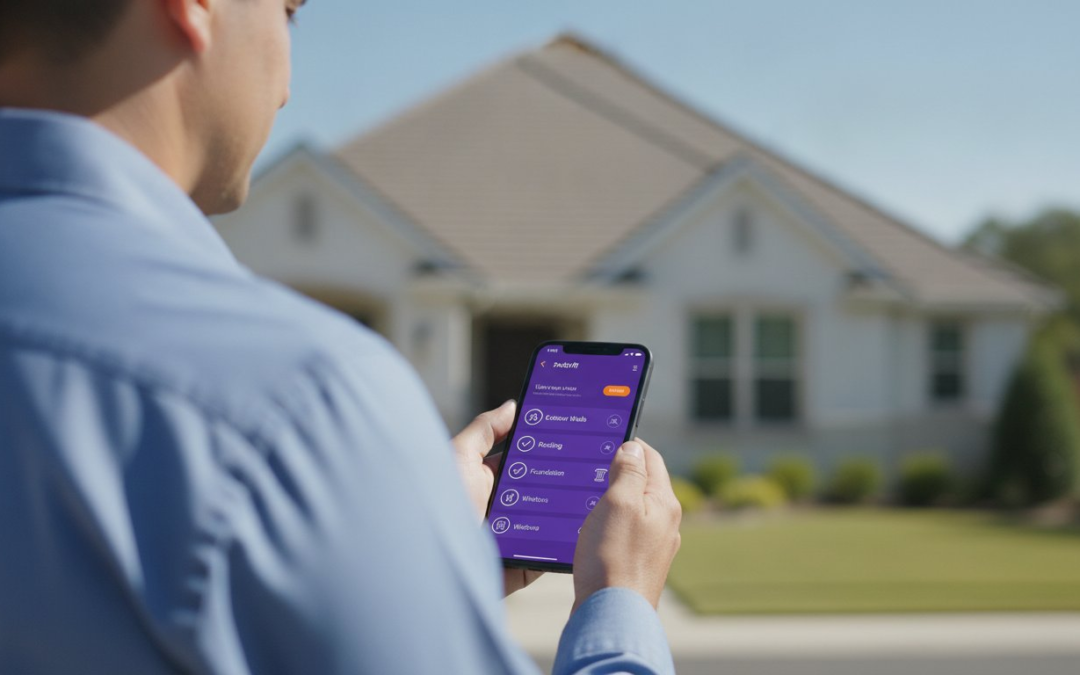
Why are you still working a second shift at your kitchen table just to label photos? For most field professionals, the “second workday” is a grueling reality that eats into every evening and weekend. You spend hours manually organizing folders and typing out descriptions for a property inspection checklist app that should be doing the heavy lifting for you. It is a slow, soul-crushing process that turns a productive day into an administrative nightmare.
You know that documentation is non-negotiable, but the current way you capture data is costing you more than just time. Disorganized project folders and clunky software that crashes in poor service areas only add to the stress. You need a solution that restores order to the chaos of onsite documentation. This guide is your roadmap to total field efficiency and professional mastery.
Learn how to eliminate “office time” forever and automate the most tedious parts of your workflow. We will show you how to finish every report before you leave the property, maintaining a professional and consistent brand across every file. It is time to capture, label, and deliver with total confidence!
Key Takeaways
- Stop paying the “office time” tax by identifying the hidden costs of manual data entry and paper-based failures.
- Optimize your field documentation using a property inspection checklist app that synchronizes photos and reports in real-time.
- Slash your reporting time with automated photo labeling and voice-to-text technology that captures details as you move.
- Build custom inspection templates tailored to your specific property types to ensure no detail is ever missed.
- Centralize your operations with a team management dashboard that provides real-time oversight and professional brand consistency.
Why Your Current Property Inspection Checklist is Costing You Hours
Every hour you spend in the field should generate revenue. If you are spending your nights at a desk typing up notes, you are losing money. Manual data entry is a silent profit killer. It turns expert inspectors into low-paid administrative assistants. You didn’t enter this profession to become a data entry clerk. You entered it to be an expert in the field. Calculate your loss. If you spend four hours on a home inspection and another four hours labeling photos, your hourly rate just dropped by half.
Traditional methods fail the moment complexity increases. Paper checklists and basic digital lists cannot handle the sheer volume of data required for modern reporting. This leads to “Photo Fatigue.” When you have 200 unlabeled photos sitting in a generic folder, details get fuzzy. Disorganized imagery leads to missed defects and major liability. It is a dangerous cycle. You need to move from passive checklists to active, automated field documentation. A property inspection checklist app transforms your workflow from a grueling chore into a high-speed documentation engine.
The ‘Second Workday’ Trap
Reporting shouldn’t take 2-3x longer than the actual site visit. Yet, for many field professionals, the “second workday” starts at 6 PM. This bottleneck prevents you from taking on more clients. It stretches claim cycle times and kills client satisfaction. Manual photo labeling is the primary culprit. It is a slow, soul-crushing process that halts your momentum. Stop the cycle. Break the bottleneck. Reclaim your evenings by capturing and labeling data in one single motion!
Digital vs. Intelligent Checklists
Do not confuse a basic digital list with an intelligent workflow. A simple digital checklist is just paper on a screen. It is a flat file that doesn’t solve the photo problem. In contrast, an intelligent property inspection checklist app creates a living link between data, location, and visual evidence. This level of automation is essential for maintaining IICRC and industry documentation standards. It ensures total accuracy without the manual grind. Capture the evidence; sync the data; finish the job. It is that simple!
The Core Features of a Professional-Grade Inspection App
A professional-grade property inspection checklist app is more than a digital clipboard. It is a mobile-first command center that synchronizes field data, high-resolution photos, and comprehensive reports in real-time. This evolution aligns with current PropTech trends where automation replaces manual friction. If your app crashes the moment you lose Wi-Fi, it isn’t professional grade. You need robust offline functionality that keeps your momentum going in crawlspaces, basements, and remote rural sites. Stay connected to your data, even when you are off the grid.
Generic lists don’t work for professional adjusters. You need customizable templates that adapt to the specific property type you are assessing. Whether it is a multi-family unit or a commercial warehouse, your checklist must be as specialized as your expertise. Once the inspection is done, don’t wait for a desk. Use instant report generation to deliver a polished, professional PDF before you even leave the driveway. Capture, sync, and deliver!
Advanced Visual Documentation Tools
Documentation is only as good as the visual evidence you provide. A standard phone camera is a liability. You need an inspection camera with built-in, automated labeling to eliminate guesswork and photo fatigue. Modern apps now integrate aerial roof and wall measurements directly into the field workflow. No extra hardware is required. For complex projects, leverage virtual inspection software to collaborate with remote team members in real-time. This technology is proven to work. Industry data from 2025 shows that AI-powered features can boost operational efficiency by 17.6%. Capture the detail; prove the damage; secure the claim!
Workflow Integration and Exporting
Your data shouldn’t live on an island. A top-tier property inspection checklist app must play well with industry giants like Xactimate, Verisk, and Symbility. This seamless compatibility ensures that your field data flows directly into your estimating software without manual re-entry. Use custom report builders to tailor every output to your brand and client requirements. Finally, protect your hard work with secure cloud storage. Hardware fails, but your documentation shouldn’t. If you want to see how these features transform a busy workday, explore our custom report builder features to start automating your field documentation today.
Eliminating the ‘Office Time’ Trap: Automated Photo Labeling
For most inspectors, photos are a burden. You take hundreds of shots, then spend hours at home trying to remember if “Photo_12.jpg” was the master bath or the basement closet. This is where most software fails. They treat images as simple attachments that require manual sorting later. A professional-grade property inspection checklist app flips the script. It makes photos the foundation of your report. By utilizing automated photo labeling, you capture the image and the context simultaneously. No more guessing; no more typing; just pure efficiency!
Consistency is the hallmark of a professional. If your photos have random names or no descriptions, your reports look amateur. Smart technology ensures every photo in your report follows a logical, professional naming convention automatically. The app sorts photos into rooms and categories as you take them. This automatic categorization means your report is essentially building itself while you walk the property. You leave the site with a structured, categorized, and labeled gallery that is ready for immediate delivery.
How Voice-to-Text Speeds Up Field Work
Talking is faster than typing. It’s that simple. When you are on a ladder or squeezed into a crawlspace, you don’t have a spare hand to peck at a smartphone keyboard. Voice-to-text labeling allows you to narrate your findings in real-time. These apps aren’t just generic dictation tools. They are built with specialized libraries to understand technical industry jargon and specific assessment terms. Voice-to-text labeling reduces report time by up to 50%. It keeps your hands free and your eyes on the property, which is a major win for both safety and speed.
Organizing 200+ Photos Without Losing Your Mind
Managing a massive volume of imagery shouldn’t feel like a puzzle. Modern property inspection checklist app technology uses “Instant Folder” logic to create a pre-organized project structure. This mirrors advanced digital workflows for building assessment used by top-tier engineering and adjusting firms. Automated documentation also embeds metadata and precise timestamps into every file. This makes your reports much more defensible in court or during a claim dispute. You eliminate the “upload, download, rename” cycle that kills your productivity. Stop wasting your life on administrative rework and start focused on growing your business!
How to Optimize Your Digital Inspection Workflow in 5 Steps
Efficiency in the field is not an accident; it is the result of a deliberate, engineered process. If you want to reclaim your evenings and scale your business, you must move beyond simple photo taking. A professional property inspection checklist app allows you to build a high-speed documentation engine that works as hard as you do. Follow these five steps to transform your site visits into a seamless, one-touch operation.
- Step 1: Select Your Template. Start by choosing or building custom inspection templates tailored to the specific property. Whether it is a luxury estate or a commercial warehouse, your checklist must match the environment.
- Step 2: Narrate in Real-Time. Use voice-to-text to capture descriptions and labels as you move. Don’t wait until you get back to the truck. Describe the damage while it is right in front of you.
- Step 3: Capture Visual Evidence. Take your required shots and integrate aerial measurements for roofs and walls. Everything should live inside a single, unified file.
- Step 4: Conduct an On-Site Review. Check your instant photo report before you leave the driveway. This prevents the “missed shot” nightmare that requires a costly return trip.
- Step 5: Sync and Deliver. Hit the sync button to upload everything to the cloud. Your report is delivered to the client or team dashboard immediately.
Building Templates for Speed
Use the “Critical Path” method to organize your checklist. Align your digital steps with your physical walk-through to minimize backtracking. Set mandatory fields for essential data to prevent incomplete reports before they happen. When you standardize your templates across your entire team, you ensure brand consistency and total accuracy on every single project. Stop guessing and start documenting with precision!
Real-Time Quality Control
Quality control happens in the field, not the office. Use your property inspection checklist app to verify that all required angles are captured while you are still on the property. Annotate photos on-site by using arrows and text to highlight specific damage. For complex claims, leverage virtual inspection tools to get a “second set of eyes” from a remote manager. This real-time collaboration eliminates errors and speeds up the entire claim cycle. Master your workflow today. Download the app and start your first automated report.
PHOTO iD: The All-in-One Solution for Modern Inspection Teams
Scaling a business requires more than just hard work; it requires the right infrastructure. PHOTO iD is the home inspection app of choice for national adjusting firms because it was built to handle high volume without breaking. Whether you are a solo contractor or managing a multi-state team, this property inspection checklist app provides the professional consistency you need. It turns individual field effort into a collective, high-velocity machine that delivers results. Professionalism is not optional; it is the baseline for your success.
Centralized oversight is the missing link in most field tools. Use the team management dashboard to track multiple projects in real-time from any location. You no longer have to call every inspector to check on their progress or verify photo quality. You can see every photo, every voice-to-text label, and every generated report as they happen. This level of transparency eliminates the administrative guesswork and ensures that every project meets your high standards before it ever reaches the client. Instant report generation means your team produces professional results with the simple push of a button.
Designed by Industry Veterans
This tool wasn’t built in a vacuum by software developers who have never seen a jobsite. It was shaped by the “Claims Coach” himself, Ken Perry. His deep industry perspective ensures the app focuses on what truly matters: speed, accuracy, and defensible documentation. We don’t add features just for show. Every update is driven by direct field feedback from professional adjusters working in the trenches. We understand the physical demands of the job, and we build technology that supports you on every ladder and in every crawlspace.
Ready to Reclaim Your Weekends?
Think about the real-world return on investment. If you save just two hours per inspection, how many extra projects can you take on each month? For many field pros, that efficiency translates to an extra four to six inspections every single month. That is a significant boost to your bottom line. More importantly, it is time back with your family. Join thousands of professionals who have already eliminated manual photo labeling forever. Start your PHOTO iD mobile app subscription today and experience the relief of a finished report before you even leave the property. Reclaim your time; grow your business; lead your team!
Master Your Field Documentation Today
You now have the definitive roadmap to eliminate the “second workday” and finally reclaim your time. Transitioning to a professional property inspection checklist app transforms documentation from a grueling bottleneck into a powerful competitive advantage. You have learned how automated voice-to-text labeling and instant PDF report generation slash your administrative burden by half. These are the exact high-velocity tools that national adjusting firms rely on to maintain total accuracy and professional brand consistency on every project.
Stop sacrificing your evenings to manual typing and disorganized project folders. It is time to work smarter, move faster, and deliver better results for your clients. Capture the evidence, sync the data, and finish the job before you even leave the property. Your business deserves a partner that works as hard as you do in the field. Start Your Free Trial of PHOTO iD and Automate Your Inspections Today!
Take total control of your workflow and get back to what matters most. Your weekends are finally waiting!
Frequently Asked Questions
What is the best property inspection checklist app for home inspectors?
PHOTO iD is the premier choice for professionals who need to combine automated photo labeling with high-speed report generation. It is built by industry veterans to handle the specific pressures of field documentation. National adjusting firms rely on this technology to maintain consistency across thousands of projects. It turns your mobile device into a powerful command center for every site visit.
Can I use an inspection app without an internet connection?
Yes, professional apps feature robust offline functionality that allows you to capture data in remote areas or deep basements. Your photos and notes are saved locally on your device while you work. Once you return to a cellular or Wi-Fi zone, the app automatically syncs everything to the secure cloud. This ensures your workflow never stops, even when the signal does!
How does voice-to-text labeling help during a property inspection?
Voice-to-text labeling allows you to narrate findings in real-time, keeping your hands free for tools and ladders. This technology understands technical industry jargon and automatically attaches descriptions to your photos as you take them. You eliminate the need for manual typing. This significantly reduces your total reporting time and keeps your eyes on the property for better safety.
Do property inspection apps integrate with Xactimate or Verisk?
Top-tier property inspection checklist app solutions are designed to integrate seamlessly with industry giants like Xactimate and Verisk. This compatibility allows your field data and labeled photos to flow directly into your estimating software. You avoid the grueling “second workday” of re-entering information. This ensures a faster claim cycle and happier clients every single time.
What is the difference between a simple checklist and an automated report generator?
A simple checklist is just a digital list, while an automated report generator is a workflow engine that builds your final document as you work. Simple lists still require manual photo organization and formatting back at the office. Automated systems link your data, labels, and visual evidence instantly. This produces a client-ready PDF before you even leave the driveway.
How much time can I actually save using a property inspection app?
Most field professionals report saving approximately two hours per inspection by eliminating manual photo labeling and office-based rework. This efficiency allows you to take on more projects each month without increasing your working hours. The transition to automated intelligence can boost overall operational efficiency by over 17%. Work smarter, not harder, and reclaim your weekends!
Are digital inspection reports as professional as manual ones?
Digital reports are actually more professional because they offer consistent branding, high-resolution imagery, and precise timestamps. Manual reports are prone to human error and inconsistent formatting. A professional property inspection checklist app ensures that every file follows a logical structure. This makes your documentation both defensible in court and easy for your clients to understand.
How do I manage a team of inspectors using a mobile app?
Manage your entire team through a centralized dashboard that provides real-time oversight of all active projects. You can track field progress, review photo quality, and manage custom templates from a single interface. This eliminates the need for constant phone check-ins. It ensures your entire team maintains the same high standard of documentation across every project they handle.