
task auto guidance inspection
Understanding Task Auto Guidance Inspection: Beyond Basic Checklists
Task auto guidance inspection uses AI and mobile technology to guide field professionals through systematic documentation processes. Instead of static checklists, you get real-time prompts, automated labeling, and intelligent workflows that adapt to your specific inspection requirements.
This technology changes how you capture and organize documentation in the field. Rather than relying on memory or paper lists, you receive step-by-step guidance through each part of your inspection process.
What Exactly Is Task Auto Guidance Inspection?
Think of it as having a digital field assistant. The system automatically labels photos based on location, damage type, and inspection stage. GPS coordinates, timestamps, and custom metadata get embedded without manual input. This eliminates the post-inspection data entry that often takes hours.
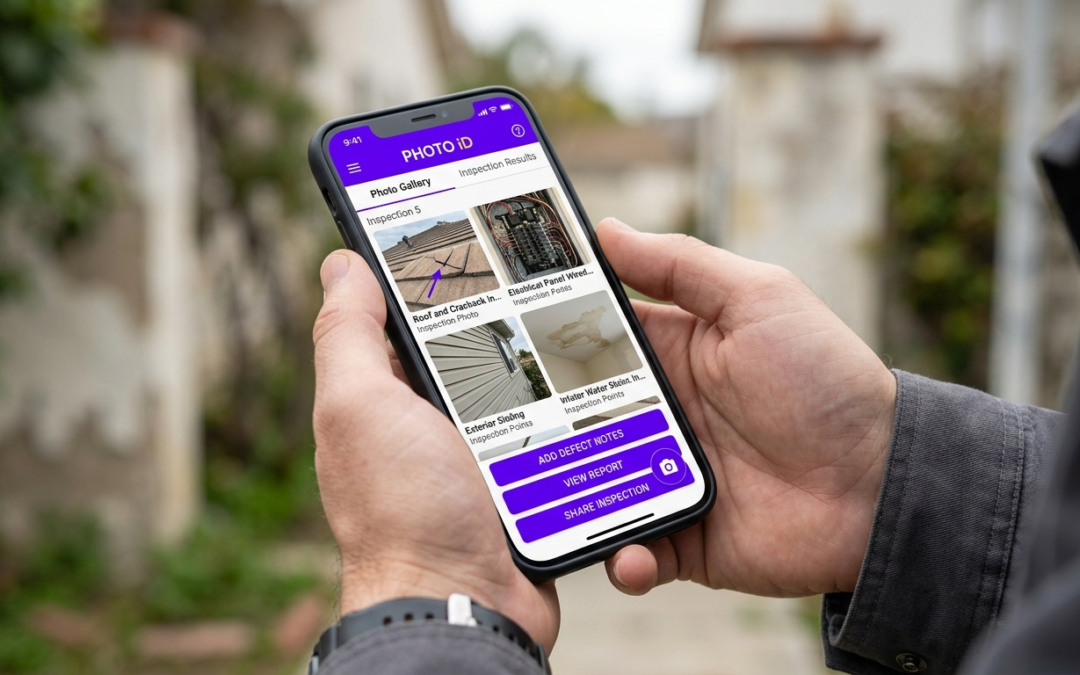
PHOTO iD by U Scope demonstrates this approach with real-time labeling suggestions based on your location and inspection type. The platform recognizes patterns in your workflow and adjusts prompts based on the template you’re using.
Key Insight: Auto guidance doesn’t replace your expertise. It handles routine documentation tasks so you can focus on analysis and decisions.
Why Manual Checklists Fall Short in Modern Field Work
Paper checklists and basic photo apps create bottlenecks. You capture images in the field, then spend hours organizing, labeling, and formatting reports back at the office.
Manual processes introduce human error too. Mislabeled photos, missing location data, and incomplete documentation delay claim approvals and trigger return visits. Task auto guidance inspection structures documentation during the inspection, cutting these problems.
How Auto Guidance Powers Your Inspections
Task auto guidance inspection improves both speed and accuracy by automating routine documentation tasks. Your smartphone becomes a comprehensive field tool that captures, organizes, and structures data in real time.
Real-Time Labeling Cuts Admin Time
Auto guidance systems label photos as you capture them. Location data, damage categories, and inspection stages are assigned instantly based on GPS coordinates and workflow context.
Photos arrive pre-labeled and ready for report building or claim submission. You don’t spend hours sorting through hundreds of unlabeled images or rebuilding inspection sequences from memory.
Custom Workflows Match Your Specific Tasks
Effective guidance adapts to your requirements instead of forcing you into generic templates. Property preservation workflows differ from insurance claim documentation and roofing inspections.
Custom workflows prompt you for required images based on your industry and client standards. The system guides you through mandatory shots while allowing extra documentation when conditions require it.
Built-in Field Tools: Instant Data Capture
Advanced guidance systems integrate measurement tools directly into the camera interface. Pitch gauges, digital compasses, and distance estimators help capture consistent field data without separate equipment.
PHOTO iD by U Scope includes an in-camera pitch gauge and compass, letting you capture measurements alongside photo documentation. One device handles photos, measurements, and file organization.
Faster Inspection-to-Report Turnaround
When documentation is structured during fieldwork, post-inspection processing time drops significantly. Reports build from organized, labeled photos with embedded metadata and measurements.
Clients receive reports sooner. Your team moves to the next job without administrative drag.
The Intelligence Behind the Guidance: AI and Mobile in Action
The value of task auto guidance inspection comes from software that follows workflows, applies rules, and uses pattern recognition to reduce manual steps. The goal: consistent coverage, cleaner photo sets, and fewer documentation gaps.
Machine Learning for Smarter Documentation
Advanced systems analyze image content to suggest labels and categories. When configured properly, this standardizes documentation across different techs and job types.
As your team uses the same workflows repeatedly, prompts and suggested labels become more consistent with your templates and documentation standards.
Your Smartphone as the Ultimate Field Tool
Modern smartphones pack the sensors needed for field documentation: GPS, accelerometers, digital compasses, and high-resolution cameras. Combined with guided workflows, you get a repeatable inspection process.
Key Insight: The phone in your pocket can replace a pile of disconnected tools, as long as your workflow and labeling rules are set up correctly.
Cloud connectivity syncs documentation to office systems and client platforms with minimal delay between jobsite and report delivery.
Beyond Automation: Supporting Human Expertise
Well-designed guidance systems support your judgment instead of replacing it. The platform handles routine labeling and organization while you focus on assessing conditions, documenting exceptions, and communicating next steps.
This division keeps the inspector in control and reduces admin work that slows production.
Industry-Specific Solutions: Who Benefits Most?
Task auto guidance inspection proves most valuable in industries where documentation quality affects payment, compliance, and customer satisfaction. Property preservation, insurance claims, and construction inspections all benefit from structured, guided photo capture.
Property Preservation: Systematic Damage Documentation
Restoration teams need consistent before, during, and after documentation to support insurance claims and show work completion. Task auto guidance inspection reduces missed photos and gaps that trigger rework.
Guided workflows prompt for required shots at each stage, from initial assessment to final verification. This structure supports faster reviews and fewer callbacks.
Insurance Claims: Building Clear Photo Stories
Adjusters and reviewers need clear, chronological documentation that tells a complete story of damage and repair. Guided capture standardizes coverage and reduces avoidable omissions.
Cleaner photo sets reduce review time and limit requests for additional documentation. Fewer delays. Fewer disputes between contractors and carriers.
Ready to streamline your inspection workflow?
Frequently Asked Questions
What is task auto guidance inspection?
Task auto guidance inspection uses AI and mobile technology to guide field professionals through documentation. It provides real-time prompts, automated labeling, and intelligent workflows. This approach adapts to specific inspection requirements, moving beyond static checklists.
How does task auto guidance inspection differ from traditional methods?
Unlike paper checklists, auto guidance systems provide real-time prompts and automatically label photos as they are captured. This eliminates hours of post-inspection data entry and manual organization back at the office. It structures documentation during the inspection, reducing human error and improving consistency.
Can task auto guidance inspection adapt to different inspection requirements?
Yes, modern auto guidance systems offer custom workflows that adapt to specific industry and client standards. This means the system can guide you through property preservation, insurance claims, or roofing inspections with tailored prompts. PHOTO iD, for example, uses custom workflow templates to ensure you capture the required images for any job.
What kind of data is captured by an auto guidance inspection system?
Auto guidance systems capture photos, automatically embedding GPS coordinates, timestamps, and custom metadata. They also assign labels for location, damage type, and inspection stage in real-time. Systems like PHOTO iD integrate tools such as in-camera pitch gauges and compasses to capture consistent measurement data alongside photos.
Does task auto guidance inspection replace the field inspector's expertise?
No, auto guidance does not replace your expertise. It handles the routine documentation tasks, such as labeling and organizing photos, so you can focus on analysis and making decisions. This division of labor keeps the inspector in control and reduces administrative work.
How does auto guidance improve field accuracy and speed?
Task auto guidance inspection improves speed and accuracy by automating routine documentation tasks as they happen. Photos are labeled instantly with location and damage data, removing the need for post-inspection sorting. This structured approach cuts overall cycle time, allowing faster report turnaround and moving to the next job without administrative delays.
What built-in tools do modern auto guidance systems offer?
Modern guidance systems turn your smartphone into a comprehensive field tool by integrating measurement capabilities directly into the camera interface. This includes features like in-camera pitch gauges, digital compasses, and distance estimators. PHOTO iD includes these tools, letting you capture measurements alongside photo documentation for more consistent reporting using just one device.