
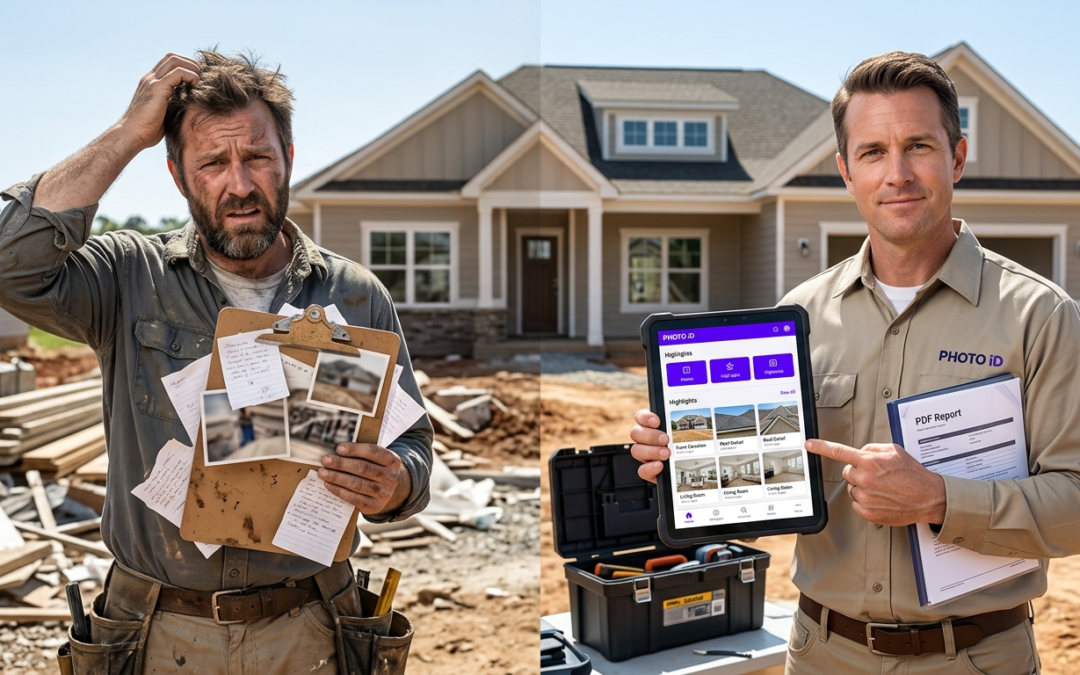
jobsite photo report template
Why Your Jobsite Needs a Standardized Photo Report Template (And What It Is)
A jobsite photo report template is a structured framework that organizes construction and inspection photos with consistent labeling, timestamps, and location data. It turns random snapshots into professional documentation that speeds up claims processing, reduces disputes, and creates accountability across field teams.
The Role of Photo Documentation in Construction and Inspections
Photo documentation has shifted from optional supporting material to primary evidence in insurance claims and project management. Adjusters now rely on visual proof to validate work completion, assess damage scope, and approve payment requests without site visits.
Contractors who submit organized photo reports see 40% faster claim approvals than teams using scattered documentation methods. The difference comes from presentation and completeness.
Common Pain Points: The Chaos of Unorganized Jobsite Photos
Most field teams capture hundreds of photos per project but struggle with organization. Photos get scattered across multiple devices, lack descriptive context, and miss critical angles that adjusters need for approval decisions.
Reality Check: Many insurance claims get delayed due to inadequate photo documentation. Missing timestamps, unclear damage scope, or poor image quality can trigger requests for additional evidence.
Without a structured template, teams waste hours searching for specific images, recreating lost documentation, or explaining unclear photos to frustrated clients.
Beyond Basic Snaps: What Makes a Photo Report Effective?
Effective photo reports tell a complete story through visual evidence. They include wide-angle context shots, detailed close-ups of specific issues, and sequential progress documentation that shows work quality and timeline adherence.
Professional reports also include measurement tools, compass readings, and environmental conditions that give adjusters the context they need. This level of detail eliminates guesswork and builds trust with insurance partners.
Building Your Foundation: Essential Elements of a Jobsite Photo Report Template
The Non-Negotiables: Core Information Every Photo Needs
Every jobsite photo needs five fundamental data points: project identification number, capture timestamp, photographer name, specific location within the property, and photo purpose classification. These elements create the organizational backbone that makes reports searchable and defensible.
Additional context like weather conditions, equipment used, and safety compliance indicators provide valuable background for later review.
Metadata Matters: Date, Time, Location, and Geotagging
Accurate metadata turns individual photos into chronological project narratives. GPS coordinates confirm damage locations, and timestamps establish work sequence and completion dates that insurance companies request during claim validation.
Modern field documentation tools capture this information automatically, reducing manual entry errors that can derail report approval.
Descriptive Captions: Turning Photos into a Narrative
Strong captions bridge the gap between visual evidence and adjuster understanding. Instead of generic labels like “roof damage,” effective captions specify “Missing asphalt shingles on south-facing slope, exposing underlayment to weather penetration.”
Quality captions answer who, what, where, when, and why questions before adjusters need to ask them.
Annotation and Labeling: Adding Context and Clarity
Visual annotations highlight specific damage areas, measurement points, and safety concerns that might be missed in standard photos. Arrow overlays, measurement callouts, and color-coded problem areas guide reviewer attention to the details that matter.
PHOTO iD by U Scope includes built-in annotation tools that teams can use in the field, reducing post-processing time.
Project-Specific Fields: Customizing for Your Niche
Different construction sectors require specialized documentation fields. Roofing projects often need pitch measurements, material specifications, and weather exposure notes. Water damage restoration may require moisture readings, affected material inventories, and contamination classifications.
Insurance restoration work benefits from cause-of-loss documentation, mitigation timelines, and before-and-after comparisons that support scope accuracy and work quality.
The PHOTO iD Advantage: Streamlining Your Photo Reporting Workflow
Manual Templates vs. Mobile-First Solutions: Why Speed Matters
Manual template creation consumes valuable field time. Paper forms get damaged, handwritten notes become illegible, and transferring information into digital formats doubles the work.
Mobile-first tools eliminate redundant data entry while capturing more consistent information directly on the jobsite. Teams complete documentation faster and with fewer gaps than traditional methods allow.
Real-Time Labeling and Organization: Capture, Tag, Done
Real-time photo labeling prevents the organizational chaos that hits most projects. Instead of sorting hundreds of unnamed files later, teams apply descriptive tags, location markers, and damage classifications as they capture images.
Efficiency Impact: Real-time organization cuts post-project photo sorting time by up to 75%. Teams deliver reports within hours of leaving the site.
This approach reduces memory gaps, lowers labeling errors, and supports complete coverage of required documentation areas.
Customizable Workflows: Tailoring Reports to Your Needs
Standardized workflows maintain documentation consistency across team members and project types. Custom templates guide photographers through required shots, prevent missed angles, and keep quality standards steady regardless of experience level.
PHOTO iD by U Scope supports custom workflow templates that prompt for required documentation during capture, so nothing gets missed on busy days.
Built-in Field Tools: Pitch Gauge, Compass, and More for Complete Documentation
Integrated tools reduce the need for separate equipment while supporting consistent documentation. In-camera pitch gauges record roof slope, compasses capture directional reference, and measurement overlays add scale context to damage photos.
These tools help teams produce professional documentation that aligns with insurance carrier expectations without extra equipment purchases.
Direct Integration: Connecting Your Photos to Critical Systems
Reports export directly to PDF or integrate with Guidewire (ClaimCenter), Salesforce, Jobber, and JobNimbus for immediate claim submission. PHOTO iD is also compatible with Xactimate, allowing pre-cataloged and labeled images to be imported for faster estimating and claim approvals.
This connectivity reduces administrative overhead while helping photo documentation reach decision-makers in the format they can use immediately.
Beyond the Basics: Advanced Photo Reporting Strategies for Field Professionals
Documenting Damage vs. Progress: Adapting Your Template
Damage documentation needs a different structure than progress tracking. Initial damage assessments focus on scope identification, cause determination, and affected material inventories. Progress documentation focuses on work sequence, completion milestones, and quality checkpoints.
When your process supports both modes, teams capture the right evidence at each phase without rebuilding the workflow every time.
The Power of “Before and After” Photos in Claims and Inspections
Sequential photography creates a clear visual record showing work need, scope accuracy, and completion quality. Before photos set baseline conditions, and after images show completed work.
Documentation Strategy: Capture identical angles, lighting conditions, and camera positions for before-and-after shots. Consistent perspective reduces adjuster questions about scope and quality.
Progress shots between those points help confirm method, materials, and timeline, which supports billing accuracy and job validation.
Virtual Inspections: Expanding Your Documentation Capabilities
Remote inspection options have changed how many adjusters review claims and approve work. Strong photo documentation supports virtual assessments that reduce site visits while keeping reviews on track.
Virtual-ready documentation includes 360-degree room coverage, detailed material close-ups, and context shots that help a remote reviewer understand the space completely.
Ensuring Photo Accuracy and Admissibility: Best Practices for the Field
When documentation may be used during disputes, keep images consistent and traceable. Clear timestamps, location data, photographer identification, and basic chain-of-custody practices help establish credibility.
Automatic metadata capture reduces manual errors and supports defensible documentation if disagreements escalate.
Using Photo Reports for Dispute Resolution and Client Communication
Well-organized photo reports resolve disputes early by showing job conditions, work quality, and completion status clearly. Visual documentation reduces miscommunication between contractors, adjusters, and property owners.
Professional reporting also improves client communication by demonstrating thoroughness and transparency throughout the project.
Getting Started: Implementing Your Jobsite Photo Report System
Choosing the Right Tool: Beyond Spreadsheets and Notebooks
Modern field operations need mobile-optimized tools that perform in jobsite conditions. Spreadsheets and paper forms cannot reliably capture GPS coordinates, apply real-time annotations, or connect cleanly with the platforms that drive claims and field service work.
Purpose-built photo documentation platforms offer offline capture, cloud storage, and templates that reduce custom development work.
Training Your Team: Ensuring Consistency and Adoption
Implementation depends on adoption and consistent execution. Training should cover documentation standards, quality checks, and time-saving habits that make the value obvious to field staff.
Start with pilot projects to identify workflow friction and address pushback before a company-wide rollout.
Integrating Photo Reporting into Your Daily Operations
Integration works best when photo documentation aligns with project management and billing steps. Automation reduces duplicate entry while keeping documentation complete on every job.
Download PHOTO iD by U Scope from the App Store or Google Play to start building a repeatable workflow that saves time and improves accuracy.
The Long-Term Benefits: Saving Time, Reducing Errors, and Boosting Profits
Professional photo documentation systems pay off through faster claim cycles, lower dispute costs, and better client communication. Many teams also reduce administrative overhead after rollout, especially when reporting steps become consistent across all projects.
Organized documentation supports growth by increasing project capacity without requiring the same increase in office workload. When you standardize the process with a jobsite photo report template and keep the workflow simple, teams move faster and miss less.
Frequently Asked Questions
What is a jobsite photo report template?
A jobsite photo report template is a structured framework that organizes construction and inspection photos with consistent labeling, timestamps, and location data. It turns random snapshots into professional documentation. This structure helps speed up claims processing, reduces disputes, and creates accountability across field teams.
Why is a standardized jobsite photo report important?
Standardization turns casual photography into reliable evidence for insurance adjusters and project managers. It ensures every image has consistent metadata and a clear purpose within the project narrative. This consistency is what teams need to quickly validate work, assess damage, and approve requests without delays.
How do organized jobsite photos speed up insurance claims?
Organized photo reports provide clear visual proof that adjusters rely on to validate work completion and assess damage scope. When documentation is complete and well-presented, adjusters can approve payment requests faster, often without needing extra site visits. This leads to quicker claim approvals and payments for contractors.
What information should every jobsite photo include?
Every jobsite photo needs core data: project identification number, capture timestamp, photographer name, specific location, and the photo’s purpose classification. These elements create a searchable and defensible record. Accurate metadata like GPS coordinates and descriptive captions also provide essential context for later review.
How do descriptive captions and annotations improve photo reports?
Descriptive captions bridge the gap between visual evidence and reviewer understanding, explaining the who, what, where, when, and why of an image. Annotations, such as arrows or measurement callouts, highlight specific damage areas or points of interest. Together, they guide reviewer attention to critical details and cut guesswork.
Can jobsite photo report templates be tailored for specific types of work?
Yes, jobsite photo report templates can be customized for different construction sectors. Roofing projects often need pitch measurements and material specifications, while water damage restoration may require moisture readings and affected material inventories. Customizing fields ensures you capture the exact details relevant to your niche.
How do mobile tools streamline jobsite photo reporting?
Mobile-first solutions cut down on manual data entry and paper forms, allowing teams to capture, label, and organize photos in real-time directly on the jobsite. Tools like PHOTO iD provide features for custom workflow templates, in-camera measurements, and cloud storage. This significantly increases field documentation efficiency and reduces post-project sorting time.