
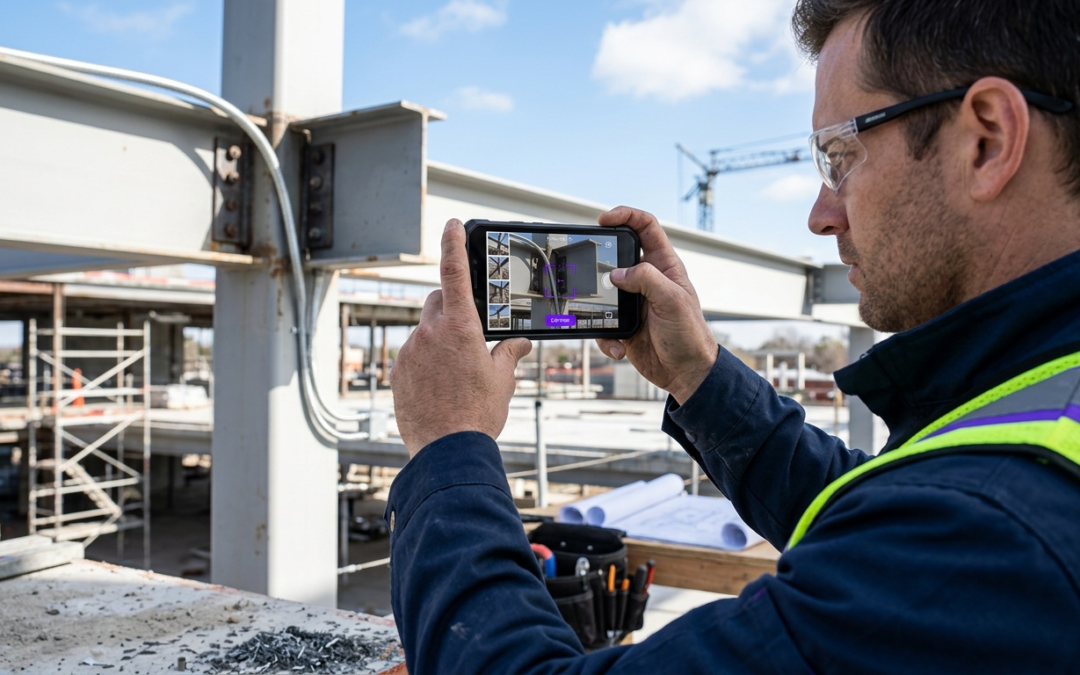
virtual inspection app vs in-person only tools
Virtual Inspection Apps vs. In-Person Tools: Defining the Divide
Field inspectors face a fundamental choice: deploy virtual inspection app vs in-person only tools for documentation and assessment. This decision impacts project timelines, cost efficiency, and client satisfaction.
What Exactly Is a Virtual Inspection App?
Virtual inspection apps enable remote property assessment through smartphone cameras, real-time photo labeling, and instant documentation sharing. Inspectors guide property owners through the process remotely, capturing structured evidence without physical presence.
Modern solutions integrate GPS tagging, automated labeling, and direct report generation. Document damage, verify repairs, and submit claims from any location with cellular coverage.
Understanding In-Person Only Inspection Tools
Traditional in-person tools require physical presence at the inspection site. These include handheld measuring devices, moisture meters, thermal cameras, and manual documentation systems that cannot operate remotely.
In-person tools excel at tactile assessment, detailed measurements, and complex diagnostic procedures requiring direct equipment contact with surfaces or materials.
Key Differences at a Glance
| Feature | Virtual Apps | In-Person Tools |
|---|---|---|
| Travel Requirements | None | Required for every inspection |
| Documentation Speed | Real-time labeling and organization | Manual sorting after inspection |
| Geographic Reach | Unlimited with cellular coverage | Limited by travel time and cost |
| Measurement Precision | Visual estimation with digital tools | Direct physical measurement |
| Cost per Inspection | Low after initial setup | Travel time and expenses |
The Case for Going Virtual: When Speed and Reach Trump Tactile Inspection
Virtual inspection technology removes common bottlenecks in field operations. When time-sensitive claims and geographic constraints threaten deadlines, virtual options deliver faster first-pass documentation.
Accelerating Your Workflow: Time Savings with Virtual Inspections
Virtual inspections cut travel time to zero. Complete multiple inspections per day instead of spending hours driving between locations. Documentation happens in real time, with photos labeled and organized during capture.
Expanding Your Reach: Overcoming Geographic Barriers
Remote inspections eliminate geographic limitations. Inspect properties across multiple states without overnight travel. Rural properties become as accessible as urban locations when the inspection runs through a smartphone.
Cost Efficiencies: Reducing Travel and Overhead
Virtual approaches reduce mileage reimbursements, fuel costs, and travel-time billing. Handle higher caseloads without matching increases in overhead.
Safety First: Minimizing Risk in Hazardous Environments
The choice between virtual inspection app vs in-person only tools matters when a property presents hazards. Document structural damage, mold concerns, or unstable conditions remotely without sending an inspector into a risky environment.
Tackling Backlogs: How Virtual Inspections Clear the Queue
High-volume periods create inspection backlogs that delay claim processing and frustrate clients. Virtual inspections help teams move more cases forward without the scheduling constraints of site visits.
Bottom line: Virtual inspections allow teams to complete several inspections in the time needed for a single on-site visit. This cuts backlogs during peak periods.
The Enduring Value of In-Person: When Detail and Direct Assessment Are Non-Negotiable
Some inspection scenarios demand physical presence. Complex damage assessment, precise measurements, and hands-on evaluation aren’t fully replaceable with remote methods.
Unrivaled Detail: The Power of Tactile and Visual Nuance
In-person inspections reveal details cameras miss. Moisture detection requires direct contact with surfaces. Structural integrity checks need physical testing of materials. These tactile elements aren’t transferable in a virtual inspection app vs in-person only tools comparison.
Immediate Feedback and Reduced Misinterpretation
On-site communication reduces misunderstandings about damage location or severity. Clarify questions on the spot, redirect attention to specific areas, and confirm complete documentation without repeated remote sessions.
Handling Complex Scenarios: When Technology Falls Short
Multi-level properties, confined spaces, and poor lighting challenge remote inspections. In-person tools work without relying on cellular coverage or a homeowner’s camera skills.
Building Trust: The Importance of Direct Interaction
In-Person Advantages
- Direct measurement accuracy
- Tactile damage assessment
- Immediate clarification
- No dependency on homeowner devices or connectivity
In-Person Limitations
- Higher travel costs and time
- Geographic restrictions
- Safety risks in hazardous areas
- Limited daily inspection capacity
Face-to-face interaction builds client confidence and shows professional commitment. Many property owners feel more secure when an expert examines damage in person and explains findings on-site.
Beyond the Dichotomy: Bridging the Gap with PHOTO iD’s Hybrid Approach
PHOTO iD by U Scope eliminates the forced choice between virtual inspection app vs in-person only tools. This cloud-based mobile platform keeps documentation consistent, whether your team works remotely or on-site.
PHOTO iD: The Cloud-Based Platform for Documented Inspections
PHOTO iD turns your smartphone into a documentation system for inspection photos. Real-time labeling, GPS tagging, and automated organization support both virtual and in-person inspections, keeping workflows consistent across jobs and teams.
Real-Time Labeling and Organization: Streamlining Your Fieldwork
PHOTO iD labels photos during capture to reduce sorting after the job. During virtual or in-person assessments, images include GPS coordinates, timestamps, and custom tags to keep documentation organized.
Built-In Field Tools: Improving Your In-Person Capabilities
The in-camera pitch gauge supports roof measurements during on-site inspections. Custom workflow templates match specific inspection types so teams follow consistent documentation standards.
Virtual Capabilities: Documenting Remotely with Confidence
PHOTO iD supports guided remote inspections with real-time communication during capture. Property owners collect structured documentation while an inspector provides direction, with photos organized and labeled to match the workflow.
Integration: Connecting Your Workflow from Field to Report
Integration note: PHOTO iD integrates with Guidewire, Salesforce, Jobber, and JobNimbus, reducing manual file transfers and formatting delays.
Reports export to PDF and support estimating workflows that work with Xactimate, depending on your process and integrations. This makes it easier to deliver structured photo documentation without extra steps.
Making the Right Choice: Selecting the Best Tools for Your Inspection Needs
The virtual inspection app vs in-person only tools decision depends on job requirements, safety needs, and constraints like distance and scheduling. The most efficient teams prepare for both scenarios rather than relying on only one approach.
When to Prioritize Virtual Inspection Apps
Use virtual options for initial damage intake, routine follow-ups, and properties far from your coverage area. Time-sensitive claims needing immediate documentation benefit from remote capture that avoids travel delays.
When In-Person Tools Remain Essential
Use in-person tools for complex structural assessments, tight measurement requirements, and any situation needing hands-on evaluation. Higher-value claims may also require physical inspection to meet carrier requirements and reduce disputes.
The Hybrid Advantage: Using Technology for Every Scenario
PHOTO iD supports consistent documentation quality regardless of inspection method. Teams with hybrid capability adjust to changing job requirements with less workflow disruption.
Stop choosing between virtual efficiency and in-person accuracy. PHOTO iD equips your team for both scenarios with consistent documentation quality.
Frequently Asked Questions
What’s the best field inspection app?
The best field inspection app depends on your operational needs. Look for solutions that offer real-time documentation, photo labeling, and direct report generation to streamline your workflow. PHOTO iD, for example, provides a cloud-based platform for organizing, labeling, and sharing inspection photos, supporting both virtual and on-site work. It helps teams create professional reports quickly and efficiently.
What are common serious issues found in a property inspection?
Property inspections often uncover serious issues like structural damage, mold concerns, or unstable conditions. These situations require careful documentation and can even pose safety risks for inspectors. Virtual inspection apps can help document such hazards remotely, minimizing risk, while in-person tools are needed for tactile assessment of complex damage.
Should I begin property assessment with a visual inspection?
Absolutely. Any property assessment, whether for damage or repairs, should always start with a thorough visual inspection. This initial step allows for first-pass documentation, identifying areas that require closer attention or specific measurements. Virtual inspection apps support this by enabling remote visual assessment and real-time photo capture.
What are the main methods for conducting property inspections?
The article highlights two primary methods for property inspections: using virtual inspection apps or relying on in-person only tools. Virtual apps allow remote assessment through smartphones, offering speed and broad geographic reach. In-person tools require physical presence for tactile assessment and precise measurements.
How do virtual inspection apps improve efficiency?
Virtual inspection apps significantly boost efficiency by eliminating travel time, allowing teams to complete multiple inspections daily. Documentation happens in real-time with automated labeling and organization, reducing post-inspection administrative work. This approach helps clear backlogs and reduces operational costs.
When are in-person inspections still necessary?
In-person inspections remain essential for scenarios demanding precise measurements, tactile assessment, and complex diagnostic procedures. They are critical when details like moisture detection or structural integrity checks require direct contact with materials. On-site presence also allows for immediate clarification and builds client trust.