
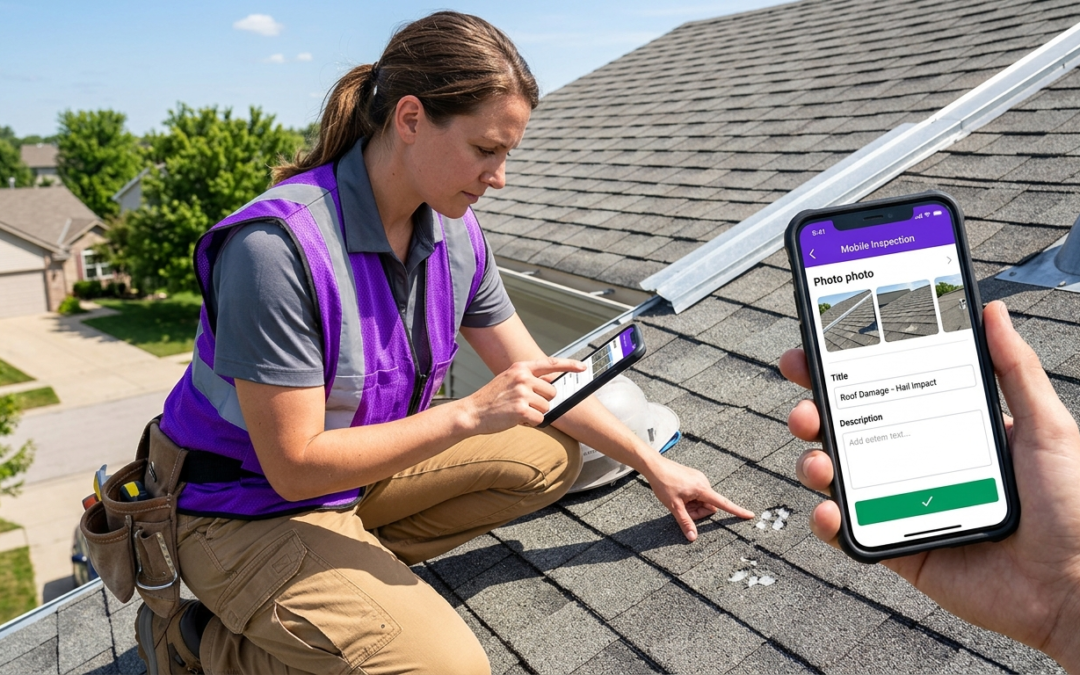
assignment scheduling app
What Exactly Is an Assignment Scheduling App, and Why Does It Matter?
Defining Assignment Scheduling Apps
An assignment scheduling app organizes tasks, deadlines, and workflows into a structured system that prevents missed deadlines and reduces workflow chaos. These tools turn scattered to-do lists into actionable schedules with automated reminders, priority rankings, and progress tracking.
For field professionals, the “assignment” extends beyond academic work to include property inspections, damage assessments, restoration projects, and documentation requirements. Each field visit includes multiple connected tasks that must be completed accurately and on schedule.
The Core Problem: Overwhelmed Workflows and Missed Deadlines
Manual scheduling creates bottlenecks. Inspectors juggle multiple properties, contractors manage overlapping projects, and restoration teams coordinate complex timelines. Without systematic organization, critical tasks slip through the cracks.
Reality Check: The average field professional manages 15-20 active assignments simultaneously. Manual tracking leads to 23% more deadline extensions and delayed project completion.
Missed deadlines cost money. Insurance claims stall, client relationships suffer, and teams waste time addressing preventable problems instead of completing billable work.
Beyond Student Life: The Professional Application
Professional assignment scheduling differs from academic planning. Fieldwork requires real-time adaptability, location-based organization, and immediate documentation. Weather delays, access restrictions, and equipment failures demand flexible tools that can adjust schedules quickly.
Standard calendar apps can’t handle the complexity of field assignments. Professional teams need tools built for property work, inspection protocols, and documentation requirements.
Key Features: What Makes an Assignment Scheduling App Effective?
Task Breakdown and Prioritization Tools
Effective scheduling starts with clear task breakdown. Split large assignments into specific, measurable actions. Instead of “complete property inspection,” create separate tasks for exterior assessment, interior documentation, and report compilation.
Priority systems prevent important work from being overshadowed by urgent, lower-impact tasks. Color-coded urgency levels and weighted scoring help teams focus on high-value activities first.
Deadline Tracking and Calendar Integration
Calendar synchronization prevents double-booking and scheduling conflicts. Strong systems show assignment deadlines alongside existing commitments to reveal realistic availability.
Buffer-time planning accounts for travel, setup, and delays. Smart scheduling adds time cushions based on assignment complexity and typical completion times.
Automated Reminders and Notifications
Proactive alerts reduce last-minute scrambling. Set multiple reminder points: initial assignment notification, preparation reminders, and final deadline warnings. Adjust notification timing based on assignment complexity.
Progress Monitoring and Reporting Capabilities
Real-time progress tracking shows where each assignment stands. Visual indicators help teams spot bottlenecks early and make adjustments before deadlines slip.
Collaboration and Team Management Functions
Field teams need shared visibility into assignment status and capacity. Team dashboards show ownership, due dates, and potential conflicts.
Assignment handoffs support smoother transitions between team members. When one inspector completes initial documentation, the system notifies the next person in the workflow.
The PHOTO iD Advantage: Streamlining Field Assignments Through Photo Documentation
Addressing Field “Assignments”: Inspections and Documentation
Property inspectors, restoration contractors, and insurance adjusters face a specific assignment challenge. Each site visit includes documentation requirements, measurements, and structured photo capture aligned with claim protocols and reporting standards.
PHOTO iD by U Scope is a cloud-based mobile and web platform designed for organizing, labeling, and sharing property inspection photos. It helps teams create professional photo reports before leaving a jobsite and coordinate in real time during photo capture.
How PHOTO iD Supports Your Toughest Assignments
Real-time photo labeling reduces the post-visit sorting burden. Capture images with GPS tagging, room identification, and damage categorization. Photos organize with structured labels that support downstream reporting.
Time Savings: Teams using PHOTO iD report a 32% increase in field documentation efficiency by eliminating manual photo sorting and labeling tasks.
Custom workflow templates support different job types. Configure inspection steps for water damage, fire restoration, or routine maintenance. The guidance helps reduce missed photos and incomplete reports.
Real-Time Labeling and Organization: Moving Faster On Site
Built-in tools include an in-camera pitch gauge and in-camera compass, plus video capture and image editing with custom annotations. Capture documentation in one workflow rather than switching between tools.
Integrations with Guidewire, Salesforce, Zapier, JobNimbus, and Jobber keep assignments and documentation connected to the rest of your system.
Beyond Basic Scheduling: Advanced Strategies for Assignment Management
Integrating Scheduling Tools for Efficiency
Connect an assignment scheduling app to your business systems to reduce manual handoffs and information gaps. Alignment between scheduling, documentation, and reporting creates a cleaner workflow.
API connections support automatic assignment creation from CRMs, work order platforms, and client portals. When new jobs enter your system, assignments get created with deadlines and resource ownership already set.
Proactive Planning: Avoiding the Last-Minute Rush
Template-based assignment creation standardizes complex workflows. Build reusable templates for common job types with task breakdowns, time estimates, and required documentation steps.
Geographic clustering reduces travel time. Scheduling by location supports tighter routes and more productive time on site.
When to Choose a Dedicated Field Documentation App Over a General Scheduler
General scheduling apps handle time blocks but miss field documentation needs. When assignments require photo documentation, measurement capture, and structured reporting, specialized tools like PHOTO iD fit better.
Field teams need more than reminders. They need measurement tools, photo organization, and connections to claim systems. All in one workflow.
Choosing the Right Tool: PHOTO iD vs. General Assignment Schedulers
Understanding Your Assignment Needs
Match the tool to the complexity of your work. A basic assignment scheduling app may cover simple task tracking, while field documentation work needs specialized capture and reporting features.
Consider reporting requirements. If assignments end with structured photo reports, measurement data, or insurance claim submissions, pick tools designed for those outputs.
When a General Scheduler Falls Short for Field Work
Generic schedulers lack field-specific capabilities. They don’t capture measurements, organize photos by damage type, or connect cleanly to claim systems. Teams lose time switching between apps to finish a single assignment.
PHOTO iD Advantages
- Built-in tools like in-camera pitch gauge and compass
- Photo labeling and organization during capture
- Integrations with Guidewire and Salesforce
- Export support, including Xactimate ESX and Symbility XML
General Scheduler Limitations
- No field measurement tools
- Manual photo organization
- Limited claim-system connectivity
- Reports not designed for inspection documentation
PHOTO iD Built-in Field Tools: Pitch Gauge, Compass, and More
Integrated tools support field assignments. Capture roof pitch and directional orientation directly during photo capture. Use annotations to mark damage and add context for reviewers.
Real-time labeling reduces post-assignment sorting time. Organized photos flow into customizable PDF reports and shareable photo gallery links.
Integrations for a Connected Workflow
Connections to Guidewire, Salesforce, JobNimbus, and Jobber reduce manual data transfer. Teams keep work orders, photos, and reports aligned without switching platforms.
Frequently Asked Questions
What is the best assignment scheduling app for field professionals?
For field professionals, the best assignment scheduling app organizes tasks, deadlines, and workflows for property inspections or restoration projects. Look for features like task breakdown, real-time progress tracking, and calendar integration. PHOTO iD, for example, streamlines the critical photo documentation part of these assignments, helping teams organize and share photos efficiently.
Are there effective free assignment scheduling apps for professional use?
While many basic calendar apps are free, they typically do not handle the complexity of professional field assignments. Dedicated assignment scheduling apps offer features like real-time adaptability, location-based organization, and immediate documentation that standard free tools lack. Investing in a specialized solution can prevent missed deadlines and workflow chaos, which saves money in the long run.
Do professional assignment scheduling apps work for school schedules?
Professional assignment scheduling apps are built for the demands of fieldwork, like property inspections and restoration projects, not academic planning. Fieldwork requires real-time adaptability, location-based organization, and immediate documentation that differs significantly from student needs. Standard calendar apps or simpler academic planners are usually more appropriate for school schedules.
Can assignment scheduling apps help with personal organization challenges?
While general scheduling apps can assist with personal organization, professional assignment scheduling apps are specifically designed for complex field operations. These tools focus on managing multiple active assignments, coordinating teams, and handling detailed documentation for property work. Their purpose is to streamline professional workflows and prevent missed deadlines in a business context.
How do Google services relate to professional assignment scheduling apps?
While Google offers various productivity tools, dedicated professional assignment scheduling apps provide specialized features for field teams. Some professional apps, like PHOTO iD, integrate with Google Drive and Google Photos to keep documentation connected to your broader system. This allows for seamless data flow between your scheduling and photo management, rather than relying on basic Google tools for complex field work.