
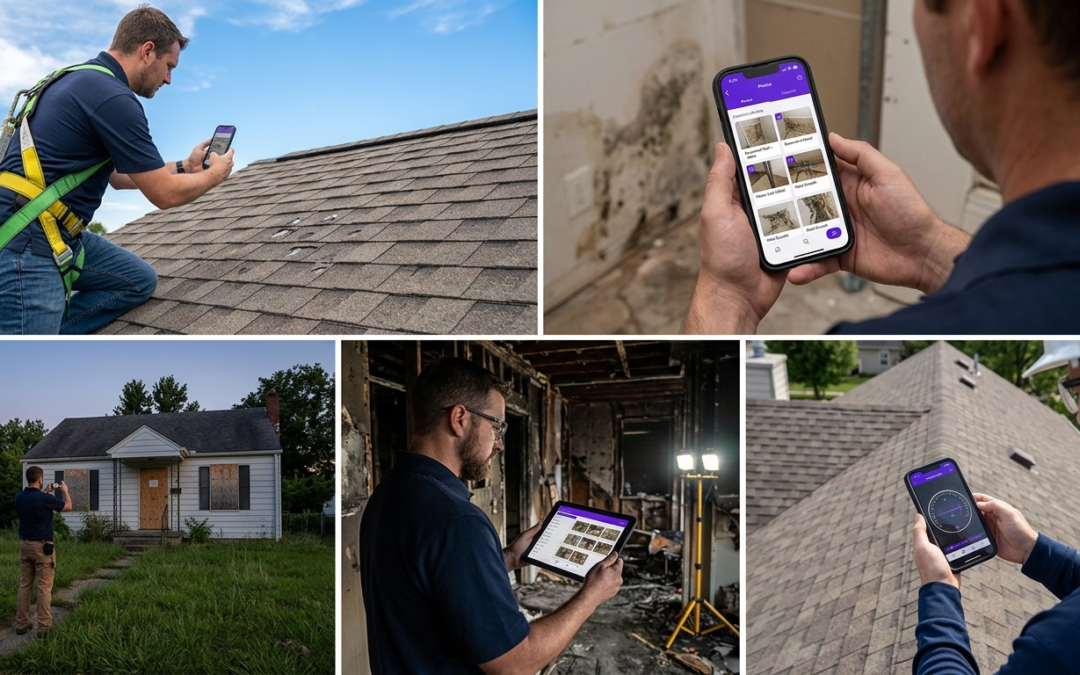
automated photo report
Automated Photo Report
Key Takeaways
- Automated photo reports significantly reduce the time spent compiling documentation in the office.
- PHOTO iD standardizes your reporting, ensuring consistent, professional communication with clients and adjusters.
- Field teams can generate complete reports directly from the job site, improving efficiency and turnaround times.
- Accurate, organized photo documentation helps prevent project disputes and speeds up payment approvals.
What Is an Automated Photo Report?
An automated photo report is a structured documentation package generated by field software that captures, labels, organizes, and exports site photos without manual data entry. Instead of renaming files and sorting folders after every job, the system handles that work in real time while you’re still on site.
Manual Photo Reporting Pain Points for Field Teams
Manual reporting burns time you don’t have. Field teams routinely spend two to four hours per job transferring photos, writing labels, and assembling reports in spreadsheets or email threads. Files get mislabeled, timestamps disappear, and adjusters request resubmissions.
The downstream cost is real: delayed claim approvals, invoice disputes, and billable hours lost to paperwork instead of inspections.
How Automation Changes Photo Documentation
Automation closes the gap between capturing a photo and producing a submission-ready report. Labels attach at the moment of capture. GPS coordinates embed automatically. Workflows sort images by category, room, or damage type–no manual sorting required after the job wraps.
Field Reality
Documentation errors are a leading cause of claim delays, not incomplete repairs. Structured, labeled photos reduce adjuster uncertainty and speed approvals.
PHOTO iD by U Scope: Core Automation Features
PHOTO iD by U Scope automates the most time-consuming steps in field photo documentation: real-time labeling, GPS tagging, custom workflows, and a built-in pitch gauge for roofing inspections. Reports are ready to export the moment the job is complete.
Why Field Professionals Need Automated Photo Reports
Save Hours on Labeling and Organizing
Each photo labeled in the field is one less office task. PHOTO iD applies custom labels at capture, so the report structure builds itself during the inspection. Teams reclaim hours per week that previously went to post-job file management.
Boost Claim Approval Speeds with Structured Photos
Adjusters approve claims faster when photos tell a clear, sequential story. Pre-labeled images with GPS data and timestamps reduce follow-up questions, cut resubmission cycles, and get money moving sooner.
Scale Inspections Without Adding Staff
When documentation builds itself, your team handles more jobs in the same hours. One inspector can close out a complete, submission-ready report before leaving the property–removing the administrative ceiling that forces growing contractors to hire office staff just to keep up with paperwork.
Automated vs. Manual Photo Reporting
Automated Reporting (PHOTO iD)
- Labels apply at the moment of capture
- GPS coordinates embed automatically
- Reports export immediately after inspection
- Consistent structure every adjuster can follow
- Zero post-job file sorting required
Manual Reporting
- Two to four hours of post-job file management per job
- Mislabeled files trigger adjuster resubmission requests
- Timestamps frequently get lost during file transfers
- Inconsistent formats slow claim reviews
- Scaling requires additional administrative staff
How PHOTO iD Delivers Automated Photo Reports
Real-Time Labeling and Custom Workflows in Action
PHOTO iD applies labels at capture, not after. Configure custom workflows before arriving on site and each photo lands in the correct category automatically. Roof sections, interior rooms, damage types, and progress shots get consistent labels–no manual renaming, ever.
Built-In Field Tools for Accurate Documentation
The built-in pitch gauge measures roof slope directly in the app–leave the separate tool in the truck. GPS tagging pins each photo to its exact location, and timestamps embed at capture. The data points an adjuster needs arrive with the photo, not buried in a separate notes file.
Export to PDF and Partner Platforms
Finished reports export to PDF or push directly to Guidewire (ClaimCenter), Salesforce, Jobber, and JobNimbus. Pre-cataloged, labeled images are also compatible with Xactimate, supporting faster and more accurate estimating without reimporting or reformatting files. PHOTO iD by U Scope connects field documentation straight to your billing and claims pipeline.
Automated Photo Reports for Key Industries
Property Preservation and Insurance Claims
Property preservation contractors and insurance inspectors work under strict documentation requirements. Each condition must be photographed, labeled, and timestamped before submission. PHOTO iD builds that structure into the capture process, so photos are review-ready without any post-job assembly.
- Capture before-and-after sequences with consistent labels across each property
- GPS tagging confirms inspector presence at the correct address
- Export directly to Guidewire (ClaimCenter) or PDF for prompt claim submission
- Structured reports reduce resubmission requests caused by unlabeled or out-of-sequence photos
Roofing and Restoration Workflows
Roofing inspectors deal with slope measurements, damage zones, and material documentation on every job. The built-in pitch gauge eliminates a separate tool from the kit. Damage photos label automatically by roof section, and the completed report exports before the inspector drives away.
- Pitch measurements captured and embedded directly in the report
- Damage photos organized by section without manual sorting
- Pre-cataloged images compatible with Xactimate for faster estimating
- Completed reports reach adjusters the same day as the inspection
Engineering and Contractor Field Use
Engineers and general contractors need documentation that holds up to scrutiny. Progress photos, site conditions, and compliance records must be accurate, traceable, and consistently formatted. PHOTO iD’s custom workflows adapt to any inspection type, and Zapier connectivity pushes data into existing project management systems without duplicate entry.
- Custom workflows match inspection checklists and compliance requirements
- Timestamps and GPS data create a traceable site record for every job
- Reports sync to Jobber or JobNimbus for billing and project tracking
- Consistent metadata supports documentation during disputes
Start Your First Automated Photo Report Today
Manual documentation is a cost your business pays on every single job. PHOTO iD by U Scope eliminates that cost by turning field photo capture into a complete, submission-ready report before you leave the site. No extra staff. No post-job file sorting. No adjuster resubmissions.
Download PHOTO iD now and run your first report on your next inspection:
Frequently Asked Questions
How do field teams create reports with photos efficiently?
Manually, teams spend hours transferring and labeling photos after each job. Automated photo report systems, like PHOTO iD, capture, label, and organize images in real-time, building the report as you work. This removes post-job file management and speeds up the entire documentation process for field teams.
What exactly is an automated photo report?
An automated photo report is a structured documentation package generated by field software. It captures, labels, organizes, and exports site photos without manual data entry, handling the work in real time during an inspection. This means reports are ready to go when the job is complete.
Can general AI tools assist with creating field reports?
While general AI tools have many uses, this article focuses on specialized field software for photo reports. Systems like PHOTO iD are designed specifically for property inspections, automating photo labeling, GPS tagging, and report generation. They streamline the documentation process for field teams.
What types of reports does automated field software primarily handle?
This article focuses on automated photo reports for field documentation, such as property inspections, insurance claims, and restoration projects. These systems are designed to create clear, structured visual documentation that speeds up approvals and reduces administrative work. They are not general reporting tools for all business functions.
How does an automated photo report save time for field teams?
Automated photo reports save hours by eliminating manual tasks like renaming files, sorting folders, and writing labels after each job. Software applies custom labels and embeds GPS data at the moment of capture, building the report structure as the inspection happens. This allows teams to complete reports before leaving the property.
What are the main differences between manual and automated photo reporting?
Manual reporting involves significant post-job time for file management, often leading to mislabeled photos and inconsistent formats. Automated reporting, using tools like PHOTO iD, labels photos at capture, embeds GPS data automatically, and exports submission-ready reports immediately. This ensures consistent structure and reduces delays.