
speech to text photo app
Why Speech-to-Text Photo Apps Solve Field Documentation Pain Points
A speech to text photo app lets field inspectors label photos by voice the moment they’re captured–eliminating manual typing, cutting errors, and accelerating claim submissions. PHOTO iD by U Scope is built specifically for this workflow.
Manual Labeling Costs You Hours Every Week
Typing photo labels on a phone screen while managing a ladder, clipboard, and client is not a workflow. It’s a bottleneck. Inspectors lose 30 to 60 minutes per job naming files, organizing folders, and adding location notes after the fact–and on multi-unit properties or complex roofing assessments, that compounds into hours of lost productivity each week.
Voice capture removes that lag entirely. Speak the label as you shoot, and the photo is organized before you move to the next damage point. No post-processing. No catch-up.
Field Reality Check
Inspectors who switch to voice-labeled photo workflows consistently report faster report turnaround and fewer adjuster callbacks requesting clarification. Structured, labeled photos answer questions before they’re asked.
Common Gaps in Generic Speech-to-Text Tools
General voice-to-text apps recognize everyday language. They miss trade terms–“hip ridge,” “soffit fascia,” “three-tab shingle,” “scope of loss.” Weak terminology accuracy means you spend time correcting labels instead of saving time on documentation.
Generic tools also lack direct photo-attachment workflows. You capture voice notes in one app and photos in another, then reconcile them later. That defeats the purpose entirely.
How Speech-to-Text Works for Photo Labeling in Field Inspections
Real-Time Voice Capture to Instant Photo Labels
With a field-ready speech to text photo app, the process is direct: open the app, speak your label, capture the photo. The spoken description attaches to the image immediately–GPS coordinates and timestamp included automatically. No extra steps.
- Open PHOTO iD and select your inspection workflow.
- Activate voice capture before or after the photo.
- Speak the label: location, damage type, and severity.
- The app attaches the label, GPS tag, and timestamp to the photo.
- Export the organized report to PDF or connected platforms.
Handling Roofing and Inspection Jargon Accurately
Field documentation demands precision. PHOTO iD is built for property inspection workflows, so the app handles the terminology adjusters and estimators expect to see–not autocorrected guesses from a general-purpose voice engine. Learn more about speech recognition technology and how it applies to specialized field applications.
Offline Processing for Remote Jobsites
Cell coverage disappears on rural properties and large commercial sites. PHOTO iD processes voice labels and organizes photos offline, syncing everything once connectivity returns. Your documentation doesn’t stop because the signal did.
PHOTO iD: Streamline Photo Labeling with Built-In Speech-to-Text
Capture and Label Photos Hands-Free in Seconds
PHOTO iD by U Scope delivers a hands-free documentation system. Voice labels, automatic GPS tagging, and real-time organization replace the manual process that eats hours each week. You stay focused on the inspection. The app handles the paperwork.
Combine with Pitch Gauge and GPS for Complete Reports
Activate the built-in pitch gauge during a roofing assessment and pair it with GPS-tagged, voice-labeled photos. Each report delivers the structured evidence adjusters need–pitch measurement, GPS coordinates, voice label, and timestamp as a single data set per image–without additional data entry.
Export Reports and Deliver to Your Platforms
Reports export to PDF or connect directly to Guidewire (ClaimCenter), Salesforce, Jobber, and JobNimbus. Pre-cataloged, labeled images can be imported into Xactimate, supporting faster estimating and fewer documentation gaps without redundant data entry.
Download the app on both platforms:
Real Field Use Cases: Accelerate Your Workflow Today
Property Preservation Inspections
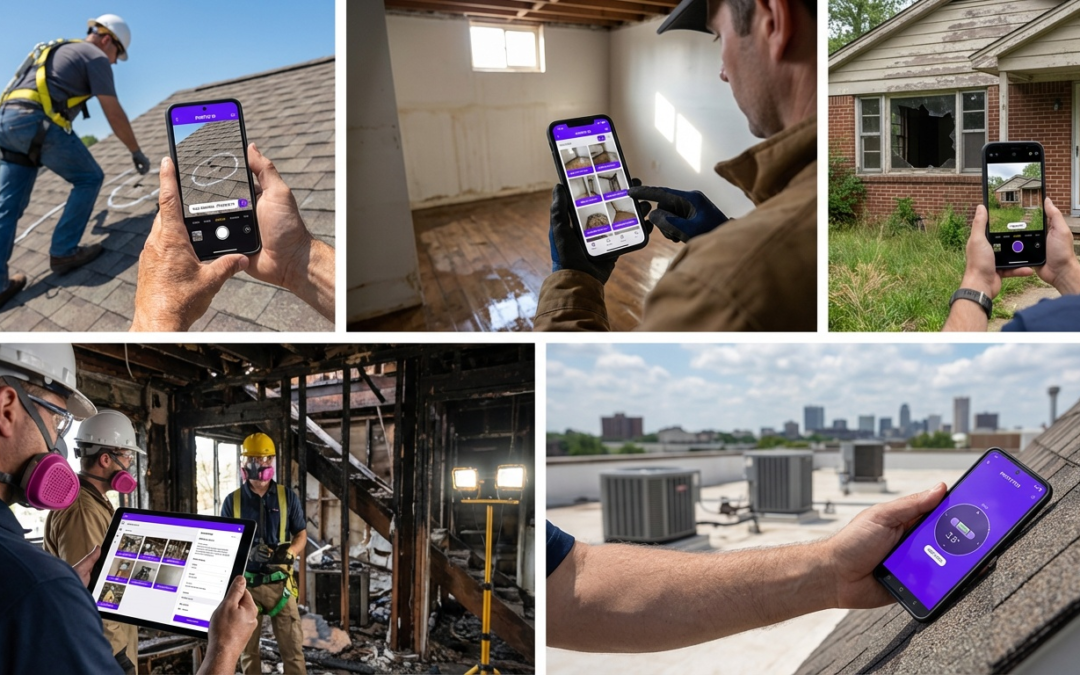
Document each room, utility status, and exterior condition by voice while moving through the property. Organized, labeled reports export immediately after the final walkthrough–no backfilling notes at the truck.
Roofing Damage Assessments
Speak damage descriptions at each roof section while the pitch gauge and GPS tag each photo automatically. Deliver a complete, adjuster-ready report before you’re off the ladder.
Insurance Claims Documentation
Structured, labeled photos from a dedicated speech to text photo app reduce adjuster callbacks and speed approvals. Each image tells the claim story clearly and in sequence–no guesswork, no follow-up calls. The National Institute of Standards and Technology speech programs offer additional context on speech recognition accuracy standards relevant to field applications.
Stop losing hours to manual documentation. Start each inspection with PHOTO iD by U Scope and close jobs faster.
Top Speech-to-Text Photo Apps for Field Inspectors Compared
What Separates Field-Ready Apps from Generic Voice Tools
A general-purpose voice app converts speech to text. A field-ready speech to text photo app attaches that text directly to a photo, tags the image with GPS coordinates, and organizes it inside a structured inspection report. Those are fundamentally different tools built for different jobs.
On a 40-photo roofing assessment, manually connecting voice notes to images after the fact can consume more time than the inspection itself. Field inspectors need voice capture and photo labeling to happen in one uninterrupted action.
Key Features to Evaluate in Any Documentation App
Not every app marketed for field use delivers the same capabilities. Evaluate any speech to text photo app against these criteria before committing to a workflow change:
- Direct photo attachment: Voice labels must bind to images at the moment of capture, not in post-processing.
- Industry terminology accuracy: The app must recognize inspection-specific language without constant corrections.
- Offline functionality: Documentation can’t depend on cell coverage at remote or rural properties.
- Structured export formats: Reports must export to PDF or connect to claim management platforms.
- GPS and timestamp automation: Location and time data should attach without manual entry.
What Adjusters Actually Review
Claim reviewers look for structured, sequential photo documentation with clear labels, location context, and consistent organization. Apps that produce unorganized photo dumps–regardless of voice features–don’t speed approvals.
Why PHOTO iD Meets Every Criterion
PHOTO iD by U Scope is built for property inspection workflows. Voice labels attach to photos at capture. GPS tagging and timestamps are automatic. The app works offline and syncs when connectivity returns. Reports export to PDF or connect to Guidewire (ClaimCenter), Salesforce, Jobber, and JobNimbus.
Pre-cataloged, labeled images export from PHOTO iD and import directly into Xactimate, reducing redundant data entry and supporting faster estimating. No manual re-entry required.
For roofing contractors, the built-in pitch gauge adds technical documentation that generic voice apps can’t match. Each photo in a roof assessment carries a pitch measurement, GPS tag, voice label, and timestamp as a single data set. That’s what adjuster-ready documentation actually looks like.
Field teams that eliminate manual labeling recover hours each week. Download the app on both platforms and start your next inspection with a more automated documentation workflow:
Frequently Asked Questions
What makes a speech to text photo app different from a standard voice recorder?
A standard voice recorder captures audio separately from your photos. A dedicated speech to text photo app binds the spoken label directly to the image at the moment of capture, including GPS coordinates and a timestamp. The result is a structured, searchable photo report rather than disconnected audio files you must reconcile later.
Can PHOTO iD work without cell service on remote properties?
Yes. PHOTO iD processes voice labels and photo organization offline. All data syncs automatically once connectivity returns. Rural properties and large commercial sites with poor coverage do not interrupt your documentation workflow.
Does PHOTO iD integrate with Xactimate?
PHOTO iD is not directly integrated with Xactimate. Pre-cataloged, labeled images export from PHOTO iD and import into Xactimate, supporting faster estimating and claim approvals without redundant data entry.
Which platforms support PHOTO iD?
PHOTO iD is available on both iOS and Android. Download it from the App Store or Google Play. Visit PHOTO iD by U Scope for full product details.
What claim management platforms does PHOTO iD connect to?
Reports export to PDF or connect to Guidewire (ClaimCenter), Salesforce, Jobber, and JobNimbus. Zapier is also supported for custom workflow automation.
Is PHOTO iD suitable for roofing contractors specifically?
Yes. The built-in pitch gauge pairs with GPS-tagged, voice-labeled photos to produce adjuster-ready roofing reports on-site. No additional tools or post-processing are required to deliver complete, structured documentation.