
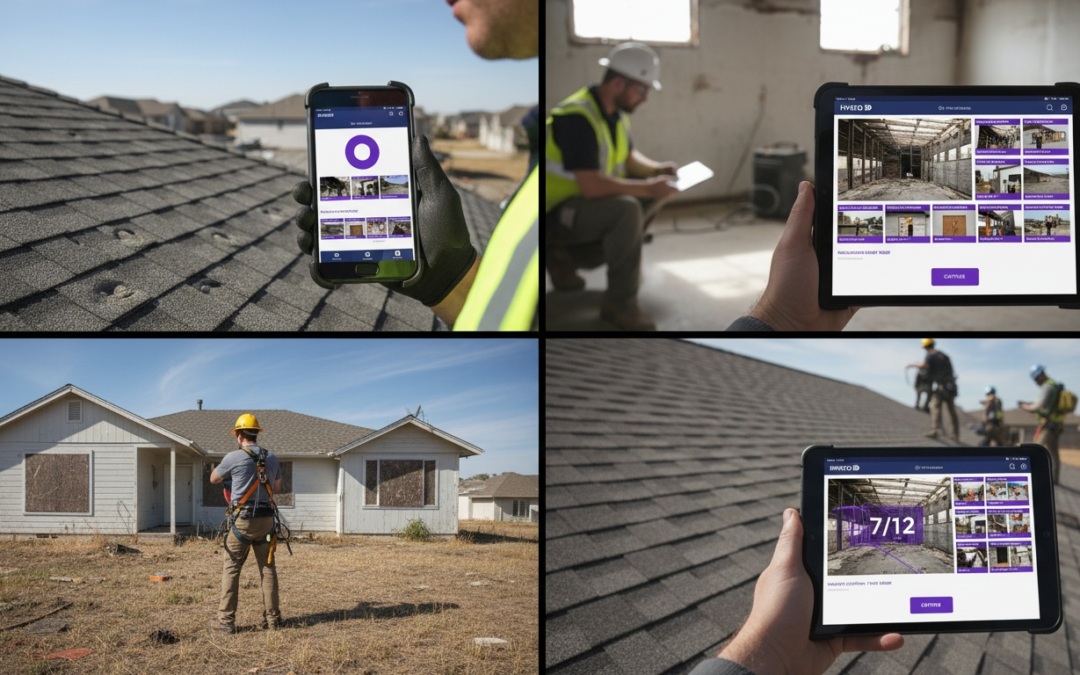
jobsite documentation app
Why You Need a Jobsite Documentation App for Field Work
A jobsite documentation app eliminates manual photo labeling, prevents lost documentation, and generates professional reports in minutes. PHOTO iD automates photo organization with real-time GPS tagging, offline access, and direct integrations with Guidewire (ClaimCenter), Salesforce, Jobber, and JobNimbus, cutting documentation time by up to 70% for property inspectors and contractors.
Manual Documentation Pain Points That Slow You Down
Manual photo documentation creates three major bottlenecks: disorganized files scattered across devices, hours spent labeling and sorting images after returning from the field, and incomplete records that force return visits. When you’re photographing 200+ images per inspection, remembering which photo shows which room or damage becomes impossible without immediate labeling.
Lost documentation costs real money.
Missing before-and-after photos delay insurance claims. Unlabeled images confuse adjusters and clients. Incomplete records lead to disputes about completed work. Every hour spent recreating documentation is an hour you can’t bill.
Key Benefits: Visual Proof and Fewer Disputes
Structured photo documentation provides verifiable proof of site conditions, work progress, and completed repairs. When every image includes automatic timestamps, GPS coordinates, and clear labels, disputes decrease because the evidence is hard to contest. Adjusters approve claims faster when they see exactly what was done, where, and when.
You close jobs faster with organized photos. Clients receive comprehensive documentation within hours instead of days. Your team spends less time on administrative work and more time on billable inspections.
How PHOTO iD Solves These Problems for Property Inspectors and Contractors
PHOTO iD addresses these pain points through automation. The app labels photos as you capture them, not later. GPS tagging records exact location data automatically. Built-in tools like the pitch gauge eliminate separate equipment. Offline mode ensures you can document sites without cellular coverage.
Custom workflows match your specific inspection process. Integration with Guidewire (ClaimCenter), Salesforce, Jobber, and JobNimbus means photos flow directly into your existing systems. Reports generate automatically with your branding, ready to send within minutes of leaving the site.
Time Savings Breakdown
Field teams using PHOTO iD report spending 15 minutes per inspection on documentation instead of 45-60 minutes with manual methods. For teams completing 10 inspections weekly, that’s 5-7.5 hours saved per week. An additional billable day.
Jobsite Documentation Apps: What to Expect
Pros
- Eliminate manual photo sorting and labeling
- Automatic GPS tagging verifies location and time
- Generate reports quickly
- Reduce disputes with clear visual evidence
- Work offline at remote sites
- Direct integration with insurance and CRM platforms
Cons
- Requires initial team training on new workflows
- Monthly subscription cost replaces one-time camera purchases
- Effectiveness depends on consistent field adoption
Must-Have Features in a Jobsite Documentation App
The right jobsite documentation app must function reliably in real field conditions, not just in office demonstrations. Your app should capture, organize, and deliver documentation without requiring stable internet access, without forcing you to carry multiple tools, and without adding steps to your workflow.
Real-Time Photo Labeling and GPS Tagging
Real-time labeling means you categorize photos as you capture them, not later when details fade from memory. This single feature prevents the most common documentation error: unlabeled images that require hours of post-inspection sorting. GPS tagging embeds exact coordinates into each photo’s metadata, creating an indisputable record of where each image was captured.
PHOTO iD applies labels at the moment of capture. Select the room, damage type, or work category before pressing the shutter. The app embeds this information into the file itself, making photos searchable and sortable immediately. GPS coordinates attach automatically, which reduces disputes about property boundaries or damage locations.
Offline Access and Built-In Field Tools Like a Pitch Gauge
Cellular coverage doesn’t exist at every jobsite. An app that requires constant connectivity becomes useless in rural areas, basements, or remote properties. Offline functionality must include full capture and labeling capabilities, not just photo storage.
PHOTO iD operates completely offline. Capture, label, and organize hundreds of photos without any signal. Built-in tools like the pitch gauge measure roof angles directly through your camera, eliminating separate measurement equipment. When connectivity returns, documentation syncs automatically to your cloud storage and integrated systems.
Automated Reporting and Custom Workflows
Manual report creation wastes billable hours. Your app should transform organized photos into finished documents without manual formatting, copying, or layout work. Custom workflows ensure the app matches your specific inspection process instead of forcing you to adapt to generic templates.
PHOTO iD generates branded reports automatically from your labeled photos. Configure custom workflows that match your inspection checklist: exterior assessment, interior rooms, mechanical systems, and roof condition. The app follows your sequence, ensuring complete documentation every time. Reports export directly to PDF or integrate with Guidewire, Salesforce, Jobber and JobNimbus for immediate claim submission.
Other Jobsite Documentation Tools Worth Knowing
Several other platforms serve parts of the jobsite documentation workflow. CompanyCam offers general photo documentation for contractors with team collaboration features. Raken focuses on daily reporting and project tracking with photo attachments as one component of broader logs. Procore provides enterprise-level construction management with broad project oversight capabilities. Fulcrum delivers mobile data collection tools for field inspections across various industries.
Where PHOTO iD stands apart is its purpose-built approach to insurance claims documentation. Every inspection tells a story: the condition before work begins, each step of the restoration process, and the final result. PHOTO iD captures that narrative automatically through sequential labeling, GPS-verified timestamps, and structured workflows designed specifically for adjusters and claims reviewers. Instead of sorting through hundreds of generic photos, adjusters receive a clear, chronological account of what happened, where, and when. This story-driven documentation accelerates claim approvals and reduces disputes because the evidence speaks for itself.
| Feature | Manual Process | PHOTO iD Solution |
|---|---|---|
| Photo Labeling | Sort and rename 200+ files after returning to the office | Label at capture with predefined categories |
| Location Tracking | Write notes, sketch maps, and rely on memory | GPS coordinates embedded in every photo automatically |
| Offline Work | Carry a camera, transfer files later, and risk data loss | Full functionality without connectivity, then auto-sync when available |
| Report Generation | 45-60 minutes per inspection copying files and formatting | Automated branded reports in under 5 minutes |
| Field Measurements | Carry separate tools and record results manually | Built-in pitch gauge and measurement tools in the camera |
Streamline Your Workflows with PHOTO iD Step by Step
Implementation takes minutes, not weeks. PHOTO iD requires no complex setup or long training period. Download the app, configure your workflow template once, and start documenting immediately.
Capture and Organize Photos in the Field
Before arriving at the site, select your inspection template: property preservation, insurance claim, roofing assessment, or a custom workflow. The app presents your checklist in order. As you move through the property, select the current location or damage type from your predefined categories, then capture photos. Each image receives automatic labels, timestamps, and GPS coordinates.
Group related photos into folders without leaving the camera interface. Mark priority images for follow-up. Add voice notes or text annotations to specific photos while context remains fresh. Everything stays organized according to your workflow structure.
Generate Reports and Share with Stakeholders
After completing documentation, tap “Generate Report.” PHOTO iD compiles your labeled photos into a finished document with your company branding, organized by your workflow sequence. Review the report on your device, make any necessary adjustments, then export directly to PDF or send through integrated systems.
Users can seamlessly use PHOTO iD with Xactimate to capture, organize, and deliver structured photo documentation that supports faster, more accurate estimating and claim approvals. Salesforce integration creates case records with attached documentation automatically. Guidewire users can submit claims with complete photo evidence in a single action.
Handle Offline Sites and Ensure Compliance
PHOTO iD stores all documentation locally when you work offline. Continue capturing and organizing photos exactly as you would with connectivity. The app queues all data for automatic upload when you return to coverage. Nothing gets lost, and your workflow doesn’t change based on signal availability.
Compliance features help documentation meet insurance and regulatory standards. Required photos appear as checklist items you must complete before closing an inspection. Mandatory fields prevent incomplete submissions. Audit trails track who captured each photo and when, satisfying quality assurance requirements.
Start Documenting Smarter Today
Download PHOTO iD and configure your first custom workflow in under 10 minutes. Your next inspection will take half the documentation time with better organization. Stop losing hours to manual labeling and deliver finished reports the same day you complete fieldwork.
Real Results: Save Time and Eliminate Errors Today
Field teams across property preservation, roofing, and insurance restoration report measurable improvements after switching to structured documentation. The difference between manual methods and automated workflows shows up in billable hours recovered, disputes avoided, and claims approved without revision requests.
Quantified Wins from Property Inspectors and Roofing Teams
Property inspectors completing 8-12 inspections weekly save 6-8 hours per week on documentation tasks. That time converts directly to additional billable inspections or reduced overtime costs. Roofing contractors report 40% fewer callbacks to confirm photo evidence because GPS tagging and automatic labeling remove ambiguity about which roof section appears in each image.
Insurance restoration teams see claims approval timelines drop from 14-21 days to 7-10 days when submitting documentation through integrated systems. Adjusters spend less time requesting clarification when every photo includes a timestamp, location, and clear categorization. Faster approvals mean faster payment cycles and improved cash flow.
“We cut our documentation time from 45 minutes per property to under 15 minutes. The automatic labeling means we never waste time sorting files back at the office. Our reports look more professional, and clients receive them the same day we complete inspections.”
Overcome Common Challenges Like Lost Documentation and Poor Integrations
Lost documentation stems from fragmented workflows: photos on phones, notes on clipboards, and measurements in separate apps. Consolidating everything into one jobsite documentation app eliminates the gaps where information disappears. Offline functionality prevents another common failure point: uploads that fail at sites without connectivity.
Poor integrations force double data entry. When your documentation app doesn’t connect directly to Guidewire, Salesforce, or JobNimbus, someone must manually transfer information between systems. PHOTO iD removes this duplication through native integrations that push photos and reports directly into your existing platforms without export-import steps.
Start with PHOTO iD: Your Next Steps
Download PHOTO iD from the App Store or Google Play and run your first inspection using a preconfigured workflow template. The app includes standard templates for property preservation, insurance claims, and roofing assessments. Customize any template to match your specific process: add required photo categories, set mandatory fields, and configure your branding.
Your team will adapt quickly because the interface follows a natural inspection flow. Walk through the property, select the area you’re documenting, and capture photos. The app handles organization automatically. After one or two inspections, the workflow becomes second nature.
Connect your existing systems through the integrations panel. Connect Salesforce to create case records with attached documentation. Configure Guidewire integration for direct claim submission. Each connection takes minutes to establish and eliminates hours of manual data transfer each week.
Industry research supports the use of structured documentation to improve efficiency and reduce errors. For more detailed insights into industry standards and construction project economics, see construction project economics studies from government research organizations.
Stop Losing Hours to Manual Documentation
PHOTO iD turns field documentation into an automated process that keeps pace with your work. Download the app today and complete your next inspection in half the time, with finished reports ready before you leave the site. Clients and adjusters will see the difference.
Frequently Asked Questions
How do jobsite documentation apps improve efficiency for field teams?
Jobsite documentation apps automate tasks like photo labeling and GPS tagging, which eliminates hours of post-inspection administrative work. This automation allows field teams to complete documentation in minutes, not hours, freeing up time for more billable inspections. For teams doing 10 inspections weekly, this can save 5-7.5 hours, effectively adding an extra billable day.
What are the main issues with manual photo documentation on a jobsite?
Manual photo documentation leads to disorganized files, requiring hours of sorting and labeling back in the office. It often results in incomplete records, forcing costly return visits and delaying insurance claims or project approvals. Lost or unlabeled images also confuse clients and adjusters, leading to disputes.
Can I use a jobsite documentation app when there’s no cell service?
Absolutely. A good jobsite documentation app, like PHOTO iD, operates completely offline, allowing you to capture, label, and organize hundreds of photos without any signal. Once connectivity returns, all your documentation syncs automatically to cloud storage and integrated systems. This ensures you can document sites in rural areas, basements, or other remote properties without interruption.
How do these apps help prevent disputes over completed work?
Jobsite documentation apps provide verifiable visual proof of site conditions, work progress, and completed repairs. Every image includes automatic timestamps, GPS coordinates, and clear labels, making the evidence hard to contest. This structured documentation helps adjusters approve claims faster and reduces arguments with clients about what was done, where, and when.
What kind of integrations should I expect from a good jobsite documentation app?
A good jobsite documentation app should integrate directly with your existing systems to streamline workflows. PHOTO iD, for example, offers integrations with software like Salesforce, Guidewire, Zapier, Jobber, and JobNimbus. These connections ensure your photos and reports flow seamlessly into your project management, CRM, or insurance platforms.
What are the primary advantages of using PHOTO iD for field documentation?
PHOTO iD automates photo organization with real-time GPS tagging and labels photos as you capture them, cutting documentation time by up to 70%. It includes built-in tools like a pitch gauge and operates offline, ensuring complete documentation anywhere. The app also generates professional, branded reports automatically and integrates with platforms like Guidewire (ClaimCenter) and Jobber.
Are there any drawbacks to switching to a jobsite documentation app?
While the benefits are clear, there are a couple of things to consider. Your team will require initial training to get comfortable with new workflows. Also, these apps typically involve a monthly subscription cost, which replaces the one-time camera purchases you might be used to.